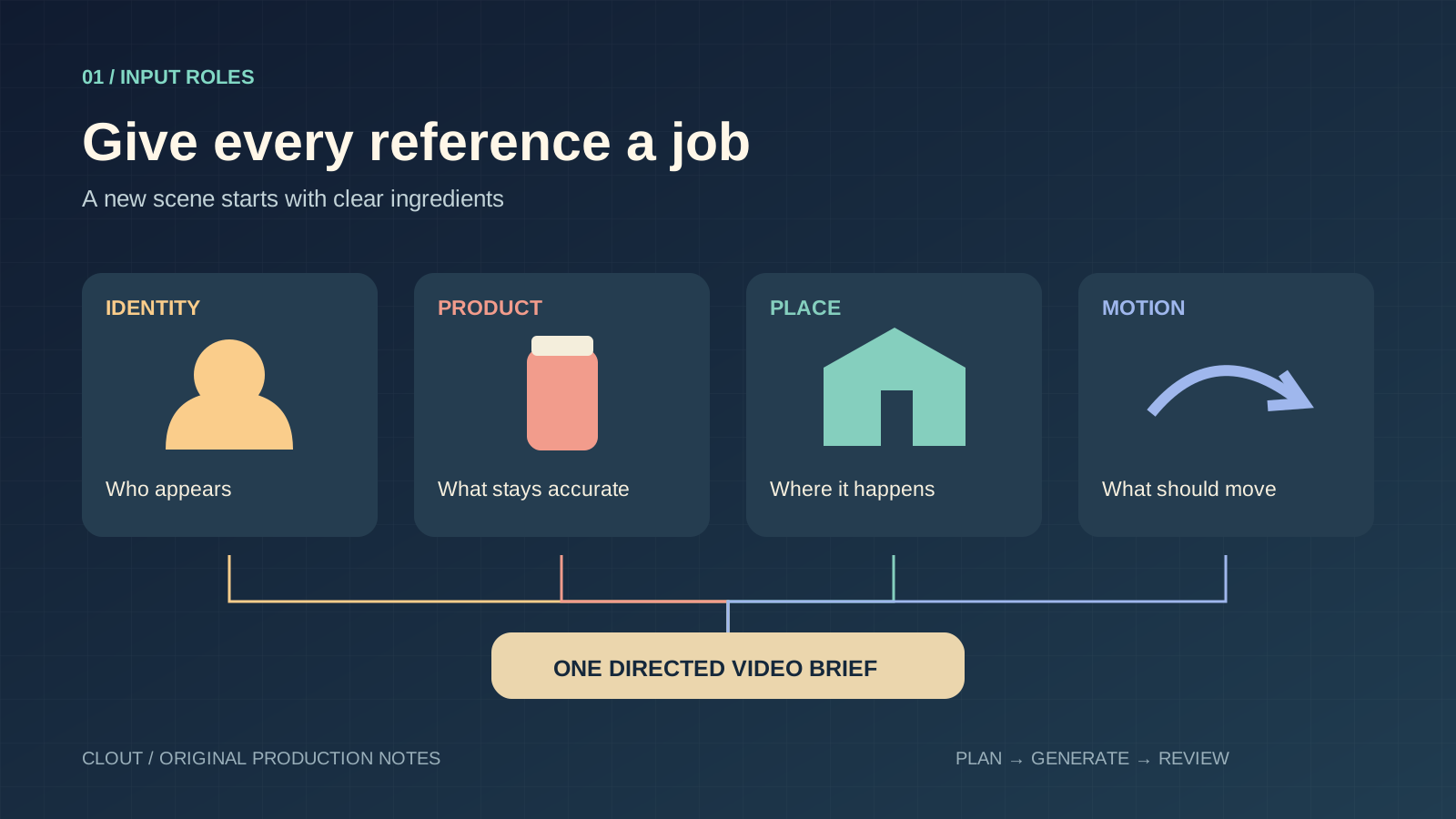
Reference-to-video AI is useful when a prompt alone cannot describe the face, object or movement you need. Instead of asking for “a creator with a bottle,” you supply the creator and bottle separately, explain their roles and direct the shot. The hard part is keeping those roles clear when the camera and subject move.
This guide uses an original fictional campaign for a coral travel flask. The diagrams, prompts and worksheets are planning resources you can reuse. They are not generated model results. Start with your own approved assets if the video will represent a real person or product.
Reference to video versus image to video
| Method | Starting point | Use it when |
|---|---|---|
| Reference to video | Assets assigned to identity, product, location or motion | You need a newly directed scene using recognizable ingredients |
| Image to video | One approved opening composition | The shot already looks right and needs movement |
| First and last frame | An opening and ending image | You need to connect two compatible visual states |
| Motion transfer | A driving performance and appearance references | The timing and gestures of a recording matter |
| Video editing | An existing take and a selected change | You want to retain a shot while revising an element |
These are production decisions, not interchangeable labels. A reference image does not automatically become the first frame. A reference video does not always mean exact movement copying. Read the input names and supported operation before uploading.
Build a reference pack with four explicit roles
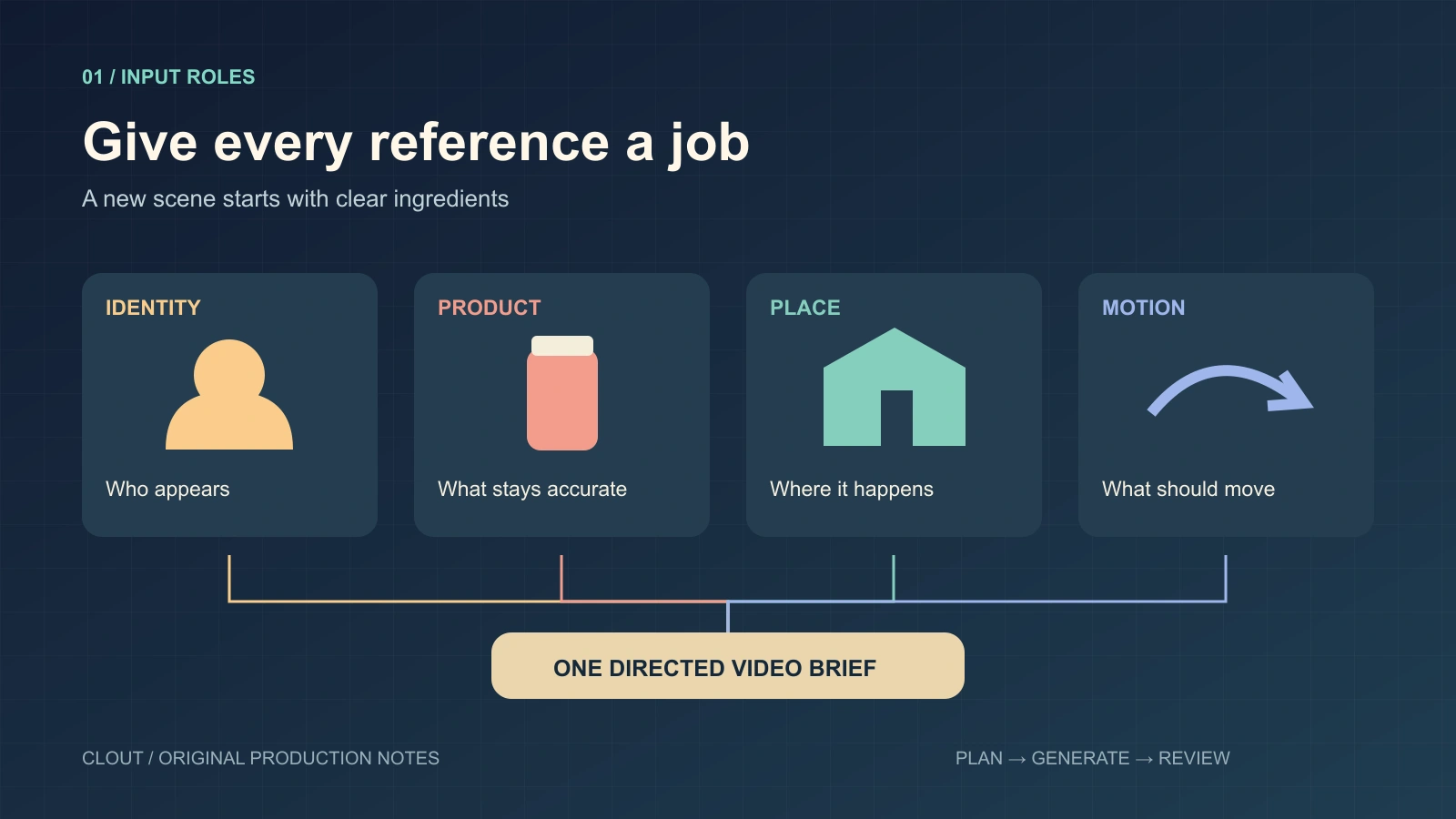
Download the editable planning diagram
- Identity: a clear approved portrait of the adult creator with the intended hair and wardrobe.
- Product: a sharp view of the coral flask with its cream lid, plus another angle only if the action reveals it.
- Place: a simple pale kitchen with space for the creator and the flask.
- Motion: optional footage of the exact gesture or camera move worth borrowing.
Label each file before uploading. Keep the same upload order while revising the prompt. When an interface assigns tokens or positional names, use the names it actually shows. A token copied from a different provider may have no meaning in your current request.
Start with identity and product. Add the location if it solves a specific composition problem. Add a motion reference only when timing matters. A larger pack creates more instructions to reconcile; it does not automatically create more control.
Which models support reference to video
Alibaba Cloud documents Wan 3 multimodal reference generation. The guide distinguishes reference assets from first-frame inputs. Provider limits differ: for example, compare the exact endpoint with the Higgsfield Wan reference API before moving a request between integrations.
For a version-specific example, our Seedance R2V guide explains its reference roles and includes a completed example. For a recorded performance, compare Kling Motion Control and Genjutsu. A provider's model catalog establishes availability; it does not establish which model wins your shot.
Clout's Image and Video Studio currently includes Wan 3 with separate frame and reference routing. The configured model accepts image, video and audio references. Check the selected controls and the displayed credit quote before rendering. Clout and Higgsfield are separate platforms with separate accounts.
Copy a short reference to video prompt
Use the first image for the adult creator's identity, dark bob and sage shirt. Use the second image for the coral flask and cream screw lid. In a bright kitchen, the creator slides the closed flask a short distance toward the camera, then rests her hand beside it. One continuous medium shot with a locked camera. Keep the flask upright and the lid attached. Preserve the creator's face, wardrobe and the product's shape. Soft room ambience, no dialogue, no extra objects and no added text.
This is an original untested brief. It deliberately avoids a lid removal, drinking action and camera orbit in the same shot. Once a simple action works, add the next production requirement. If you need exact packaging text, include accurate references and inspect the export; add controllable captions in your editor.
The phrase “first image” is a human-readable role description. Match it to your actual uploaded order and the syntax of your chosen interface. For Wan-specific timed examples, use the Wan 3 prompt pack.
Choose settings around the destination
Decide the crop before generation. A vertical social post needs room for the face, hands and product inside the usable frame. A website hero needs a wider composition with space for its layout. Select duration in the interface, then make the written action fit that duration.
Record the provider, exact model, operation, resolution, aspect ratio, reference order, audio choice and displayed charge. Save that record with the accepted file. A prompt without settings is an incomplete production recipe.
Fix the failure you can actually observe
| Observed failure | First thing to inspect | Next controlled revision |
|---|---|---|
| The creator changes identity | Competing faces or an ambiguous identity role | Use one clear identity source and a smaller turn |
| The flask changes shape | Occlusion and missing product angles | Reduce handling and show the relevant surface |
| The output copies the wrong movement | The reference clip's assigned role | State whether you want gesture, timing or camera movement |
| The scene starts in the wrong composition | Reference mode versus first-frame mode | Use an opening-frame operation if that composition is essential |
| Dialogue is missing or repeated | Speaking roles and available duration | Try one short line with one named speaker |
Change one major variable per attempt. Keep the rejected export with a specific observation, such as “lid becomes detached during contact.” That note gives you a next action; “looks wrong” does not.
Review the opening contact and ending
Watch the full export at normal speed, then revisit the opening, hand contact and ending. In the flask brief, inspect the face, lid, tabletop contact and whether the flask remains upright during the slide. Listen to the exported audio rather than assuming a successful visual preview proves the audio passed.
Download the blank reference-video review sheet. Record actual observations and the accepted or rejected decision. The sheet contains no prefilled quality score.
Create a reference-led scene in Clout. Build an original creator, choose the current video operation and expand the campaign from an accepted shot. Continue with the Wan model overview or the consistent character workflow.