Kling motion control transfers a performance from a reference video onto a character defined by an image. The useful production decision is how to pair those inputs: the movement must fit the visible body, the orientation setting must fit the shot and the resulting sequence must keep the character recognizable.
This guide covers Kling 2.6 and Kling 3 motion-control workflows documented by fal, with a separate note for Higgsfield users. Official provider sources were checked October 3, 2026. Clout publishes the guide. The original artwork and motion plans are untested planning materials; no Kling video, timing benchmark or conversion test was generated for this comparison.
What is Kling motion control
Use motion control when you already have a performance you want a different original character to follow. Use ordinary image-to-video when your starting point is a finished still and a written action. Use character replacement when the requirement is editing a person within an existing scene. These operations can produce similar-looking clips while preserving different parts of the inputs.
| Production need | Route | Main input to approve |
|---|---|---|
| Repeat a recorded gesture with a new creator | Motion control | Character image and driving performance |
| Animate a finished first composition | Image to video | Starting frame and action brief |
| Replace the performer while keeping a source scene | Character replacement | Source clip, subject boundaries and target character |
| Change the spoken words | Controlled speech or lip sync | Approved audio and visible performance |
Motion control is not a promise to reproduce every pixel of the source video. Decide what matters before generating: the timing of a wave, the direction of a turn, the visual identity or the setting. For scene-preserving edits, read the character replacement guide instead.
Separate Kling versions from provider operations
The fal Kling 2.6 Standard schema requires a character image, a motion video and an orientation choice. It asks for clear proportions and an unobstructed head with the full or upper body visible in the driving footage. Its documented maximum is 10 seconds for image orientation and 30 seconds for video orientation.
The fal Kling v3 Pro schema documents the same orientation limits and an optional single facial element binding, supported only with video orientation. This is a documented input option, not a guarantee of perfect identity preservation. Do not copy a v3 field into a v2 request without checking the selected schema.
| Checked route | Reference roles | Version-specific check |
|---|---|---|
| Kling 2.6 Standard on fal | Image for appearance, video for performance | Use the fields in the selected endpoint schema |
| Kling v3 Pro on fal | Image and video, with an optional facial element | Element binding requires video orientation |
| Kling through another provider | Confirm the actual input slots | Plan access and exposed controls can differ |
A familiar model label does not establish the resolution, export conditions or operations your account can use. Keep the selected version, provider and mode in your production notes. This makes a later retry repeatable and avoids confusing a model change with a better prompt.
Choose image or video orientation deliberately
Orientation is about which reference supplies the facing direction, not whether the exported file is portrait or landscape. That distinction matters: a creator can be in a vertical frame while following a video-oriented performance.
For the checked fal routes, video orientation follows the driving video's orientation; image orientation follows the character image. Choose the setting that matches the shot requirement, then verify the result. The documented duration ceiling is not a target length for every attempt. A short useful gesture is often a better first test than a long routine.
Write one sentence explaining your choice. For example: “Follow the recorded front-facing wave while keeping the approved creator recognizable.” If your actual requirement is to preserve a portrait composition while adopting a camera move, test that requirement separately. Do not mix a full-body routine with a tightly cropped face reference and expect the orientation control to resolve every mismatch.
Prepare a reference with the required body visible
Choose a reference that shows what the performance will need. A full-body motion benefits from visible feet, separated arms and a clear silhouette. A seated upper-body performance needs the head, shoulders and relevant hands. Keep wardrobe and proportions consistent with the intended action.
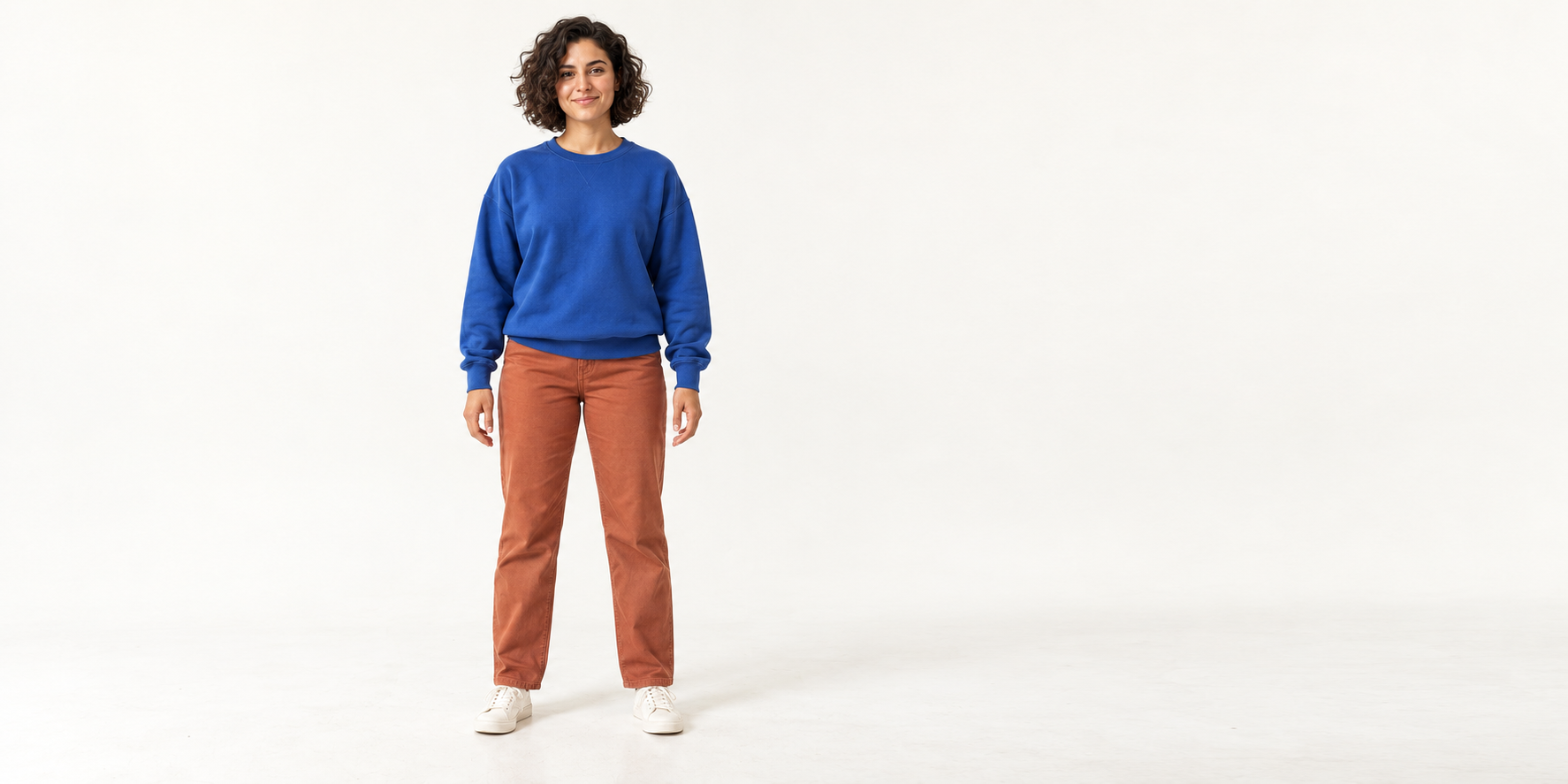
Our original creator wears a cobalt sweatshirt, terracotta trousers and cream sneakers in an ivory studio. The image is a planning reference, not a frame from a Kling output. Download the native creator reference. Review it before use and prepare it according to your chosen provider's current file requirements.
Clout can help you establish an original recurring creator and create coordinated reference photos and video scenes. Approve the identity once, then keep the same accepted baseline available for each new scene. Do not use a drifting edited output as the only reference for the next shot.
Record a short driving performance you can inspect
Use an owned or approved recording with one visible adult performer. Keep the camera still, the body unobstructed and the lighting stable. Begin with a neutral pose, perform one action and return to a clear ending. Watch the downloaded recording rather than relying on a tiny social preview.
Download two original recording plans and context prompts. These are instructions for making your own source footage, not supplied motion videos or rendered results.
| Plan | Simple recording sequence | Review before upload |
|---|---|---|
| Five-second wave | Neutral opening, one slow wave, neutral ending | Hand stays visible and the body remains inside the frame |
| Six-second modest turn | Neutral opening, modest shoulder turn, return to front | Face stays readable and arms avoid crossing the torso |
The durations above are original planning choices within the checked limits. They are not minimum requirements or measured successful settings. If the performer leaves the frame, revise the source instead of asking the prompt to invent the missing movement. Add complex contact or a faster turn only after the baseline is useful.
Let the video direct movement and the prompt describe context
The fal motion-control prompt guide recommends using the video for movement and the prompt for environmental and stylistic context. That division is useful when writing your own brief: conflicting action instructions can make a trial harder to diagnose.
One original creator in a cobalt sweatshirt, terracotta trousers and cream sneakers in a bright ivory studio. Soft daylight, clean uncluttered floor and steady framing. Keep the approved character appearance and a coherent contact shadow throughout the shot.
This is an original untested context prompt for the wave recording. The recorded performance supplies the wave. The prompt supplies the intended setting and appearance. Adapt it to the controls your provider exposes; it is not universal syntax for every interface.
For the modest turn, keep the context unchanged. Compare the new performance against the same reference and review criteria. If the face changes, inspect the reference visibility and selected identity controls. If the movement differs, inspect the source recording and orientation choice before adding more adjectives.
Using Kling motion control on Higgsfield
Higgsfield's motion-control guide describes pairing a character image with a driving video and emphasizes visible limbs, space around the subject and matching framing. Its Kling motion-control v3 article provides a separate version-specific starting point. Check the current account interface and offer before assuming the controls match fal's API.
If you arrived through a search for Higgsfield Kling motion control, record the exact mode you selected and the input roles shown there. Keep provider-specific steps separate from the general production brief. A control available in one integration is not proof that another exposes the same field or allowance.
For an unlimited offer, confirm the eligible operation, queue, allowed export and any usage conditions. A promotional headline does not establish your account's current entitlement. Compare the cost and finishing work per accepted scene, including failed attempts, rather than treating every generated preview as useful output.
Review the complete exported motion
Download the blank motion-control review sheet. Its observation fields are empty. Record your actual reference, provider, version, orientation and settings alongside the result. There is no prefilled success score or claimed generation time.
For the wave, inspect the face, cuffs, fingers and timing. For the turn, inspect the facial identity and torso proportions through the transition. In both cases, check feet and shadow contact, then watch the whole sequence at normal speed. A convincing first frame does not establish stable motion.
Review audio deliberately too. The checked fal schemas expose a setting to retain the source sound. Decide whether that sound belongs in the finished campaign, then inspect the exported file. Add captions from the final approved audio and check their timing after editing.
Change one variable when a test fails. Keep the original source, approved reference and notes so the next attempt can explain what improved. A new character, different motion, new background and new mode in the same retry make that explanation difficult.
Build the next scene around the same creator
Once a short scene passes your own review, expand the campaign with another controlled performance around the same approved identity. Use Clout to create the character and coordinated campaign assets, then choose the video operation that matches the next shot. Recognition across the series is a separate acceptance criterion from any single impressive gesture.
Continue with the Kling model overview, the Wan Animate workflow and the consistent creator guide. For a finished speaking campaign, use the UGC voice workflow comparison.