Genjutsu and Kling Motion Control both appear in reference-led video workflows, but choosing between them starts with the asset you already have. Is the source take the scene you want to revise, or is it a performance you want a different character to follow?
This is an independent workflow comparison published by Clout. It compares documented operations and supplies an original test plan. It is not a side-by-side quality benchmark, and it does not claim that one model wins every dance, dialogue or product shot.
The practical difference in one table
| Decision | Genjutsu | Kling Motion Control |
|---|---|---|
| Starting question | What should change in this existing shot | Which movement should this character follow |
| Input plan | Source footage and references for the intended transformation | Character image and driving performance video |
| Operation to verify | Motion Transfer, Object Swap or Restyle | Exact Motion Control version and orientation setting |
| First review | Intended change plus continuity of the source action | Character appearance plus readable transferred movement |
| Cost comparison | Actual quote, retries and finishing time | Actual quote, retries and finishing time |
Higgsfield's Genjutsu introduction describes motion-led transformations and selected element changes. Its Kling Motion Control entry pairs an image with a motion video. Treat those as operation descriptions, then inspect the current input panel.
Choose around the result you need
Recast an existing scene: begin by evaluating Genjutsu Motion Transfer. Write what supplies the replacement identity and setting, and which actions should remain readable. Keep the source take for comparison.
Animate a character with a recorded performance: evaluate Kling Motion Control. Prepare a character image whose framing suits the performance. An extreme crop or missing limbs makes the intended transfer harder to judge.
Replace only a product or garment: inspect a selected edit such as Genjutsu Object Swap. A whole-character motion operation is a different brief. Our Object Swap guide includes an input checker and original practice sources.
Create a new scene without a fixed performance: consider a reference-to-video workflow or Wan prompt brief. A still identity source and a new action may fit the job better than importing movement you do not need.
Use one test brief for a meaningful comparison
Film an original adult performer in a simple room: raise one hand, turn slightly, then place the hand back by the table. Keep the face and both hands visible. Use a short section with no cuts. Save a clean character image with compatible framing and an approved outfit.
The aim is to compare the same acceptance criteria, not force identical prompt syntax into incompatible operations. Use the provider's actual fields and record the differences. A model requiring one character image and a model accepting a broader reference set do not have identical input contracts.
Use the approved character appearance and follow the source performance's hand raise, small turn and return. Keep the face and outfit recognizable through the whole action. Maintain believable hand and table contact. One continuous shot with no additional gesture, extra person or added lettering.
This is an original unrendered test brief. Add explicit scene-rebuild or selected-edit instructions only in the operation that supports them. If the requested source preservation is essential, state it and inspect it rather than assuming the tool guarantees it.
Review five moments rather than the best thumbnail
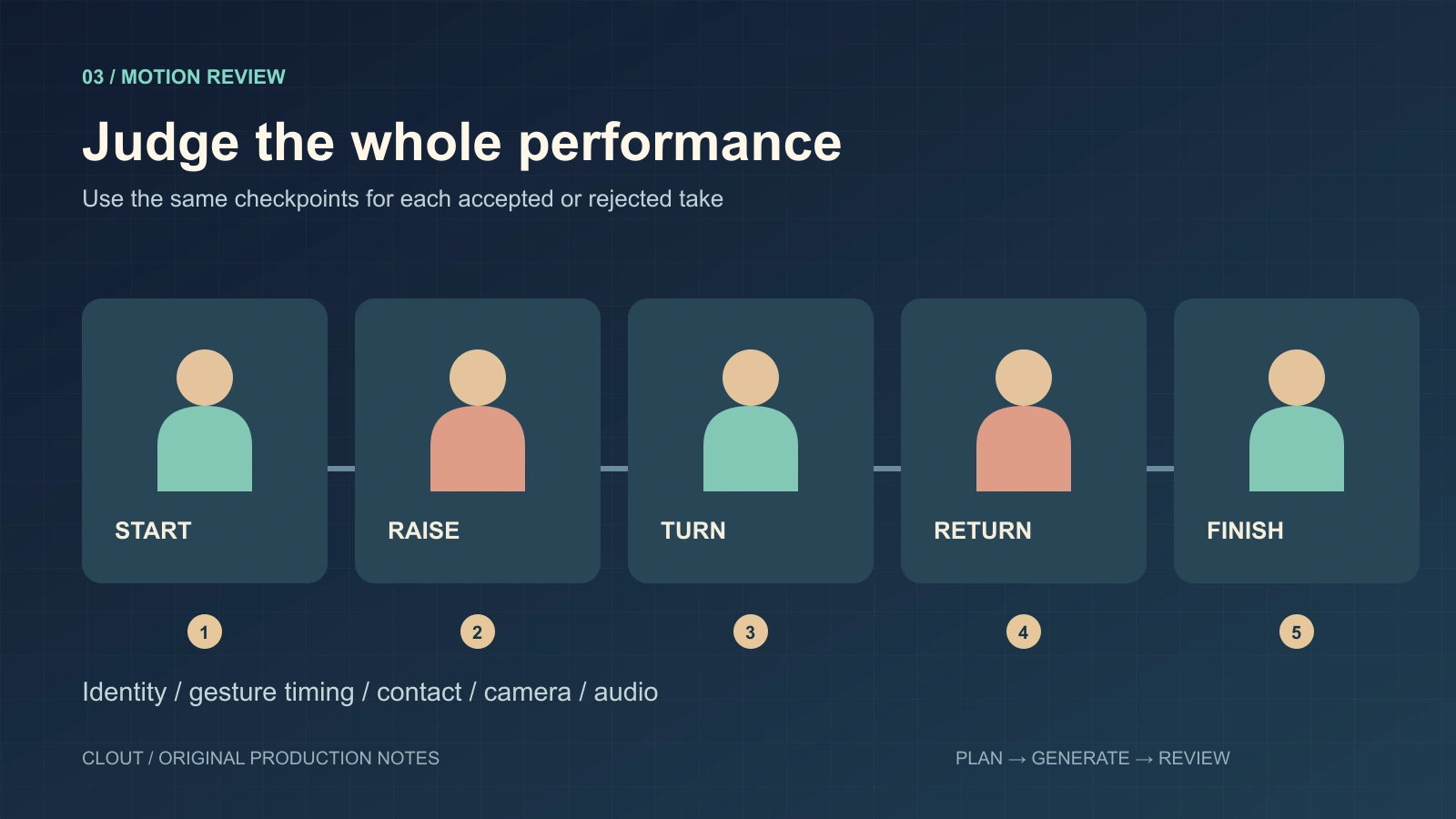
Download the editable planning diagram
- Start: compare identity, wardrobe and composition before movement begins.
- Hand raise: check fingers, wrist shape and timing against the source.
- Turn: inspect facial identity and proportions as the angle changes.
- Return: check the hand path and contact with the table.
- Finish: confirm that the final pose is stable and no extra action appears.
Watch uninterrupted playback as well as those checkpoints. Temporal flicker can disappear when you look only at stills. Review source sound and generated audio as separate requirements, using the options exposed by the selected operation.
Compare cost per accepted clip
Use your actual charges and accepted exports. If two attempts cost 12 credits each and only one passes, the rendering cost per accepted clip is 24 credits. Add finishing time and any separate audio work. Those numbers are an arithmetic example, not current provider pricing.
A cheaper attempt can become more expensive when it repeatedly misses the action. A more expensive setting can also fail your brief. Save the displayed quote, request identifier, settings and final decision so your next choice uses your own production evidence.
Download the shared blank review worksheet. Leave observations empty until you have an actual export. Avoid publishing numerical scores for a model you have not tested.
Continue the creator campaign in Clout
Clout's motion-transfer workflow is a separate product route with its own account and workspace credits. Use it when you need to build a recurring creator and produce performance-led scenes. It is not the Higgsfield Genjutsu service.
For operation-specific preparation, use the Genjutsu guide and Kling Motion Control guide. Keep a single approved identity pack across the campaign and expand from clips that pass a concrete review.