
Higgsfield Genjutsu vs Clout for motion transfer
Looking for a Higgsfield Genjutsu alternative for an AI influencer or character video? Clout offers a Kling-powered motion workflow built around a saved character and a reference performance. Higgsfield Genjutsu also offers selected object swapping; that is a different task from animating a character with reference motion.
This comparison helps you choose by the change you need. The studio above previews Clout examples; it does not run the Higgsfield model. For the official product, visit Higgsfield Genjutsu.
| What matters | Higgsfield Genjutsu API | Clout motion workflow |
|---|---|---|
| Generation model | Higgsfield Genjutsu Motion Transfer | Kling motion control |
| Starting point | A source video and 1–8 reference images | A saved character and a motion-library or uploaded clip |
| Clip duration | At least 4 seconds; clips over 30 seconds are trimmed | 3–30 seconds in the creation flow |
| Before rendering | Optional prompt and resolution selection | Prepare and review a frame, then approve video generation |
| Payment | Higgsfield API usage charges | Clout account and workspace credits |
Genjutsu API details checked October 17, 2026 against Higgsfield’s documentation. Its consumer app may have different limits. This is a workflow comparison, not a quality benchmark.
Which motion-transfer workflow should you choose
Choose Clout when your starting point is a recurring character: create an identity, prepare its appearance, and use a performance reference to make the next video. Start with the AI influencer workflow if you still need that character. Review the prepared frame before generating motion.
Evaluate Genjutsu when your starting point is existing footage and you want to recast the scene or swap a selected element. Its consumer interface and API have different reference limits: the official web page lists up to 30 images, while the Motion Transfer API specifies 1–8. Check the route you will actually use.
For a product replacement where the surrounding shot must stay intact, use a selected editing workflow and inspect contact, reflections and text. A character motion render is not a promise to preserve every other pixel. Our Genjutsu preparation guide explains how to plan those edits; the character replacement guide covers identity changes across a shot.
Motion transfer, object swap or Genjutsu Restyle
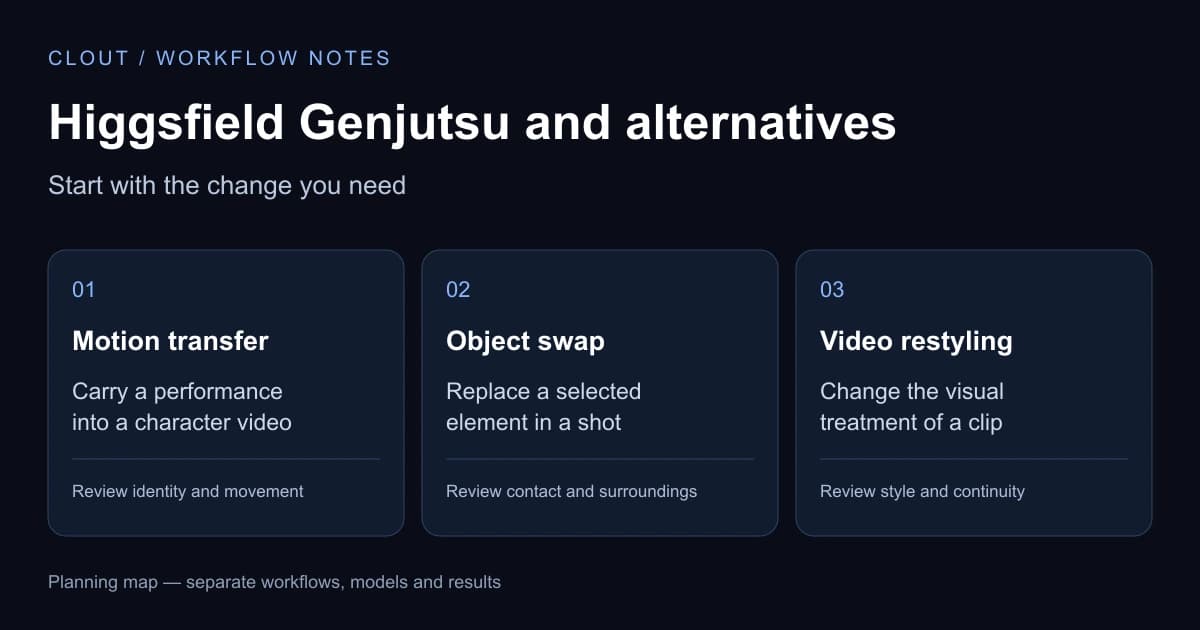
Pick the operation before choosing a model. For a recurring AI influencer following a reference performance, start with motion transfer. For a selected replacement inside existing footage, investigate object swap. For an animation or illustrated treatment of a whole clip, read the Genjutsu Restyle guide. These tasks need different inputs and different acceptance checks.
A five-second character test you can actually evaluate
Record one adult performer turning toward the camera, raising one hand and returning to a neutral pose. Use a continuous five-second shot with the face and hand visible. Pair it with a character reference that uses similar framing. Five seconds fits both workflows in the comparison above and keeps the first review manageable.
- Write down what must stay consistent: face, clothing, framing and movement order.
- Prepare the character frame and check it before submitting the motion render.
- Record the selected model, settings and displayed charge for each attempt.
- Watch the beginning, turn, raised hand and ending, then play the complete export.
- Keep a clip only if it meets your brief; change one input at a time when retrying.
Download the character motion test worksheet to record the same checkpoints in either service. It is a blank planning resource, not a provider benchmark or a claim that the gallery was generated with Genjutsu. For reference-image preparation, use our Genjutsu workflow guide.
Why a character motion transfer can fail
Compare the failed clip with the source before rewriting the whole prompt. These are review checkpoints and suggested next tests, not guaranteed fixes for either model. Keep the source, reference and settings from each attempt so you can identify what changed.
| What you see | What to inspect | Next test |
|---|---|---|
| The face changes during a turn | Check whether the source hides the face or the reference only shows a different angle | Try a smaller turn with an unobstructed face and a reference closer to the source framing |
| Hands or clothing break | Find the first frame where hands overlap the body or loose fabric hides a limb | Try a slower gesture with hands separated from the torso and simpler clothing |
| The result ignores part of the action | Check for cuts, multiple performers, subjects leaving frame or a large camera change | Use one continuous action with one performer before adding a more complex sequence |
| A logo or background changes | Decide whether you requested a rebuilt scene when you needed a selected edit | Evaluate object swap or a conventional local edit when preservation is the main requirement |
| The ending is unusable | Review the entire export rather than judging a poster or the first second | Record a clear neutral ending in the source and include it in the acceptance brief |
For style changes rather than character performance, use the original source clip and review sheet in our Genjutsu Restyle guide. The sample there is a preparation exercise, not a generated Genjutsu result.
Compare pricing by usable video, not just credits
Higgsfield’s consumer generator displays a credit charge before a run; its API has separate usage billing. Clout uses workspace credits and displays the generation cost in the creation flow. Check Clout’s current plans and the provider’s quote for your chosen settings. Credit counts from different services are not directly comparable.
Use the same source clip, target identity and delivery requirements in each tool. Count preparation, render attempts and any finishing work. Divide the amount spent by the number of clips you would actually publish. For example, three attempts that produce one accepted clip cost three render charges, even if the first preview looked promising. We have not run a controlled price or quality benchmark between these tools, so this page does not claim Clout is cheaper or better on every shot.
Make the reference easy to follow
A short, clean performance gives you a useful first test. Match the character’s framing to the source: a full-body walk needs a full-body reference, while a close-up depends on a readable face.
Start with one movement. Inspect the first frame before spending credits on motion, then review the full result for identity changes, hands, clothing and the final pose.
Read the Genjutsu preparation guideHiggsfield Genjutsu alternative questions
What is the difference between motion transfer and object swap?
Motion transfer uses a performance reference to guide a generated character or scene. Object swap targets a selected element in existing footage. Choose by what must change and what must remain, then compare the full output with the source. Clout’s workflow here is character motion generation, not the Higgsfield Object Swap model.
Can I use Higgsfield Genjutsu credits in Clout?
No. Clout and Higgsfield are separate services with separate accounts and billing. A Higgsfield subscription or API balance does not fund Clout generation, and Clout workspace credits do not fund Higgsfield jobs.
Is this Higgsfield Genjutsu?
No. This is Clout's alternative motion-transfer workflow, powered by Kling motion control. Higgsfield Genjutsu is a separate product. The tools solve a similar creative problem, but their models, controls and results differ.
Do I need an account and credits?
Yes. Sign in to Clout to select your character and source video. Generation uses your workspace credits. Review the displayed cost before submitting a render; this page does not offer free or anonymous generation.
What should I upload?
Use a clear, continuous clip with one visible performer and an original character you have permission to use. Clout's motion workflow accepts clips from 3 to 30 seconds. Keep the subject in frame and avoid cuts, heavy occlusion and rapid changes in perspective.
Can I change an outfit or background?
Clout's creation flow includes appearance and background controls before motion generation. Review the prepared frame first. A frame edit does not guarantee that every detail will remain identical throughout the final video.
Will the output match every frame of my reference?
No exact match is guaranteed. The reference guides motion; generated anatomy, clothing and camera details can drift. Watch the full result, especially turns, fast gestures, hands and the ending, before publishing.
Give your character a performance
Choose the identity, find the movement, and review the result in one workspace.
Start in Clout