%22%2F%3E%3Cpath%20d%3D%22M145%20272%20Q115%20330%20145%20405%22%20stroke%3D%22%23b9d8ff%22%20stroke-opacity%3D%22.5%22%20fill%3D%22none%22%20stroke-width%3D%223%22%2F%3E%3Cellipse%20cx%3D%22145%22%20cy%3D%22190%22%20rx%3D%2265%22%20ry%3D%2282%22%20fill%3D%22%239bcaff%22%2F%3E%3Cellipse%20cx%3D%22126%22%20cy%3D%22166%22%20rx%3D%2213%22%20ry%3D%2228%22%20fill%3D%22white%22%20opacity%3D%22.35%22%2F%3E%3Cpath%20d%3D%22M136%20270%20l18%200%20l-9%20-14z%22%20fill%3D%22%239bcaff%22%2F%3E%3Cpath%20d%3D%22M910%20252%20Q880%20310%20910%20385%22%20stroke%3D%22%23b9d8ff%22%20stroke-opacity%3D%22.5%22%20fill%3D%22none%22%20stroke-width%3D%223%22%2F%3E%3Cellipse%20cx%3D%22910%22%20cy%3D%22170%22%20rx%3D%2265%22%20ry%3D%2282%22%20fill%3D%22%23dbeaff%22%2F%3E%3Cellipse%20cx%3D%22891%22%20cy%3D%22146%22%20rx%3D%2213%22%20ry%3D%2228%22%20fill%3D%22white%22%20opacity%3D%22.35%22%2F%3E%3Cpath%20d%3D%22M901%20250%20l18%200%20l-9%20-14z%22%20fill%3D%22%23dbeaff%22%2F%3E%3Cpath%20d%3D%22M170%20882%20Q140%20940%20170%201015%22%20stroke%3D%22%23b9d8ff%22%20stroke-opacity%3D%22.5%22%20fill%3D%22none%22%20stroke-width%3D%223%22%2F%3E%3Cellipse%20cx%3D%22170%22%20cy%3D%22800%22%20rx%3D%2265%22%20ry%3D%2282%22%20fill%3D%22%23397be3%22%2F%3E%3Cellipse%20cx%3D%22151%22%20cy%3D%22776%22%20rx%3D%2213%22%20ry%3D%2228%22%20fill%3D%22white%22%20opacity%3D%22.35%22%2F%3E%3Cpath%20d%3D%22M161%20880%20l18%200%20l-9%20-14z%22%20fill%3D%22%23397be3%22%2F%3E%3Cpath%20d%3D%22M925%20872%20Q895%20930%20925%201005%22%20stroke%3D%22%23b9d8ff%22%20stroke-opacity%3D%22.5%22%20fill%3D%22none%22%20stroke-width%3D%223%22%2F%3E%3Cellipse%20cx%3D%22925%22%20cy%3D%22790%22%20rx%3D%2265%22%20ry%3D%2282%22%20fill%3D%22%23669ef1%22%2F%3E%3Cellipse%20cx%3D%22906%22%20cy%3D%22766%22%20rx%3D%2213%22%20ry%3D%2228%22%20fill%3D%22white%22%20opacity%3D%22.35%22%2F%3E%3Cpath%20d%3D%22M916%20870%20l18%200%20l-9%20-14z%22%20fill%3D%22%23669ef1%22%2F%3E%3Crect%20x%3D%2242%22%20y%3D%2235%22%20width%3D%2213%22%20height%3D%225%22%20rx%3D%222%22%20fill%3D%22%23f9ce7d%22%20transform%3D%22rotate(0%2042%2035)%22%20opacity%3D%22.8%22%2F%3E%3Crect%20x%3D%22215%22%20y%3D%22262%22%20width%3D%225%22%20height%3D%2219%22%20rx%3D%222%22%20fill%3D%22%2375b6ff%22%20transform%3D%22rotate(31%20215%20262)%22%20opacity%3D%22.8%22%2F%3E%3Crect%20x%3D%22561%22%20y%3D%22716%22%20width%3D%225%22%20height%3D%2219%22%20rx%3D%222%22%20fill%3D%22%23f9ce7d%22%20transform%3D%22rotate(93%20561%20716)%22%20opacity%3D%22.8%22%2F%3E%3Crect%20x%3D%22734%22%20y%3D%22943%22%20width%3D%2213%22%20height%3D%225%22%20rx%3D%222%22%20fill%3D%22%2375b6ff%22%20transform%3D%22rotate(124%20734%20943)%22%20opacity%3D%22.8%22%2F%3E%3Crect%20x%3D%22907%22%20y%3D%22160%22%20width%3D%225%22%20height%3D%2219%22%20rx%3D%222%22%20fill%3D%22%2375b6ff%22%20transform%3D%22rotate(155%20907%20160)%22%20opacity%3D%22.8%22%2F%3E%3Crect%20x%3D%2286%22%20y%3D%22387%22%20width%3D%2213%22%20height%3D%225%22%20rx%3D%222%22%20fill%3D%22%23f9ce7d%22%20transform%3D%22rotate(186%2086%20387)%22%20opacity%3D%22.8%22%2F%3E%3Crect%20x%3D%22432%22%20y%3D%22841%22%20width%3D%2213%22%20height%3D%225%22%20rx%3D%222%22%20fill%3D%22%2375b6ff%22%20transform%3D%22rotate(248%20432%20841)%22%20opacity%3D%22.8%22%2F%3E%3Crect%20x%3D%22605%22%20y%3D%2258%22%20width%3D%225%22%20height%3D%2219%22%20rx%3D%222%22%20fill%3D%22%23f9ce7d%22%20transform%3D%22rotate(279%20605%2058)%22%20opacity%3D%22.8%22%2F%3E%3Crect%20x%3D%22951%22%20y%3D%22512%22%20width%3D%225%22%20height%3D%2219%22%20rx%3D%222%22%20fill%3D%22%2375b6ff%22%20transform%3D%22rotate(341%20951%20512)%22%20opacity%3D%22.8%22%2F%3E%3Crect%20x%3D%22130%22%20y%3D%22739%22%20width%3D%2213%22%20height%3D%225%22%20rx%3D%222%22%20fill%3D%22%23f9ce7d%22%20transform%3D%22rotate(372%20130%20739)%22%20opacity%3D%22.8%22%2F%3E%3Crect%20x%3D%22303%22%20y%3D%22966%22%20width%3D%225%22%20height%3D%2219%22%20rx%3D%222%22%20fill%3D%22%2375b6ff%22%20transform%3D%22rotate(403%20303%20966)%22%20opacity%3D%22.8%22%2F%3E%3Crect%20x%3D%22476%22%20y%3D%22183%22%20width%3D%2213%22%20height%3D%225%22%20rx%3D%222%22%20fill%3D%22%2375b6ff%22%20transform%3D%22rotate(434%20476%20183)%22%20opacity%3D%22.8%22%2F%3E%3Cg%20fill%3D%22%23b9d8ff%22%20text-anchor%3D%22middle%22%20font-family%3D%22Arial%2C%20sans-serif%22%3E%3Ctext%20x%3D%22540%22%20y%3D%22375%22%20font-size%3D%2224%22%20font-weight%3D%22700%22%20letter-spacing%3D%226%22%3EA%20LITTLE%20CELEBRATION%3C%2Ftext%3E%3Ctext%20x%3D%22540%22%20y%3D%22463%22%20font-size%3D%2278%22%20font-weight%3D%22700%22%3EHappy%20birthday%3C%2Ftext%3E%3Ctext%20x%3D%22540%22%20y%3D%22572%22%20font-size%3D%2298%22%20font-weight%3D%22700%22%3EEddie%3C%2Ftext%3E%3Ctext%20x%3D%22540%22%20y%3D%22735%22%20font-size%3D%2228%22%3EWishing%20you%20a%20wonderful%20year%3C%2Ftext%3E%3C%2Fg%3E%3C%2Fsvg%3E)
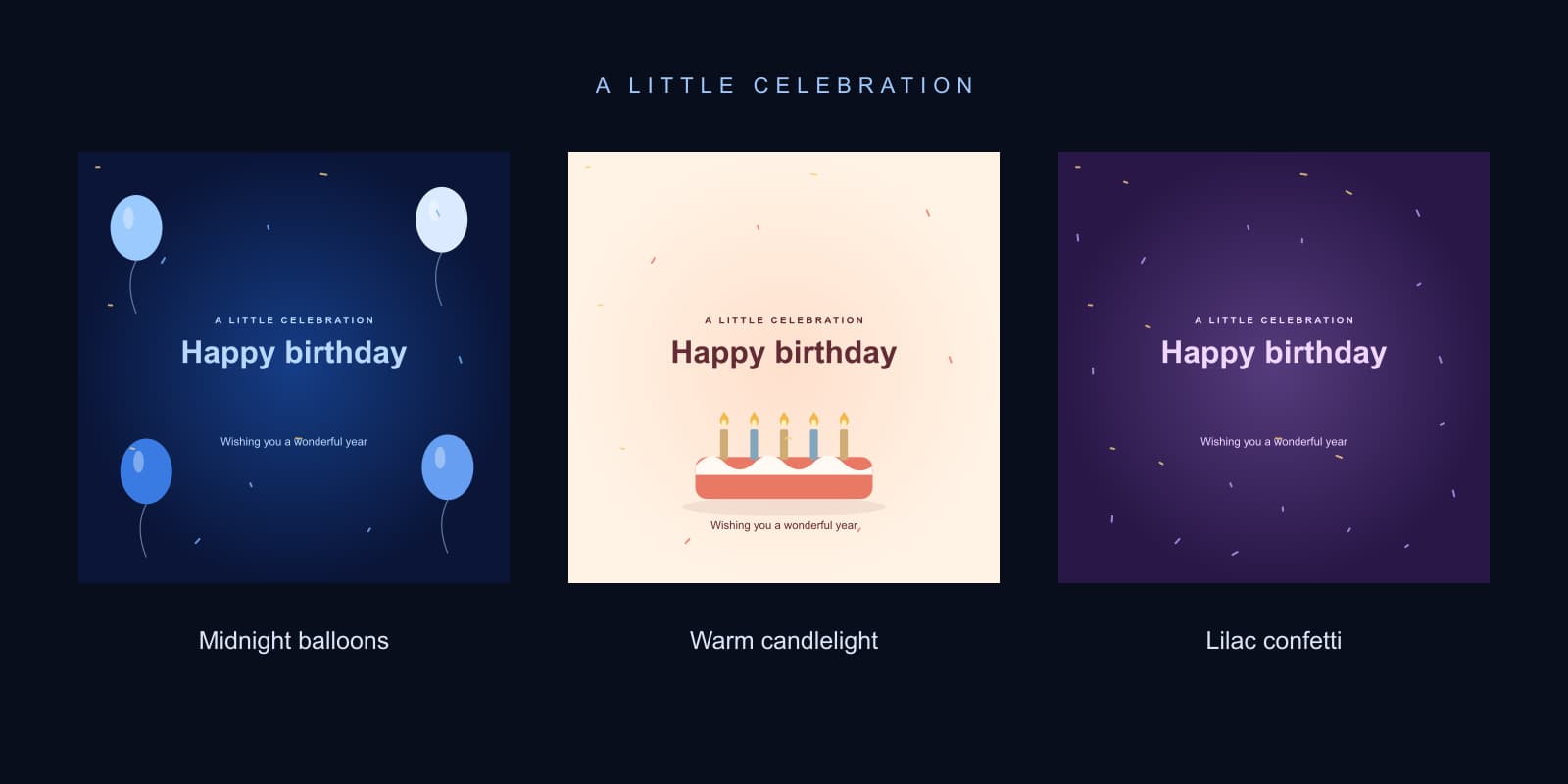
A birthday greeting should feel chosen for the person receiving it. A small movement, a name spelled correctly and one sincere line usually do more than a crowded collage. This page gives you three original animated designs you can download immediately, plus a browser tool for making a personalized still card.
Choose midnight balloons for a bold blue greeting, warm candlelight for a softer illustrated cake, or lilac confetti for a colorful celebration. The text stays stationary while the decorative elements move gently. These are original vector animations created for this gallery, not AI-generated photographs or examples of a video model's output.
Download free happy birthday moving images
The GIF downloads are 540 × 540, contain 60 frames at 20 frames per second and repeat a three-second animation. Each design also has a 1080 × 1080 still PNG and a vector SVG. You can use and adapt these original greeting designs in personal or commercial designs without attribution. This permission covers these files; it does not grant rights to someone else's photographs, music or logos.
Midnight balloons

Original three-second looping greeting with stationary text
Download midnight balloons GIF · Download 1080 pixel PNG · Download editable SVGThe balloon design leaves the middle open so the greeting is easy to read on a phone. Choose it when the recipient likes a clean, bold palette. For personalized happy birthday balloon images, select Midnight balloons in the tool, enter their name and save a PNG. The free GIF above keeps the generic greeting; your custom name appears in the still export.
Warm candlelight

Original three-second looping greeting with stationary text
Download warm candlelight GIF · Download 1080 pixel PNG · Download editable SVGThis illustrated cake suits a quiet family message or a milestone greeting. The pale background and dark text give the card a different mood from the blue design. The flames move slightly while the cake and lettering remain still. You do not need to add an age to every candle: the tool has a separate optional age field for the milestone you actually want to celebrate.
Lilac confetti
Original three-second looping greeting with stationary text
Download lilac confetti GIF · Download 1080 pixel PNG · Download editable SVGUse this direction for an artsy happy birthday image with a little more color. The confetti stays around the greeting rather than crossing through the main lettering. For an understated result, keep the message short and let the palette carry the celebratory feeling. A longer quote belongs in the accompanying message rather than squeezed into the artwork.
Make a birthday image with a name
- Choose a style in the card builder
- Enter a name or relationship such as Eddie or Dad
- Add an age only if you want it on the card
- Write one short message and inspect the preview
- Select Prepare PNG then Save PNG or download the SVG directly
The preview updates as you type. Names support up to 24 characters and the message supports up to 48. Long names use smaller lettering to keep the complete text inside the card. The age accepts one to three digits. Leave it blank for a greeting without a milestone. The tool renders the card locally in your browser; preparing the image does not send those field values to a generation service.
If you are looking for happy birthday Eddie images, happy birthday Liam images or a card for Benjamin, type the name exactly as the recipient uses it. The same tool works for Darrell, Kristy and other names within the limit. Check capitalization, apostrophes and spelling before saving. A personalized greeting is useful because it is accurate, not because it repeats a name many times.
The tool's exports are still images. To change the lettering of the supplied animated GIF, start with its editable SVG in an editor, update the text and animate the decoration again. Editing one frame of a GIF does not change the lettering in all its other frames. If you only need to send a name-specific greeting today, the personalized PNG is the simpler route.
Birthday images for Dad Papa and milestone ages
| Greeting | Tool fields | Message idea |
|---|---|---|
| Happy birthday images for Dad | Name Dad with age blank | Thank you for always showing up |
| Papa birthday images | Name Papa with optional age | Here is to another wonderful year |
| Happy 40 birthday images | Their name with age 40 | Forty looks good on you |
| Images for a happy 60th birthday | Their name with age 60 | Celebrating a wonderful sixty |
| November birthdays | Their name and a November message | Cheers to your November birthday |
For Dad or Papa, choose the relationship the person actually uses and a message that sounds like you. The examples above are starting points rather than obligatory wording. If the family normally uses a nickname, that can make the card feel more personal than a formal title. Leave an age out when you are unsure or when the recipient would prefer it omitted.
For male birthday images, choose the recipient's interests and style rather than assuming a gender requires a particular palette. A warm cake, bright confetti or blue balloons can all work. A real shared memory in the accompanying text can make any of these designs more thoughtful. Do not add an occupation, hobby or age simply because it is common in generic birthday templates.
For a blessed birthday image, keep the wording aligned with the recipient's beliefs. A short message such as Wishing you a blessed birthday fits the message field. You can also use a nonreligious line such as Wishing you peace and joy. The designs do not contain religious symbols; choose your own words deliberately rather than adding a claim about someone's faith.
Choose GIF PNG SVG or video for the destination
| Format | This page provides | Best use | Limit |
|---|---|---|---|
| GIF | Three original animated downloads | A short moving greeting where GIF playback is supported | No audio and a limited color palette |
| PNG | Original stills and personalized tool exports | A crisp card or image attachment | Does not move |
| SVG | Editable vectors and personalized tool exports | Further editing or scaling | Not every messaging app displays SVG |
| MP4 | A workflow explained below | Video posts with motion and optional audio | No MP4 download is supplied in this gallery |
MDN's image-format guide explains the differences between formats including GIF, PNG and SVG. A GIF can hold animation but has palette limits; a PNG keeps a still image; SVG describes vector artwork. A file that animates in your browser may still appear as a static preview in a particular message composer. Inspect the actual attachment before sending.
Use the file download link rather than taking a screenshot of an animation. A screenshot captures one moment. If a phone opens the GIF instead of saving it immediately, use its file or image save action, then check the saved file in a compatible viewer. For a sharper still greeting, download the PNG or use the customizer rather than enlarging a 540 pixel GIF.
Turn a moving greeting into a short birthday video
If your destination expects video, convert a greeting you have saved into a short MP4 in your editor. Keep the square framing or deliberately design a portrait layout around it. Do not stretch the square artwork to fill a vertical frame: add space above and below, or create a new composition. Check the entire text at the final display size.
For a local conversion of our midnight balloon GIF, this FFmpeg command creates a six-second silent H264 MP4 and leaves the downloaded GIF untouched:
ffmpeg -stream_loop -1 -i birthday-balloons.gif -t 6 -vf "fps=20,format=yuv420p" -c:v libx264 -crf 18 -an -movflags +faststart birthday-greeting.mp4The supplied animation is already square with even dimensions. Adapt the encoding and framing deliberately for other files. FFmpeg's palette documentation describes palette generation for GIF workflows. Conversion preserves an existing animation; it does not produce new AI motion or recover detail missing from the source.
Create a birthday scene around your AI character
For a creator-led birthday post, start with an original recurring character in Clout and an approved image of the celebration scene. Choose one action: a smile beside a cake, a small wave, or lifting a gift box. Put the precise name, age and invitation details in a separate text layer so you can correct them without regenerating the character.
The same original adult creator in a cobalt cardigan sits beside a small coral birthday cake on a cream table. One continuous medium shot with a stationary camera. The creator gives a warm smile and a small wave toward the viewer. Keep the cake shape and creator identity recognizable, with clear space above the table for a separate birthday message.
This is a production brief to adapt to your chosen generation controls, not a video output from this gallery. Approve the reference first, generate the motion and inspect the whole clip. Check hands, candle placement, face continuity and the final crop. Add your message afterward, then export the version intended for the recipient or social post. Music or a spoken greeting is a separate finishing choice.
If the post is an invitation, include the date, time, place and RSVP instruction accurately. A birthday wish and an event invitation have different jobs. The party image guide has an editable invitation template; the storyboard guide helps plan a short creator sequence.
Fix a birthday greeting that does not look right
| Problem | Likely cause | Useful fix |
|---|---|---|
| Only one frame appears | Static preview or screenshot | Open the actual GIF in a compatible viewer |
| The custom card does not animate | The tool exports PNG and SVG stills | Use one of the gallery GIFs for a moving greeting |
| A name is too small | A long name reduces font size | Use the recipient's shorter preferred name |
| Letters look rough | A small GIF is enlarged | Use the 1080 pixel PNG for a still card |
| SVG will not attach | The destination does not accept vectors | Prepare and save the PNG instead |
| PNG preparation fails | Browser image or canvas export failed | Save the SVG or try a supported browser |
Before sending, read the card at phone size and check the file itself. Keep lower letter strokes such as y and j visible, leave margin around the greeting and avoid adding important information directly against the edge. The gallery uses gentle decorative movement, and visitors requesting reduced motion receive still previews; the GIF download remains an animated file.