

The best party image for an invitation is not always the best picture for a creator post. An invitation needs a place for readable date, location and RSVP details. A social post may need a familiar face or a small moment that makes the celebration feel personal. A mood board can use an illustration to establish the atmosphere without pretending to document an event.
This gallery gives you three original directions: a fictional creator setting a dinner-party table, a paper-cut balloon background and a hand-painted garden celebration. Each image has a full-resolution download. There is also an invitation with editable text and a scene-planning sheet for adapting the ideas to your own creator.
Sending a birthday greeting? Download the original moving birthday images or personalize a still card with a name and milestone age.
Download the party image that fits your post
| Image | Useful for | What to add separately |
|---|---|---|
| Casual creator scene | Host introduction or party preparation post | Caption and any real event details |
| Balloon background | Invitation or celebration announcement | Editable date location and RSVP text |
| Garden illustration | Mood board or a cozy celebration theme | Your theme and invitation wording |
All three downloads are 1254 × 1254 square images saved as lossless WebP. The gallery downloads preserve the original decoded pixels. Save the linked file rather than taking a screenshot of the page, and keep that master beside your editable design so you can change the crop without repeatedly resaving compressed copies.
A casual creator setting the table
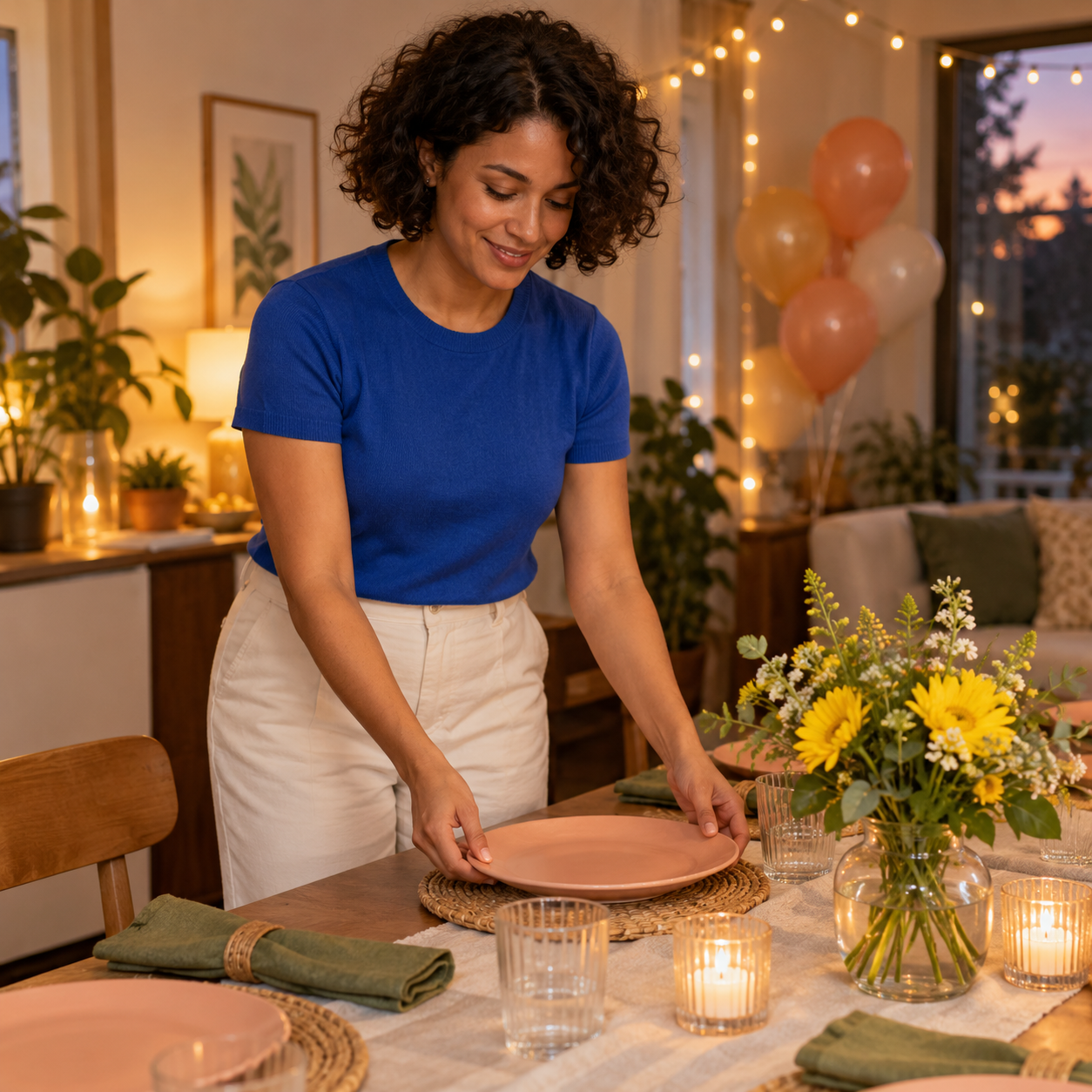
A relaxed preparation scene with one fictional creator and one clear action
Download this party imageUse this direction when the person matters more than the decoration. The simple action of placing a plate gives the hands a purpose, while the flowers, napkins and lights establish the setting. A preparation image can introduce the tone of a fictional creator series without filling the frame with guests or confetti.
For your own series, keep the creator identity, blue shirt and warm home setting consistent, then change the shot purpose. A wider table view, a close detail of flowers and a relaxed portrait can supply variety. Do not describe this generated example as a photograph of actual attendees or an event that really happened.
A balloon background with room for the invitation

The clean center is reserved for your own invitation copy
Download this party imageA background should support the text rather than compete with it. Here, the balloons sit along the edges and the cream center leaves space for the important details. Put your headline and event information in separate text layers. That lets you correct a date, resize a location line or reuse the background without regenerating the artwork.
Keep the information short enough to read at phone size. A large invitation headline, one date-and-time line, one location line and one RSVP instruction are a useful starting structure. If the address is long, use a second line or move the complete directions into the accompanying message.
A hand-painted garden celebration
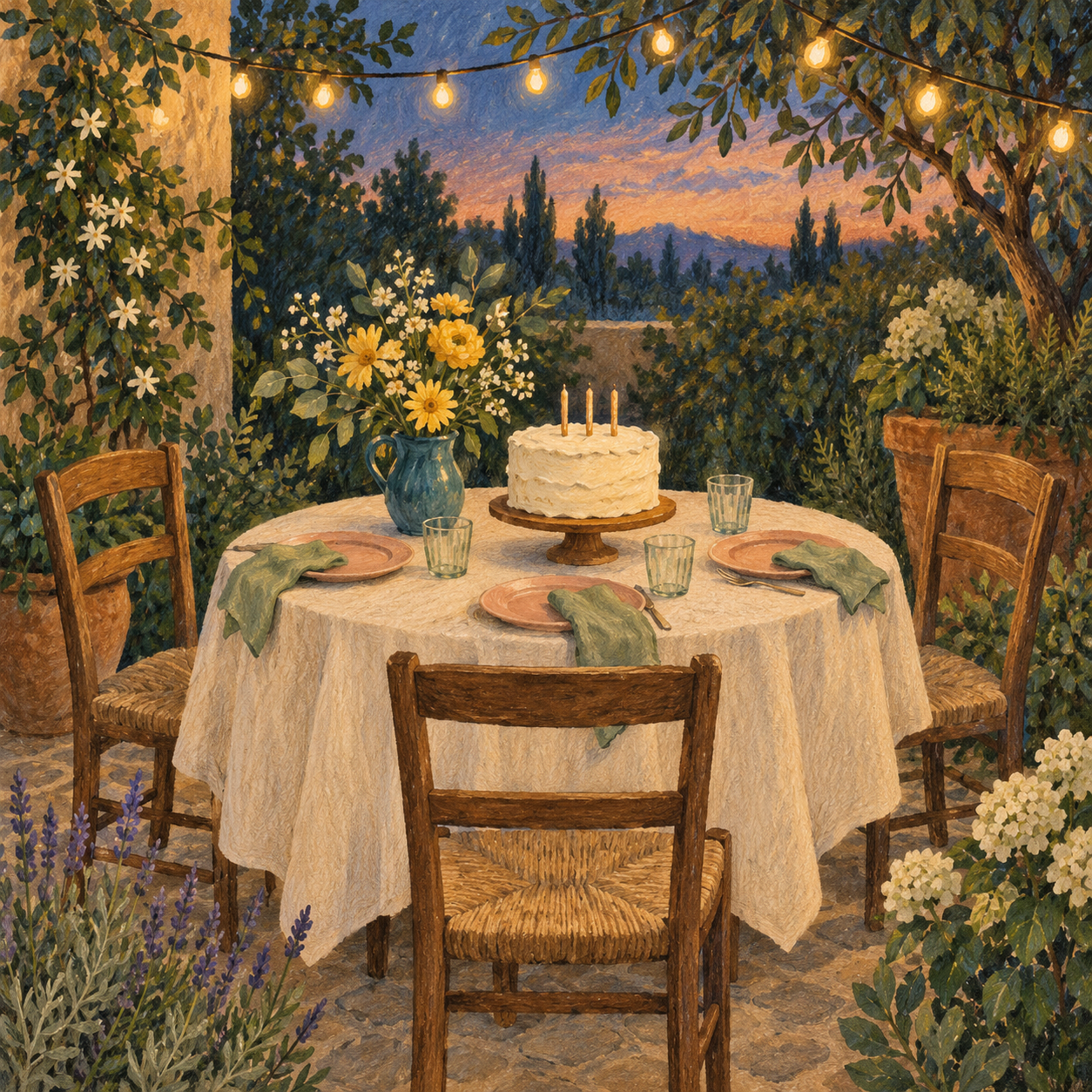
A cozy illustrated mood with tactile paint and a cohesive celebration palette
Download this party imageThe illustration supplies an atmosphere rather than a host portrait. Use it for a garden-party mood board, a small gathering invitation or a fictional creator's theme announcement. Its warm light, teal vase and peach plates can guide the rest of the design. You do not need to reproduce every object to keep the visual family recognizable.
The cake and table are already the focal point, so place most wording outside this image when using it as a card. A short caption works better than covering the candles and flowers with a large paragraph. Choose the cleaner balloon background when the picture itself must carry several event details.
Download the editable party invitation
Download the editable invitation SVG. The file includes the original balloon background and real text layers for the headline, date and time, location and RSVP details. It is a design template with placeholders, not an invitation to a real event.
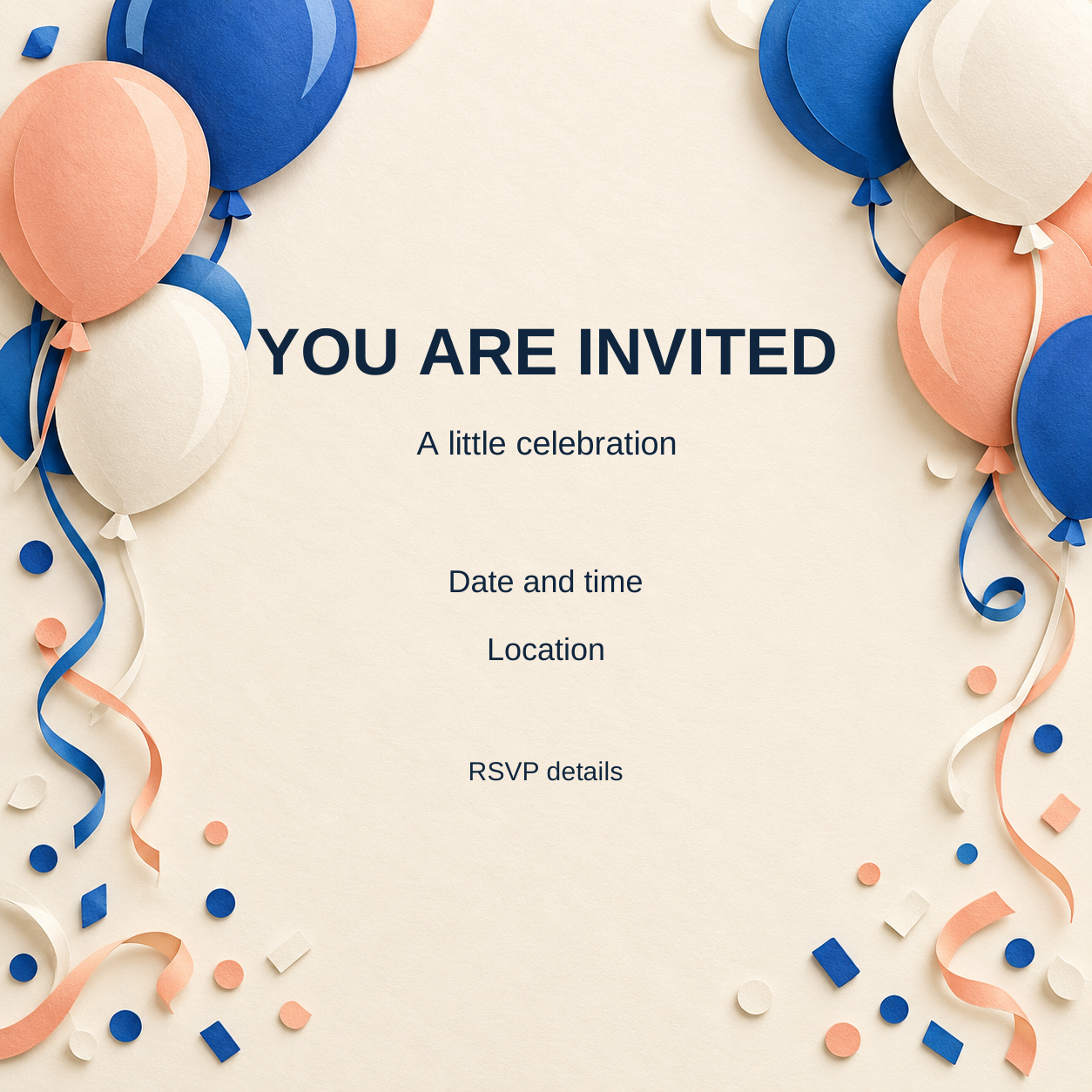
Replace every placeholder before sharing your invitation
Download this editable invitationOpen the SVG in a vector editor, select the text and replace each placeholder with your actual information. Keep the background image intact while adjusting the text size and spacing. If your editor substitutes a font, inspect the line breaks before exporting. Save an editable master and export a separate image for the channel you are using.
Preview the invitation at the size someone will actually see it. Confirm the date, time zone when relevant, complete location and RSVP instructions. Move the design through your normal sharing flow and inspect the resulting preview; readable text in a large editor window can become small once a messaging app displays it.
Build party scenes around one recognizable creator
Create your party host in Clout, then organize connected photos and videos around the same character. Start with the creator's approved look and a short scene brief. Decide which details stay fixed: wardrobe, palette, room, tableware and light. Change one action or camera distance per image.
Use the same adult creator with a dark curly bob, cobalt blue shirt and cream trousers. In the same warm home setting with peach plates, sage napkins and yellow flowers, show the creator placing one plate on the table. Natural casual expression, complete head and believable visible hands, one coherent action, no collage or text.
That prompt describes the scene rather than promising an effect. Review the face and hands first, then check the objects. A missing plate, floating glass or strange balloon string can distract from a natural-looking moment. Keep the details that make the creator recognizable while letting poses and framing vary.
For a short video, a small action such as placing a plate or adjusting a napkin is easier to plan than several guests dancing, eating and talking in one shot. Use a storyboard to define the movement and reserve a clear central area for captions in the final edit. Test the generated clip through its full duration before treating a good opening frame as a finished result.
Plan an announcement preparation and recap sequence
Download the editable party scene plan. It contains three jobs: announcement, preparation and recap. The asset and review fields are blank so you can track your own generated images or real photographs. Replace the example scene with the theme and creator you are actually using.
| Post | Visual job | Copy direction |
|---|---|---|
| Announcement | Show the theme and give the details | Who what when and where |
| Preparation | Show one creator doing one small task | An ordinary behind-the-scenes detail |
| Recap | Show what was actually shared or created | A specific moment rather than an invented claim |
For a real event recap, use accurate photographs and details from that event. The fictional artwork here is useful for a creative concept, an illustrated theme or a clearly created character post. It does not provide evidence of attendance, customer enjoyment or a real venue's appearance.
Write a caption that follows the picture
A casual caption can point to one detail instead of describing the entire table. For the fictional creator scene, original options include:
- The table is ready before I am
- One more plate and then we can relax
- Soft lights and a very small celebration
- A little color for the next gathering
Use invitation copy for invitations and a scene caption for creator posts. Keep real logistical information out of a decorative generated image so it remains easy to correct. Before publishing, check the final crop, readable wording and the context in which the image will appear.


