

Still developing the source scene? The Bria Fibo guide covers a separate structured-image workflow and an original product-scene brief.
What SDR to HDR conversion needs to accomplish
SDR to HDR conversion prepares existing standard-dynamic-range material for an intended high-dynamic-range delivery. Begin with the source interpretation and a real destination specification, then choose a grading or conversion workflow and review the result. Renaming the file or changing a transfer tag alone does not perform the picture transform.
For an AI-video project, the source may be a generated clip, a filmed shot or a finished edit. Keep the accepted source master available. A new delivery should preserve the intended composition, timing and sound while you inspect how highlights, shadows and colors are treated.
Choose the deliverable before choosing the converter
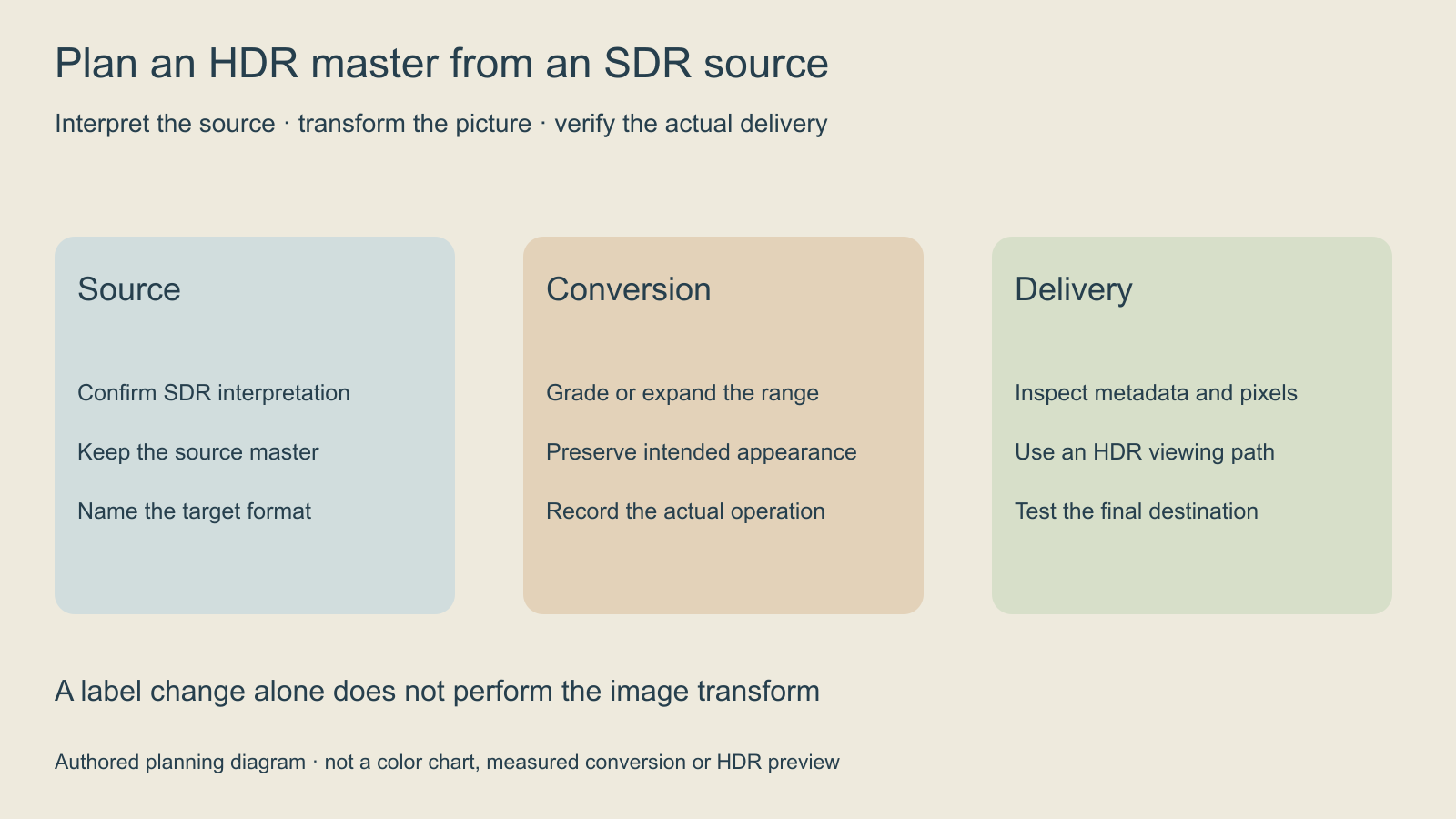
Write down the required delivery format and who will review it. A playback file, editorial master and compositing sequence serve different jobs. Confirm whether transparency, audio, frame naming or a particular working space is required. Those requirements should be visible before running a paid conversion.
| Need | Decision to record | Evidence to inspect |
|---|---|---|
| Playback delivery | Required transfer and container | Actual destination playback |
| Editorial handoff | Agreed codec and color interpretation | Import in the target project |
| Compositing handoff | Working space and alpha requirements | Correctly interpreted frames and channels |
| Alternate SDR version | Separate SDR deliverable | Reviewed tone-mapped result |
Read the reported color tags before choosing a transform
The inspector above reads a small ffprobe JSON report. Load its authored PQ, HLG, 10-bit BT709 or missing-tag examples, or paste a report from your own source. It lists each non-cover-art video stream independently. It does not analyze frames, inspect a monitor or determine whether a grade looks correct.
The official ffprobe documentation describes machine-readable stream inspection and JSON output. This read-only command requests the fields used by the tool. Replace input.mp4 with the actual local source path.
ffprobe -v error -show_entries stream=index,codec_type,pix_fmt,color_transfer,color_primaries,color_space:stream_disposition=attached_pic -of json "input.mp4"For a real example, the report from our original box animatic contains yuv420p but no transfer, primaries or matrix fields. The correct result is unclassified interpretation, rather than silently assuming the missing fields are BT709. The animatic guide provides the original clip and its authored production context.
The FFmpeg transfer identifiers include smpte2084 for PQ and arib-std-b67 for HLG. ARIB identifies STD-B67 as the HLG system. A BT709 transfer tag remains BT709 even when the pixel format is 10-bit. These declared fields are clues for interpretation, not proof of correct pixels, mastering metadata, gamut compliance or the final viewing experience. Preserve uncertainty when the source is untagged or contradictory.
Use Runway Ruby for its documented direction
Runway Ruby is an SDR-to-HDR color-grading model for existing footage. The current product FAQ specifies SDR clips up to 30 seconds and under 4096 pixels on each side; already-HDR inputs are rejected. It notes that dimensions may be cropped to a multiple of 16. Verify the actual frame size after delivery.
The documented outputs include HDR10 and HLG playback files, ProRes masters and EXR sequences, with ACEScg options. Alpha preservation is available in EXR and ProRes 4444, rather than the HDR10/HLG outputs. Runway lists Creative Max and higher plans and access through Dev API accounts. These are published capabilities, not a conversion benchmark we ran.
Choose the output from the downstream pipeline. Do not use the HDR label as a substitute for an agreed color space or file format. The Ruby help guide documents Tool Mode, Session and Workflow routes and warns that an SDR display may not show the actual HDR result. Check the current job charge and plan treatment before starting an operation.
Review the conversion with an explicit shot brief
Consider an original production brief: an amber lantern on a dark blue desk, a pale paper label and a slowly moving camera. The important checks are whether the label remains readable, the lantern retains useful highlight structure and the desk does not lose all shadow separation. This is a proposed review scene, not a generated Ruby result.
Compare the accepted source and delivered candidate through a suitable color-managed viewing path. Inspect the whole camera move, not a single attractive frame. Record any clipping, unstable brightness, unexpected saturation or audio change with the interval where it appears. Do not use a screenshot in this article as proof of HDR luminance.
The delivery brief and blank review CSV keep source interpretation, target, operation and actual viewing result together. They are worksheets, not a converter, account connection or compliance certificate.
Separate metadata checks from visual acceptance
Use the inspector as an early question generator. Missing fields call for source investigation. A known transfer tag helps identify the declared interpretation. A higher-bit-depth pixel format alone does not identify HDR. Even an expected set of tags cannot establish highlight quality, correct mastering or compatibility with every player.
Check resolution, frame rate, duration and sound alongside the color fields. A correctly interpreted picture may still be the wrong edit or a cropped deliverable. Save the accepted master and the actual report from the delivered file, rather than recording settings from a menu as though they prove the export.
Keep an SDR delivery separate when the destination needs it
If the destination requires SDR, prepare and review that version explicitly. Use the HDR-to-SDR guide for the reverse workflow. Do not send an HDR master to an SDR-only pipeline and judge the outcome from one unmanaged preview.
For source creation, explore Clout AI Cinema. This article does not establish a Clout Ruby integration or HDR export feature. Develop the shot in the tools appropriate to the creative task, then use a verified finishing workflow for the required delivery.


