

A useful basketball court image establishes the location without overwhelming the subject or message. Choose a viewpoint that shows the hoop, court surface and enough surroundings to tell the viewer where the scene takes place. For a creator post, leave room for the person and caption. For a presentation, leave a quiet area for the slide text rather than asking the image generator to render the headline.
Our downloadable examples show one fictional outdoor court in two lighting directions. They are original generated scene concepts, not photographs of a named park or technical references for regulation court measurements. Use them to compare a warm sports-story setting with a neutral overcast background, then build your own visual direction around the actual content format.
Choose the image for the job
An empty court is useful for an establishing shot, a sports-themed background, a presentation cover or a creator scene. A close-up of the hoop serves a different purpose: it emphasizes the object and may omit the floor area needed to place a person. A high view can make the markings visible, but an eye-level angle makes the scene feel like somewhere the viewer could stand.
Decide whether the court is the subject or the setting. If it is the subject, make the hoop and floor easy to inspect. If it is the setting, reserve an uncluttered foreground for the creator. Keep the final crop in mind. A wide composition can lose the hoop or useful surface when a player forces it into a narrow vertical frame.
Compare the daylight and overcast concepts
The daylight image places a single hoop and backboard at the far end of an empty blue-gray court. A fence and trees form the background. The low sun at the left creates warm highlights and directional shadows across the surface. There is ample empty foreground for a visual story, although a creator inserted there would need lighting that matches the scene.
The second image is an actual reference-led edit requesting soft overcast daylight. The sky becomes cloudy, the warm directional highlight disappears and the scene takes on a more neutral tone. The single hoop, support, fence, trees and broad court layout remain recognizable. Fine surface texture and line rendering are interpreted; this is not evidence of pixel-identical preservation.
These images are useful as fictional scene artwork. Their markings should not be used to teach exact dimensions, demonstrate compliance or identify a real venue. If a specific court matters, obtain an appropriate photograph or verified plan of that location instead of substituting an attractive generated scene.
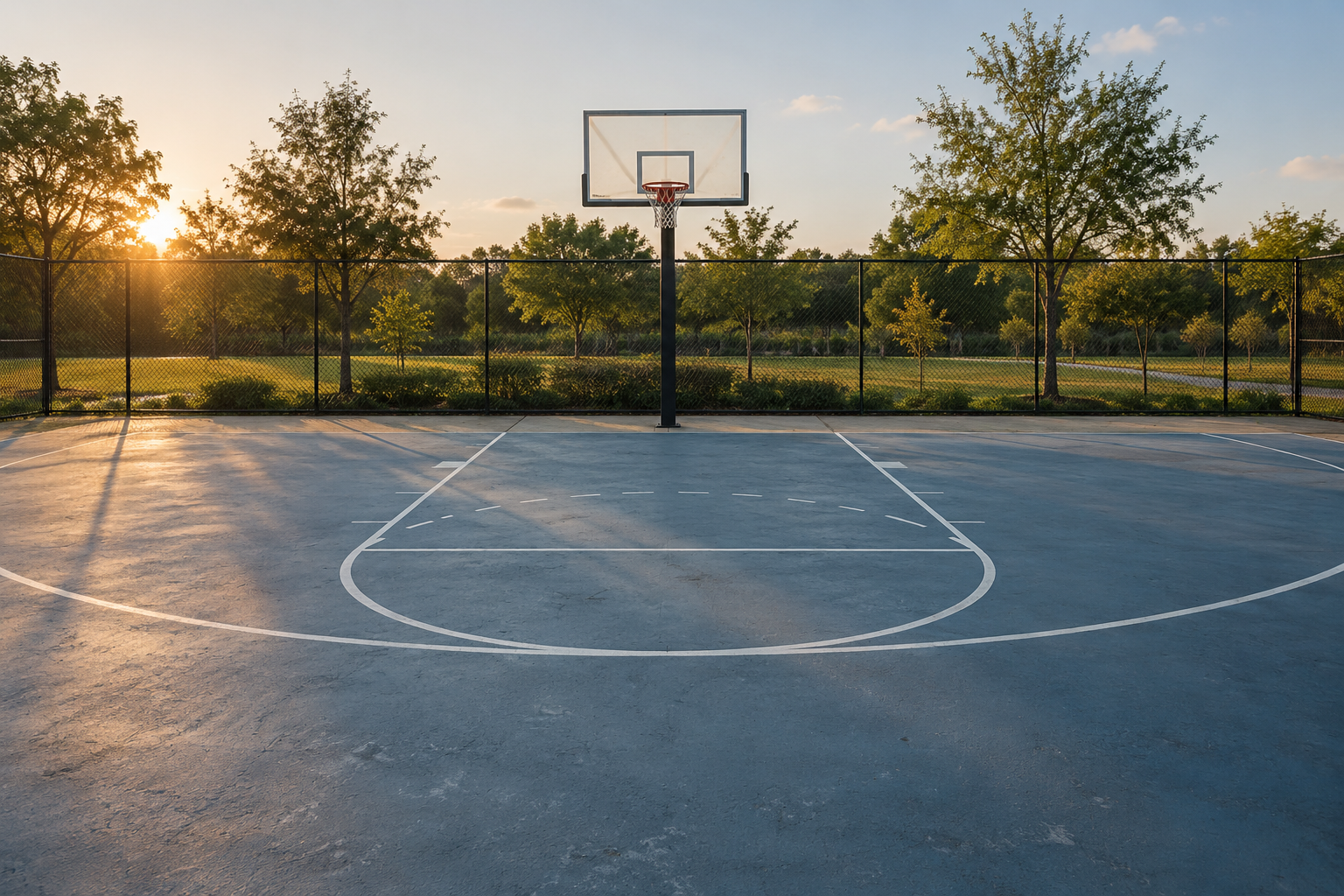
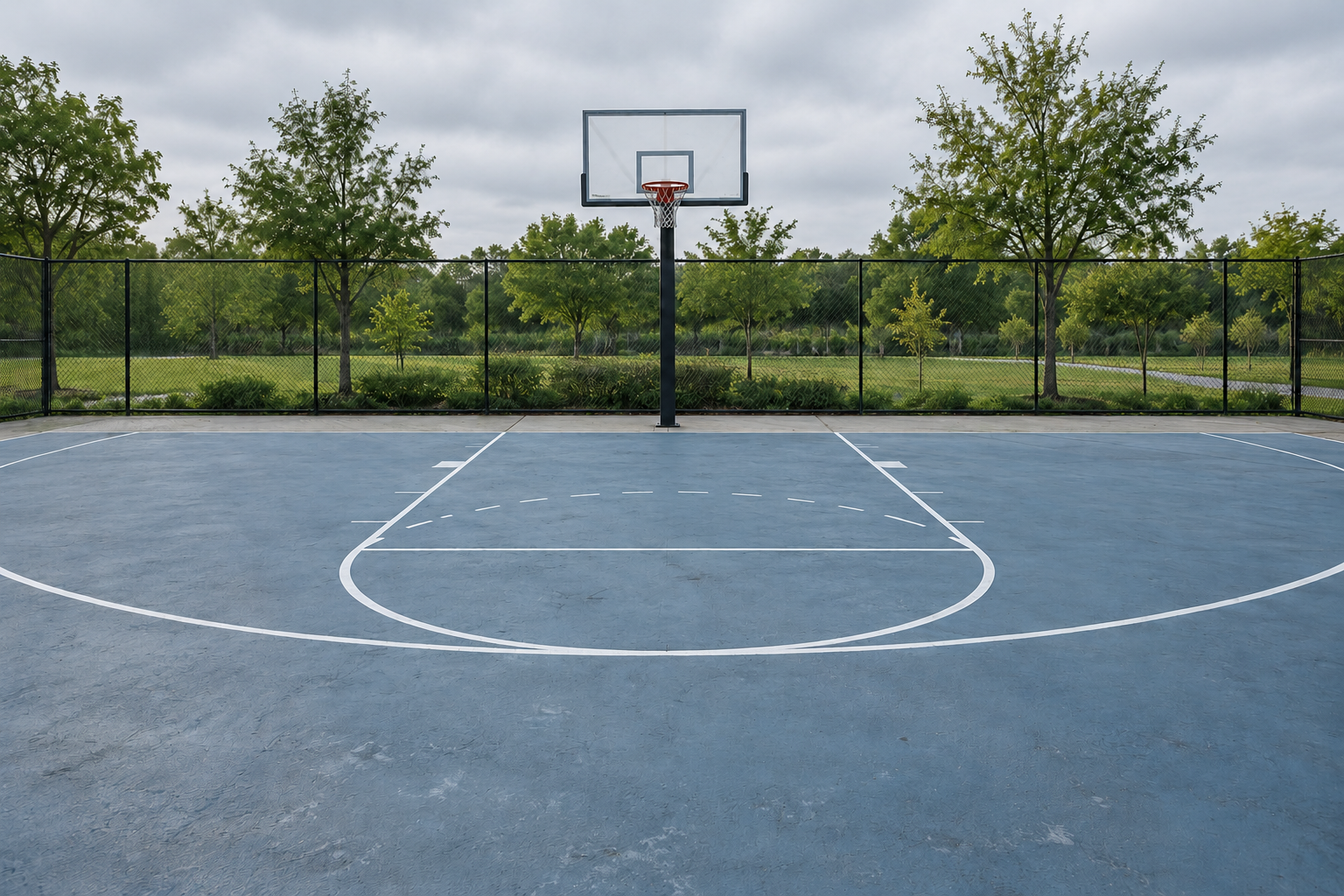
Download the daylight court image · Download the overcast court image · Download the court image review sheet
Write a clear outdoor court prompt
Start with the location, court type and intended camera view. One practical direction is: an empty fictional neighborhood half court with a single basketball hoop, a clear backboard and believable support. Show enough court in the foreground for a creator scene. Use natural surface texture, a simple fence and trees, and warm late-afternoon light. Keep the scene free of logos, lettering and extra people.
Specify what needs to remain coherent: hoop, rim, net, support, backboard and court markings. A prompt does not prove the geometry is correct, so inspect those details in the output. A convincing overall atmosphere can hide a duplicated support, a bent rim or a floor line that changes direction unexpectedly. Fix those before accepting the scene as a background.
An empty fictional neighborhood half court with one basketball hoop, a clear backboard and a believable support. Wide standing-eye-level view with enough foreground court for a creator scene. Natural concrete texture, a simple fence and trees in warm late-afternoon light. No people, brands, logos, lettering or badges. Treat court markings as illustrative scene details rather than a measurement plan.
Use one reference for a lighting comparison
Keep the accepted court image when testing a new time of day or weather. Request the lighting change separately and state the elements to preserve. For the overcast version here, the instruction retained the single hoop, viewpoint, crop, fence, trees and empty court while replacing warm sunset highlights with diffuse neutral daylight. It did not ask for rain or a wet surface.
Compare the actual exported images rather than assuming a reference-led request locks every detail. Inspect the hoop and net first, then the court edge, markings and fence. Record any changed object or texture in the review sheet. If continuity is essential, reject an edit that changes the location structure even if the new lighting looks attractive.
Match a creator to the background
Choose an original character and an accepted court scene before building a sports content set. Keep the character reference, outfit direction and location brief together. Match the direction and softness of the light so the person belongs in the scene. In the warm version, review highlights and shadows against the low sun. In the overcast version, review whether an inserted subject has overly dramatic light that conflicts with the background.
Clout can create original AI characters and generate photos and videos around a planned scene. Use a court brief as part of that creative direction, then inspect face, clothing, body proportions and ground contact in the exported content. The artwork shown here was generated independently; it is not a screenshot or measured benchmark of a Clout composite.
Plan crops before placing captions
Keep the hoop visible when it is necessary to identify the setting. For a wide slide, the empty floor can support a caption or a creator. For a narrow social crop, preview which details remain visible before committing to text placement. Do not assume the same caption coordinates work across landscape and portrait versions.
Add text in the editor so you can control line breaks, contrast and complete letters. A centered caption should sit inside the visible frame, not inside an uncropped source area that the player hides. Review the actual mobile presentation with the subject and caption together. Move the caption if it obscures the hoop, face or action needed to understand the story.
Review the court as artwork rather than a measurement guide
Inspect the visible backboard, hoop, net and support for plausible construction. Follow court lines through the image and look for unintended discontinuities. Check the fence and horizon for repeated or melted details. Examine shadows and surface texture at the final reading size, then inspect the downloadable original when small details matter.
Record whether the image passes for your use case. A background concept can be useful while remaining unsuitable for a sports instruction diagram. Keep that distinction in the caption and file notes. Generated artwork should not silently replace verified location evidence or a technical court plan.
Keep a small campaign set consistent
Approve one court and one character, then vary the action or crop intentionally. A calm introduction, an outfit scene and a short reaction can share the same visual baseline. Avoid changing the court, weather, character and camera view simultaneously if you want a recognizable series. Save the accepted reference and review each variation against it.
For video, add one clear action and one camera direction to the scene brief. A fixed view with a small movement gives you a simpler continuity check than a dramatic orbit. Inspect ground contact, object stability and the final crop before adding captions. The still concepts here do not establish the quality or feasibility of a particular animated action.
Choose a viewpoint that fits the output
| Output | Useful direction | Check before accepting |
|---|---|---|
| Sports story cover | Wide eye-level court with quiet foreground | Hoop remains legible behind the headline |
| Creator portrait scene | Court as background with room for a person | Light direction and ground contact match |
| Hoop detail image | Close view of rim net and backboard | No duplicated rim or invented support |
| Vertical social crop | Plan the visible hoop and subject together | Caption fits inside the actual frame |
Use official references when markings matter
For a diagram or a measured sports instruction image, start with the relevant governing rules and verified plans. FIBA’s official venue guide directs readers to its official rules for court markings and equipment details. The generated court concepts here serve a scene-planning purpose and should not be substituted for those technical references.
Record the image review before building a series
The downloadable CSV has eight review areas with blank fields for your intended use, observed export, acceptance decision and revisions. Review court structure and markings first, then lighting, texture and composition. For a creator scene, add the character and ground-contact review. For a social post, inspect the final crop and captions. Record a changed fence or hoop in the lighting edit instead of assuming every reference detail stayed fixed.
Create a sports creator scene in Clout
Build an original character in Clout and generate photos and videos around an accepted sports setting. Start with one court direction and a simple action, then review the actual exported scene for character continuity, lighting and visible court details. Keep your accepted reference with the outfit and scene brief so the next post uses the same visual direction.
Create my sports creator scene
For an equipment-led sports post, compare the realistic and illustrated softball images and plan a crop around the ball and glove.


