Staging in animation means arranging the pose, action and scene so the audience can follow the intended story point. A technically smooth movement can still be unclear when the important prop disappears into the character silhouette, background shapes compete with the action or several gestures ask for attention at once. For a separate workflow, see the motion tween property lab.
Use the free staging-read lab to explore one specific problem: a courier needs the audience to notice an envelope. Move the prop away from the torso, remove its color cue and add background distractions. The preview is original flat artwork with editable SVG and JSON exports. Its geometry measurements describe this drawing; they do not predict what an audience will understand.
Try the free staging read lab
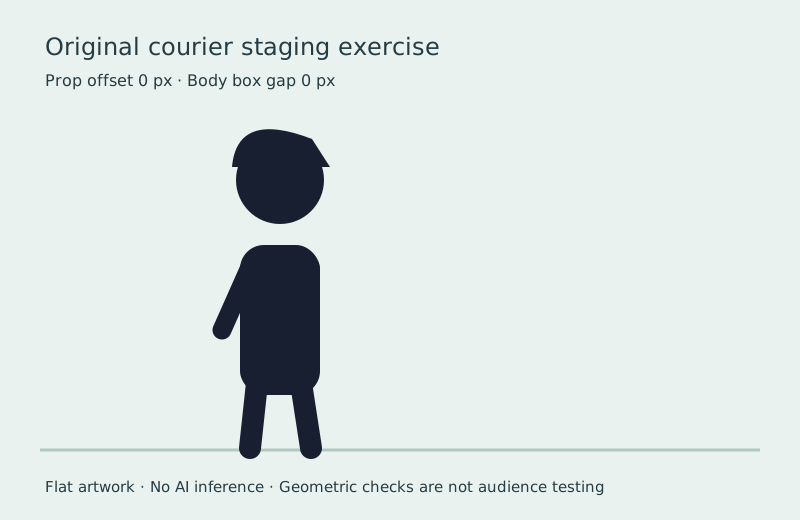
- Start in silhouette view with the prop offset near zero. The envelope falls inside the torso outline and loses its separate shape.
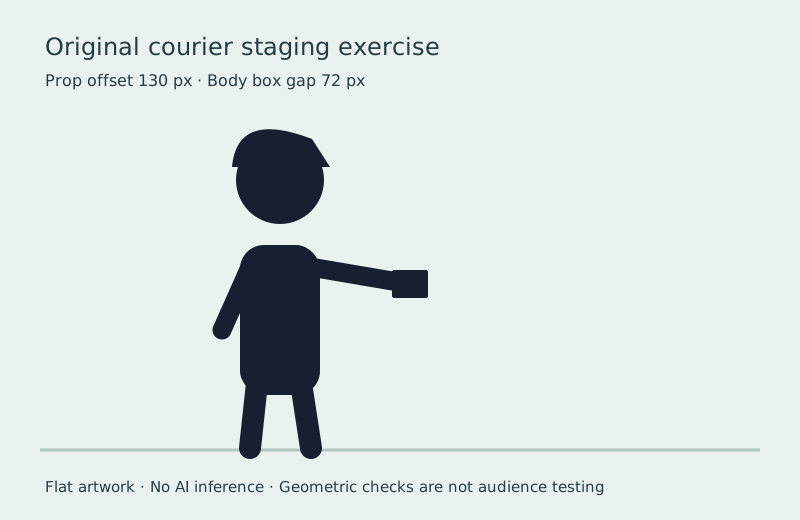
- Increase the offset toward 130 pixels. The arm extends and the envelope gains open space around most of its outline.
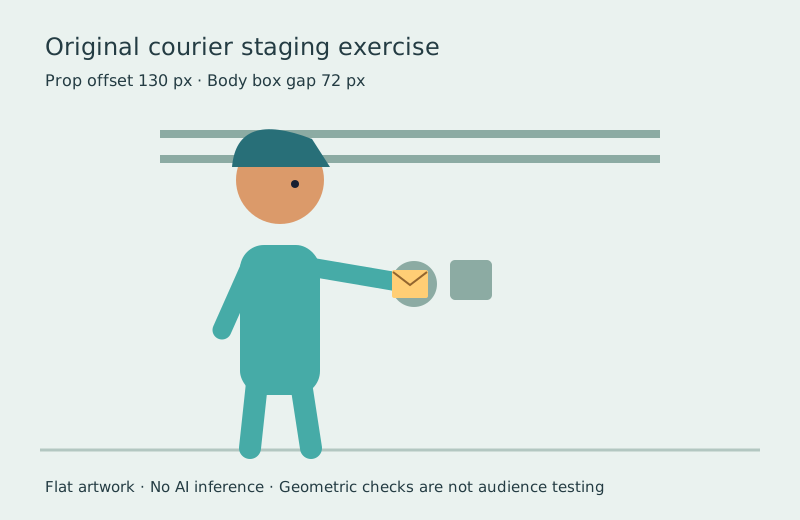
- Turn silhouette view off. Color restores another cue, but inspect whether the action remains understandable without it.
- Add background distractions. Notice that a prop can clear the torso yet still compete with another shape.
- Download the SVG and review JSON. Keep the exported drawing with your shot notes rather than assuming the numbers are a quality grade.
The default offset is 100 pixels. The envelope spans 36 pixels horizontally, centered at x = 280 + offset, while the torso box ends at x = 320. The displayed horizontal gap is the positive distance from that torso edge to the envelope’s left edge. The overlap value is the intersection width of those two horizontal ranges.
At zero offset, all 36 pixels of the envelope’s width overlap the torso box. At 58 pixels the ranges just touch, so both gap and overlap are zero. At 130 pixels, the horizontal gap is 72 pixels. The arm deliberately remains attached to the prop. These measurements do not include the arm, head, background objects, actual pixel masks or human perception.
Watch the original silhouette comparison
Watch this clip and view its details
The left version keeps the envelope close to the torso. The right extends the same envelope into open space. Both versions add a small ten-pixel movement during the 48-frame exercise. This demonstrates a pose and placement difference, not a controlled audience experiment or a claim that every extended pose tells the story better.
Open the staging silhouette watch page, inspect the merged silhouette and separated silhouette, or compare the color version with distractions. Ask another viewer what they think the courier is showing before explaining the intended answer.
Separate staging from blocking and timing
Blocking establishes the important poses, positions and movement through the scene. Timing establishes when those events happen and how long they last. Staging considers how the whole presentation makes the idea readable, including those choices and the surrounding visual hierarchy.
Animation Mentor’s staging lesson discusses character placement, lines of focus and consistent screen direction as ways to direct attention. Use those as composition choices rather than a mandatory rule-of-thirds template. A centered character can be appropriate when the story needs a direct presentation.
For camera and scene planning, use the existing previsualization guide. This page focuses on reading an action within the image. For the speed of a gesture, use the easing guide and compare the actual pose spacing.
Stage one clear story beat before adding detail
Write a one-sentence intention: the courier reveals an envelope they were hiding. Decide what changes for the viewer. Before the reveal, the prop can remain close to the body. During the reveal, the pose should create a distinct relationship between the character, hand and envelope. Afterward, a short hold can give the audience time to register it.
This is different from keeping every prop visible at all times. Concealment can be the point of a shot. Good staging supports the intended discovery, surprise or ambiguity. The test is whether the viewer receives the information at the intended moment, not whether every silhouette has maximum separation.
Plan an establishing pose, reveal pose and reaction pose. Keep the camera unchanged for the first test so you can judge the pose itself. Then decide whether a different crop or camera angle adds useful information. Avoid changing lighting, framing, timing and pose together when trying to identify the source of a confusing moment.
Check silhouette contrast and background competition
| Check | What to inspect | Useful revision |
|---|---|---|
| Silhouette | Does the important prop merge into the torso or another object | Change the pose angle or create intentional open space |
| Color and value | Does the prop remain distinguishable at the intended display size | Separate values or simplify competing accents |
| Background | Do edges or bright objects compete with the reveal | Move or simplify the distracting element |
| Timing | Does the audience have time to notice the reveal | Review a short hold in normal playback |
| Story | Can a viewer describe the intended event without coaching | Revise the beat and test it again |
A silhouette check removes color and internal detail. It is a useful diagnostic for pose shape, not a complete replacement for the finished image. An envelope intentionally pressed against a torso may still read through color, motion, sound or a preceding shot. Review the final scene with all intended cues and then use the simpler diagnostic to locate a specific problem.
Use the staging exercise in an AI cinema workflow
Prepare an original scene reference in Clout Image and Video or plan connected coverage in AI Cinema. Describe the story action and the important spatial relationship: an original courier extends a small envelope to screen right while the camera holds a medium-wide view. Review the returned image before using it as a motion reference.
Check the generated clip’s beginning, reveal and ending. A prompt asking for a clear envelope does not establish that the output preserves it. Watch for a hand covering the prop, an envelope changing shape, an unwanted camera move or a background object taking attention at the reveal.
Use the limited animation exposure lab when a held pose carries the beat, or the puppet animation lab when you want to inspect rigid arm rotations. The staging lab itself does not generate a video or animate an uploaded character.
Reproduce the artwork and keep a review record
The original study source defines the courier geometry and bounding-box calculations. The asset builder reproduces the SVGs, covers and frame sequences using Bun and Sharp in a new output directory. The encoding note records the separate FFmpeg commands.
Keep the pose, frame number, intended story point and viewer observation together. If a revision helps, record which element changed. A small review sheet tied to actual frames is more useful than calling a shot cinematic without identifying what became clearer.