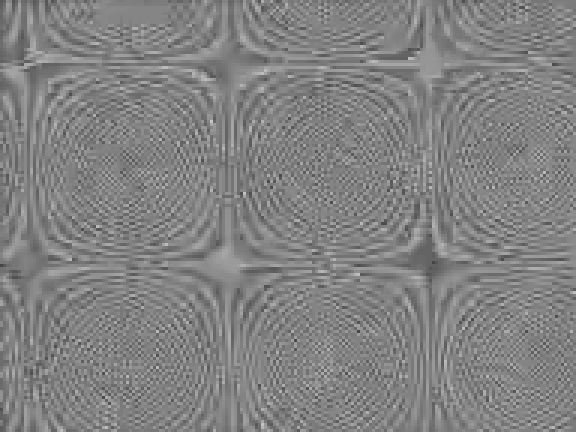
Compression artifacts are changes introduced when an image or video is represented with reduced information. In video exports they can appear as broken-up texture, softened detail, unstable edges or block-like patterns. Start by comparing the actual delivery file with the strongest source at the same frame and scale. A low file size or a familiar codec name does not establish an acceptable result.
This guide includes an original three-second sequence encoded through two H264 settings and a lossless reference. The files, decoded luma crops, settings and measurements are downloadable. The experiment is native codec processing of authored pixels, not an AI generation or restoration demonstration.
Find the stage that introduced the artifact
Keep the source, edited master, local delivery export and any platform-returned version separate. Identify a frame and a region where the issue is visible. Compare those same pixels across checkpoints before changing a prompt, buying an upscaler or applying a global sharpening treatment.
| Observation | First useful comparison | Next decision |
|---|---|---|
| Fine texture disappears only in the export | Master and delivery file at the same scale | Test another encoding setting while preserving dimensions and timing |
| Blocks appear during a difficult motion | The same moving region across several decoded frames | Review a short representative sequence rather than one poster frame |
| A smooth background becomes stepped | Source precision grading and final gradient samples | Use the dedicated color banding workflow |
| A character changes shape before export | The earliest returned source clip | Separate a generation or continuity issue from compression |
| The local file is acceptable but the upload preview is poor | Local master and platform-returned file if available | Test the complete delivery route |
For stepped gradients, use the color banding and PNG depth lab. For an anatomical or continuity error already visible in a generated source, preserve that source for review. Compression and generation problems can coexist, but the fix depends on where the visible change first appears.
Keep the comparison controlled
Use the same source frames, dimensions, frame rate, crop and pixel format when testing an encoding choice. If one comparison also changes resolution, stabilization and sharpening, you cannot attribute the difference to compression alone. Record the complete command or preset rather than writing only the container extension.
FFmpeg’s libx264 documentation describes encoder controls including the CRF route used here. Our comparison uses one encoder family with two CRF settings, not a cross-codec ranking. The values eighteen and forty-four are test settings, not universal recommendations for every source or destination.
Inspect a difficult section before encoding a full project. Include the texture, motion and small detail that matter to the finished job. A static clean background is a weak test for a fast movement across foliage, hair or fabric. Judge the complete delivered file after encoding, because an editor’s working preview can hide what the export changes.
Inspect the original codec experiment
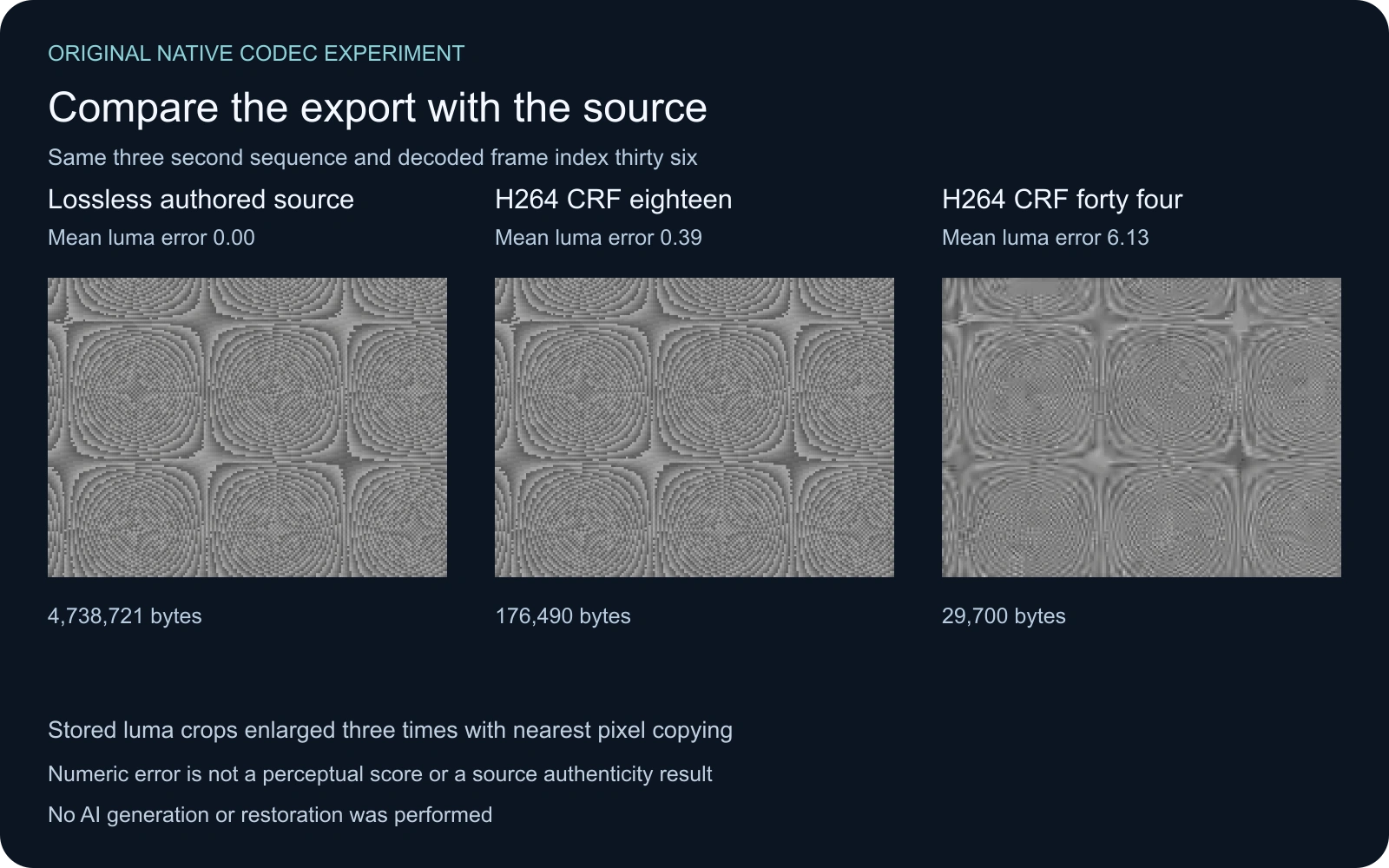
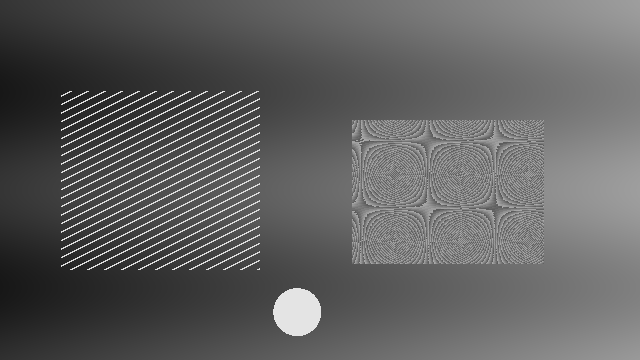
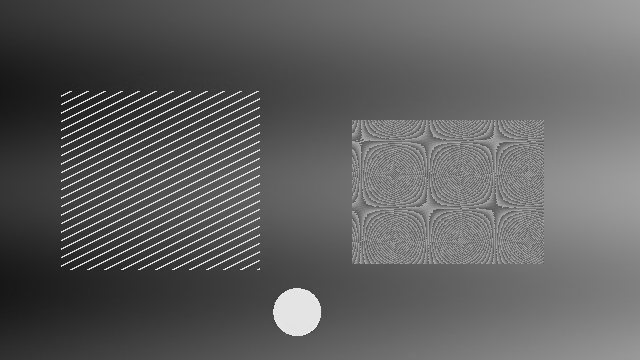
We authored 72 grayscale YUV420 frames at 640 by 360 pixels and 24 frames per second. The three-second sequence combines a smooth changing background, thin diagonal bars, a textured patch and a moving bright disc. The input luma values are limited to sixteen through 235 with neutral chroma.
The source was saved losslessly with FFV1. Two H264 exports use libx264 medium with CRF eighteen and forty-four, a fixed keyframe configuration and one encoding thread. Both retain the source dimensions, frame count and pixel format. The lossless file decodes to exactly the authored raw YUV stream.
| Actual file | Bytes | Decoded frames | Duration | Mean absolute stored-luma error |
|---|---|---|---|---|
| Lossless FFV1 source | 4738721 | 72 | 3 seconds | 0 |
| H264 CRF eighteen | 176490 | 72 | 3 seconds | 0.393352 |
| H264 CRF forty four | 29700 | 72 | 3 seconds | 6.126033 |
Download the lossless authored source, CRF eighteen MP4 and CRF forty-four MP4. The MKV reference requires a player that supports FFV1; downloading a file does not guarantee that a particular browser plays it inline. Keep the files with their measurement record and commands and summary CSV.
Read the crops without confusing them with playback
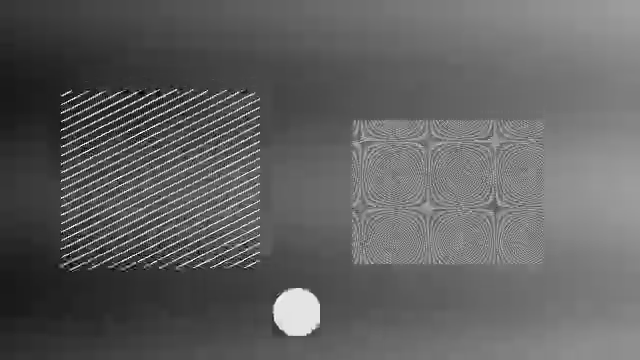
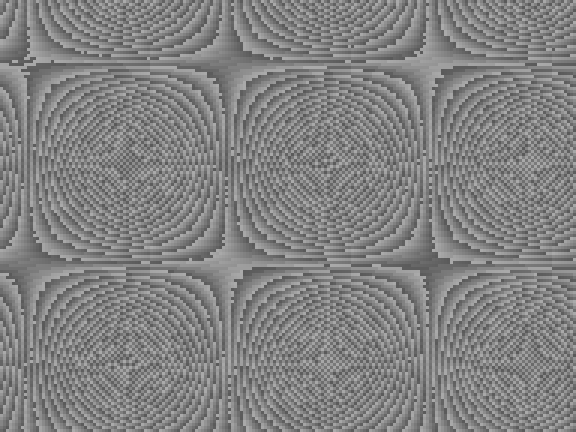
The artwork shows the same 192 by 144 region at decoded frame index thirty-six, corresponding to 1.5 seconds. Each crop is enlarged three times by copying pixels. The lossless reference retains the authored texture. The heavier compression changes that texture substantially in this region.
The PNG inspection files map stored limited-range luma byte values directly onto grayscale byte values. They do not reproduce a complete color-managed RGB playback path. Use them to inspect saved sample differences. Play the full MP4 files separately when judging motion, edge stability and whether the tradeoff works for the intended delivery.
Download the original-size decoded luma frames for the source, CRF eighteen encode and CRF forty-four encode. The source crop and heavily compressed crop preserve the displayed inspection pixels.
Use error measurements as one part of review
The mean absolute stored-luma error compares corresponding decoded Y samples against the authored source across all frames. Zero means those samples match. A larger value means a larger average numeric difference in that representation. It does not measure story clarity, facial likeness, subjectively pleasing texture or whether a clip was made with AI.
In this fixture, the smaller CRF forty-four file has a higher average error than the CRF eighteen file. That finding belongs to these files and settings. It is not a guarantee about another encoder, a different scene or all frames individually. The full JSON retains per-frame error so the average is not the only available record.
A delivery decision combines the visible result, destination requirements and file size. Do not remove important source texture simply to improve a metric or reduce bytes. Conversely, a numerically different file can still be usable for a small preview. Compare at the real destination size and keep the accepted source for later edits.
Apply the workflow to an AI scene
For an original cinematic shot, keep the earliest returned video from Clout Cinema with its approved scene brief. Inspect identity, contact, props and camera motion before finishing. Then export a short representative section and inspect whether its delivery introduces additional texture or edge changes.
For a product campaign, prioritize lettering, product shape and the action being demonstrated. If the source label is already wrong, a less aggressive encode will not make it correct. If the source is correct and the small delivery smears the label, investigate the export. For saved AI artifact reports, see the Verus-Insight workflow and prediction review tool; a detector prediction remains a separate unverified claim.
Reproduce the study before changing the production preset
The original native builder reconstructs the authored sequence and encodes all three files. The independent decoder verifier checks frame counts, the source raw hash, every luma difference and the saved crops. Read the validation record, reproduction instructions and asset hashes.
The recorded runtime is FFmpeg with libx264 and FFV1, plus pinned numeric and image libraries. Container identifiers or encoder versions can change file bytes on another run, so compare decoded samples and settings before expecting identical containers. The experiment supplies a repeatable baseline, not an automatic repair command or a paid-model quality benchmark.