Chiaroscuro lighting works when light and shadow describe the form and support the scene. An AI portrait with one bright cheek and an unreadable eye is not automatically a successful dramatic image. Decide what viewers must see, where the light comes from and which side can fall into shadow.
What makes chiaroscuro lighting readable
Think of a fictional projectionist examining a program card. The face, card and hands carry the action. Choose a single dominant direction, place the brightest useful region around that action and keep competing background patches quiet. The shadow side can remain dark while still preserving the information needed to understand the character.
Chiaroscuro describes a light-and-shadow treatment, not a particular camera angle, lamp brand or automatic contrast ratio. A dark background can help isolate a form, but the position and shape of illuminated surfaces do the storytelling. Decide the composition before applying a stronger contrast curve.
Inspect our controlled fill-light comparison
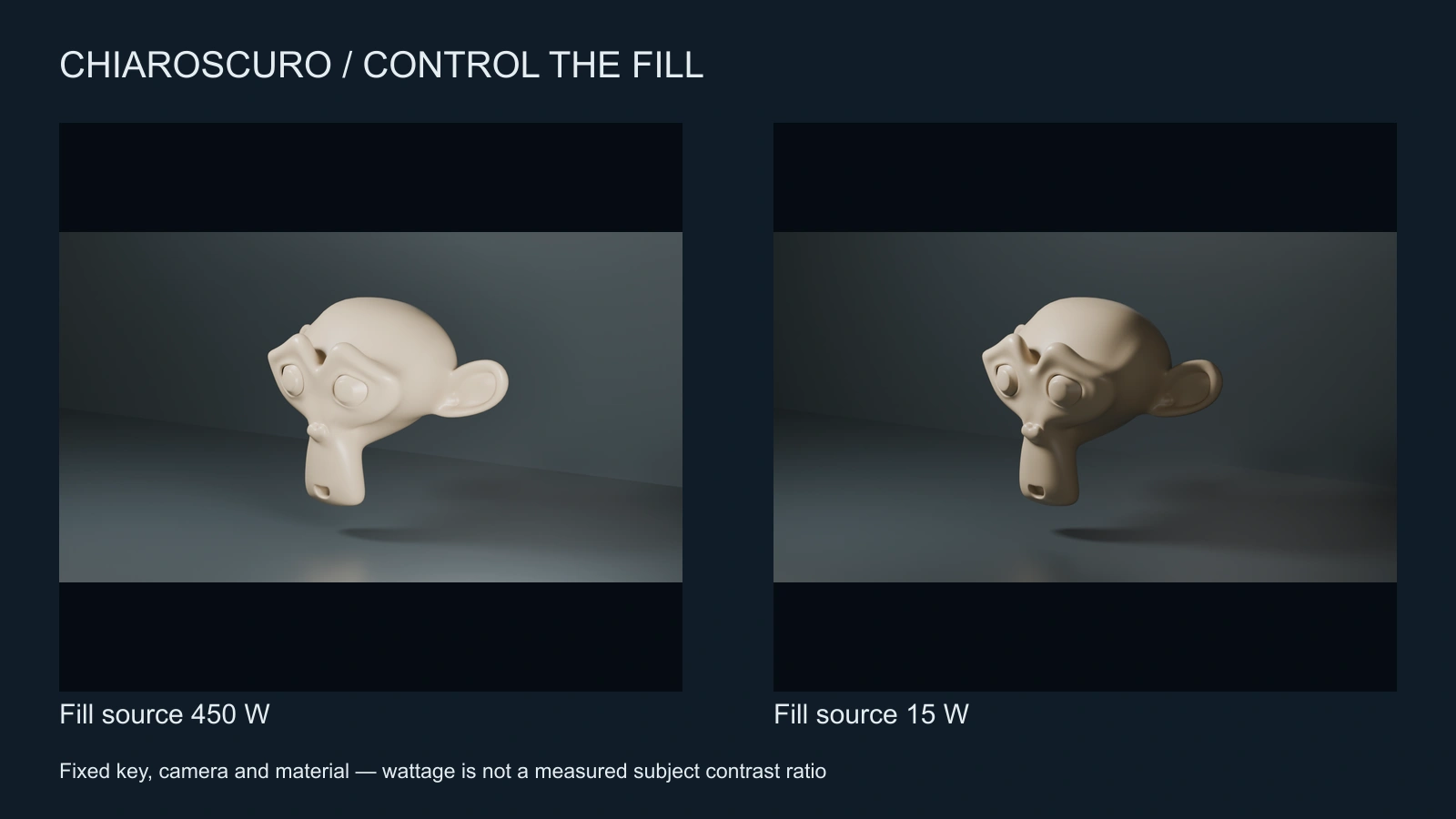
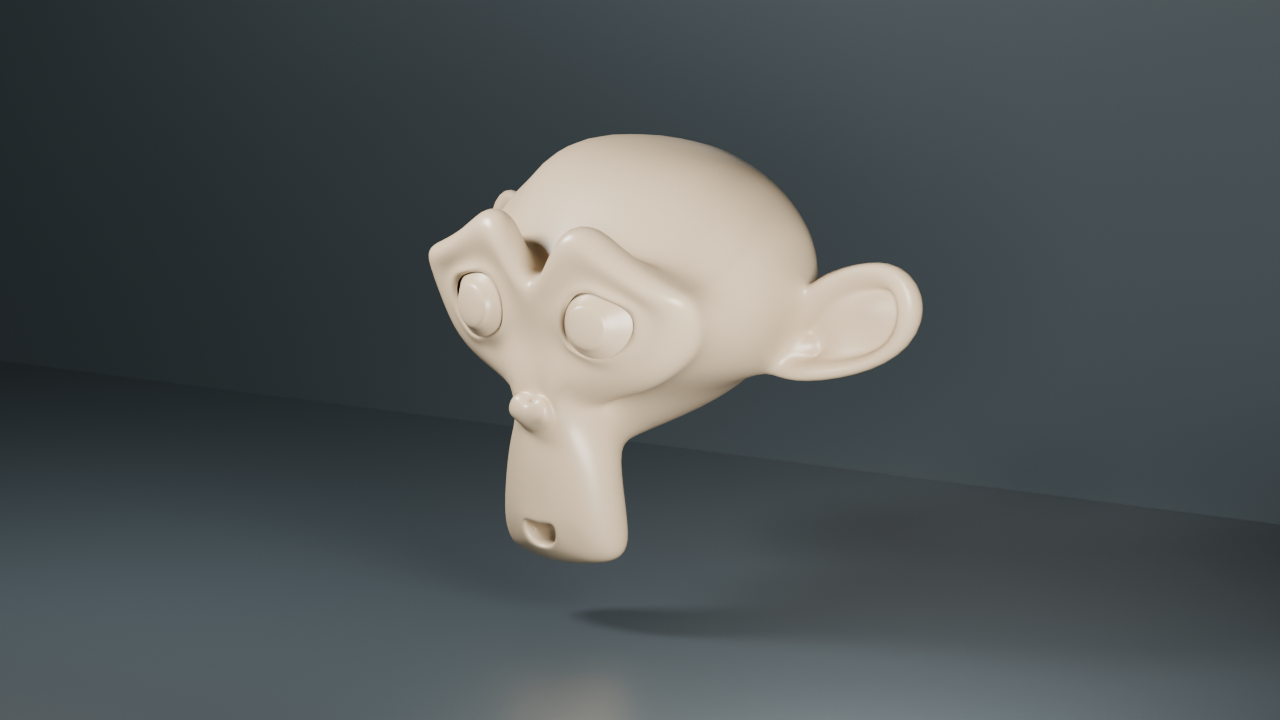
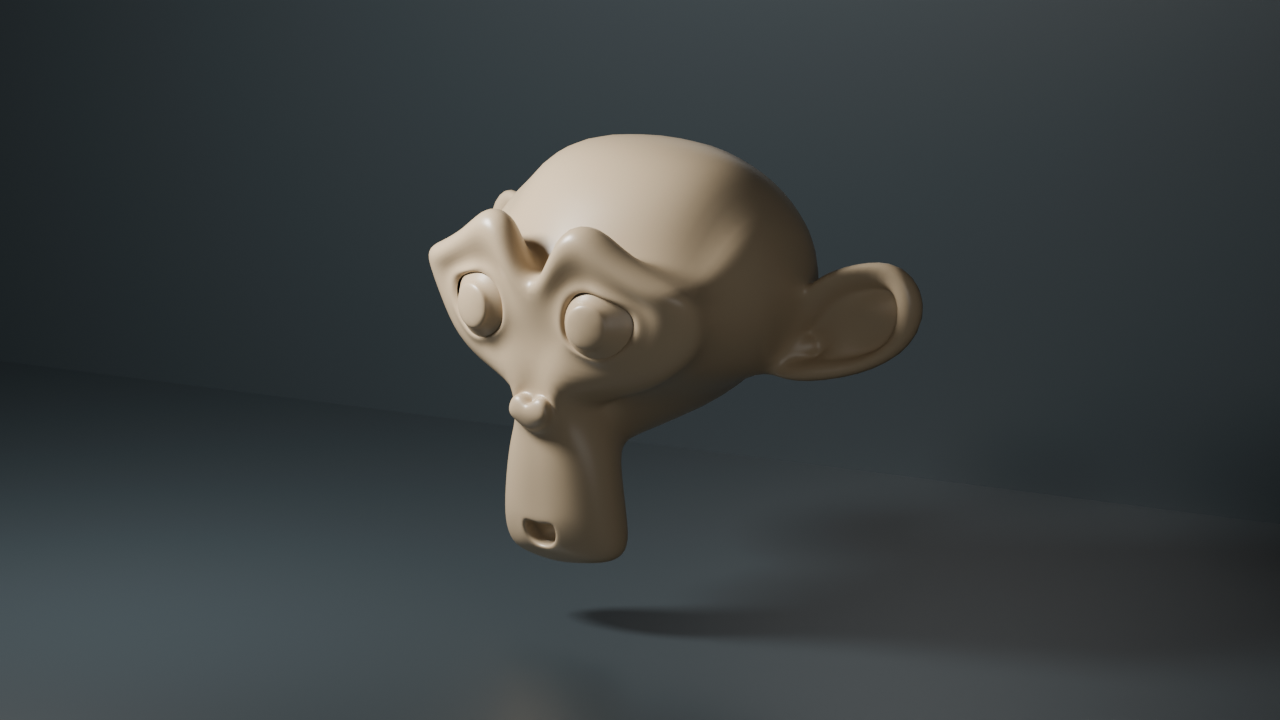
This authored Blender study uses the built-in Suzanne mesh, a cream material and fixed geometry, camera, key light and view transform. The first render has a 450 W fill source; the second reduces that source to 15 W. The 500 W key stays fixed. These are source settings, not measured subject illumination or a claimed photographic lighting ratio.
Notice how reducing fill changes the shadow side without changing the object's silhouette or inventing a new light direction. You can inspect the open-fill PNG and low-fill PNG. The source is available in our background Blender reproduction script with a settings manifest. This is a controlled 3D exercise, not an AI model comparison.
Plan a chiaroscuro scene before generating
- Choose the action: reading a card, opening a case or reacting to a sound.
- Place the dominant source in world space, such as high on the character's left.
- Mark which features must stay readable: near eye, hand contact, object edge and expression.
- Decide how much fill can enter the shadow side without flattening the mood.
- Choose a background that separates the silhouette without adding an unexplained second key.
Use the lighting continuity review sheet for the wide, reverse and insert shots. Preserve world-space source direction when the camera turns. “Light from camera left” can accidentally reverse the source between views because camera left changes with the viewpoint.
A practical AI portrait direction
Fictional projectionist in a dark archive room, holding one plain program card at chest height. One dominant warm source high on the character's left shapes the face and card. Keep the near eye, fingertips and card edge readable. Low fill on the far cheek, quiet background, clear silhouette. Preserve the same costume and card position across the sequence.
This is an original, untested direction to adapt to your selected model and supported reference controls. Begin with one still in Clout Image and Video, approve the identity and illumination, then use that reference for motion where the chosen operation supports it. Do not promise a particular physical lighting setup from a text prompt alone.
Carry the look through a dialogue sequence
Build a wide shot that establishes the source and room. In the close view, preserve the illuminated side of the face and the card's brightness relationship. In the reverse, keep the source attached to the room rather than to the camera. A new camera position may reveal different surfaces, so matching every pixel's brightness is less useful than preserving the scene's lighting logic.
For connected dramatic scenes, use Clout AI Cinema and our short drama workflow. Review the returned takes for face drift, shadow flicker, changing wardrobe and a light source that appears to move without a story reason. A low-contrast reference can be easier to judge for identity, followed by a controlled look test.
Fix common chiaroscuro lighting problems
| Problem | What to inspect | Next revision |
|---|---|---|
| Face disappears | Eyes and expression at delivery size | Increase useful fill or move the source before crushing shadows |
| Everything looks equally dramatic | Competing background highlights | Reserve the clearest contrast for the subject |
| Reverse shot changes mood | Source side and background logic | Restate the source in room coordinates |
| Shadow crawls in motion | Fixed geometry at normal playback | Simplify the action and test a shorter take |
Use negative fill to think about unwanted bounce and motivated lighting to connect a source with the story. Chiaroscuro is the tonal treatment; those guides address different production decisions. For visible beams through atmosphere, continue to volumetric lighting.