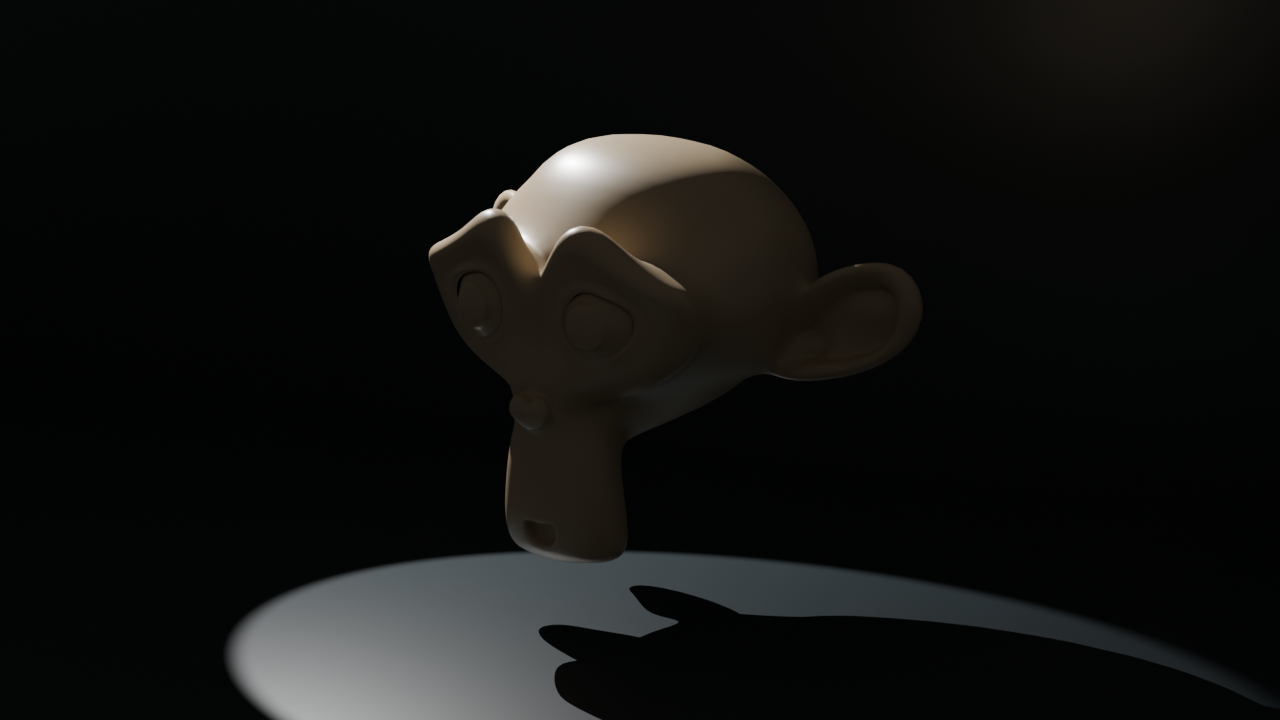
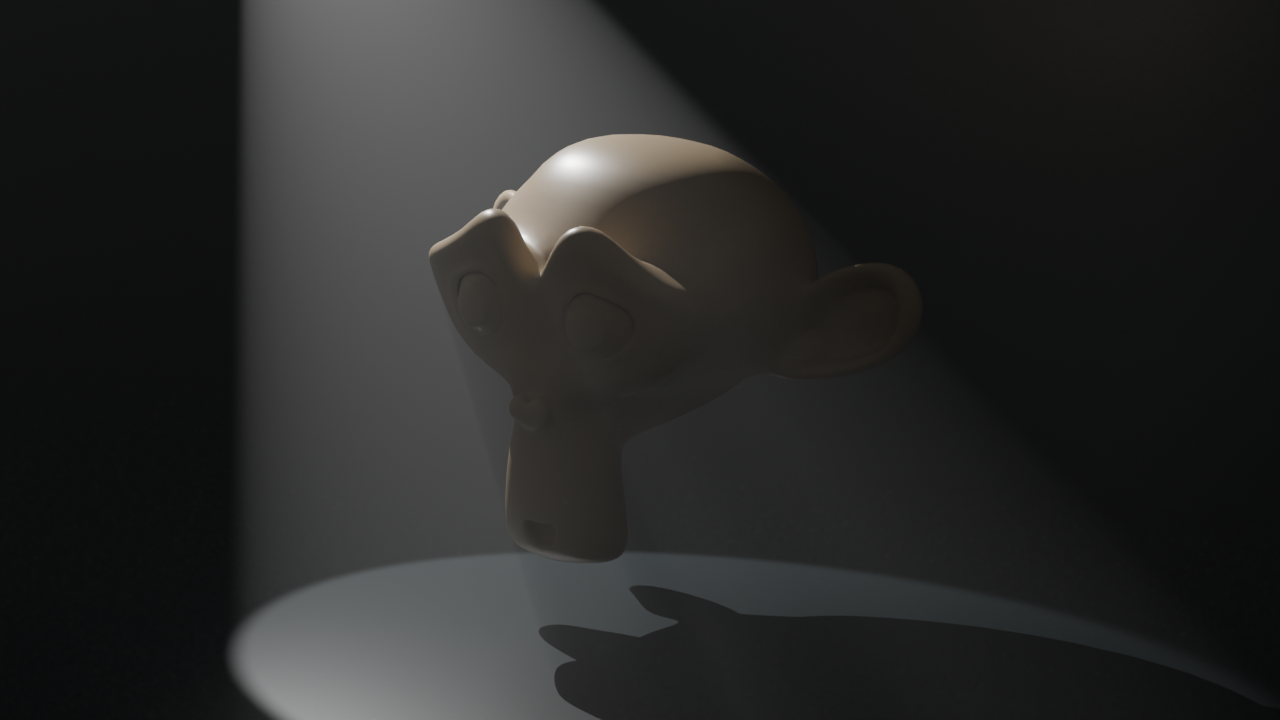
Volumetric lighting can turn a simple room into a cinematic scene: a beam reveals an opening, separates a silhouette or leads the eye toward an object. The useful question is where the light enters and what it passes through. Adding “god rays” to every prompt can produce bright streaks without a believable source.
What is volumetric lighting
Light scattering in a volume can make a beam visible to the camera. Blender's Volume Scatter documentation describes this shader role. Its density and anisotropy controls affect how the medium interacts with light. The final appearance also depends on source placement, the path through the volume and the camera view.
A surface highlight shows light reflected from a surface. Bloom or a glow around a bright region is another kind of effect. A visible shaft through a room is a spatial cue: it should relate to an opening or source and respond coherently to objects blocking it.
Compare clear air with a scattering volume
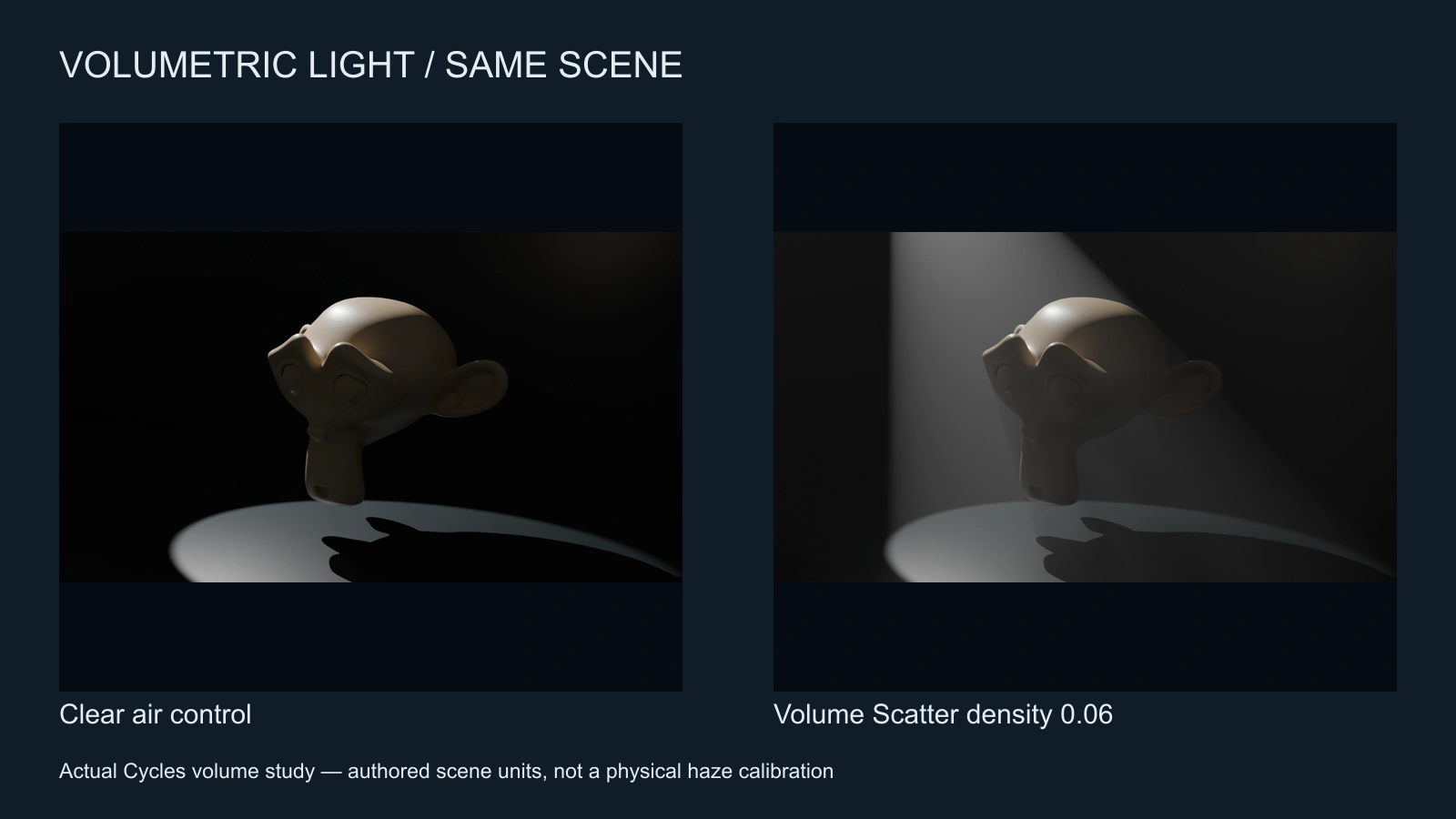
Our original study uses a fixed 1800 W spotlight, camera and scene. The control has no enclosing scatter volume. The second render adds a box measuring 12 by 12 by 8 scene units with density 0.06 and anisotropy 0.25. It uses Cycles CPU, 64 samples, seed 17, denoising and AgX. The beam is produced by an actual volume shader, not painted onto the image.
These settings describe this scene only. They are not a real-world fog concentration, recommended on-set haze exposure or universal renderer preset. Download the clear-air control PNG, scattering PNG, reproduction script and render manifest to inspect the comparison.
Build a coherent beam in a cinematic scene
- Choose an opening or source that explains the direction, such as a high archive window.
- Position the subject so the beam helps reveal the action instead of washing out the face.
- Keep a clear relationship between the illuminated floor patch, source opening and visible shaft.
- Choose enough atmospheric depth to read the space while retaining useful background contrast.
- Inspect objects that interrupt the path and check whether their shadows agree with the source.
In an AI image, these are acceptance criteria rather than guaranteed physical controls. A model may draw an attractive beam while placing the floor highlight somewhere inconsistent. Review both regions before accepting the still. If the scene fails, simplify the room and source arrangement instead of adding more effect words.
An original AI image direction for an archive scene
A fictional archive room with a single high window on the far left wall. One soft-edged shaft crosses light haze toward a closed teal document case on the table. Keep the case latch and table contact readable. The floor illumination follows the same window direction. Quiet dark background, no extra shafts from unseen openings.
Adapt this untested direction to the chosen model. Create a still in Clout Image and Video, inspect the case and light path, and save the approved reference. Animate a modest action first, such as a slight camera move or a hand entering the frame. A dense room with several moving characters is harder to diagnose when a beam changes unexpectedly.
Keep volumetric lighting stable in AI video
Watch the beam against fixed edges rather than only the actor. Check whether the window stays in place, whether the shaft changes angle and whether the atmosphere pulses as the camera moves. Some perspective change is expected; an unexplained source jump is a continuity problem. Compare the beginning, middle and end, then watch at normal speed.
For a reverse angle, preserve the window's position in the room. The beam may become less visible from the new viewpoint. That can be more coherent than forcing an identical diagonal stripe into every shot. Use the lighting review worksheet to record the intended direction, atmosphere level and visible problems.
Our motivated lighting guide handles source continuity, while the chiaroscuro study explores fill and shadow. For a connected narrative, plan the scene in Clout AI Cinema and inspect returned takes before assembling the sequence.
Troubleshoot atmospheric lighting
| Symptom | Inspection | Revision to test |
|---|---|---|
| Everything looks milky | Subject and background contrast | Reduce atmospheric density or shorten the path through it |
| Beam has no origin | Window, lamp or opening | Establish a clear source and remove competing shafts |
| Beam flickers in a static room | Fixed wall and floor landmarks | Test a shorter simpler movement with a stable reference |
| Face becomes unreadable | Haze and highlight over the expression | Reposition the composition or lower the effect |
In a renderer, judge sampling noise separately from the intended atmosphere. In a generated clip, judge geometry and temporal stability separately from the texture. Keep a clean accepted master before adding film grain or a highlight glow; those finishing effects do not correct a broken spatial light path.