

Explore light and shadow in our controlled chiaroscuro lighting study: open the guide
For beams through atmosphere, inspect the volumetric lighting comparison
What motivated lighting means
Motivated lighting gives the illumination a believable reason within the scene. A window, desk lamp, doorway or other established source explains why light reaches the subject from a particular direction. The image can be carefully shaped while still suggesting that source. In an ARRI interview about RRR, cinematographer K. K. Senthil Kumar discusses source-inspired lighting and period fixtures as part of a coherent visual world.
For an AI drama, this is more actionable than asking for a cinematic look. Name the source, its position in the room and the surfaces it should illuminate. Then inspect whether the returned image or video supports that plan. A visible lamp and an attractive face do not automatically establish a coherent lighting relationship.
Inspect the original archive-lamp illustration
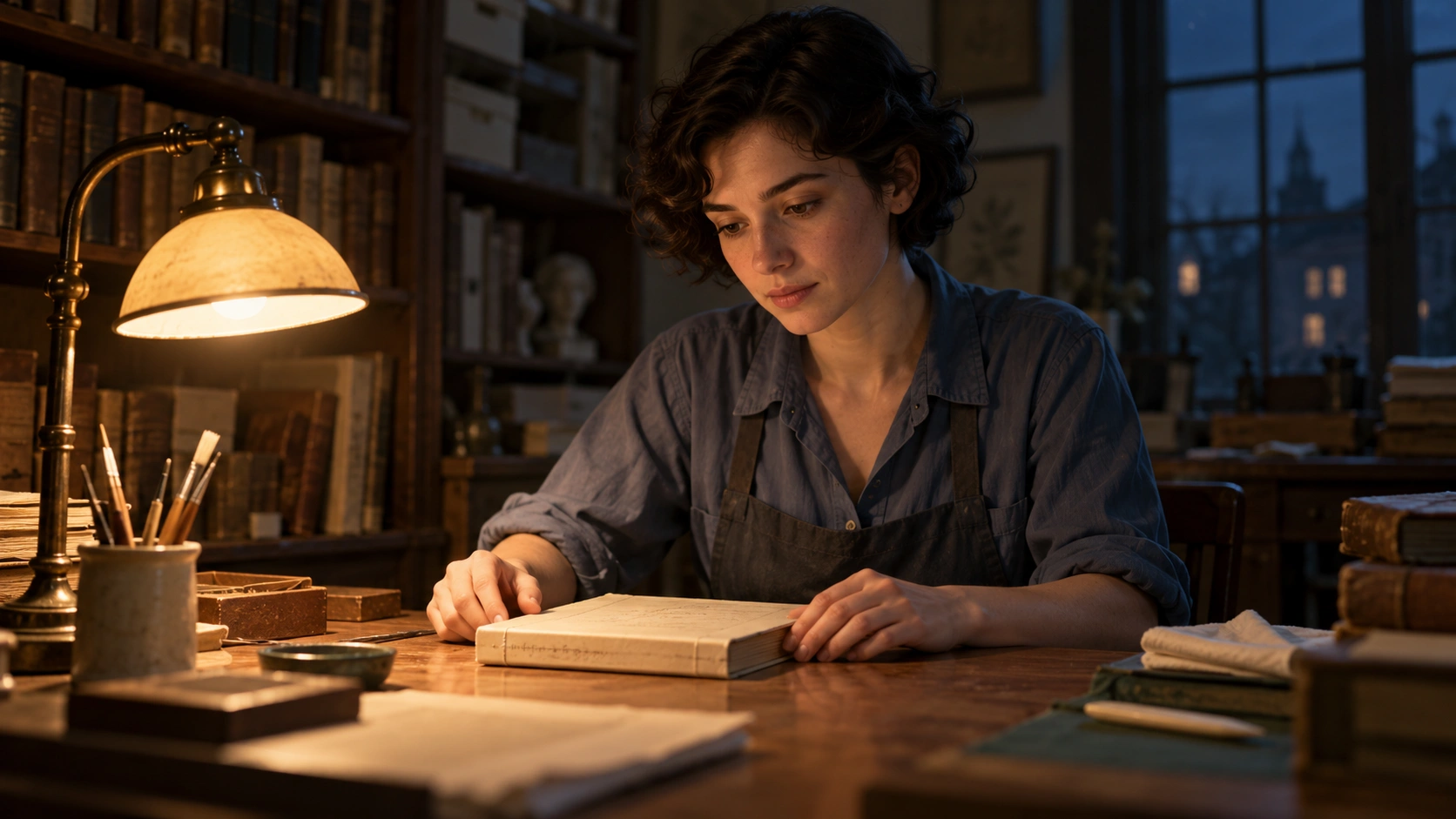
Our fictional book conservator works beside a warm desk lamp at night. The lamp appears on the left of the picture, while a distant window contributes a faint cool background. The warm face, hands, book and desk provide concrete places to inspect the proposed source relationship.
This is an original image generated with the built-in image tool. It is a synthetic scene illustration, not a photographed lighting test, a measured exposure setup or proof that a video model preserves the light through motion. The exact illustration prompt records the intended treatment.
Separate the practical from the light it motivates
A practical is a fixture that belongs to the visible world of the scene, such as the desk lamp. Motivated lighting describes the reason for the illumination. You can show a practical while supplementing its apparent effect with other lights on a real set, or ask an image workflow for a source-inspired treatment. The source can also be established outside the current frame.
Filmmakers Academy's available-light glossary distinguishes existing ambient sources and practical fixtures. Keep the vocabulary tied to the production decision: what the audience believes lights the room, what the picture actually shows and what you need to preserve across coverage.
| Decision | Archive example | Review target |
|---|---|---|
| Motivating source | Warm desk lamp | Its apparent effect agrees with its position |
| Secondary ambience | Faint cool night window | It does not become an unexplained dominant key |
| Important surfaces | Face hands book and desk | They belong to the same lighting situation |
| Coverage | Reverse camera around the same room | The physical source stays anchored |
Keep the source in the room when the camera reverses
A source can change screen side when the camera moves to the opposite side of the subject. That is different from moving the source itself. If every separately generated shot is asked for camera-left light, the assembled room may acquire an unexplained moving lamp. Record a world-space anchor before writing each camera-specific brief.
The free planner above uses a deliberately simple top-down room: one centered subject, a source on either named side wall and two opposing cameras. Choose the source name, wall and camera. Reverse the camera and inspect how apparent screen side changes while the source coordinates stay fixed. The named walls are abstract planning labels rather than a measured reconstruction of our archive image.
The downloaded JSON is a continuity note. It does not calculate exposure, falloff, face illumination, shadow shape or reflections, and it does not model a real camera crossing. No image is uploaded and no model is called. Use a more complete floor plan when your scene needs arbitrary camera angles, several subjects or multiple competing sources.
Write a lighting brief around one scene task
Subject and action — The original adult book conservator pauses beside a closed cream book in the accepted archive. Preserve the approved face, work shirt, book shape and hand placement. Start with a calm camera so the light relationship is easy to inspect.
Source and quality — A visible warm lamp beside the desk motivates the near-side illumination. Keep the opposite face side in a readable soft shadow. A distant window supplies restrained cool ambience. These are creative directions, not calibrated Kelvin values or measured light ratios.
Continuity — For another view, preserve the lamp's room position and adapt the screen description to the actual camera. Retain the source image, shot notes and returned file together. If the workflow offers reference or local-edit controls, use the ones actually available rather than assuming every model exposes a lighting rig.
Review shadows highlights and material color together
Look at the face, hands and adjacent objects at equal display size. An image can have a pleasing warm face while the book casts an incompatible shadow or a reflective desk invents another bright source. Inspect those relationships before adding a color grade. A warm filter alone does not relocate a light.
Separate the intended source color from a change in the product or wardrobe. A cream book under warm illumination can appear warmer, but its binding should not become a different object between shots. For an actual client product, retain a neutral product reference and review color accuracy alongside the scene treatment.
Carry the plan into motion and dialogue coverage
Play a returned video completely. Watch for the apparent source sliding across the face, the window growing brighter without a scene event or highlights changing when the subject holds still. A useful still reference does not establish temporal stability. Record the first failed time and the surface where the change becomes visible.
Use the multi-shot coverage workflow for the wider conversation and the reaction-shot plan for listener coverage. When a picture already exists and needs a revised light treatment, use the AI relighting guide. Motivating the scene is the planning decision; relighting is a possible operation used to revise an image.
Download the source and continuity brief
Download the Archive Lamp brief and blank continuity sheet. Keep actual output and acceptance fields empty until you have reviewed a real take. The planner's JSON records orientation only.
Develop original cast references and scene material in Clout AI Cinema, selecting the supported operation for each job. For reducing unwanted shadow-side bounce while retaining the key direction, continue with the negative-fill workflow. Choose the lighting relationship the scene needs before asking for a stronger style.


