A Higgsfield contest is an event with its own schedule, submission route and production requirements. Start with the exact event page before generating a film. As checked October 3, 2026, the Global Film Festival timeline explicitly says submissions are closed, even though the directory places it under an Active contests heading.
This independent Clout guide combines a dated status check with an original short-film planning exercise. It covers what to inspect, how to develop a story and how to review a complete cut. The downloadable artwork was created separately for a fictional project; it is not a Higgsfield result, an accepted entry or proof of eligibility. We did not generate a paid festival film or submit an entry.
Check the specific event before starting production
Open the official contest directory, then inspect the event's Timeline and Rules tabs. A directory category, promotional headline or remaining Start project button does not establish that submissions are open.
| Event | Observed status on October 3 | Official source |
|---|---|---|
| Global Film Festival | Submissions closed; shortlist scheduled October 5 | Festival timeline |
| The Adathon | Ended; winners shown | Adathon page |
| Apps Contest | Winners announced | Apps winners |
The festival timeline lists September 16 as the deadline and October 6–11 for jury review. Treat this as a dated snapshot and check the official page for changes. Do not confuse a film competition, an advertising competition and an app-building competition: they ask for different work.
Read the rules that affect your actual files
The festival rules require a film of at least three minutes, Higgsfield project generation for AI imagery, AI-generated audio, retained assets, and a final film with official watermark and packshot plus a public social link. They describe fictional characters, eligibility restrictions and a marketing license. Read the full rules before deciding whether your work qualifies.
The Adathon's listed prizes are platform credits; the festival's listed pool is cash. Neither a prize headline nor this guide establishes what you can receive. These are event-specific terms, not a general reward for making an AI video.
Download the blank event and final-file checklist. Record the exact source, current requirement and evidence for your project. Every observation and decision field starts empty. A check should point to a file or account state you have inspected, rather than to a general promise about the software.
Separate contest production from your creator practice
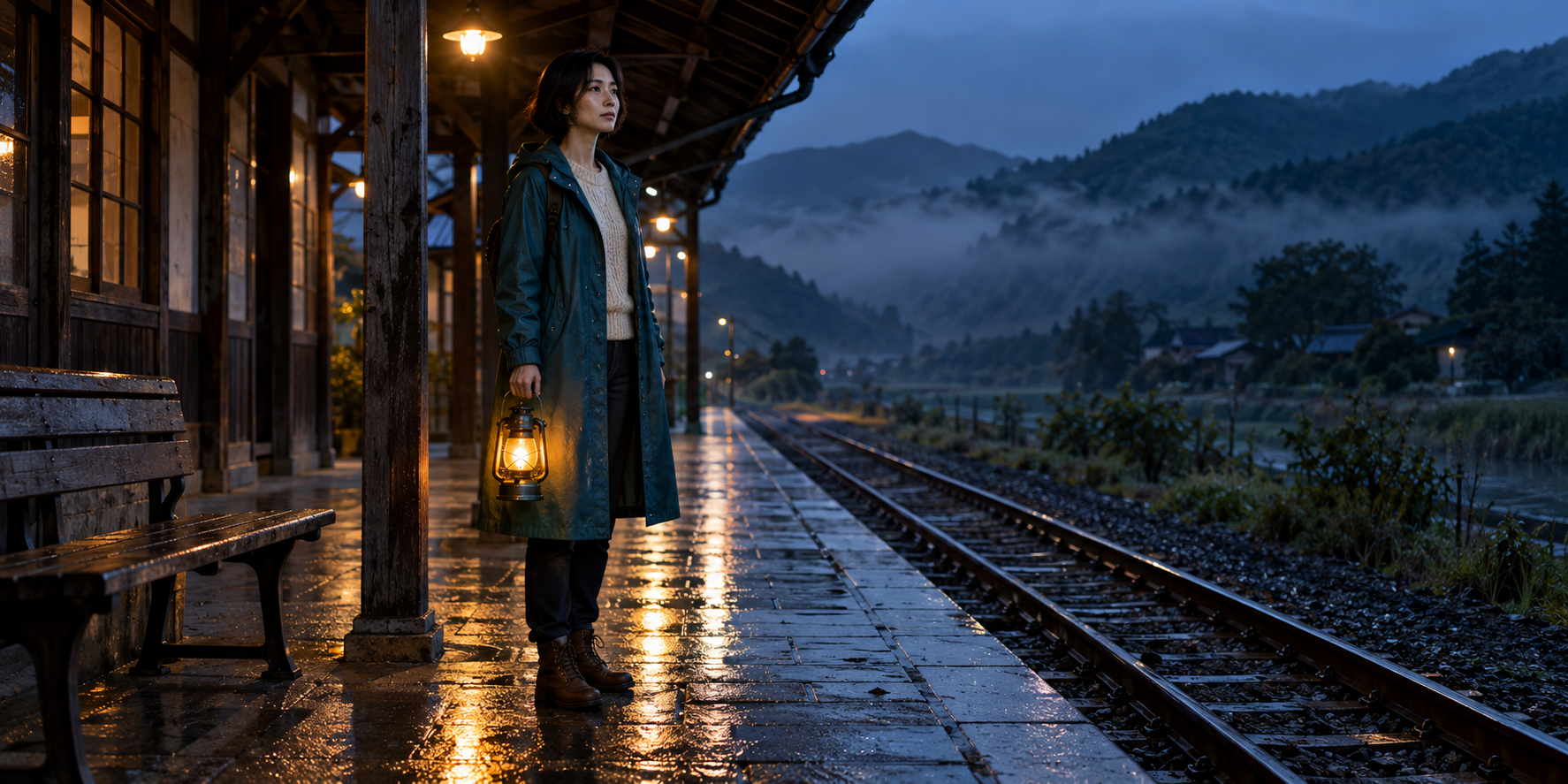
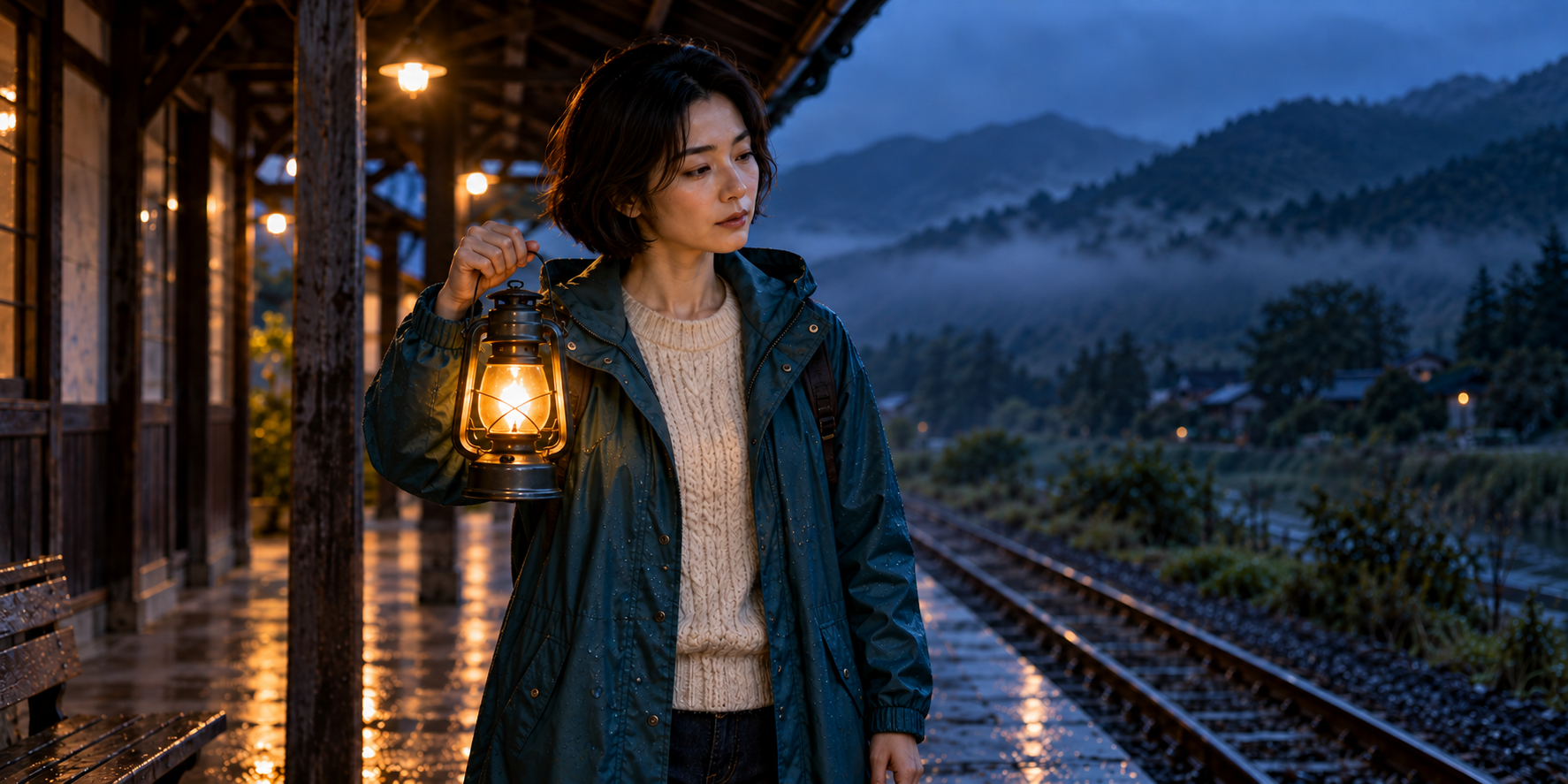
The two images in this article were created with a separate image-generation tool. Because the festival restricts where AI imagery is generated, do not submit these images as eligible festival assets. They demonstrate composition and continuity planning. If you intend to enter a future event, build the actual project under that event's current requirements.
You can still practice storytelling without claiming to have a compliant entry. Keep two decisions separate: whether the film works creatively, and whether the delivered files meet the specific event's requirements. A coherent story can fail a technical requirement; a technically complete upload can still need a stronger edit.
For the broader creative workspace, read our Cinema Studio guide. For recurring creator photos and scenes outside this contest, Clout provides its own character workflow. Clout-generated imagery does not satisfy a rule requiring imagery generated inside Higgsfield.
Build an original story around one visible choice
Our practice film is called The Last Light. On the last night before a remote station closes, its caretaker decides whether to take the final lantern home or leave a light for a traveler who may never arrive. The character, setting and story are fictional and original.
The idea gives the film a beginning, a hesitation and a decision. The caretaker initially carries the lantern toward the exit. She pauses, returns to the bench and leaves it glowing. The ending changes the meaning of the opening: the empty platform becomes a place someone still cares for.
| Creative decision | Our practice brief | Why it helps the edit |
|---|---|---|
| Character | Adult fictional caretaker with a dark bob and teal raincoat | A recognizable subject across coverage |
| Setting | One wet rural platform at blue hour | A clear space instead of many unrelated locations |
| Prop | One amber lantern | A visible object that carries the choice |
| Conflict | Leave with the light or leave it for someone else | An action the viewer can understand |
| Ending | Empty bench with the lantern still glowing | A final image that resolves the story |
Do not start by requesting a long montage of impressive shots. Write the choice first, then select images that let an audience follow it. If a shot adds neither information nor emotion, it may not belong in the cut.
Use two reference compositions before requesting motion
Download the original wide reference. It establishes the caretaker, lantern, bench and platform. The camera has enough room to show where she stands and where she could leave the light.
Download the native-resolution closer reference. The nearer composition makes the face and prop readable. Both selected files keep the lantern on the character's right side; this was an explicit continuity requirement during artwork review.
These are two stills, not evidence that an animation can move between them naturally. Before accepting a clip, inspect the carrying hand, lantern outline, coat and background. A change in framing is intentional; a duplicated lamp or a changed holding hand needs a production decision.
Plan ten edited beats rather than one oversized generation
The proposed cut below lasts 200 seconds. These are editorial targets for assembled beats, not requested durations for individual model jobs. Build each beat from the selected operation's actual supported clips, and shorten or reshape the cut when the performance calls for it. Adding empty time just to reach a number weakens the story.
| Beat | Edited target | Visible story purpose |
|---|---|---|
| Wide platform | 20 seconds | Establish the caretaker and a place about to be left behind |
| Boots on wet paving | 12 seconds | Begin the departure |
| Closer face | 18 seconds | Look down the empty track |
| Walk toward the exit | 22 seconds | Make leaving feel like the current decision |
| Hand and lantern | 20 seconds | Show the object she plans to take |
| Lantern glow | 16 seconds | Bring attention back to the light |
| Pause at the doorway | 24 seconds | Let the decision change |
| Return to the bench | 28 seconds | Show the choice through an action |
| Place the lantern | 20 seconds | Complete the gesture |
| Empty platform | 20 seconds | Resolve the opening image with the remaining light |
Download the editable ten-shot plan. It includes empty fields for the actual generation operation, asset identifiers and review decisions. Download the original story brief and three motion directions to adapt the idea to your own practice project.
Give each shot a small action and a clear camera decision
A useful motion brief separates what the subject does from what the camera does. For the wide shot, keep the camera steady and ask for a small glance down the track. For the closer shot, hold the lantern position while the subject pauses. For the ending, let the empty composition carry the result.
Wide shot: The fictional adult caretaker stands under the covered platform, holding one amber lantern in her right hand. She looks briefly down the empty track. Locked camera, restrained movement, constant blue-hour light. Keep the lantern, coat and bench recognizable. No text or extra people.Closer shot: The same fictional caretaker pauses with the single lantern raised in her right hand. A subtle change in expression suggests hesitation. Stable camera and natural posture. Preserve the approved face, coat and lantern design. No hand swap, duplicated prop or lettering.Ending: A single amber lantern rests on the platform bench. No person remains in frame. Hold the empty composition with subtle mist and reflected light. Keep the scene calm and readable. No arriving train, added character, text or logo.These are original proposed briefs, not tested provider outputs. For reference roles, use the R2V guide; for choosing an accepted starting image, use our image-to-video guide. Confirm the exact operation before uploading references or spending on a new attempt.
Review the whole cut and keep a traceable asset list
Watch once for story and once for continuity. In the story pass, ask whether the audience can identify the caretaker's decision without reading your brief. In the continuity pass, inspect every contact between the hand and lantern, the bench placement and the final empty shot.
Review sound against picture. A transition that looks smooth can still feel abrupt when ambience changes at the cut. Record which audio file belongs to each beat and the tool that created it. Match your actual audio sources to the event requirements when you are preparing an entry.
Keep accepted clips, rejected attempts and the editable assembly distinct. Record the generation identifier and the part of the final cut that uses it. If a shot changes, update the asset list before calling the cut final. A screenshot of a folder is less useful than being able to trace a visible frame to its underlying file.
For an actual submission, inspect the exported file and the official submission confirmation. A local project name, render preview or public practice post is not a receipt from the event. This guide and its downloads do not enter you into any contest.
Create the character behind your next independent story
Clout lets you build an original character and create coordinated photos and video scenes. Use that workflow for your own creator series or independent short-film practice, with a clear identity, scene direction and review process.
Create your film character in Clout and develop the first scene around an original idea. Keep any contest-specific production separate and follow the event's actual requirements. See Clout pricing for the current offer.