


Choose the visual novel you want to make
An AI visual novel workflow combines writing, character assets, backgrounds and an interactive implementation. An image generator can help develop the cast or setting, while the story still needs readable dialogue, meaningful choices and tested transitions. Decide whether the deliverable is a playable scene, a linear story video or a collection of concept art.
Start with one scene that can be completed and reviewed. Our original example, Ori and the observatory signal, contains one room, one character, two choices and a shared ending location. The browser demo above is scripted and uses authored geometric artwork. It does not call an AI model, invent dialogue on demand or provide a finished engine project.
Play both choices and inspect what the story remembers
Ori can inspect a star chart or listen at a shutter. The chart path records coordinates; the listening path records a three-beat pulse. Both return to the signal desk, where the remembered clue changes the explanation for tuning the receiver. The scene ends with the same distant station answering, reached through different evidence.
Try the chart route through to the ending, restart, then try listening. The clue should persist when the paths rejoin and disappear after restart. This is the production question the prototype answers: does the story remember its branch? The scene has no save system and resets on reload. It does not measure AI quality or demonstrate a Runway, RenPy or Clout game engine.
Separate story generation from scene assembly
| Production layer | Useful output | Review before the next stage |
|---|---|---|
| Story planning | Character goal choices and consequences | Each path is understandable |
| Character art | Approved identity and expression states | Alignment and design remain stable |
| Background art | Readable setting with dialogue space | Character and text fit the composition |
| Implementation | Playable state transitions | Both paths rejoin with correct memory |
| Release review | Tested build in the intended format | Input text sizing and assets work |
A prompt can propose an interesting dilemma without implementing it. A working scene can also be visually simple while proving the branch structure. Keep the script, approved art and runnable project as separate named deliverables so improving one does not hide a missing part of another.
Write a small branch with an observable consequence
Give the character one immediate problem and give each choice a clear verb. In this example, both choices gather information, but they gather different information. The rejoin line acknowledges the chosen clue. That visible consequence makes it possible to test memory without adding a large inventory system.
An optional drafting brief is: Write a short scene about an original copper robot investigating a repeating observatory signal. Offer two ways to find a clue, then rejoin at the receiver. Preserve which clue was found in the dialogue after the rejoin. Keep the character, location and objective stable. This is an unexecuted writing brief to adapt, not evidence of a model response.
Review any generated draft for contradictions. Does the character mention a chart that was never examined? Does a choice promise an action the following line ignores? Keep a path-by-path script before ordering more expressions or backgrounds. The original scene brief records the example and includes blank production fields.
Build a reusable character asset pack
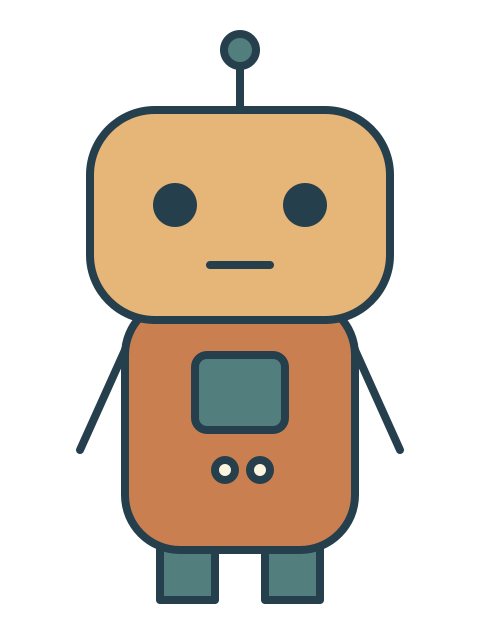
Ori has a copper body, teal chest panel, antenna and two dark eyes. The neutral, worried and delighted sprites keep the same body and pose while changing facial marks. All three use a 480 × 640 transparent canvas with the feet at y = 600. This is a deliberately small authored asset pack, not a claim about generated consistency.
For AI-created art, approve the identity first and request one expression change at a time. Record which reference supplies the design. Compare the resulting candidate with the accepted base for silhouette, palette, costume, framing and unwanted pose changes. Follow the visual-novel sprite guide for the original files and alignment method.
Reserve room for the dialogue before approving a background. A beautiful image can still fail if its strongest contrast competes with text or a character blocks the only important prop. In the original demo, dialogue sits below the illustration, which also keeps the story readable on narrow screens.
Implement dialogue choices and remembered state
The official RenPy quickstart documents a conventional assembly path: scene sets a background, show displays a character image, menu presents choices and jump transfers control to a label. It also introduces flags for remembering choices. Those are engine concepts to implement and test, distinct from generating the illustrations.
Our browser example uses a small scripted state machine instead. Its stages are start, branch, rejoin and end; the chosen clue remains attached to the state until restart. Buttons are real HTML controls and the new dialogue is announced through a status region. It is an inspectable example of the same production concern, not a RenPy export or universal engine template.
Choose the engine from the intended platform and required behavior. A standalone browser exercise, desktop visual novel and video edit have different packaging and testing requirements. Do not call the project complete because one scene looks correct in an image preview.
Test every route before adding more scenes
- Start with no remembered clue.
- Select the chart and confirm the chart branch appears.
- Continue to the desk and check that the coordinates remain remembered.
- Complete that route and restart.
- Select listening and verify the pulse appears after the rejoin.
- Restart from the middle and confirm the clue clears.
- Check narrow-screen text, keyboard controls and every expression asset.
A branch diagram helps define expected behavior, but a working runtime is the proof that the implementation follows it. For a larger project, also test save/load behavior, return paths, missing assets and platform-specific input. Our small demo does not include those larger-system features.
Choose an AI visual novel generator by the missing layer
If the story is missing, evaluate drafting and revision. If the character is missing, evaluate identity references and accepted expression assets. If the playable build is missing, check whether the tool actually exports or hosts one and what you can edit afterward. A generated screenshot does not establish a working choice system.
Budget using accepted deliverables. Include rejected art, background changes, writing revisions and implementation time. Check current operation costs before generating; this guide does not quote a universal cost per scene or claim that a subscription includes every required model.
Explore Clout AI Influencer for developing an original character and connected creative assets. The article does not establish automatic visual-novel export, transparent-sprite generation or RenPy integration in Clout. Use the actual selected workflow for its documented output, then assemble the accepted assets in the appropriate engine.
Turn a playable scene into a separate promotional edit
Once the scene works, capture the actual choices and outcomes for a trailer. Label any generated cinematic treatment separately from gameplay. The AI game-trailer guide shows an original edit built from real browser states, and the animatic guide helps settle timing before final production.
Keep the playable scene as the source of truth for what the audience can do. Promotional artwork can communicate atmosphere, but the finished project still needs to deliver the choices it advertises.


