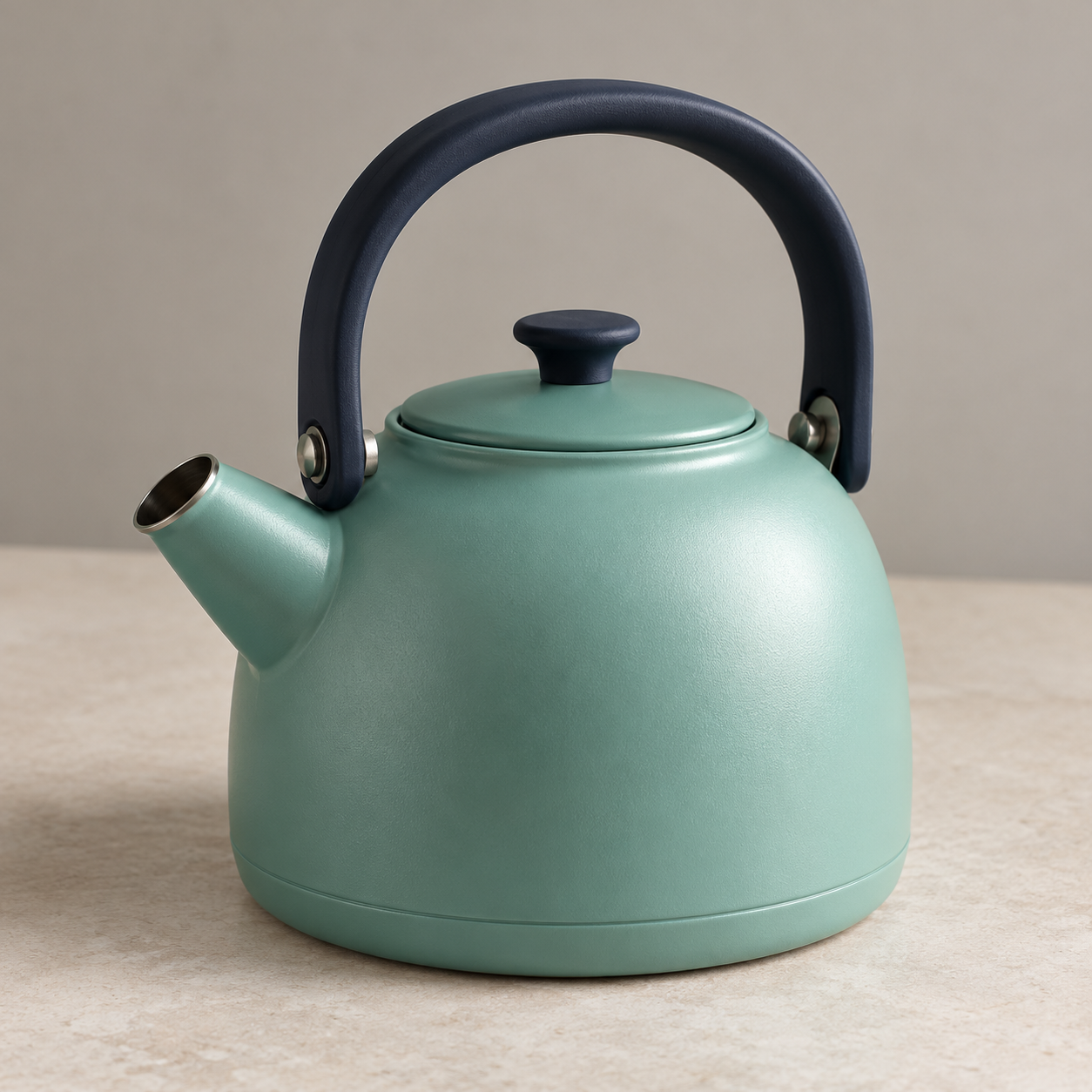
Lucid Origin image guidance is easier to evaluate when each reference has one job. Decide which image supplies the subject’s form and which supplies a visual treatment. Then inspect the returned artwork for both roles rather than accepting a result simply because it resembles one reference.
For describing a reference before generating a new direction, inspect the image-to-prompt recreation example.
Separate content from style guidance
Leonardo’s official Lucid Origin API guide documents one content reference for form and content, and one style reference for appearance. The roles have different strength options. Its request uses model lucid-origin and FAST or ULTRA mode. These documented controls are not evidence of an exact-subject preservation guarantee.
The official help guide describes selecting Lucid Origin, entering a prompt and choosing mode and dimensions in Leonardo’s image interface. Check the controls of your actual route rather than assuming that an API parameter is present in every interface. We did not run a Leonardo account or submit an API generation for this guide.
Inspect the original reference roles
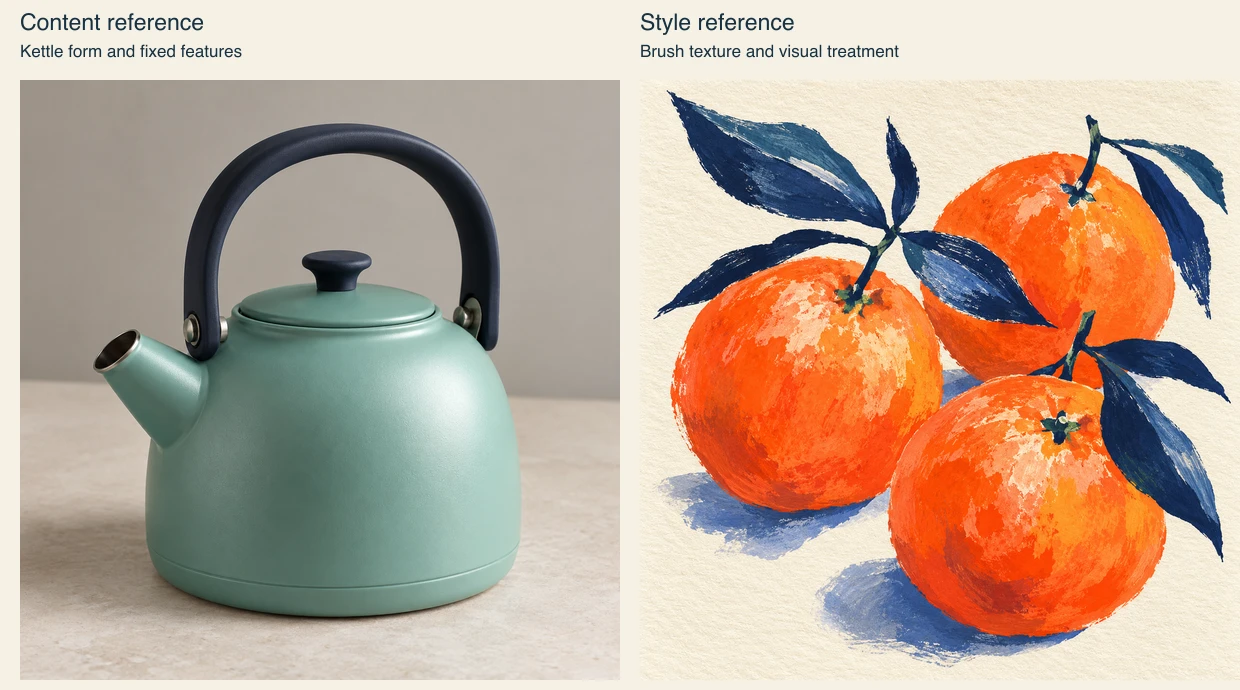
Download the native kettle reference, native gouache reference, unexecuted guidance plan and blank review worksheet. Both original PNGs are 1254 square. The comparison layout source recreates the role preview with Sharp 0.34.5; it does not generate new artwork. The file record identifies these resources.
Assign one reference to the kettle’s form
Our original fictional content reference is a mint-teal kettle with a navy arched handle, one left-facing spout and a closed round lid. It is independently generated reference artwork, not a photograph of a real product or a Lucid Origin result. Record those features before introducing a new visual treatment.
Use an approved photograph for a real campaign and inspect the actual product details. A reference-guided image can change a spout, handle attachment or lid while retaining a broadly similar silhouette. The delivered image must represent the product requirements that matter to the job.
Assign another reference to the visual treatment
The separate original gouache illustration uses coral citrus shapes, navy leaves, cream paper and dry brush edges. Its proposed role is texture, palette and simplified shape language. It is not a request to put fruit or leaves on the kettle. A different subject makes that distinction easy to state and review.
If citrus appears in the returned scene, decide whether the style reference has also influenced content. Record the actual result, then revise the prompt or supported guidance controls. Do not silently redefine an unwanted object as part of the approved direction.
Plan a small reference comparison
Compare a text-only brief, content guidance alone and content plus style guidance as separate conditions. Keep other supported controls stable and record their actual values. The planned prompt asks for one kettle, the fixed product features, textured gouache treatment and no citrus, leaves, lettering or logos.
The downloadable plan contains local filenames and empty provider identifiers. It is not an API payload with valid uploaded image IDs. Upload approved references through the actual service and use its returned identifiers if you implement an API workflow. A local filename is not a provider image ID.
Review form before judging the treatment
Check the handle, spout, lid and object count first. Then inspect the brush texture, simplified shapes and color relationship. A strong treatment can be rejected if the kettle becomes a different object. Conversely, an accurate form may still need a better artistic direction.
Keep the entire exported file with your observations. A small preview can hide broken edges or fine product changes. The supplied worksheet remains not run; no quality score, inference time or reference strength success rate is claimed.
Before moving an accepted frame into an old Gemini video integration, check the Veo Lite preview shutdown and migration guide.
Choose the next production step
For prompt expansion rather than image guidance, use the ERNIE Image controlled brief comparison. For exact wording inside a graphic, use the GLM Image poster brief. Explore Clout Image and Video for available creative operations; this link does not establish that Clout hosts Lucid Origin.