

What Krea 3 is designed to edit
Krea 3 is an image-editing model introduced by Krea on October 15, 2026. The official announcement describes editing existing images with up to six references. The practical starting point is an approved source and a specific change, such as putting a product in a new setting or replacing a material while preserving the composition.
That is a different job from exploring a new image from a broad text idea. Before choosing an operation, decide whether you need a new concept or a controlled revision. A beautiful reinterpretation can still be the wrong result when the brief requires the same bottle, label, face or room layout.
Assign each reference a job
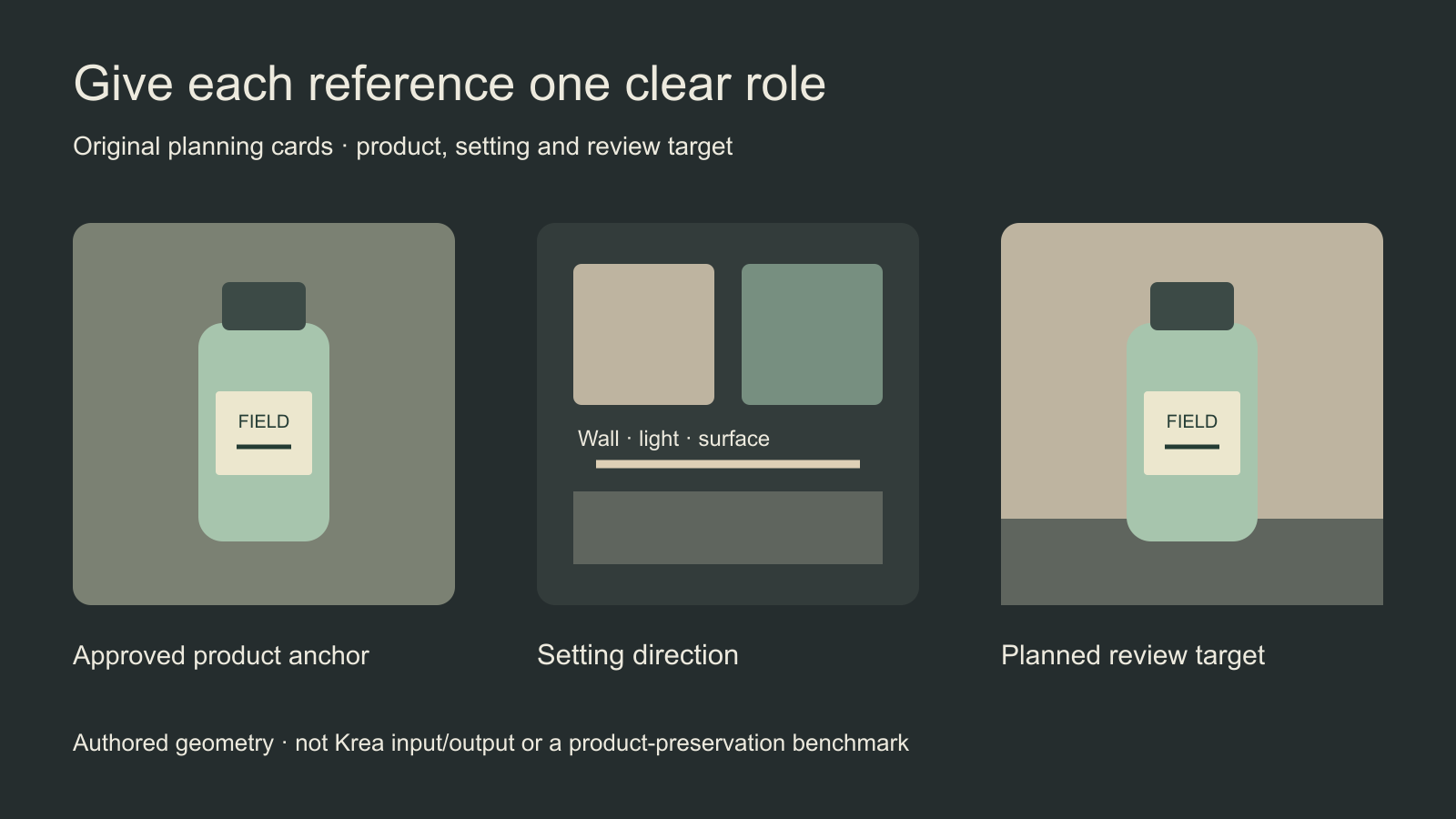
The authored study separates a product anchor from a setting direction and a planned acceptance target. It does not demonstrate Krea generation. Its purpose is to make the editing contract visible: the product supplies shape and artwork; the environment supplies the new setting; the review checks that those roles did not get mixed up.
| Reference role | What it establishes | What to check |
|---|---|---|
| Product anchor | Approved shape cap label and visible details | Those details remain recognizable |
| Setting direction | Surface light and surrounding scene | The environment does not replace product design |
| Optional material reference | The specifically requested surface change | Only the intended region changes |
Do not add extra images simply because a workflow allows them. A second photograph of a different bottle may accidentally make the intended product ambiguous. Choose references you are permitted to use, name their roles and keep a clean copy of the original. If the selected host numbers images, make those numbers match the actual submission order.
Write the edit as a change plus protected details
Image 1 is the approved original bottle. Keep its silhouette, cap, label wording and label layout consistent with that source. Place it on a matte warm-gray stone surface with soft side lighting and a restrained shadow. Change only the surroundings and lighting. Keep the full bottle visible; do not invent a new logo, accessory or package variant.
This is an original untested brief. It names the requested change and the features to inspect. It is not a guarantee of exact preservation. If the output changes a word, shifts the cap or invents another product, record that failure even when the lighting is attractive. For a label that must remain exact, a controlled finishing step with approved artwork may still be necessary.
Check the selected host and quote
Krea’s launch post lists $0.06 per image at 2K and $0.03 at 1K. Those are dated provider figures, not a quote for every host or submission. Read the selected service’s actual resolution, reference inputs and displayed charge before running the job. Save the model label and settings with the accepted output.
The same announcement reports most edits in under eight seconds. We have not measured that claim. Queue conditions, delivery and retries can change the practical time to an accepted asset. Do not use a marketing speed comparison as proof that a complete campaign will finish within a fixed time.
Inspect the result in two passes
First check whether the requested edit happened: the setting, light or material should match the brief. Then inspect the protected regions independently. Compare the product outline, cap, label, fine text, contact shadow and scale against the source at similar display sizes. An image can pass the setting check and fail the product check.
For a portrait edit, compare the recognizable face separately from the clothing or background. Use the face-consistency troubleshooting guide for a manual review method and a local brief builder. Its checkpoint-specific discussion belongs to Qwen; the broader habit of separating the intended edit from identity drift is useful when reviewing other editing workflows too.
Plan a small accepted series before a large batch
Start with one controlled variation and inspect the actual file. Once the editing contract is clear, extend the series deliberately: a second setting, a new crop or a specified material change. Keep the approved source as the anchor and record which result was accepted. Do not silently promote a drifted output into the master reference.
Download the blank product-edit review sheet to record reference roles, requested changes, protected details and acceptance. It does not upload images or score similarity. For a new visual direction rather than a controlled source edit, read the Krea 2 and Turbo generation guide.
Clout Marketing Studio offers available product-led creative workflows. Check the actual listed operation and quote when creating your assets. This guide does not establish native Krea 3 availability in Clout. Use the logo reveal guide when the next job is introducing an approved mark through motion rather than generating a new brand treatment.


