Give the horror scene a question before choosing a model
An AI horror video generator can help create the images or motion for a frightening scene, but the production still needs a clear event and a readable edit. Decide what the audience knows, what remains hidden and which shot changes that knowledge. Dark lighting alone does not explain what is wrong with a place.
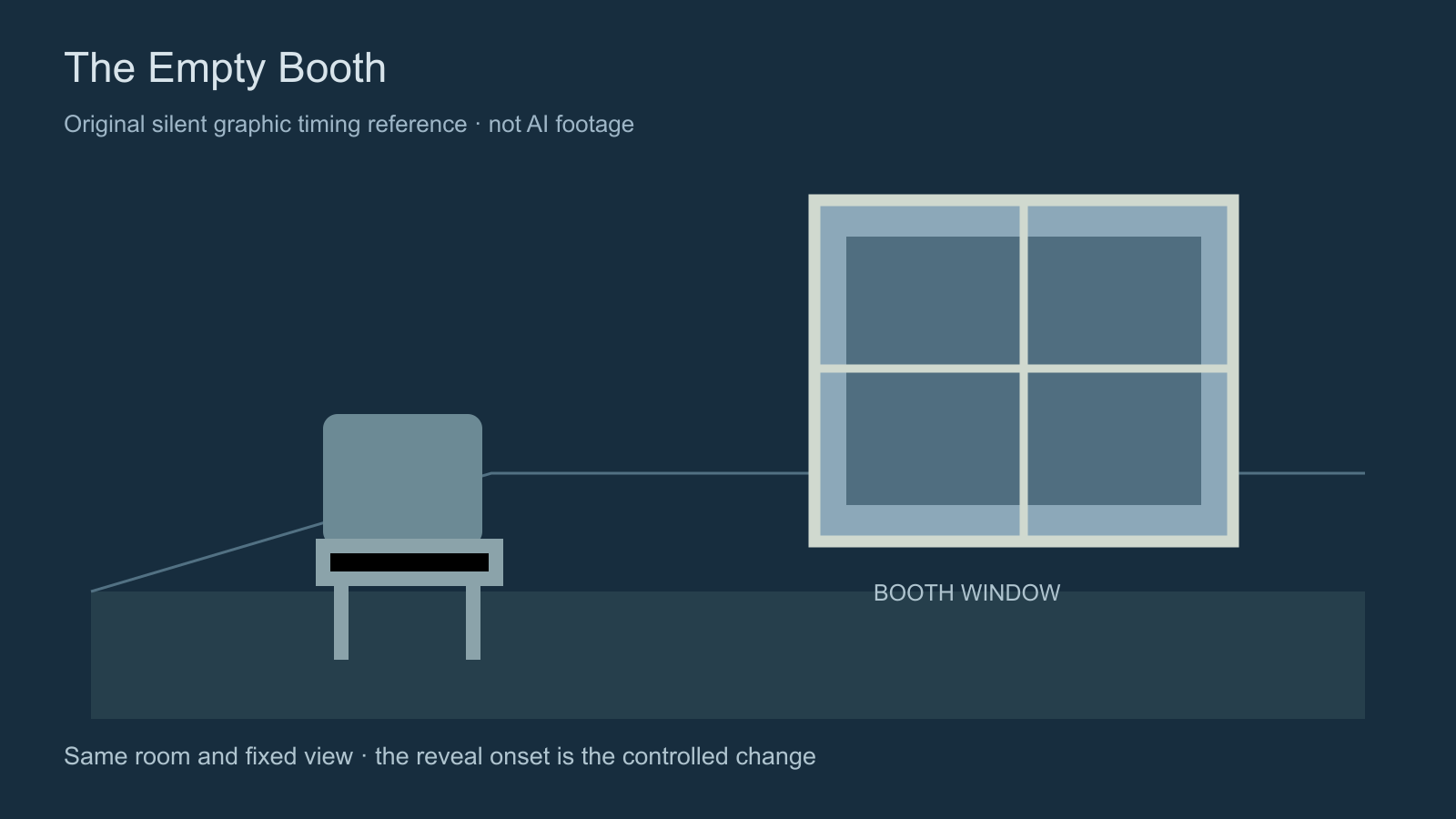
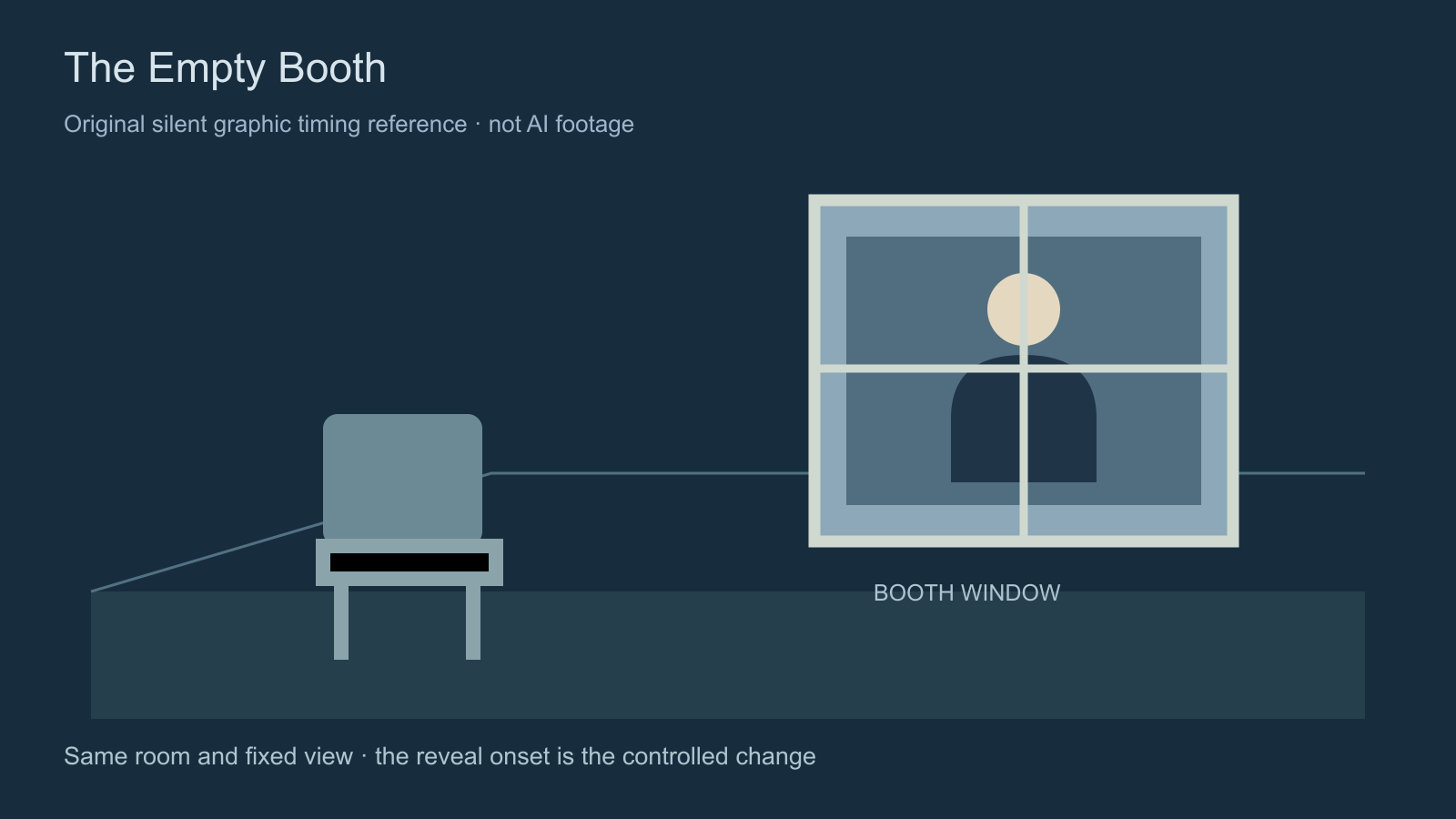
Our original exercise, The Empty Booth, begins with a simple claim: the booth was empty. A figure appearing behind its window contradicts that claim. The useful production question is when the audience should see the figure, and whether the generated picture reveals it earlier than intended.
Keep this first assignment small: one room, one window and one reveal. You can extend the story after the basic visual relationship works. The original scene brief includes an unexecuted prompt exercise, continuity constraints and a four-beat story plan.
Compare the held and early reveal references
Both references below are 12-second, 1600 by 900 graphic clips at 30 frames per second. They use the same authored empty-room and figure-present images. In the held version, the state changes at 8 seconds, frame 240. In the early version, it changes at 2 seconds, frame 60. There is no audio, camera motion or model generation in either example.
Watch this clip and view its details
Watch this clip and view its details
The controlled difference is six seconds, or 180 frames. Watch once without seeking, then inspect the point where the window changes. This demonstrates the placement of information in an edit. It does not measure fear, viewer retention or an AI model’s ability to follow a reveal instruction.
Open the dedicated held-reveal reference or early-reveal reference for a larger player. The cue sheet and measured reference report record the authored timing and decoded frame checks.
Prepare the empty state and the revealed state
Approve a clear view of the room before asking for a complex performance. Record the window divisions, chair placement, light direction and available space for the figure. If the empty-room reference already contains a face-shaped reflection or an unintended person, fix or replace it before using it to direct a hidden reveal.
The empty-room image and figure-present image are original schematic references you can compare directly. They explain this exercise’s intended states. For an actual film, prepare the accepted room and fictional character references at the visual quality and framing you need.
Keep the returning caretaker distinct from the figure behind the glass. Give each a role and appearance in the production brief. Review face, costume and placement separately; preserving one recognizable person does not establish that the other person or the room remains correct.
Direct the visible change with one focused request
An original prompt exercise might read: “Fixed view of the accepted archive-room reference. The booth window begins empty. Preserve the chair, window divisions and lighting. One figure becomes visible behind the glass for the reveal. No added person in the foreground and no location change.” This is prose to adapt to supported controls, not a submitted API payload or a tested model result.
Specify timing only through controls the selected operation actually supports. A written request to wait until a particular second is not evidence of frame-accurate execution. If the reveal arrives early, choose another take, generate separate states or assemble an intentional transition in an editor. Inspect the resulting boundary rather than assuming an edit will look continuous.
Higgsfield Cinema Studio currently lists Horror among its genre choices and provides camera controls. A genre selection is a starting direction, not a substitute for checking what appears in the returned frames. The multi-shot sequence guide covers connected shots and screen direction.
Inspect every earlier moment for reveal leakage
Find the actual first frame where the figure is identifiable, then examine the preceding material. Look for an earlier silhouette, face, reflection or unexplained movement that changes what the audience already knows. Record the returned event separately from the requested event in the blank take-review ledger.
The timing report on this page uses a known graphic region to verify the authored fixtures. That method is not a general detector for people in generated footage. Your real take needs visual review at the intended playback size and normal speed, plus close inspection when a suspicious earlier detail appears.
Keep the approved source and take version together. A replacement may remove an unwanted figure while changing the chair or window geometry. Review those changes against the accepted room before carrying the take into the next shot.
Plan sound without hiding a weak visual cut
These references are silent so the picture timing can be inspected on its own. For a finished horror scene, decide what the caretaker hears before the reveal, what the audience hears and whether those perspectives differ. Keep room ambience, a specific cue, dialogue and music separate while reviewing the scene.
Try the picture without a music cue first. Then add the accepted sound and inspect its onset, tail and transition into the next shot. The sound-effects sync exercise demonstrates an intentionally delayed cue. It helps practice timing review; it does not prescribe a universal scare pattern.
Build and review the scene in Clout
In Clout AI Cinema, start a film, choose its aspect ratio and select an available visual style such as Cinematic or Film noir. Add scene direction and camera movement, prepare a reference in the Assets panel and select an accepted starting frame for the scene. Check the actual operation and displayed credit quote before generation.
Review a short pilot before creating the rest of the film. Inspect whether the room, character and reveal state survive the requested movement. Arrange accepted scenes in the storyboard and export the ready sequence. If a requested reveal needs a separate edit or audio pass, preserve its source files and timing notes through that assembly.
Decide what the film reveals and what its teaser withholds
The scene can show the figure while a promotional teaser ends before that information. Those are different editing decisions. The movie-trailer workflow includes an actual ten-second authored cut made from the held reference, with the reveal omitted.
For a longer dialogue-led story, use the short-drama script and continuity packet. Keep one clear dramatic question per scene, then review the final export for readable action, consistent objects, complete spoken lines and the intended ending.