FLUX 2 Pro is Black Forest Labs’ image-generation and editing model. Start with the official BFL model page for product access. This independent guide focuses on multi-reference editing: deciding which image supplies the subject, which supplies the setting and which supplies visual direction.
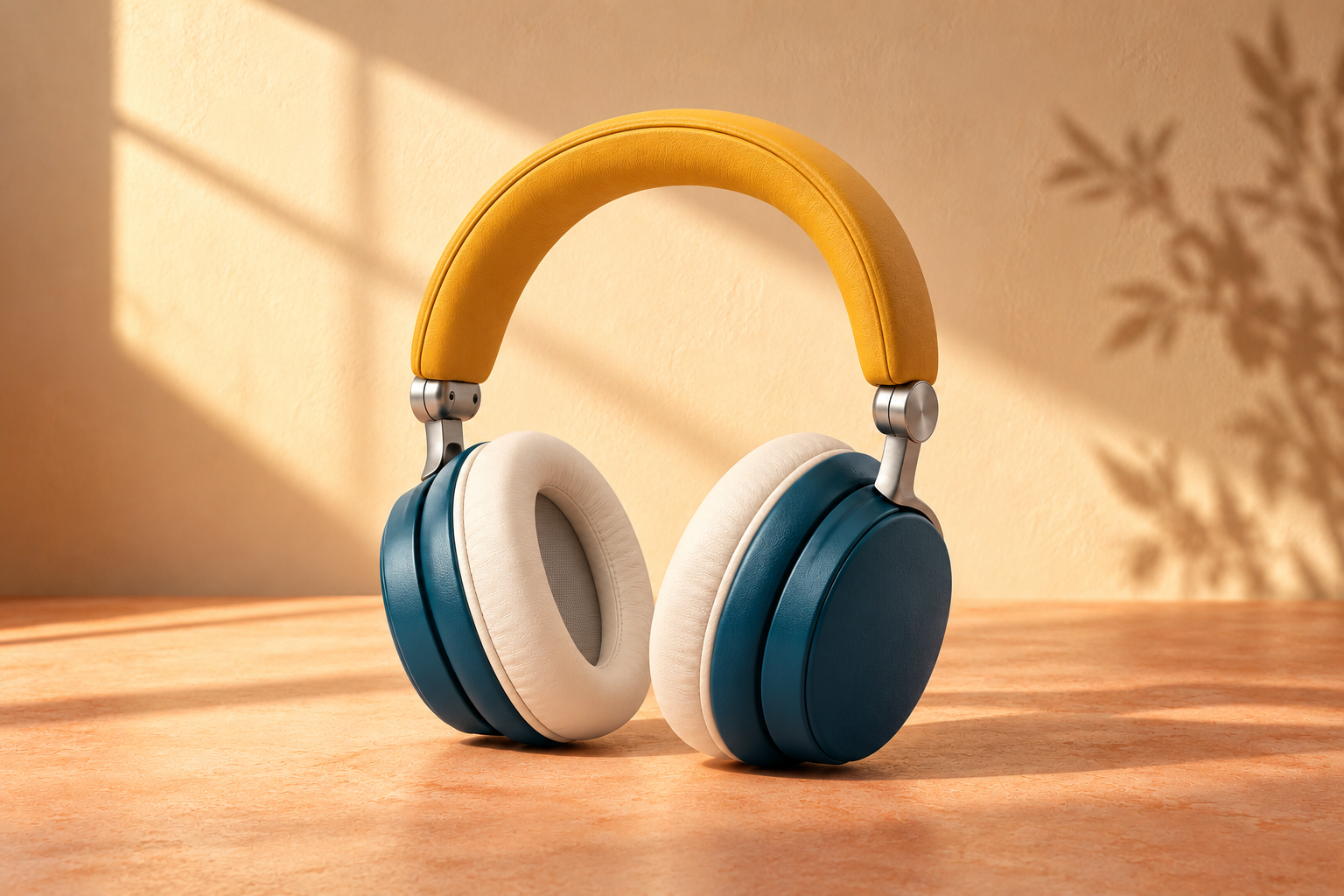
Our original headphone exercise includes three reference assets, a generated sample, a filled review and a planned request body. The sample was generated independently, not through BFL. It illustrates how to write and inspect a reference brief rather than measuring FLUX 2 Pro quality.
For choosing between raster editing text and vector deliverables, use the AI image generation model selection guide.
What FLUX 2 Pro does
The official model overview places Pro in the FLUX 2 image family. That family is separate from FLUX 3 video and the earlier FLUX 1 models. Choose the named model and operation rather than carrying an unrelated route’s controls into your brief.
For editing, the important first question is what should remain fixed. A product shape, a person’s identity, a lighting mood and a palette are different instructions. Adding more pictures without assigning those jobs can make the request harder to inspect.
For exact poster copy and a controlled parameter plan, use the FLUX 2 Flex typography guide and its editable original poster kit.
Give each reference one job
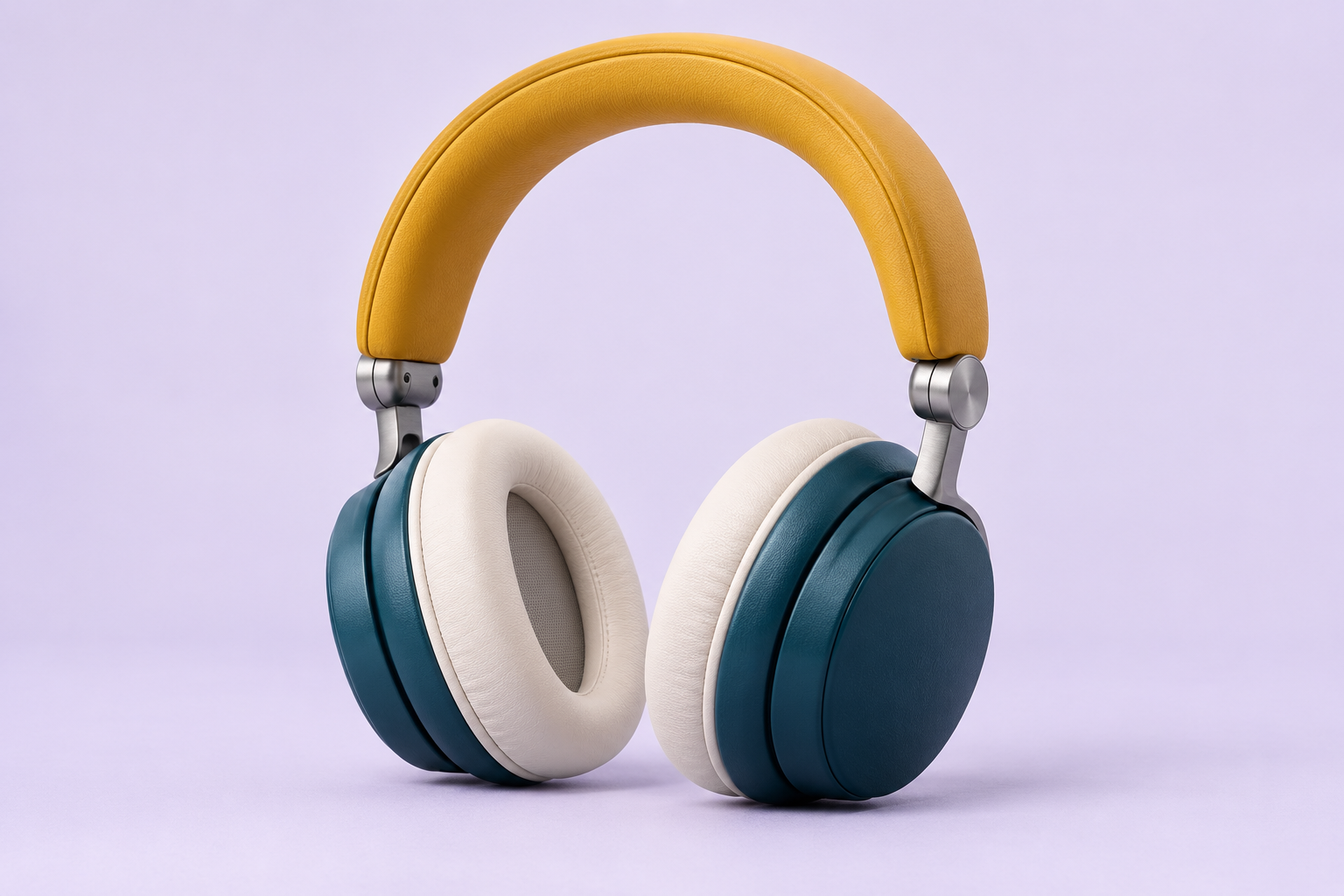
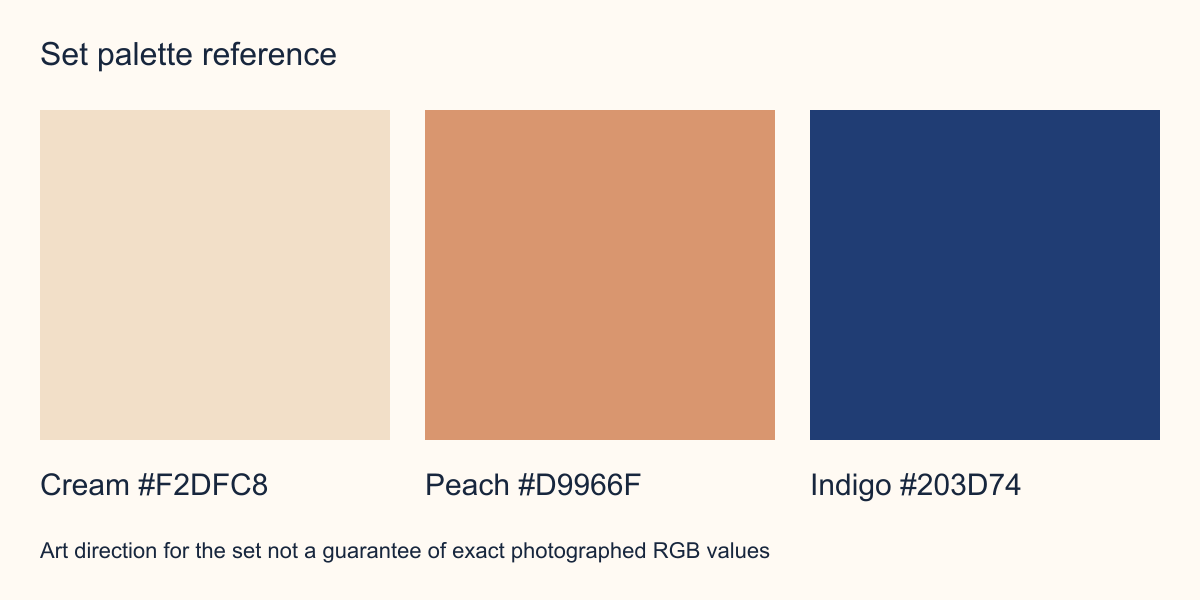
Our first reference shows a fictional pair of headphones with a mustard headband, teal earcups, ivory cushions and silver connectors. The second is an empty warm tabletop with upper-left window light. The third is an authored set palette, with cream, peach and indigo swatches.
| Reference | Job | What it should not control |
|---|---|---|
| Subject photo | Product geometry and visible product colors | The final background |
| Empty environment | Setting and light direction | The product design |
| Palette sheet | Set color direction | Product recoloring or visible labels |
The reference-role CSV keeps that assignment with the files. The goal is a reviewable request. It does not guarantee that a generator will follow every role perfectly.
Inspect the original reference exercise
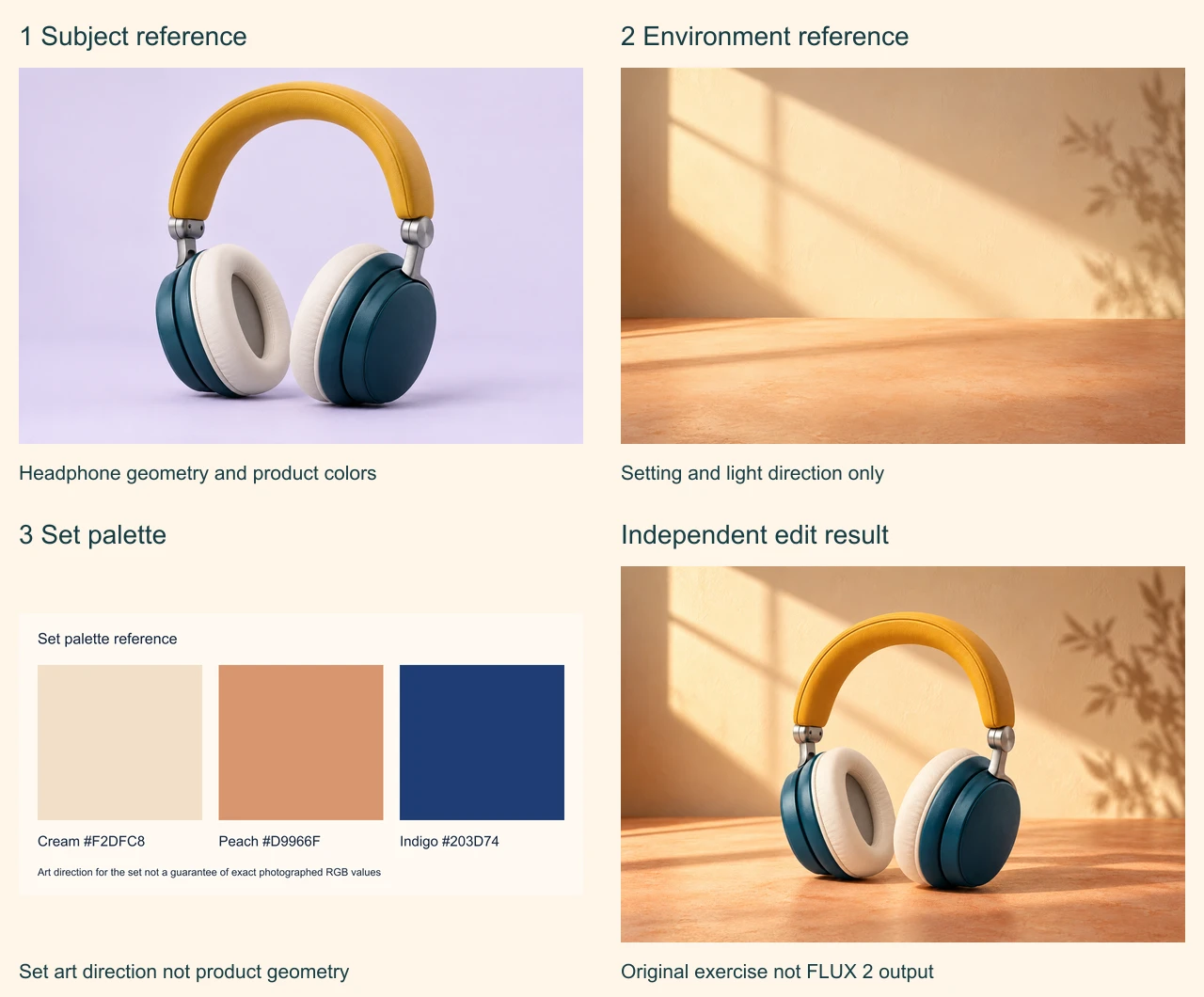
Download the subject reference, environment reference, palette PNG and independent sample. The subject and environment photographs and the sample are original generated fictional artwork. The palette is an authored graphic.
The sample retains the main headphone color cues and a complete silhouette while adopting the warm setting. Its framing and scale change. Cream and peach dominate the set; a distinct indigo set accent is not apparent. The three color codes therefore describe the brief, not a verified match in the photograph.
Use the filled edit review to inspect the result. Regeneration is different from placing an untouched cutout over a background. Do not treat a plausible-looking result as proof of exact geometry, material, identity or photographed RGB preservation.
Write the brief with numbered references
Use image 1 for the complete headphone design and product colors. Use image 2 only for the warm tabletop and upper-left window light. Use image 3 as set palette direction. Preserve one complete pair with mustard headband, teal earcups, ivory cushions and silver connectors. Do not copy palette labels, recolor the headphones, add logos or invent extra items. Show the result for review.
This is an original reference brief. The product is fictional, so the illustration cannot establish sound quality, comfort, battery life or durability. Replace it with authorized references and approved product facts when preparing a real campaign.
If the result gets one feature wrong, identify that feature before adding another source. A new angle can help explain a hidden hinge; a lighting reference cannot establish that hinge’s geometry. Keep accepted source assets separate from rejected attempts so the next request starts from the intended design.
Match reference count to the selected route
The BFL editing guide distinguishes up to eight reference images through its API from up to ten in the Playground. Those are route-specific limits, not a reason to fill every slot. Our exercise uses three references.
The current direct Pro request schema exposes input_image and input_image_2 through input_image_8. The first field has no numbered suffix. The planned request body maps our three roles to the first three fields and requests 1536 by 1024 output.
That JSON is a template, not a submitted job or a receipt for the independent sample. Its proposed seed does not describe how our sample was generated. Confirm current requirements in the direct API reference before adapting it to an account or a different host.
Record Pro and Preview separately
BFL’s editing documentation distinguishes flux-2-pro as the pinned route from flux-2-pro-preview for its latest advances. Record the exact selected endpoint with the brief and files. A change of route is a changed test condition even when both names include Pro.
Keep operation, input order, prompt, output size and actual returned file together. A seed alone cannot establish reproducibility across different providers or changing routes. We did not connect a BFL account, submit the planned request or measure latency and cost for this page.
Plan dimensions with explicit arithmetic
The official dimensions guide documents steps of 16 pixels and output up to its stated 4MP range. The presets below are local arithmetic examples. They do not prove that a particular account or endpoint accepted a job.
| Shape | Width by height | Exact ratio |
|---|---|---|
| Square | 1024 by 1024 | 1:1 |
| Landscape | 1536 by 1024 | 3:2 |
| Wide | 1792 by 1008 | 16:9 |
| Portrait | 1008 by 1792 | 9:16 |
Both dimensions in every row are multiples of 16. Check the actual pixel count and ratio instead of relying only on a shape label. If the final placement needs different framing, review the complete subject and available copy space again; our campaign-format exercise shows why changing the crop can change the message layout.
Review the complete result before scaling a batch
Start with the silhouette and count: one complete pair of headphones, both earcups and the intended connectors. Then inspect cushion seams, attachment points, contact shadow and light direction. Keep product checks separate from whether you like the background.
Review palette use as an art-direction question before asserting exact color fidelity. Lighting, reflections and material appearance affect photographed pixels. A swatch’s numerical value is directly inspectable in our palette PNG; that does not make every corresponding surface in a generated photograph the same RGB value.
For the next attempt, name the failed condition clearly. If the product is acceptable and only the set needs a darker accent, preserve the accepted subject reference and revise that instruction. Do not automatically adopt an attractive rejected image as the new source of product truth.
Rebuild the reference board and planned body
The editable source archive includes the original input files, independent sample, palette SVG, layout script and filled review. Run bun install and bun flux2-role-source.ts .. Sharp is pinned to 0.34.5.
The script rebuilds the contact sheet, role map and planned body from supplied files. It does not regenerate the photographs or call BFL. Download the role and dimensions map and editable palette SVG if you want to adapt the exercise.
For the separate video task, continue with the FLUX 3 Video guide. For your own original creative references in a separate suite, explore Clout Image and Video. Clout and BFL are separate products and accounts; use the current selected catalog rather than assuming a shared model or credit balance.