

An AI book illustration generator can help create character studies and scene artwork for a picture book. A readable book also needs an intentional story, continuity between images, editable prose and a layout reviewed at its final size. Start with a short sequence before generating an entire collection.
This guide includes an original otter reference and two illustration drafts, a two-beat script and a filled continuity review. The images were generated with the built-in image generation tool, not in Recraft, Morphic or Gemini. The cover is a separate editorial book mockup, not a physically printed test or an exact page layout.
For complete prose pages and a downloadable reading layout, continue with our AI storybook generator guide and original three-page example.
Choose illustration generation or a complete storybook tool
| Deliverable | What you need | What to inspect |
|---|---|---|
| One illustration | A character or scene brief | Composition, visual details and usable text space |
| A sequence of illustrations | Accepted references and ordered story moments | Character, props, setting and action continuity |
| A complete storybook draft | Story structure, illustrations and text or narration | The whole reading experience and editing/export options |
These workflows overlap but are not interchangeable. A generator that returns one PNG has not arranged the book or checked its prose. A full-story tool may regenerate more of the book than you intended when you ask for a local change. Decide what must stay editable before choosing the route.
Download the original character reference
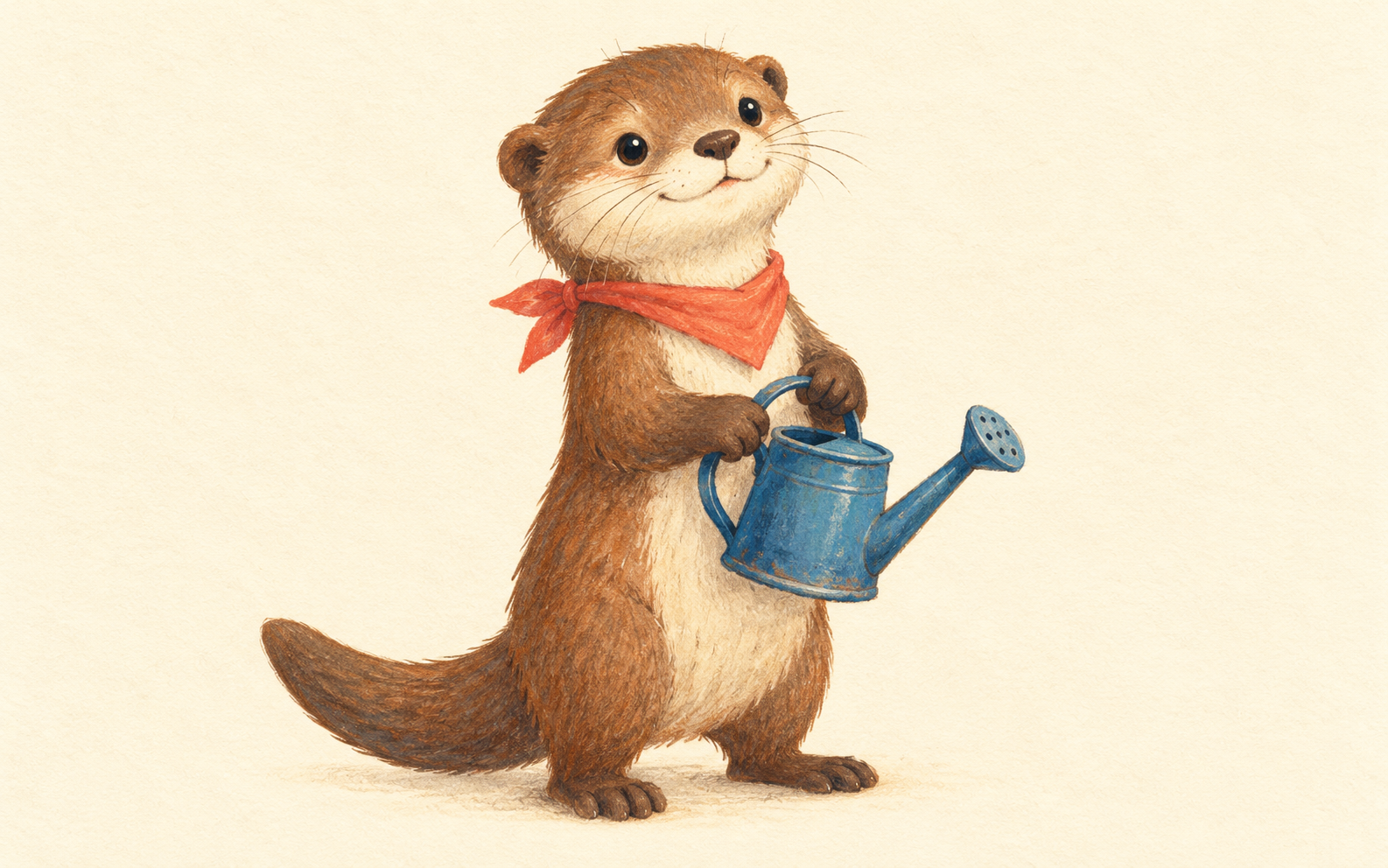
Download the native reference PNG. It is 1586 by 992 pixels. The visible cues are brown fur, cream muzzle and chest, rounded ears, a broad tail, coral scarf and blue can. Keep a short list of those intended cues beside the reference.
A reference helps communicate the character direction, but it does not guarantee exact identity in later images. Review the scarf, muzzle, tail and can shape in each returned scene. If a prop is important to the story, give it as much attention as the face.
Write one visible action for each story moment
The original two-beat outline is deliberately small. Pip notices a flower beside the pond, then tips the watering can. The second illustration changes the action while retaining the intended character and setting. It does not ask for an instant magical bloom.
Pip found a quiet flower beside the pond.
Pip tipped the blue can and shared a little water.
Download the original two-beat script and illustration brief. The prose remains separate from the images. Replace it or edit it in your layout project instead of asking an image generator to render exact words into the artwork.
For a longer book, write the change that each page contributes. A second beautiful scene that repeats the first action may not move the story forward. Keep the cast and art direction stable while you test whether the next moment reads clearly.
Inspect the two generated scene drafts
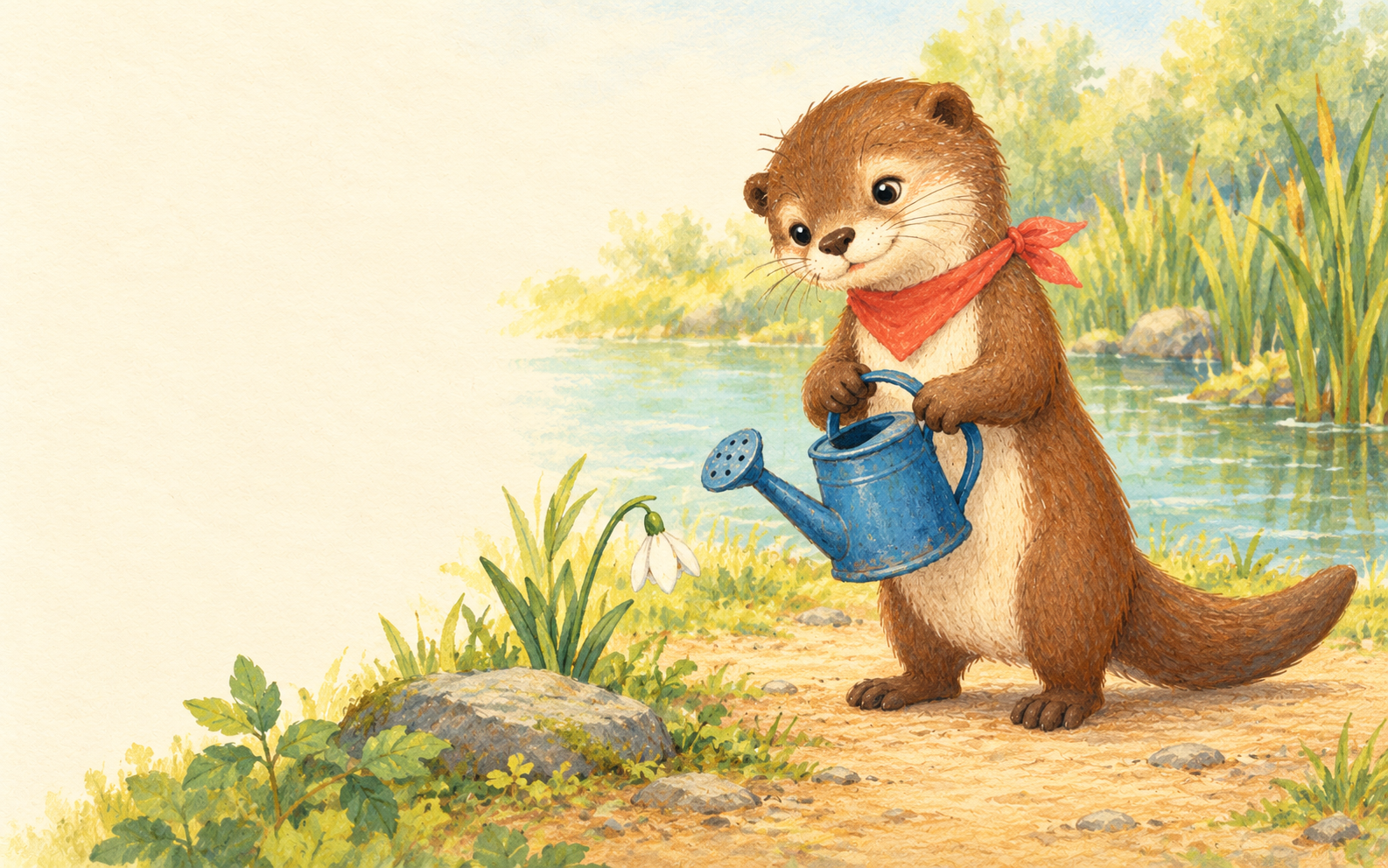
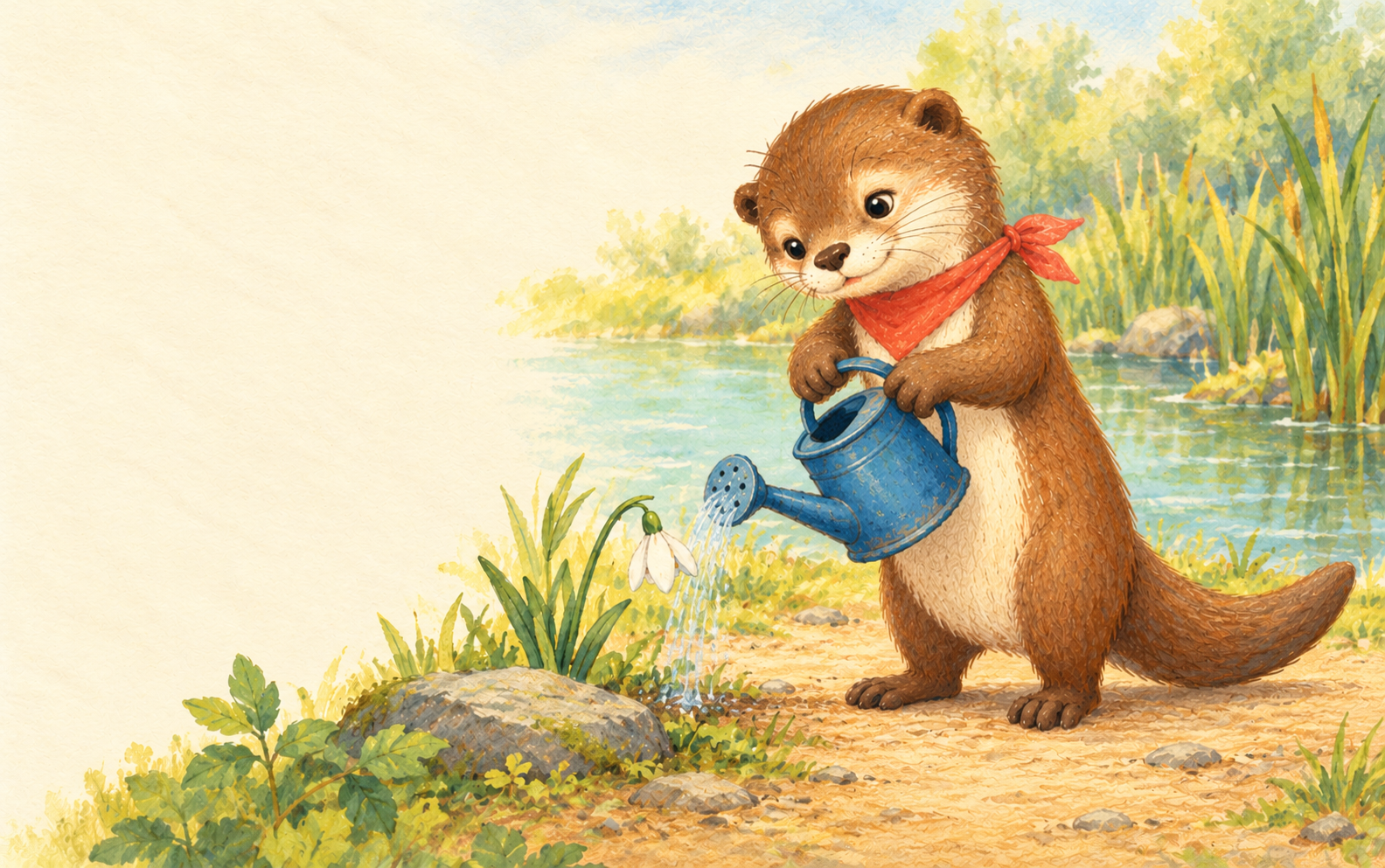
Download the discovery illustration and watering illustration. The first is 1586 by 992 pixels; the second is 1584 by 993. These are their native sizes, not identical production canvases. Choose how to place or crop them deliberately when building the page layout.
Both scenes retain recognizable brown-and-cream character cues, a coral scarf, blue can, pond, stone and flower. The reference-to-scene scarf knot and can orientation differ. The second scene also changes the pose and some small scene details. These are visual observations, not a measured identity-consistency benchmark or an exact layout match.
The filled continuity review records those observations. The native file record lists each image's dimensions and hash. Keep an accepted reference and explicit review notes rather than assuming that a repeated prompt produces an identical character.
Explore separate illustration workflows
Recraft's book illustration page describes choosing a style, prompting a raster image, editing and downloading JPG or PNG files. Morphic's storybook illustration page discusses cast guidance through Character Lineup and arranging spreads on Canvas.
Those are provider workflow descriptions, not tests performed for this guide. Check the current selected model, reference support, account access and export format. Our original images were made separately; we did not benchmark either provider's speed or validate a universal free allowance.
Understand the complete storybook route
Gemini Storybook's official page describes a ten-page illustrated story with read-aloud narration and optional file or photo inspiration. Its editing route uses conversational refinement and regeneration rather than direct text editing on the page. Account, sharing and narration-language availability have documented limits.
That route addresses a different job from collecting separate illustration files. Review the full story, repeated details and editing behavior before choosing it for a project. We did not create the otter study in Gemini or test its narration, sharing or printing.
For a shorter personal design, the birthday-card workflow and free front-greeting tool demonstrates separate artwork and exact editable text.
Keep prose editable and inspect the layout
Choose the intended page or spread shape before arranging detailed artwork. Keep prose, illustration and any page furniture as separate editable elements. A pale region in the image provides an opportunity for text placement; it does not automatically establish readable contrast or enough room for your final paragraph.
Review the text at the delivery size, including line breaks and overlaps with the subject. If you place different native image sizes into the same frame, inspect the resulting crop. Keep the original downloads alongside the layout project so a later change can start from the accepted source.
For more sequential art, use the comic and manga page workflow. For a separate printable activity, explore the coloring-page guide and original fox download. You can use Clout's image workflows for your own reference-led artwork, then finish and review the book in a suitable layout editor. This guide does not claim an automatic Clout storybook export feature.


