

Looking for bison images for a background, illustration or animal story? Start with the shape and visual treatment your project needs. This gallery offers two original downloads: a wide, photographic-style prairie scene and a square painted illustration. Both keep the complete animal inside the frame and contain no lettering.
The images were generated for this page. They are imagined artwork, including the realistic-looking landscape, rather than photographs recording a particular animal, place or event. Choose one as a creative asset or reference, then use the planning sheet below to develop an original character and a scene sequence.
Choose your bison image
| Download | Native dimensions | Creative use |
|---|---|---|
| Wide prairie scene | 1672 by 941 | Landscape background or animal-story establishing image |
| Painted illustration | 1254 by 1254 | Square illustrated post or character mood board |
| Scene planning sheet | Five scene roles in CSV | Organize your reference, narration and output format |
Download the original file instead of taking a screenshot of the page. The gallery adapts its display to your screen; the download retains the native pixels. If your final composition is vertical, check the animal's full outline before cropping a wide landscape. A stretched landscape changes its proportions without providing additional surroundings.
Download the wide prairie scene
Download the wide bison image
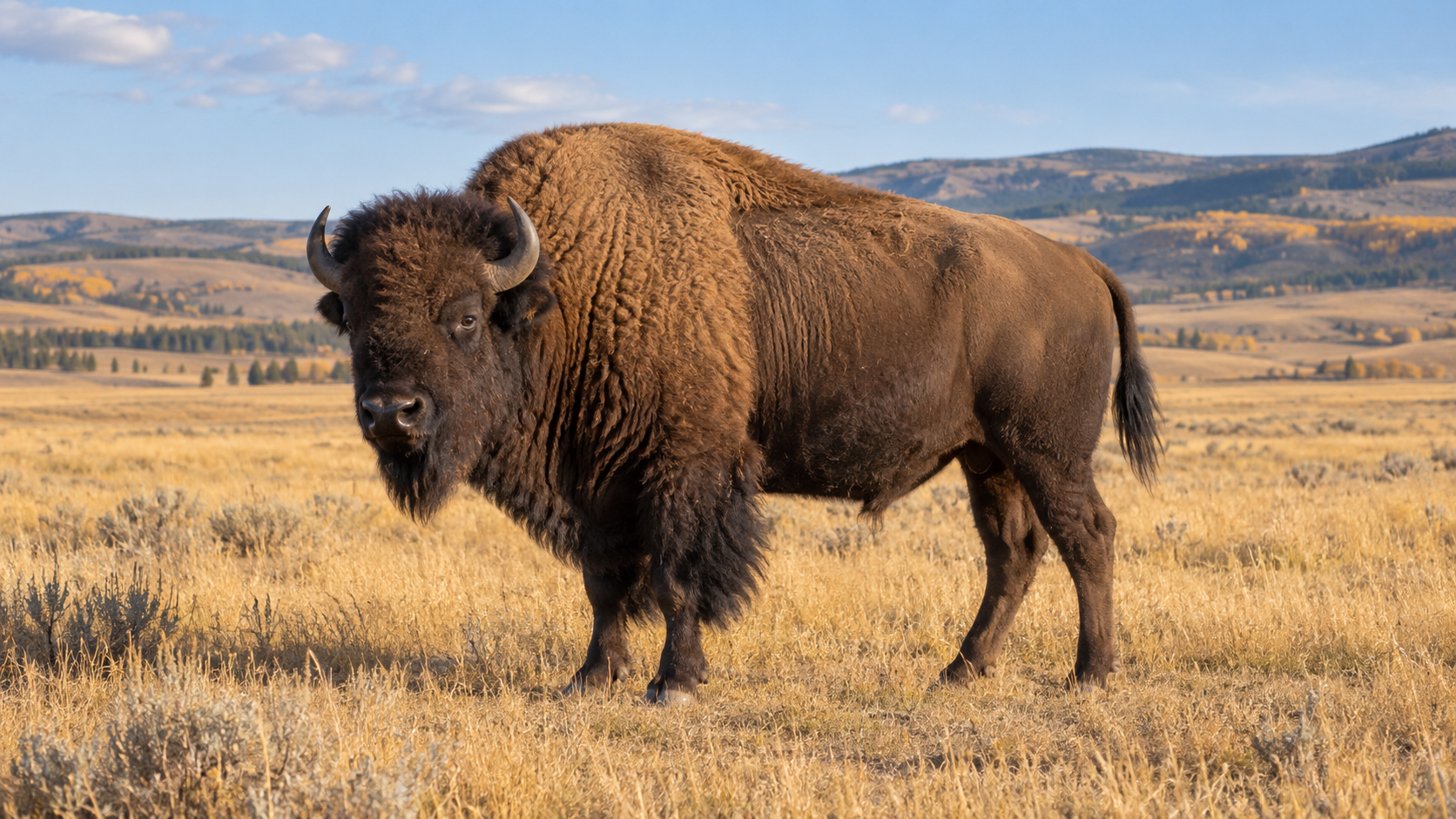
The wide artwork places a dark brown bison in warm grass beneath a soft blue sky. Its shaggy forequarters, beard and raised shoulder silhouette separate the animal from the quieter background. The full body is inside the frame, while grass partly obscures the hooves. That makes it useful for a natural scene direction, rather than a diagram of leg or hoof structure.
The photograph-like treatment can introduce an imagined prairie story or provide a landscape background. Keep its fictional context in your caption. There is no verified park, date, herd or individual attached to this picture. If your project reports a real wildlife event, use an attributable photograph documenting that event instead.
For a wide layout, place a short title in clear sky or in a separate panel. Keep words away from the horns and shoulder outline so the animal remains easy to read. Preview the finished layout at phone size; a title that looks restrained on a large monitor can dominate a small feed image.
Download the painted bison illustration
Download the painted bison image
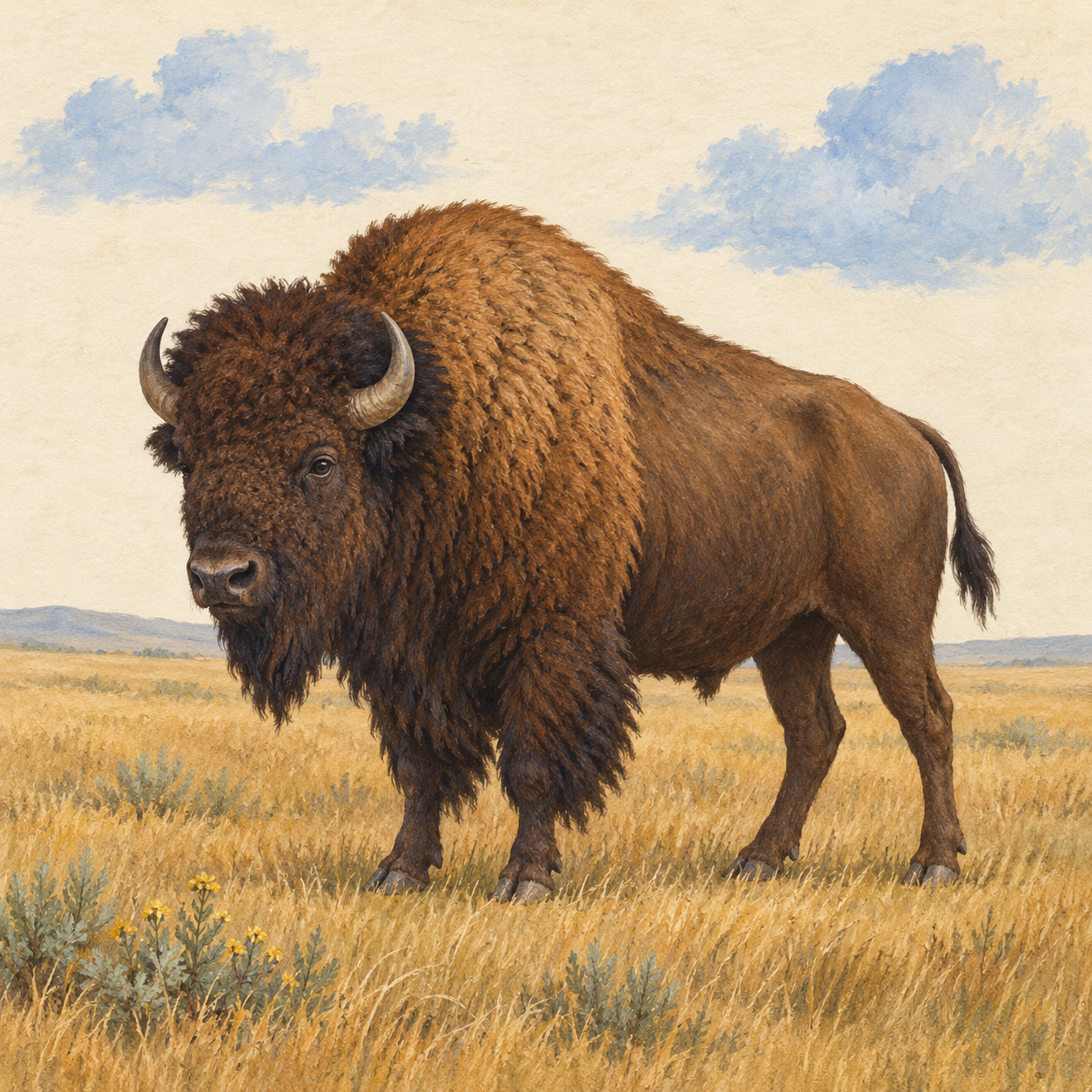
The square illustration uses visible paper texture, warm brown brushwork and restrained sage plants. Its rounded painted edges create a different mood from the photographic landscape. The complete body, two horns and four legs are visible, with the beard and shaggy front coat carrying much of the character.
Use it for an illustrated animal post, a story mood board or a gentle visual introduction. The square shape leaves more room above and below the animal than a tight head portrait would. Add your message separately when you need exact spelling or a personal name; no text needs to be removed from the original artwork.
These pictures were generated independently. Similar subject matter does not establish that the same individual was preserved across styles. For a recurring series, choose one accepted reference and deliberately compare each new scene with that reference. A change from realistic fur to painted texture can also change the face, horns and body proportions.
Make the subject read as a bison
A useful creative brief names the animal's silhouette before adding scenery. The US Department of the Interior's American bison guide describes the characteristic shoulder hump and horns, and notes how a calf's orange-red coat changes toward dark brown as it grows. Use the linked real photographs for natural-history context. Our generated artwork is a creative interpretation.
For an adult character, review the raised shoulder, heavy front coat, beard, horns and overall outline together. Do not approve an image only because the prompt included the word bison. A polished background can distract from an animal that reads more like a generic cow or has confused legs.
Inspect at two sizes. At full resolution, look for extra horns, merged limbs, inconsistent eyes or fur that turns into background grass. At feed size, check whether the silhouette remains clear. If the story depends on a recognizable expression, make a closer composition rather than enlarging a tiny head crop beyond the original detail.
Write a useful scene brief
Create an original adult American bison with a pronounced shoulder hump, dark shaggy forequarters, a short beard and two short curved horns. Show the complete animal standing in golden grass under a pale blue sky. Keep four distinct legs and natural body proportions. Use a calm landscape composition with space above the animal for a separate title. Exclude lettering, logos and watermarks.
That brief separates identity, action and framing. Change one part when you revise: a closer camera position, a different light direction or a painted treatment. Changing all three at once makes it harder to understand why a result no longer resembles the reference.
For a stylized comedy, decide which details remain recognizable and which become exaggerated. A cartoon bison can have a simpler face or playful posture, but the hump and front-heavy outline still help viewers identify it. Keep jokes in the action or narration so you can revise the wording without rebuilding the image.
Plan a short animal story
Give the character one clear situation. For example, an imagined bison tries to enjoy a quiet breakfast while a tiny bird keeps rearranging the grass. An establishing scene introduces the setting, a closer scene shows the interruption and a final reaction delivers the joke. This is a proposed creative sequence, not a finished video demonstrated by these stills.
Download the bison scene planning sheet to organize five possible scene roles. The reference, narration, output format and review fields are blank for your project. Keep the rows you need and remove the others; five rows do not mean every story needs five shots.
Before generating motion, choose the intended frame shape and write a short action for each shot. Review the exported clip for horn continuity, leg movement, fur detail and contact with the ground. Centered captions need enough breathing room around the entire line, including letters with descenders. Check the actual vertical export rather than assuming a wide preview proves that the caption fits.
Create your own animal content in Clout
Use Clout to develop original characters and create photos or faceless videos around a clear visual direction. Start with an accepted animal reference, then give each asset a different role: introduction, action or reaction. Keep the recognizable details together while changing the scene, and review the complete result before building a recurring series.


