

A good St Patrick's Day image has one clear job: send a greeting, introduce a seasonal post or provide a clean background for your own message. This gallery includes two original images and a separate editable greeting layout. Download the finished art when you want something ready to share, or use the editable file when you need a personal name or a different message.
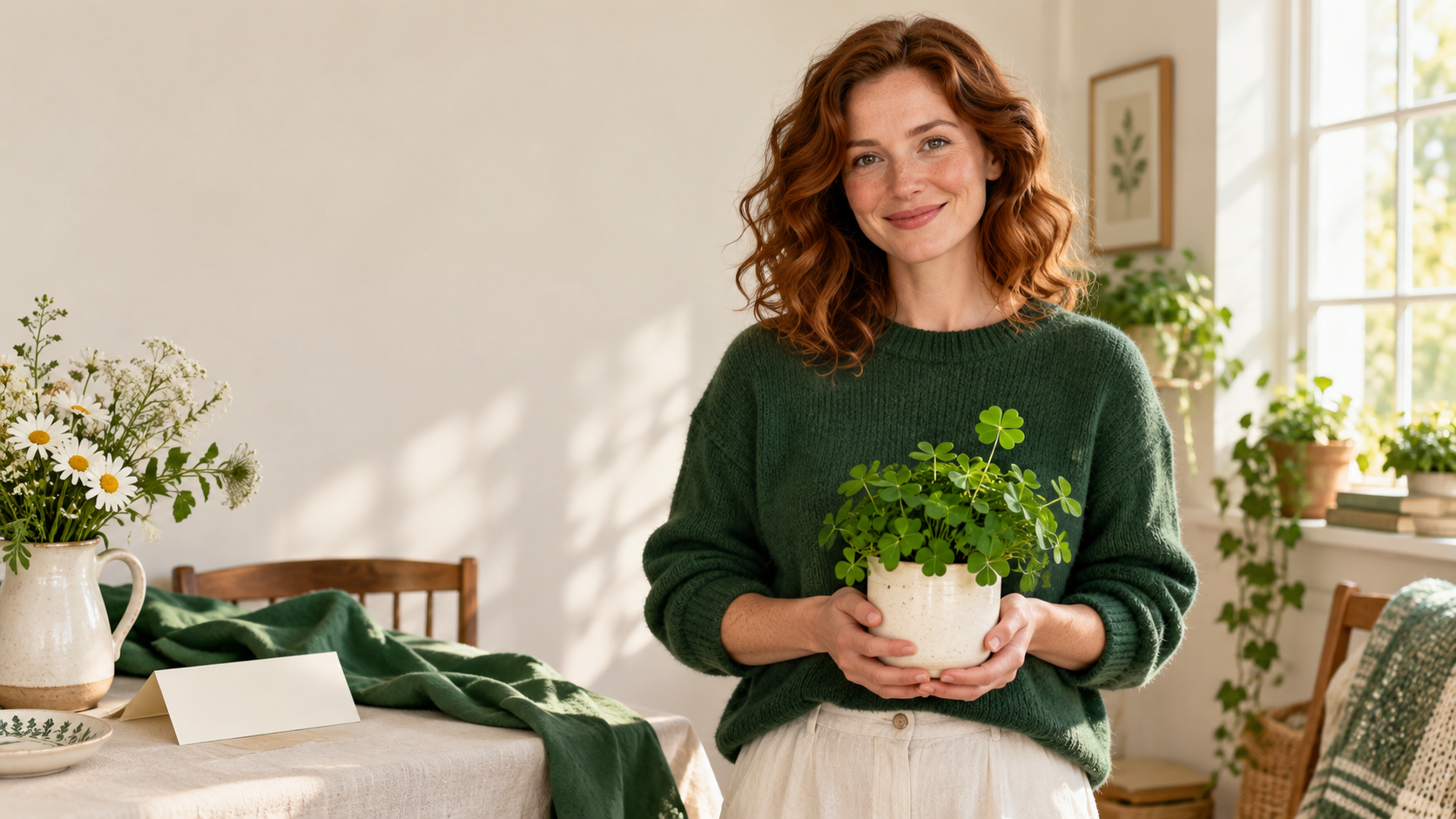
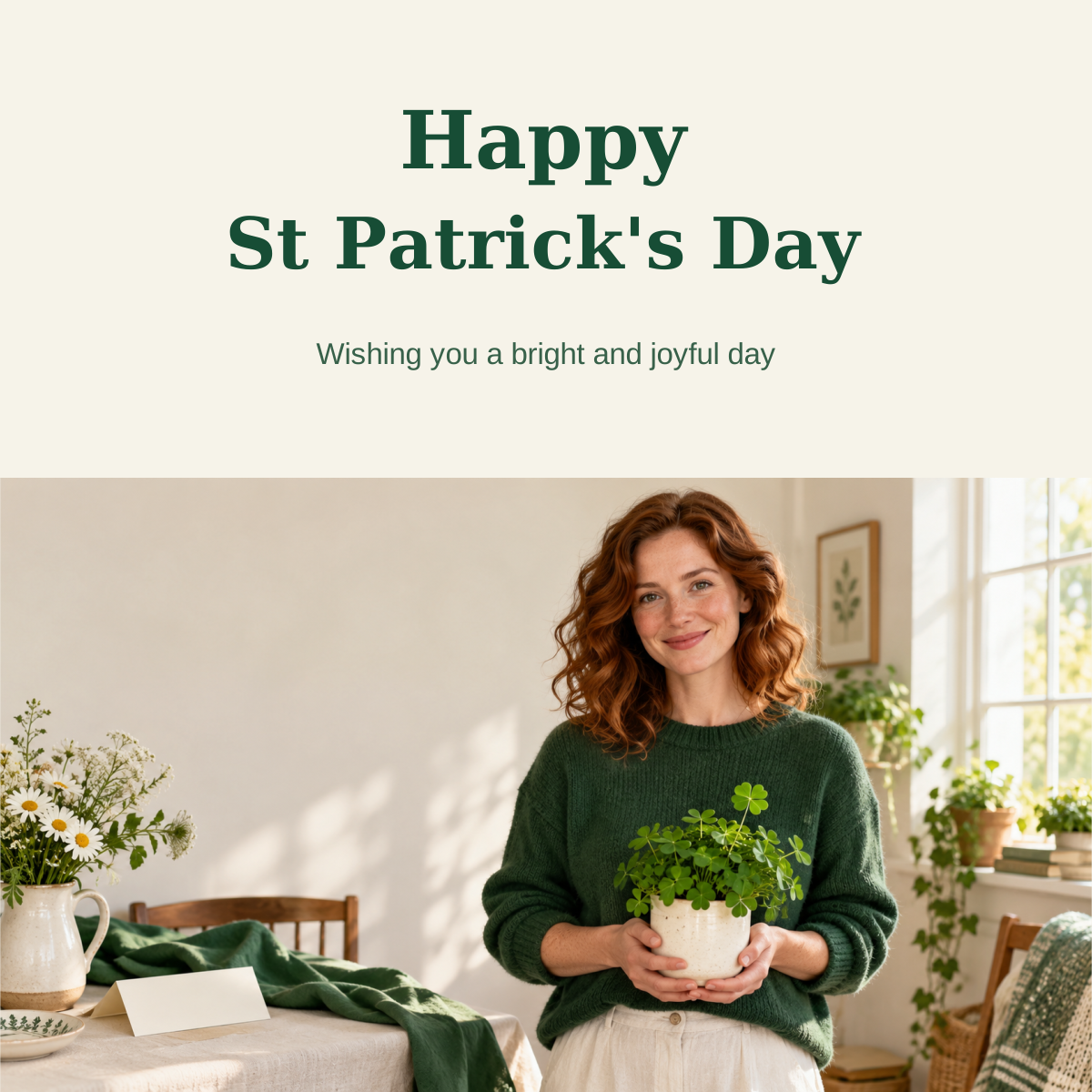
The painted cat card is a cheerful greeting with its wording already inside the picture. The wide creator portrait is a fictional staged scene with a green sweater, flowers and potted greenery. It is not a photograph of a real parade, event or person. The SVG card uses that portrait with text that remains editable.
Choose the image for your message
| Asset | Best use | What can change |
|---|---|---|
| Square painted cat greeting | A friendly personal or community greeting | Add a separate accompanying caption; its painted lettering is part of the bitmap |
| Wide creator scene | A seasonal creator post or campaign background | Add a controlled text layer in your design editor |
| Square editable creator card | A personalized greeting with a short message | Edit the three text elements in an SVG editor |
These are original artworks made for this gallery. They are not stock photos from Ireland or documentation of a real celebration. That distinction matters when you write a caption: describe an imagined seasonal scene rather than claiming somebody attended an event shown in a generated image.
Download the painted cat greeting

Download the painted greeting
The original orange cat wears a sage scarf beside white flowers. The cream and emerald composition keeps the headline easy to read. Three simple trefoil motifs provide the shamrock direction without making the scene crowded. The final file is a native 1254 by 1254 square image; use the download rather than a screenshot if you want to preserve the painted texture.
For your own greeting, inspect both spelling and important symbols rather than assuming the prompt was followed perfectly. A polished-looking picture can still contain an incorrect detail.
The Irish agriculture and food development authority Teagasc describes the traditional shamrock as three-leaved. A four-leaf luck motif is a different visual choice. When your brief calls for a traditional shamrock, say three leaves explicitly and inspect the output. The staged creator picture below uses decorative greenery and is not a botanical reference.
Download a wide seasonal creator picture
Download the wide creator image
This scene takes a different approach: a fictional adult creator in a forest-green sweater, a warm cream room and a table with flowers and a blank folded card. There is clear wall space on the left for a separate text layer. The native 1672 by 941 image suits a landscape composition; review the final crop if your post needs a square or vertical frame.
Keep the face, hands and pot inside a portrait crop. If you cannot fit them with the intended message, start a new vertical composition or use a suitable image-expansion operation rather than stretching the existing image. The plant is a decorative green prop, not proof of a real species or location.
For a campaign, reuse your approved creator identity and change only the seasonal setting at first. Green wardrobe, a cream background and a short greeting can give the image a seasonal direction without rebuilding the character or filling every corner with motifs.
Personalize the editable greeting card
Download the editable SVG card
The editable card is a 1200 by 1200 SVG with three live text elements above an embedded original creator portrait. The artwork is embedded in the file, so downloading the SVG does not require you to collect a separate linked image. Open it in an editor that supports SVG text, edit the greeting and the short personal message, then export a finished image for sharing.
- Save a copy of the SVG before making changes
- Open it in your SVG-capable design editor
- Edit the headline or personal-message text
- Keep the message short enough to fit the cream area
- Preview the complete card at the destination size
- Export a finished PNG or other format accepted by your sharing app
The file uses common Georgia and Arial font families. Your editor may substitute a font if it is unavailable, which can change line length and spacing. Check the layout after editing. It is an editable graphic source, not a guarantee that every app can import and export it identically.
The painted cat image has baked-in lettering. Editing the text in the SVG changes the creator card, not the painted cat artwork. Choose the asset that matches the amount of personalization you need.
Pair the picture with a short caption
A useful caption adds the personal context the image does not have. Keep it short for a greeting, and add concrete details separately if you are inviting people to a real event.
- Wishing you a bright and joyful St Patrick's Day
- A little green and a lot of good company
- Sending a cheerful greeting your way
- Here's to a day full of warm welcomes
For a local invitation, add the real date, time and venue in a separate checked text layer. Do not ask a generated background to invent those details. Confirm the event information before you publish, and keep it readable at phone size. These example captions do not announce an actual event or promotion.
Make your own image with a clear brief
Create an original square greeting with a friendly orange cat, a sage scarf, white flowers and a cream-and-emerald painted palette. Use a few simple shamrocks with exactly three leaves. Leave a generous clear area for the greeting. Keep the complete character inside the frame and exclude logos or extra lettering.
Add the final wording in a design editor when you need precise spelling or a personal name. The gallery's painted card shows one finished lettering option; a separate text layer gives you more control when revising copy for a campaign.
For a creator-led image, name the character reference, wardrobe, setting and framing separately. Use your own approved reference and review the generated result for face continuity. A successful still picture does not establish that an animated follow-up will preserve the character through motion.
Review the actual file before sharing
Check the message, crop and native file together. Keep the source download so you can revise from the best available file. Repeated screenshots and compressed reuploads can make painted texture and facial detail look softer than the original.
A print card requires a separate layout check at the intended print size. Square digital art does not automatically include bleed or a printer's required color setup. Preview the final exported file in the application you will actually use.
Create your own seasonal campaign in Clout
Create your original AI character in Clout and build photos and videos around a consistent seasonal brief. Keep the approved face, wardrobe direction and palette together, then create distinct scenes for the greeting, announcement and follow-up. Give each asset a clear role rather than posting several nearly identical pictures.


