

Give the confrontation a readable objective
An AI fight scene generator can create action imagery, but a usable sequence still needs a clear initiator, response and ending. Start with what each fictional character is trying to do. Then break the exchange into visible changes that can be reviewed across the actual returned frames.
Our original practice scene follows a blue-clothed courier trying to pass an orange-clothed guard. The guard blocks the route; the courier retreats and reassesses. This is a compact confrontation to plan, not a filmed fight or a tested model performance. It gives each character a different role and makes the next action depend on the previous one.
Use the original action brief to record the cast, room, objective and accepted screen positions. A long list of dramatic moves cannot substitute for that relationship. Begin with one exchange that you can explain without describing the camera.
Inspect the original three-beat blocking reference
Watch this clip and view its details
In this six-second authored reference, marker A advances during the first two seconds, B responds during the next two, and both reset in the final section. A remains on the left and B on the right. It is a silent floor-plan animation of positions, not body mechanics, realistic contact or AI footage.
The beat sheet records the planned coordinate ranges. Open the dedicated blocking player for a larger view. This reference helps make a shot assignment inspectable before spending generation credits; it does not establish how a model will execute a fight prompt.
Separate movement direction from camera movement
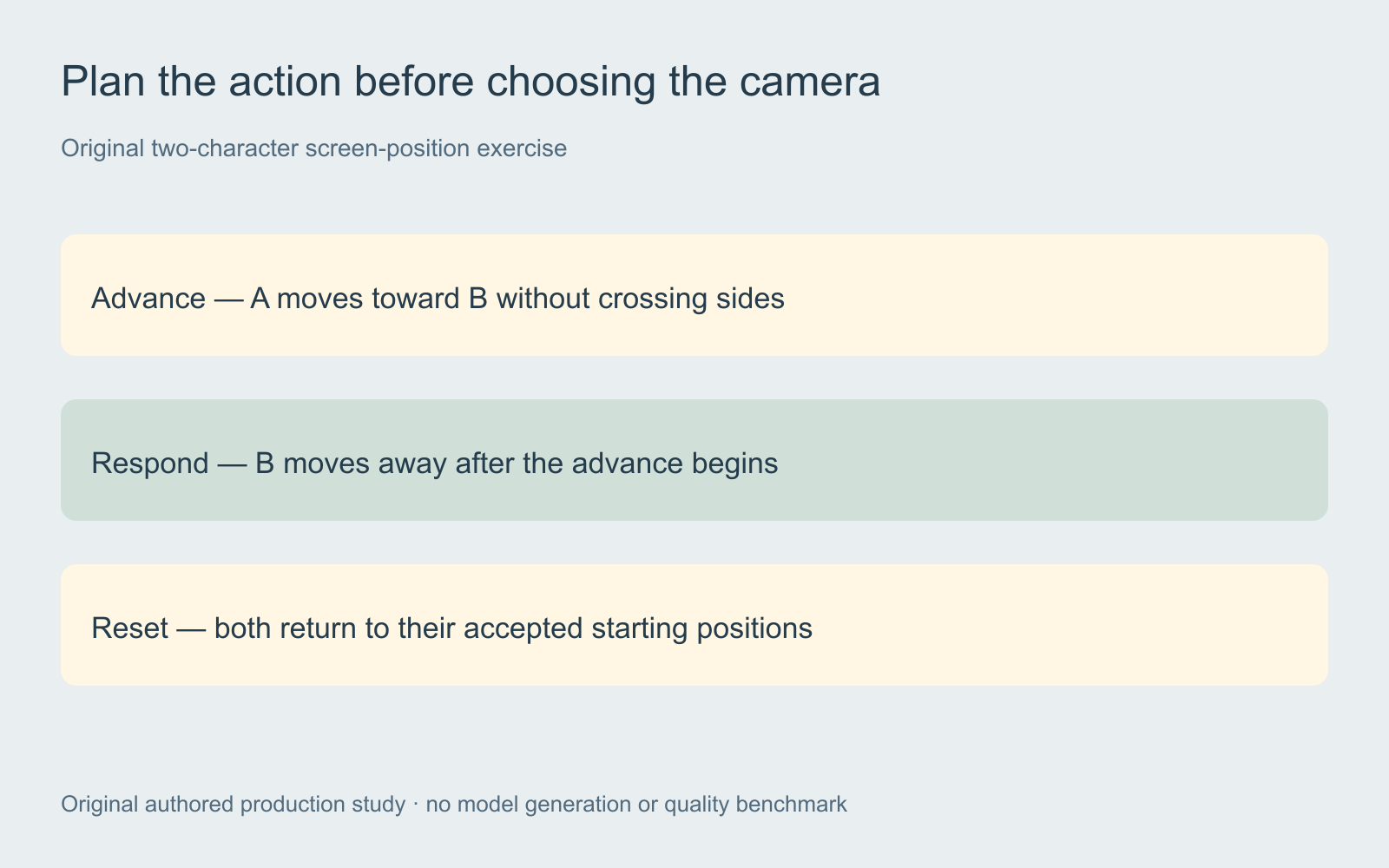
Record where each character starts, where they move and where they finish. Then choose the camera view that makes those changes understandable. An orbit, rapid zoom or new reverse angle adds another variable to the same action. Test the exchange in a readable view before introducing a more demanding camera move.
A deliberate change of screen direction can work when the cut establishes the new relationship. An unplanned reversal can make an advance appear to become a retreat or place both people on the same side. The multi-shot cinema guide provides a separate conversation-axis exercise for inspecting that spatial relationship.
Write one exchange instead of a whole fight in one field
An original prompt exercise could read: “Two fictional adult characters in the accepted room. The blue-clothed courier begins on screen left and tries to pass the rust-clothed guard on screen right. The guard blocks the route, then the courier separates and reassesses. Keep the accepted identities, wardrobe, room and lighting. Use a readable wide view for this single staged exchange.”
This is an unexecuted direction brief, not an API payload or a promise of successful choreography. Adapt it to the selected operation’s supported character, reference, shot and duration controls. Ask for a smaller visible event when the result merges roles, adds an unexplained move or cannot preserve the intended ending.
Higgsfield Cinema Studio lists Action among its genre choices and exposes camera controls. That describes an available direction path, not verified action quality. The existing Cinema Studio guide owns the product-specific workflow; this page focuses on planning and reviewing the exchange.
Prepare the cast and starting positions before motion
Approve separate references for the two fictional adults and a shared room view. Keep their clothes, distinguishing details and screen positions explicit. If the opening image confuses who is left, who is moving or which person carries an object, resolve it before using it as the start of a motion request.
For a reference-driven operation, inspect what that input actually controls. Copying motion, replacing a subject and generating a new scene are different jobs. A catalog preview is an example to inspect, not evidence that its person, setting or performance belongs in your production. Preserve your accepted source references and the actual operation used.
Begin a project in Clout AI Cinema, set its aspect ratio and visual style, and add scene direction and camera movement. Generate or select an accepted starting reference, then review a short scene take before creating the rest of the sequence. Inspect the displayed generation quote for the actual operation.
Review cause and effect across the returned frames
Identify the first visible change by each character. Check whether the response follows the initiating event or happens before it. Then inspect the separation and ending. A convincing still image does not establish that the intermediate action is coherent.
| Review layer | Question | Reason to revise |
|---|---|---|
| Roles | Can you identify the initiator and responder | The characters exchange roles without a story reason |
| Geography | Do positions and direction remain understandable | A cut reverses the action unexpectedly |
| Body and object continuity | Do forms remain coherent during overlap | Limbs merge or an object changes owner |
| Ending | Does the take reach the required state | The reset or separation is missing |
Keep the source, prompt revision, returned take and decision in the blank action-review ledger. Describe the observed failure precisely. A request to improve quality gives less direction than identifying a response that starts before its cause.
Assemble the accepted action and review the mix
Choose the smallest replacement unit the workflow supports when one beat fails. That could be a separate shot or an entire combined generation. Review both adjacent cuts after replacement so the new take does not introduce a different position, costume or object state.
Keep dialogue, impact effects, movement sounds and music separate while reviewing the edit. Our blocking reference is silent. For timing practice, use the sound-effects sync study. Listen to the actual scene rather than using a loud cue to conceal a visually unreadable moment.
Export and watch the complete sequence at normal speed, then inspect any uncertain transition closely. Keep the accepted master and its source takes together. If the next problem is unstable brightness, use the video deflicker workflow and local preview tool; brightness smoothing does not repair choreography or changing anatomy.


