

Looking for Agnes AI video generation? Start with the exact model and the files that go with it. This page covers Agnes-Video-2.0-MoE on its official model page. For other Agnes-AI releases, use the publisher's model hub. The broader Agnes AI name should not be treated as a promise that every product or checkpoint supports this video workflow.
Published by Clout, a creative platform. We inspected public documentation and file names, not a running Agnes environment. The resources below are original planning and audit materials. There is no generated Agnes result or purchased inference test behind this guide.
What the Agnes video model describes
The model card identifies an audio-video generator based on DaVinci-MagiHuman with text, video and audio inputs. It distinguishes the uploaded elastic EENP p60 checkpoint from the unpruned SparseMoE model used in part of its comparison. Those variants should not be treated as the same tested system.
The reported 28.721 billion stored and 15.299 billion active parameters refer to the unpruned SparseMoE model. They do not, by themselves, state the memory required for the uploaded checkpoint plus text encoder, decoders and runtime. Record the exact checkpoint and auxiliary components before discussing hardware fit.
Inspect the files at a pinned revision
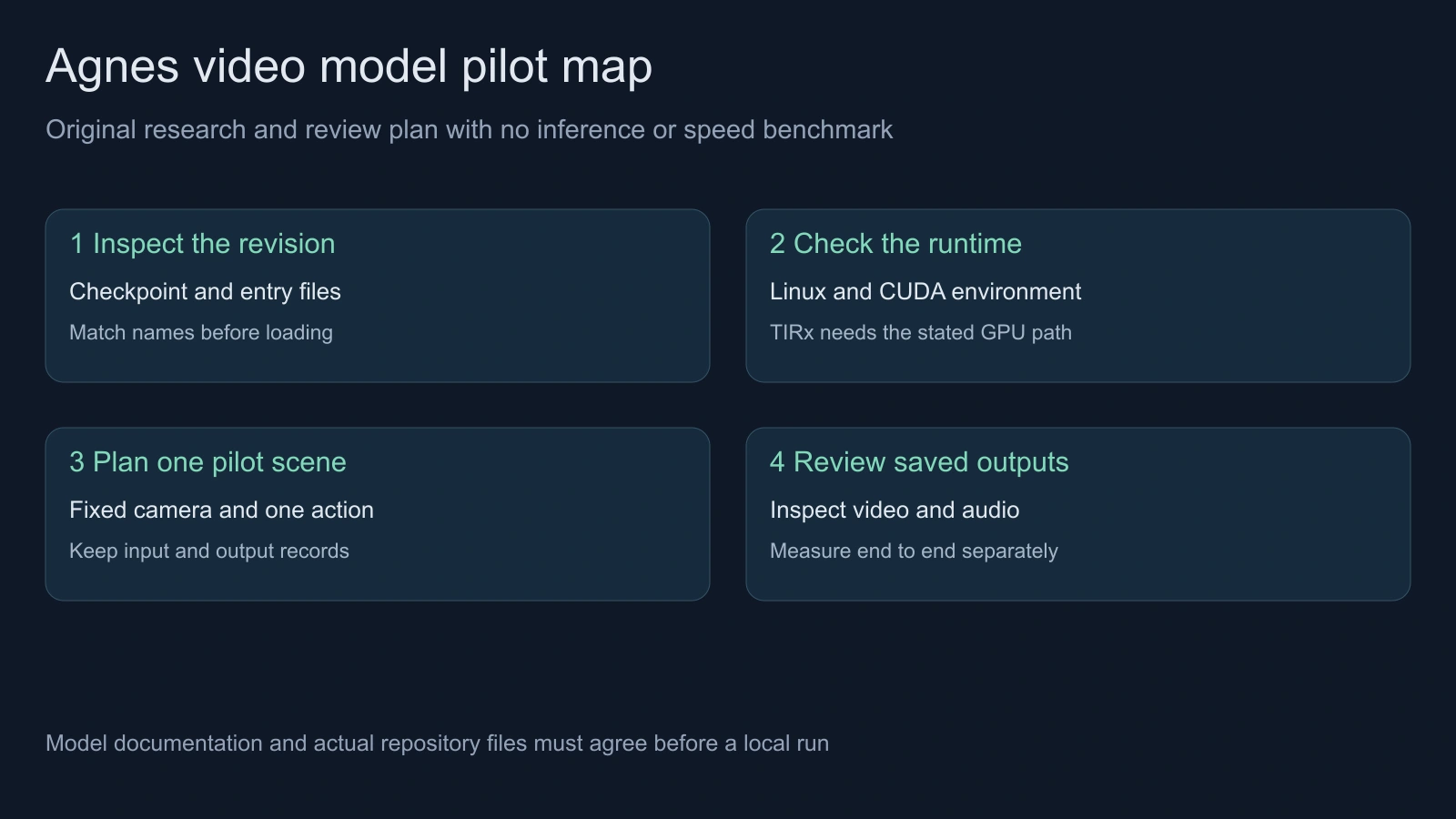
Our checked revision is 96782683494d011586f62873c87f90449f9a6c99. The public repository audit records 118 file paths and hashes of the inspected documentation, configuration template and launcher. It does not download or validate the checkpoint tensors.
The file listing at that revision contains checkpoint_parts/elastic_p60_ft_plus2700.pt. The model-card example references a concatenation pattern named checkpoint_parts/ckpt_best.pt.part-*, but the audit found no matching shard paths in that listing. This is a documentation-to-inventory mismatch to resolve before executing the example, not proof that a particular replacement command will work.
Use the pinned model card and checkpoint directory together. Recheck the current repository for a later correction. A successful file inventory is not a successful model load.
Separate standard elastic and TIRx launch paths
The checked launcher branches between standard inference, elastic inference and TIRx variants. Its TIRX_ELASTIC path selects a different Python entry from the standard branch. Choosing a mode therefore involves more than changing a marketing label on the same request.
The inference README specifies Linux with a CUDA-capable NVIDIA GPU and explains that this entry initializes CUDA and NCCL. Its Windows convenience launcher is not evidence that native Windows or CPU execution is supported. The documented TIRx path names Blackwell sm_100 hardware.
We did not install these dependencies or establish a minimum VRAM figure. Check the intended entry point, checkpoint metadata, CUDA and PyTorch versions, and auxiliary packages in the actual environment before scheduling a run. Keep the exact launcher branch in your attempt record.
Check the component paths before generation
The pinned configuration template contains local placeholder paths. It separates the base or DiT load path, text encoder, video VAE and audio decoder. Finding the main checkpoint does not fill those other locations.
| Inspection | What to record | What remains unproven |
|---|---|---|
| Repository revision | Exact source revision and file names | Whether a later release changes compatibility |
| Checkpoint selection | The actual local file and expected metadata | Successful tensor loading |
| Auxiliary paths | Text encoder video VAE and audio decoder locations | Runtime compatibility of those components |
| Launcher mode | Standard elastic or selected TIRx branch | Hardware support and memory headroom |
| Saved output | Actual video and audio files plus runtime logs | Whether the complete result meets the brief |
The original read-only audit script queries the pinned public revision and hashes four small source documents. It downloads no model weights and executes no upstream inference code. Run it with a Python HTTPS environment whose normal certificate verification works, then compare the returned inventory with the intended installation instructions.
Read the timing claim in its stated scope
The authors report 13.641 seconds for denoising a five-second 480 by 272 clip with 32 steps on an NVIDIA B200 using TIRx. This is their hardware-specific denoising result, not our measurement or an end-to-end promise. Loading, decoding, writing files and queue time need their own records.
Do not infer that a five-second clip finishes in that time on a consumer GPU or that a fast denoise automatically yields an accepted export. Keep timing scope and acceptance separate. For an actual pilot, record the complete elapsed time and the exact output files, then inspect the whole clip rather than a selected preview frame.
Plan one controlled video pilot
The original five-second pilot worksheet proposes an unbranded blue paper boat moving slowly across a shallow tray with a fixed camera. It is a human review plan, not an executable Agnes configuration. Runtime, hardware, output and acceptance fields remain empty until you perform a real test.
- Start with one visible object and one motion. Keep the background and camera simple enough that an unwanted change is easy to identify.
- Record the checkpoint, launcher branch, environment and actual generation settings before starting. Do not substitute the worksheet for the repository's configuration format.
- Save the returned video and audio together with the logs. Inspect duration, resolution, frame rate and whether an audio track actually exists.
- Review the first frame, movement, contact with the tray and final hold. Check for a changing boat shape, extra objects or camera drift.
- Listen to the actual sound when present. Note unwanted sound, discontinuity or absence instead of assuming the model name proves the audio result.
- Accept the attempt only after the complete deliverable meets the brief. Use the blank review ledger for timing scope, files and the decision.
The prompt and time ranges are original proposed inputs. We have not rendered this scene with Agnes. If the model or selected entry does not support a planned input, revise the pilot around the documented capability instead of presenting a guessed parameter as tested.
Choose a local model or a hosted creative workflow
A local model is useful to evaluate when you need to inspect the runtime and can operate the required hardware and components. A hosted workflow may fit when the immediate need is an approved image or video rather than environment setup. Compare the actual supported inputs, generation quote, saved export and revision process for the job.
Explore Clout Image and Video for a supported hosted route or plan connected scenes in AI Cinema. This does not claim that Clout hosts the Agnes checkpoint. For the base-model context, see the separate MagiHuman workflow guide; for inspectable scene geometry, use the isometric native camera study.


