For separate parts with controlled pivots, use the digital puppet animation lab.
A shadow puppet tells a story through its silhouette. A readable profile, one clear action and a controlled light can communicate more than a detailed figure with an unclear pose. This guide includes an original bird cutout, a three-beat story exercise and a free planner for the relationship between puppet size, light distance and screen distance.
Make a simple shadow puppet
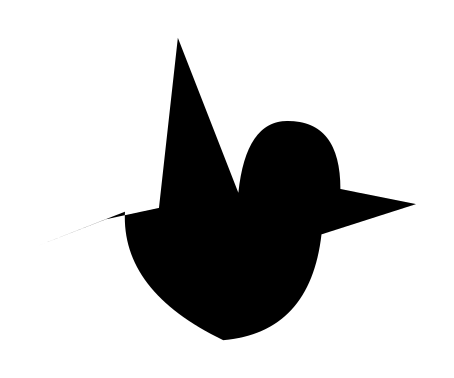
- Download the original bird silhouette SVG. Print at actual size for an 8 cm tall bird, or scale and measure it before using the planner. Trace its outline onto opaque card. The shape is an original Clout drawing.
- Cut around the outside and attach a handle below the body. Keep the handle outside the main story area where possible.
- Place a light behind the puppet and aim it toward a plain screen or wall. Keep the camera on the viewing side when using a translucent screen.
- Begin with the puppet near the screen for a smaller silhouette. Move it toward the light to make the shadow larger.
- Test a slow entrance, one held pose and an exit. Record a rehearsal before adding more characters or camera moves.
A hand shadow uses the silhouette of your fingers; a cutout uses a fixed card shape; a jointed puppet adds separate movable parts. The download here is a single flat bird, not a jointed rig or a guide to a particular traditional performance practice. Start with the form whose movement you can control.
Calculate the shadow size before you set up
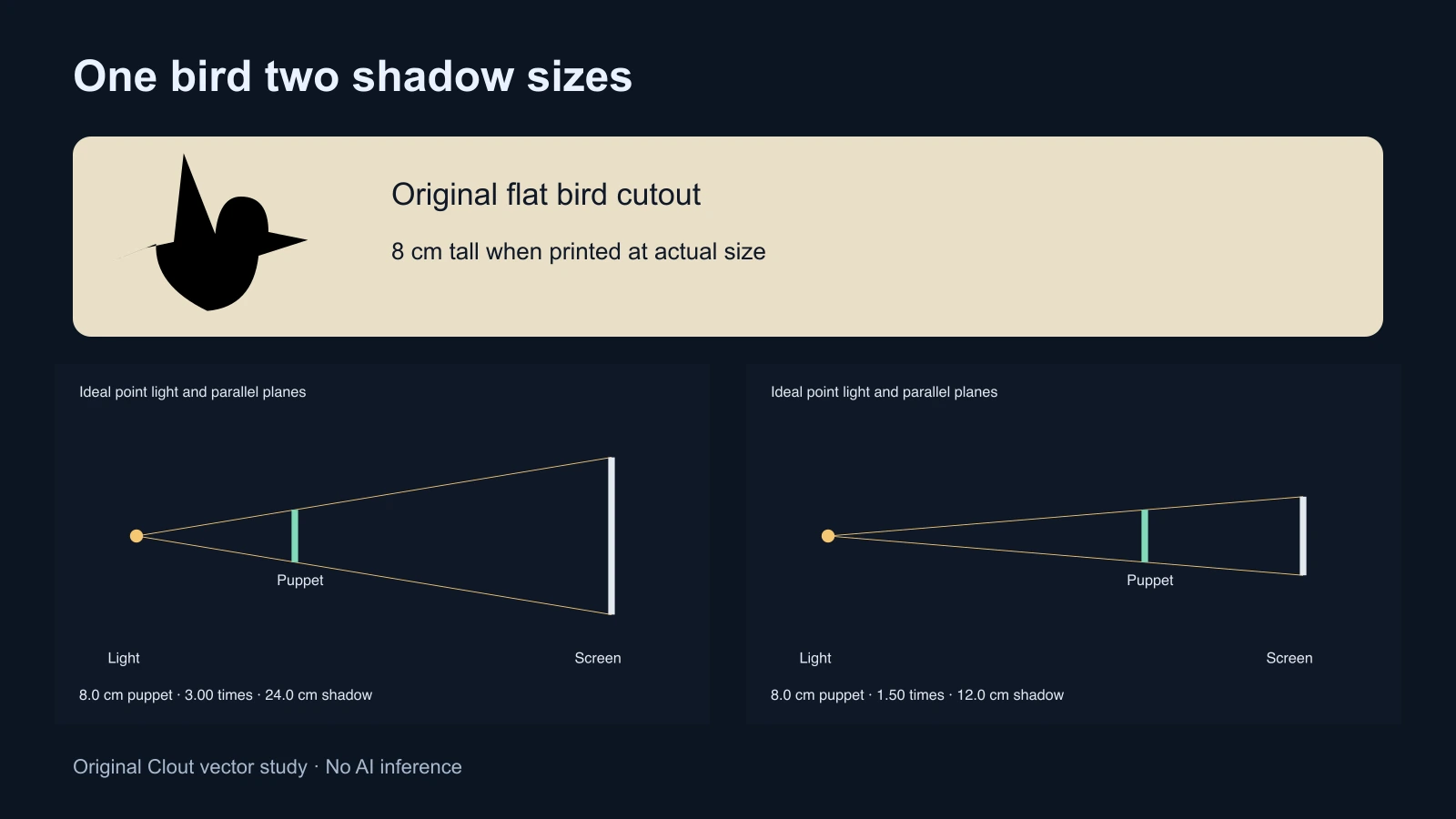
For an ideal point source and parallel puppet and screen planes, similar triangles give a useful estimate:
Shadow height = puppet height × light-to-screen distance ÷ light-to-puppet distance. Both distances begin at the light. Do not enter the puppet-to-screen gap as the second distance.
With an 8 cm puppet, a light-to-screen distance of 90 cm and a light-to-puppet distance of 30 cm, the ratio is three and the predicted shadow height is 24 cm. Move the same puppet to 60 cm from the light and the predicted height becomes 12 cm. The puppet is now closer to the screen even though its distance from the light is larger.
The interactive planner exports the diagram as SVG and the dimensions as JSON. The diagram scales tall shadows to fit its canvas, so compare the numeric result rather than treating on-screen pixels as centimetres. The JSON records a planning calculation; it is not a native project, a model request or a measured lighting result.
The American Chemical Society shadow activity identifies object size and the distances between object, light and receiving surface as the main size factors. Science Buddies’ shadow puppet activity provides a practical way to explore the change by moving a puppet. Our calculator adds an explicitly idealized geometric estimate rather than measuring your lamp.
Keep the silhouette sharp and readable
A real light has a finite emitting area. Its shadow can include a softer edge, especially when the puppet moves away from the receiving surface. The planner does not simulate that softness, multiple lamps, angled card or a curved screen. Test the actual lamp and materials and record the visible result.
Keep the bird’s beak and wing separated from the body in the pose. If every feature merges into one blob, increasing the size will not necessarily fix the drawing. Rotate the puppet slightly, simplify the outline or change the action. Avoid placing two important silhouettes directly on top of each other unless their overlap is the intended story beat.
Fix the camera exposure and focus when the equipment supports it. Otherwise a hand entering the frame or a bright patch on the screen may cause an unwanted adjustment. Record a short take and inspect the saved file for screen texture, handle visibility, unwanted shadows and flicker. The planner cannot diagnose those capture issues.
Tell an original three beat shadow story
Our exercise, The Small Bird and the Tall Door, uses scale as the event. A bird reaches a doorway, grows into a large shadow and discovers that making itself smaller allows it to pass. It needs only the bird, a simple doorway shape and a controlled movement between light and screen.
| Beat | Visible action | What to check |
|---|---|---|
| Arrival | The small bird approaches the doorway and stops | The audience can read both shapes before the next action |
| Failed attempt | The bird moves toward the light and grows beyond the doorway | The change follows one clear movement rather than random shaking |
| Solution | The bird moves toward the screen becomes smaller and passes through | The final silhouette clears the doorway and holds long enough to read |
Use the original shot and rehearsal worksheet to plan the sequence. The suggested times are a starting structure, not measured results or an automatic animation. Rehearse each beat separately, then connect them. If the scale change looks confusing, keep the doorway fixed and remove other movement until the relationship reads.
Adapt shadow puppetry into an AI scene workflow
A shadow-style animated scene is a separate production route from filming a physical cutout. Use your original silhouette as an approved reference where the selected workflow supports images. Preserve the beak, wing and body outline across shots. Create one accepted still before attempting several moving characters.
An original untested direction is: “A flat black paper bird in clear side profile before a pale illuminated screen, simple doorway on the right, strong readable silhouette, fixed straight-on camera, no lettering, no extra limbs.” Generate or edit a still through Clout Image and Video using the supported controls, then inspect the complete returned image. This is a proposed visual direction, not a claim that a named model will reproduce a specific shadow calculation.
For the moving version, request one simple action at a time and review the first frame, middle and ending. A generated shadow may detach from the puppet or change shape; compare it with the intended story rule rather than accepting a pleasing still as proof of continuous motion. Clout AI Cinema can help plan connected scenes, while the short drama workflow explains coverage and continuity.
Choose the right approach for the finished piece
Use a physical cutout when you want to perform the movement and observe a real shadow. Use flat vector animation when exact outline, lettering and scale must be repeatable. Evaluate an AI image or video workflow when a richer scene or an exploratory visual treatment serves the brief. These approaches can share a storyboard without producing identical results.
For a title over the finished film, use the chrome text generator and add lettering during the edit. For spatial diagram work, explore the isometric illustration tool. Keep the final delivery check practical: the silhouette reads, the action explains the change and the ending makes sense without extra production notes.