Higgsfield motion graphics can mean several production workflows: editable animation in After Effects, motion designed through code, or a narrated explainer built from mixed media. Choose the output you need before choosing the preset. A title card with adjustable type is a different job from a fully voiced documentary scene.
This independent guide explains those distinctions using official sources checked October 3, 2026. It includes an original eight-second café animation, the editable Remotion project, a complete production brief and a blank export worksheet. We rendered the example ourselves; it is not a Higgsfield or After Effects benchmark.
Choose the motion workflow that matches your deliverable
For a multi-tool shortlist and a common revision test, use the motion design tools comparison.
The AI Motion Designer page describes an agent that builds editable motion inside an After Effects composition. Its documented jobs include animated type, transitions and logo reveals. The AI Motion Design page describes a separate code-based animation workflow with controls for text, colors and timing.
The Editorial Motion Graphics skill instead presents a narrated explainer workflow with scenes, voiceover, montage and subtitles. Do not assume that a finished explainer download also contains an editable After Effects project. Inspect the actual deliverables.
| What you need | Workflow to investigate | Request as evidence |
|---|---|---|
| An animated title you can revise in a composition | AI Motion Designer for After Effects | Named editable text layers, keyframes and saved project |
| A reusable design driven by text and timing values | Code-based motion design | Runnable source, parameters and rendered export |
| A narrated visual explanation | Editorial motion graphics | Approved facts, measured narration and full playable video |
| A recurring person in a product story | Creator imagery followed by the chosen motion or edit workflow | Accepted identity, scene assets and final campaign cut |
A preview is useful, but it answers only part of the question. For a campaign with changing copy, verify that a second editor can change the actual headline. For a data animation, keep the underlying values available. For narration, review the spoken claims and their timing against the graphics.
Understand the Higgsfield After Effects distinction
Higgsfield's After Effects preset page uses the command /use-after-effects and says the desktop software must be connected to run that workflow. Follow its current setup for your chosen client. A request sent from a phone does not by itself prove that your desktop composition was changed.
There is also a generation panel. The external integrations guide describes an Adobe extension that generates or edits media and places results into the editing workflow. Generating a clip in that panel and building editable text layers through the motion agent are distinct operations.
The same integration guide says those external generations use plan credits, while web-only Unlimited and free-generation entitlements do not apply there. The September 10 Motion Designer announcement lists active Higgsfield, GPT and After Effects subscriptions as requirements. Check current access and charges in the tools you will actually use; this article does not promise a universal free connector or Adobe license.
Before a first attempt, open the intended project and composition, make a recoverable copy and name the assets clearly. Ask for one short title animation. Then inspect whether the operation created layers in that composition or only returned an external video file. Keep the saved project and render together.
Watch an original eight-second motion example
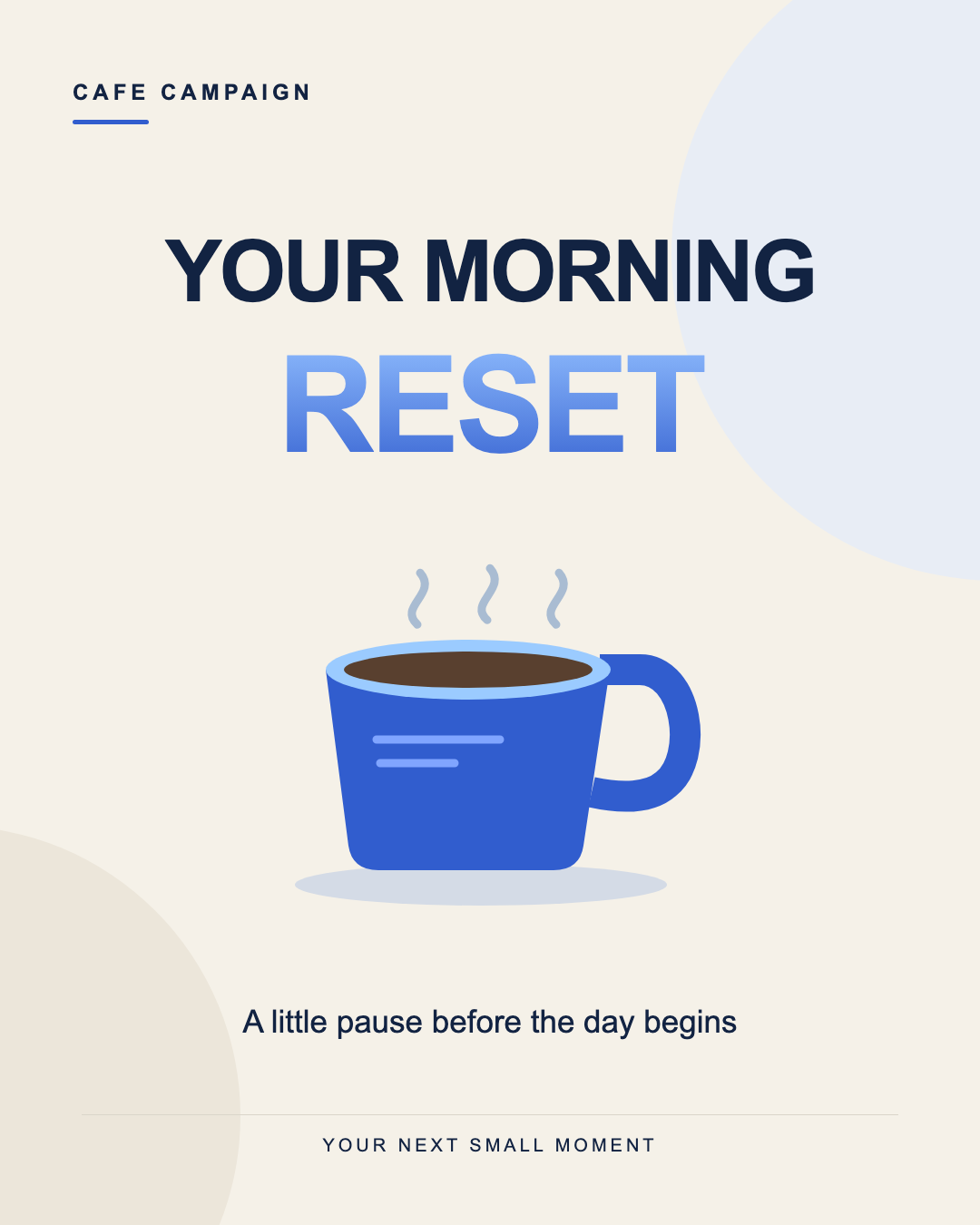
Our example is a silent café campaign card on a 1080 by 1350 canvas at 30 frames per second. It introduces the title, brings in a cobalt cup and holds the final message before fading back to the background. The source keeps copy, color and motion timing separate enough to revise deliberately.
Download the eight-second MP4, download the editable source project or download the original poster frame. The MP4 is the playable output. The source archive is the editable project; it is not an After Effects project file.
The hero photograph is separate fictional production artwork. Download its original native-resolution PNG. The animated cup is drawn with vector shapes in the source, rather than extracted from that photograph.
Write the brief around exact copy and visible timing
Our headline is “YOUR MORNING” followed by “RESET.” The subtitle is “A little pause before the day begins.” There is no sale price, health promise or invented customer testimonial. A fictional café campaign gives us a useful production example without needing unsupported product claims.
Create an eight-second silent café title animation on a 1080 by 1350 canvas at 30 fps. Use cream #F5F1E8, dark ink #122342 and cobalt #315DCE with a light-blue highlight. Keep the exact headline “YOUR MORNING” on the first line and “RESET” on the second. Introduce the title, then a simple cobalt cup, then the subtitle “A little pause before the day begins.” Hold the accepted layout before fading back to the background. Keep type, shapes and timing editable. No stock footage, new claims or generated lettering inside a photograph.
Download the complete motion brief and review instructions. Adapt the same creative direction to your selected tool, then specify its required deliverables: a native composition for an After Effects workflow or runnable source for a code workflow.
Give each entrance a reason. The title establishes the theme. The cup makes the café context visible. The subtitle completes the message. If everything appears at once, the animation has less hierarchy; if every element flies around, the viewer has less time to read.
Use a timeline that leaves time for reading
| Time | Element | Original timing decision |
|---|---|---|
| 0 to 0.4 seconds | Background | Establish the cream canvas without text |
| 0.4 to 1.4 seconds | Headline | Ease into position from a small vertical offset |
| 1.2 to 2.4 seconds | Cup illustration | Enter with restrained scale and vertical movement |
| 2.6 to 3.2 seconds | Subtitle and footer | Fade into the accepted composition |
| 3.2 to 6.6 seconds | Complete message | Hold readable type while the steam moves gently |
| 6.6 to 8 seconds | All foreground elements | Fade back to the unchanged background |
This is an editorial example, not a measured attention benchmark. If your headline becomes longer, shorten the copy or extend the readable hold. Do not compensate only by accelerating the entrance. A title can fit geometrically while still disappearing before a viewer reads it.
In the source, COPY holds the labels and PALETTE holds the colors. The composition defines 240 frames at 30 fps. The title entrance runs from frame 12 to 42, the cup from 36 to 72 and the subtitle from 78 to 96. Motion is calculated from the current frame, so the render does not depend on a browser CSS animation clock.
To adapt the download, open the README first, install its pinned dependencies in a separate project folder and render the named composition. Change one parameter group at a time. Keep the accepted render beside the revised one so you can judge the actual difference.
Keep titles readable through their whole movement
Reserve breathing room around every line, including letters with descenders. Review the first visible frame, the midpoint of the entrance and the settled state. A headline can look fine after it stops while being clipped during the vertical move.
Our card uses short centered lines and a generous subtitle area. The footer stays above the bottom edge. For a longer phrase, change the font size, line break or canvas layout before rendering. Do not crop a finished landscape animation into a portrait canvas and assume the copy will remain visible.
For a campaign using a creator photo, place the face and important product details before adding labels. Keep the headline outside those features. A character helps the campaign feel recognizable; animated type should support the scene rather than cover the expression.
For spoken-video captions, use a separate text track with deliberate line breaks and center placement in the destination safe area. This silent title example contains message copy, not synchronized speech captions. Read the faceless caption guide when timing text to a voice track.
Request the editable project as well as the export
A rendered MP4 is convenient for publishing, but it flattens the design into pixels. Ask for the native source when the next campaign might change the date, offer, language or product. Name the layer or variable that an editor should change.
| Deliverable | What it supplies | What to inspect |
|---|---|---|
| Saved native composition | Layers and keyframes in the chosen editor | Text remains text and source assets resolve |
| Runnable code project | Components, copy values and motion calculations | The documented command reproduces an export |
| MP4 render | Playable finished pixels | Timing, frame size and visible quality |
| Poster frame | A static preview for an embedded player | Correct settled copy and full composition |
If an operation returns only a video, do not describe that as editable typography. You can edit around the clip, but its baked-in letters are not automatically separate layers. Confirm the file type and open the source before promising easy revisions to a client.
Review the full export before publishing
Download the blank export worksheet. It leaves observations and decisions empty for copy, motion, safe areas, source reproduction and the final file. Record rejected attempts too.
Watch the full clip, including the last fade and loop boundary. Confirm the title spelling, cup outline, subtitle readability and intended duration. Inspect at the size where your audience will see it. A sharp poster does not prove that a heavily compressed upload will retain fine text edges.
If text clips, adjust the text container and movement range together. If the entrance feels abrupt, change the easing while retaining the accepted layout. If a translated line wraps, reframe it for that language. Focused revisions give you a clearer explanation of what improved.
Keep the source dimensions separate from delivery constraints. Our download is 1080 by 1350, eight seconds and silent. It is not a universal export prescription for every social platform. Select the destination's actual layout, then review that version.
Build the creator behind your animated campaign
Clout lets you create an original recurring character and coordinated photos and video scenes. Build the creator your audience will recognize, then use those accepted assets in the campaign and motion workflow you chose.
Create your campaign creator in Clout and pair a recognizable scene with clear message copy. For a photo sequence, use the creator photoshoot workflow. For scene planning before animation, use the Popcorn storyboard guide.
Clout publishes this independent tutorial and supplies its own creator workflow. The example source is a Remotion project; this page does not claim that Clout operates a native After Effects agent. Explore Clout AI Cinema for your story and Clout pricing for the current product offer.