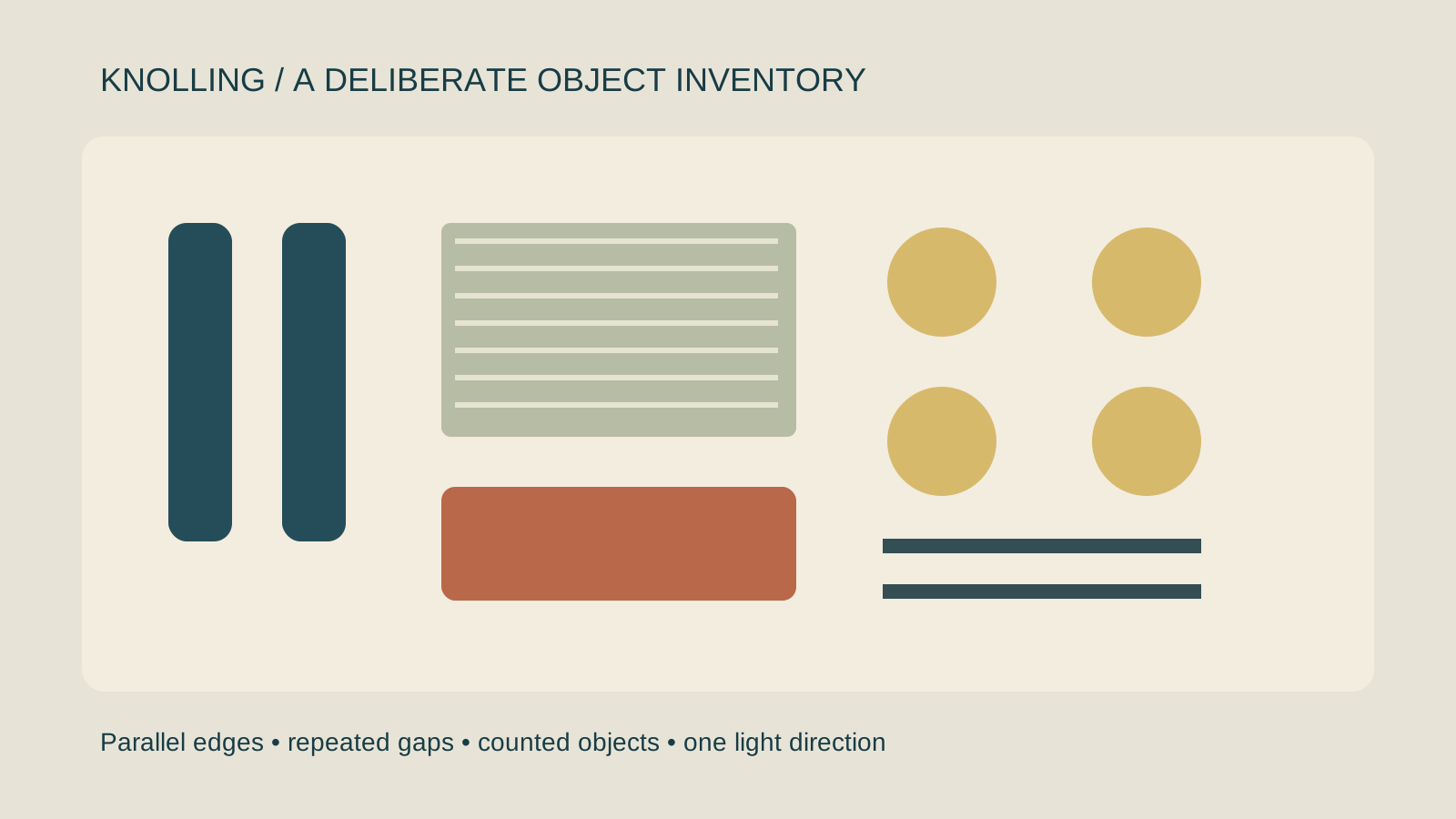
Knolling organizes objects into a deliberate overhead arrangement. Parallel edges and consistent gaps make a kit feel readable: the viewer can inspect what belongs together and what each part contributes. It is a useful composition for product bundles, tools, stationery, fashion accessories and illustrated inventories.
A tidy image is not automatically an accurate product image. When generating a knolling scene, count the objects and preserve their real shapes. An extra cap or missing cable can turn an attractive arrangement into a misleading description of the bundle.
Knolling vs flat lay photography
A flat lay describes an overhead presentation. Knolling adds an organizing discipline: align related parts, separate silhouettes and make the arrangement intentional. A casual flat lay can use scattered fabric and overlapping objects; a knolling brief usually makes the inventory easier to inspect.
| Layout decision | Knolling approach | Review question |
|---|---|---|
| Object order | Group by function, size or repeated shape | Can viewers understand the grouping |
| Orientation | Align edges or use deliberate perpendicular directions | Does a random diagonal break the pattern |
| Spacing | Choose repeated visual gaps | Are parts crowded or accidentally touching |
| Camera | Use a consistent overhead view | Does perspective change across the set |
| Lighting | Keep a coherent light and shadow direction | Do all objects appear to occupy the same surface |
Start with a countable object inventory
For an original desk-kit exercise, plan two pen-like tools, one rectangular notebook, one pouch, four round tokens and two narrow strips. These are drawn planning shapes rather than a real commercial bundle. Replace the inventory with the exact items your product includes before creating an ad.
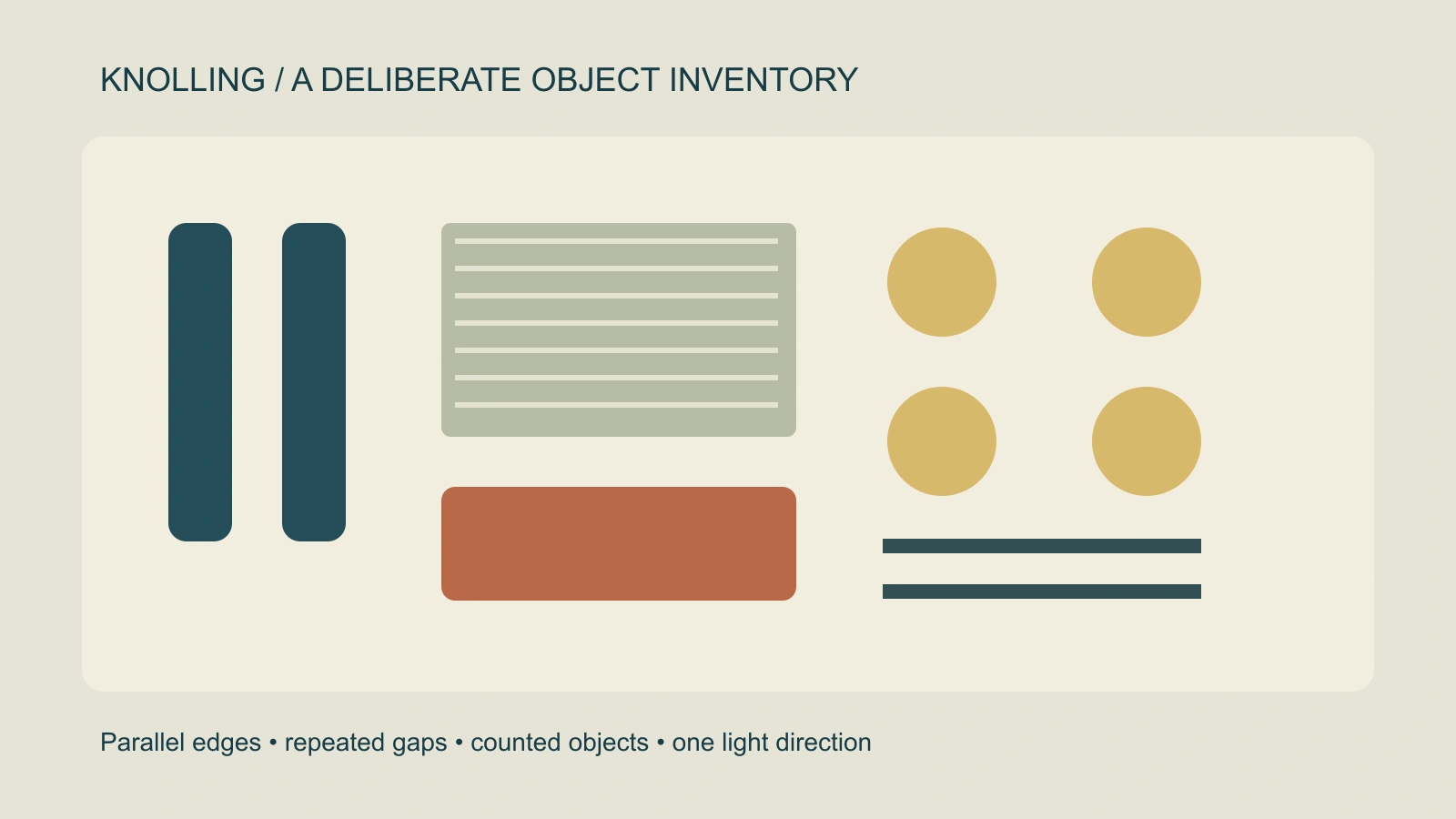
Download the editable original arrangement, raster reference and blank inventory checklist. The drawing is a composition reference. It does not establish packaging contents, dimensions or a model’s ability to reproduce the arrangement.
For looser styling and a deliberate message region, use the flat lay photography workflow and editable template.
Build a repeatable knolling setup
- List the pieces: Write each item and quantity. Separate accessories supplied with the product from decorative props.
- Set the outer boundary: Choose the final crop and leave room for any title or platform overlay.
- Place the largest object: Use the notebook or main product to establish the organizing axis.
- Group the smaller parts: Align long objects together and arrange repeated shapes with a visible rhythm.
- Inspect silhouettes: Move parts that touch unintentionally or hide a distinctive edge.
- Check the whole image: Compare the count and geometry with the inventory before approving the source.
For physical photography, test the overhead framing and light before arranging every small part. For digital composition, keep object layers editable so you can correct one gap without rebuilding the image. In both cases, inspect the intended mobile crop rather than relying on a large desktop view.
Write an AI knolling prompt with exact constraints
Adobe Firefly’s camera-angle documentation includes a Knolling option. An angle label can guide style, but it does not verify your product inventory. Provide the object relationships and check the actual output.
Overhead product arrangement of the approved desk kit on one plain warm surface. Show only the items in the supplied inventory and preserve their quantities and shapes. Align the long edges, group repeated round items together, and leave clear even-looking gaps. Use one coherent soft light direction. Keep the main product readable and leave the upper margin clear for text added later. No new accessories or generated lettering.
This is original, untested direction for Clout Image and Video or a Marketing Studio brief. Use approved product references when the selected workflow supports them. A prompt cannot guarantee exact counts or geometries; manually correct the layout or composite verified product assets when accuracy is essential.
Turn the approved layout into a short product video
Choose what should move. A gentle crop approach can retain the pictured arrangement. A generated hand removing a component introduces contact, occlusion and continuity problems. Plan that action as a separate shot and check the remaining inventory after the object leaves.
For a simple detail reveal, use the Ken Burns crop preview. For parts appearing one at a time, compare the AI stop-motion workflow. Do not label a sliding crop as a real unboxing or a product assembly demonstration.
Save a clean master without captions, then create the delivery variants. Record the source reference and which objects belong to the offer. Changes to the actual bundle should trigger an inventory review of every image and video variation.
Fix the defects that break a knolling image
Extra or missing items: Compare by group rather than scanning the whole composition once. Mark each accepted piece in the inventory and inspect repeated objects for merged outlines.
Uneven perspective: Check whether circles become incompatible ellipses or long edges converge in different directions. Simplify the camera instruction and use a clearer overhead reference.
Conflicting shadows: Inspect the direction and softness under every group. Different shadow directions can make the objects look pasted from unrelated scenes.
Unreadable product details: Review at the final display size. Do not invent labels, ingredient text or product markings to fill gaps. Add verified text separately in your design file.
Beautiful but weak hierarchy: Keep the main product distinct enough to find quickly. Try a restrained background or a larger gap around the central group before adding more decorative props.