

Searching for LongLive AI can lead to several related research projects with different purposes. Start with the official NVIDIA repository, then choose the project that matches your task. This guide provides a routing summary and an original production pilot. We have not installed the models, run inference or benchmarked hardware.
Which LongLive project should you inspect
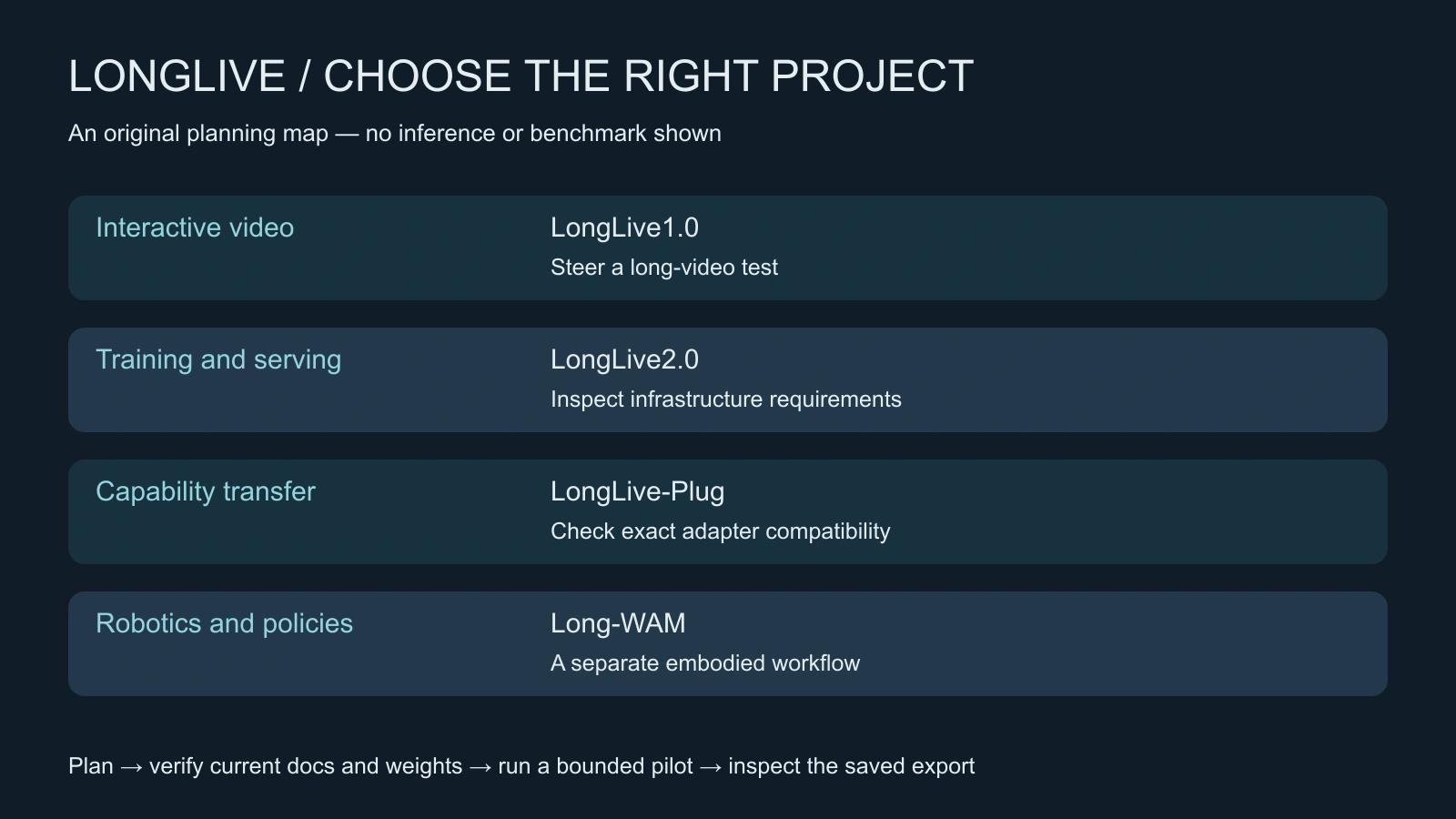
| Project directory | Purpose to evaluate |
|---|---|
| LongLive1.0 | Interactive long video generation steered through sequential prompts |
| LongLive2.0 | Training and inference infrastructure with quantization and parallelism |
| LongLive-Plug | Reuse distilled capabilities across compatible downstream models |
| Long-WAM | World-action models and robotics workflows |
The repository's default sparse-checkout example selects Long-WAM. A filmmaker should deliberately select the relevant video project rather than copying the robotics path. Each project has its own documentation and weights. See the interactive project documentation and Plug documentation. Read those instructions and licenses before installing anything or downloading checkpoints.
LongLive Plug and new release claims
The official repository reports a September 28, 2026 release of LongLive-Plug training and inference code. It distinguishes few-step and CFG adapters, so compatibility needs an exact recipe and model match. Published throughput figures elsewhere in the repository have measurement boundaries and hardware conditions; they are not our end-to-end export measurements. Check the current source before using a headline speed to budget a project.
This is an emerging workflow worth investigating, not a claim that search interest or social sharing has gone viral. We also do not claim that LongLive inference is available inside Clout. A research runtime and a managed creative workflow have different setup and operating requirements.
Plan one continuity test before chasing longer duration
Use a fictional courier carrying a closed teal document case through an archive room. The evaluation goal is simple: the case stays in the same hand, the costume remains recognizable and the room does not silently change. The action has three beats: stand beside the table, turn toward the doorway and return attention to the case. These are original test directions, not a tested LongLive preset.
Choose a short pilot length supported by the selected release. Avoid inventing a duration, resolution or frame count before reading its configuration. Record the repository commit, project directory, checkpoint, complete configuration, hardware and prompt changes in the original continuity ledger. The downloadable template deliberately leaves runtime settings blank.
Write the invariants
- One courier, the same costume and one closed teal case.
- The case starts in the left hand and changes hands only after an explicit intended action.
- The room contains one table and one doorway with a stable spatial relationship.
- The dominant source stays high on the same side of the room.
- The case opens only if the brief explicitly calls for it.
These rules make a failed take diagnosable. A vague “cinematic long video” brief gives you no clear point at which identity or object continuity was lost. Save timestamped observations, including the first frame where the case changes color, the hand switches or a doorway moves.
Test prompt changes one at a time
Begin with the approved opening description. Introduce one change, such as the courier turning toward the doorway, while restating the important invariants. Inspect whether the requested action happens and whether unrelated details change. Add a second prompt only after understanding the first transition.
Keep an unchanged reference run when the runtime permits it. Compare prompt wording with the same other settings, then separately test any supported configuration change. Do not change prompt, checkpoint, seed and acceleration recipe at once and attribute the result to a single cause.
Review the saved export, not just a live preview. Check frame dimensions, reported playback rate, actual duration, opening and closing frames and any missing output. Record setup time, inference time and export/decode time separately when you can measure them. A plausible preview does not establish the time needed to deliver an accepted file.
When to use a research runtime or a managed creative workflow
Inspect LongLive when the research behavior itself is central to the project and you can operate the selected runtime. Confirm hardware and dependency requirements against its current docs. Start small enough that a failed test costs a bounded amount of time and compute.
If you need an edited campaign or short drama, first define the deliverable: approved character references, shot list, dialogue coverage and final export. You can evaluate Clout AI Cinema for that production process without assuming it runs this research model. The short drama guide helps structure the shots and acceptance criteria.
For related research, see Stable Video Infinity and frame planning or SANA Video profiles. They have their own input and runtime assumptions. Do not transplant frame arithmetic or model settings between projects just because all of them discuss long video.
What counts as a successful pilot
A useful pilot produces a saved file that meets the brief and a record another operator can understand. Mark the result accepted only when the intended action, identity, objects, lighting and playback all pass. Preserve rejected takes with a reason. If no export passes, record zero accepted outputs and the actual cost incurred rather than describing duration generated as production completed.
Expand the test after that evidence exists. Add a more difficult interaction, another prompt transition or a longer supported run separately. The goal is a controllable workflow with known failure points, not an impressive duration number detached from the work you need to publish.


