

Which Muse Image limit are you trying to check
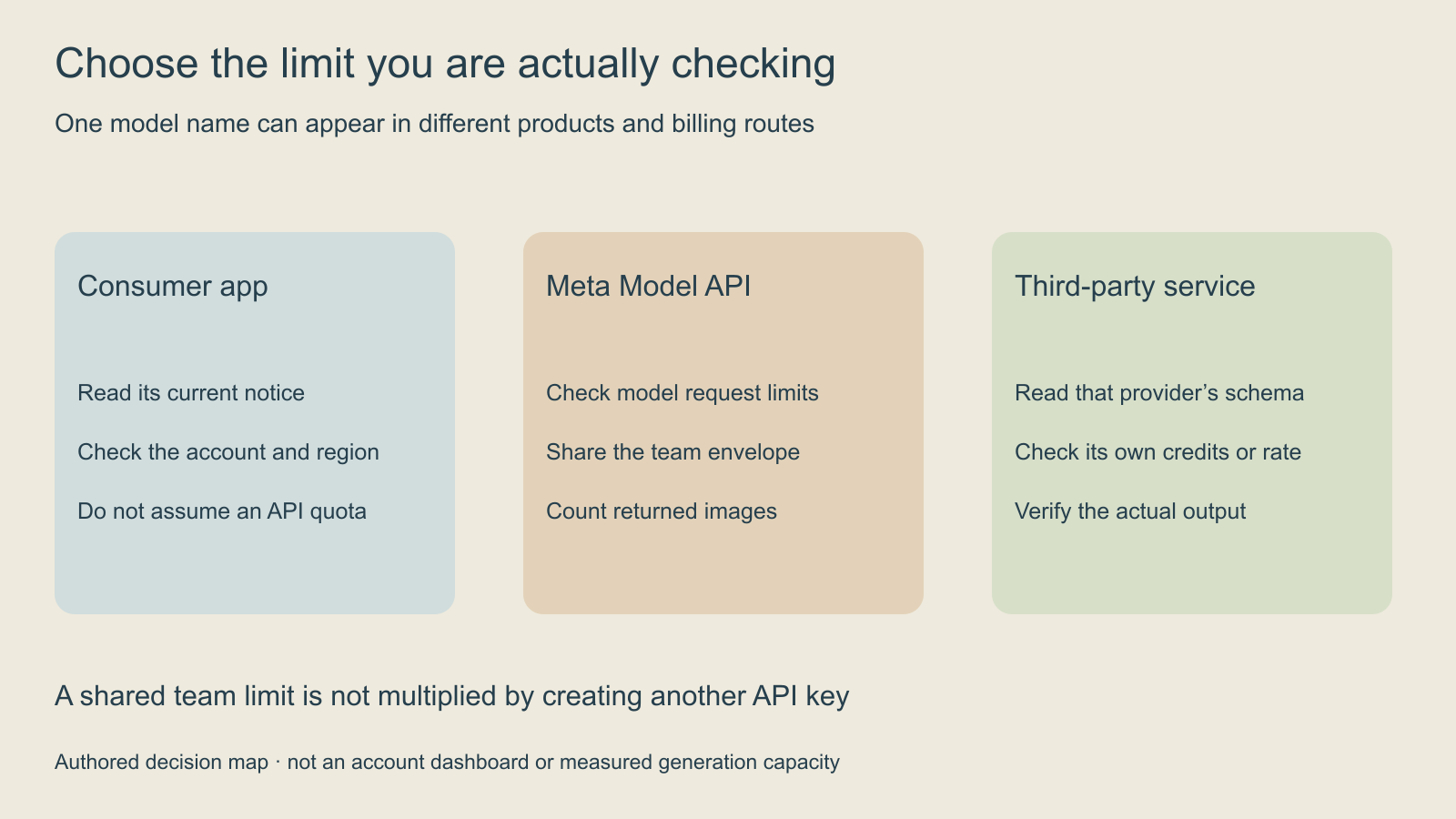
Muse Image appears in consumer experiences, Meta’s developer API and third-party creative services. Begin by naming the route you are actually using. A notice in a consumer app, a per-request validation error and a team-wide API rate limit describe different constraints.
This guide focuses on current public Meta Model API documentation and a practical production plan. For a consumer app, read the current notice in your account and confirm its reset information there. The API figures below do not establish a universal daily consumer allowance. Keep the service, account context and actual error together when investigating a blocked job.
Read the published Meta Model API envelope
Meta’s pricing and rate-limit page lists muse-image-1.0 at 150 requests per minute per team, with no tokens-per-minute limit. Multiple keys in that team share the same model envelope. The published price is $0.01 per successfully returned image, including built-in image and web search. Count returned images, rather than treating each request as one billable image.
The local calculator uses those published values. It is planning arithmetic, not an account meter, capacity reservation or completion-time estimate. Your entered other-team traffic is an assumption to check against the actual system. A low requested rate cannot establish how quickly the model will complete its work.
Use the calculator to separate cost and request pressure
The default example plans 100 requests with two images each. If every requested image is returned, that is 200 images and a $2.00 image-charge scenario at the published Meta API rate. Its rate example is a separate one-minute snapshot: 100 RPM for this workload and 20 RPM from other Muse Image traffic in the same team.
Change this workload to 140 RPM while keeping the other traffic at 20. The combined 160 RPM exceeds the published envelope by 10. Creating another API key in the same team does not create a second independent envelope. Change images per request and observe that the image-cost scenario changes while the entered request rate stays separate.
A delivered image can be technically successful while failing your creative brief. That candidate still belongs in the returned-image count. Record which images were returned and which were accepted for use, so the cost of accepted creative does not disappear behind the raw generation count.
Check the input shape before retrying a request
The official image-generation guide documents a conversational Responses route and single-shot generation/edit endpoints. For the single-shot images route, n is 1–10. The size field specifies aspect ratio rather than exact output pixels. Inspect the returned dimensions instead of promising the numbers in that field as the delivered resolution.
Match the error to the request that actually failed. Keep the endpoint, selected model, input shape and reported parameter name. Correct an invalid field before retrying; repeating the same invalid body does not investigate the issue. The calculator checks its numeric planning fields only and is not a complete API-schema validator.
Use the current documentation for your selected service. A third-party provider may expose different request fields, billing units or limits even when it offers Muse Image. The official model page identifies supported developer access routes and describes its image-generation and editing workflow. This article does not establish that every route has the same account terms.
Plan an original kite postcard with explicit reference roles
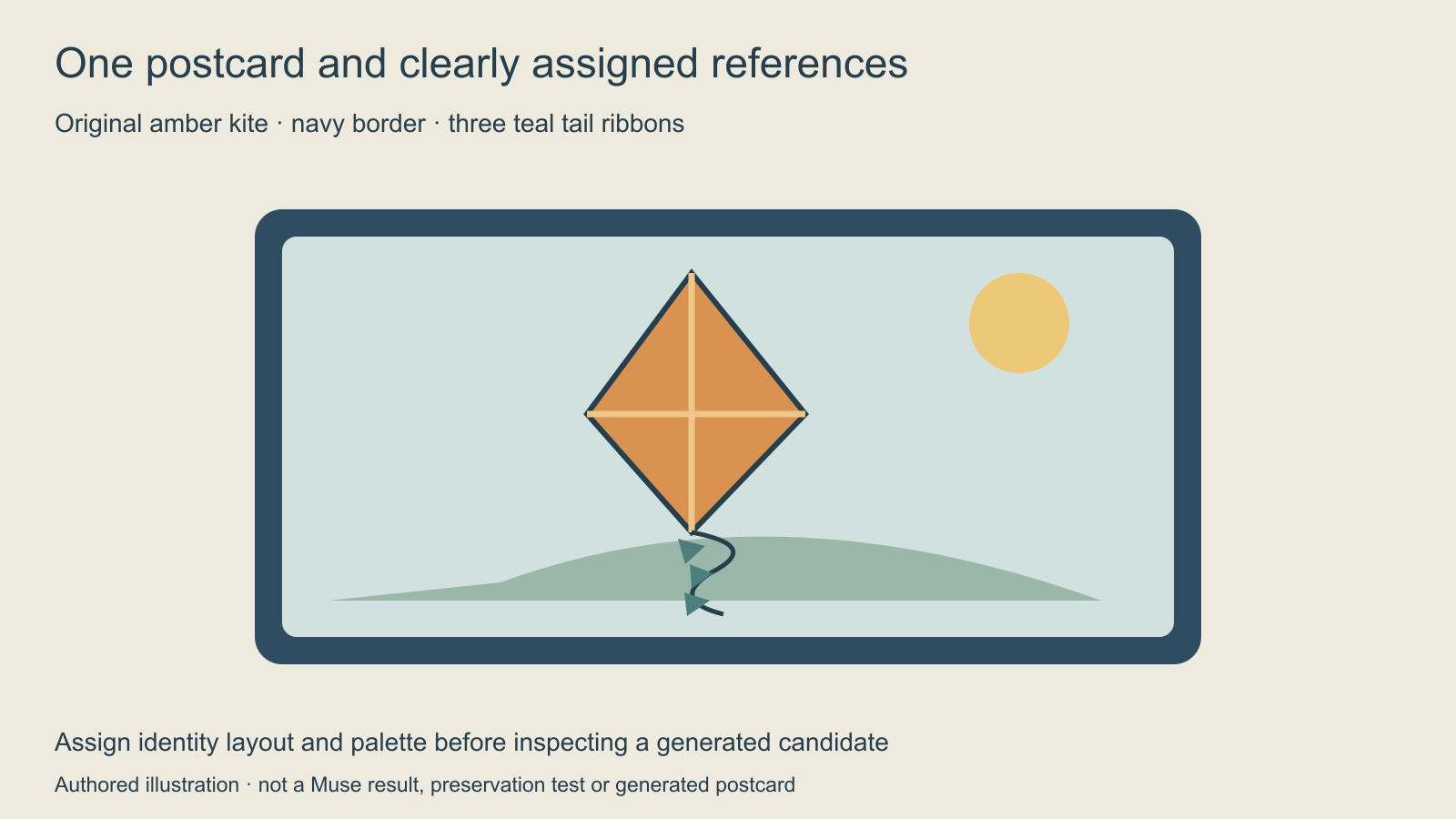
The original example uses an amber diamond kite, a navy postcard border and three teal tail ribbons. The background has a pale sky, simple green hills and a small warm sun. A first revision asks for a softer evening sky while keeping the kite design and border.
Assign the permitted references clear jobs before generation. One may establish the kite identity, another the composition and another the palette. Record the actual order and role used in the real request. Do not let a newly added background reference silently replace the source that defines the subject.
The kite-postcard brief records these anchors and provides blank production fields. It is a human worksheet, not an executed command, API payload or generated result. Use your actual accepted source and the input formats the selected endpoint supports.
Keep accepted outputs distinct from requested changes
Write the revision in terms of what the reviewer can see: soften the evening sky while preserving the kite’s amber body, diamond silhouette, three ribbons and navy border. Then inspect the complete returned candidate. A pleasing sky is not enough if the subject becomes a balloon or the border disappears.
Check identity, composition, rendered text when present and output dimensions separately. Keep the accepted base, new candidate and next requested change as named artifacts. That makes the decision reviewable without assuming a model’s instruction-following claim guarantees perfect preservation.
The blank return-and-review CSV separates requested images, returned images, actual charge and acceptance defects. Include the real service and request identifier when available. These files do not connect an account, enforce a spending cap or cause a generation.
Choose conversation or a single-shot job from the task
For a multi-turn production, preserve the actual conversation reference and accepted image rather than relying on a screenshot of the last prompt. For a one-off task, preserve the complete submitted request and output. Use the provider’s documented state-handling method; an ordinary image filename is not automatically a valid continuation handle.
When comparing another structured-image approach, the Bria Fibo guide explains its documented option combinations and original review ledger. These guides describe workflows to evaluate, not a quality ranking derived from paid tests.
Investigate a limit notice without mixing products
| Observed issue | First evidence to collect | Decision to make |
|---|---|---|
| Consumer usage notice | Current account message and reset information | Follow that product’s stated allowance |
| API parameter error | Endpoint parameter name and submitted shape | Correct the unsupported input |
| API rate pressure | Other Muse Image traffic in the same team | Coordinate the aggregate workload |
| Third-party credit notice | That service’s actual quote and terms | Budget in its documented units |
| Unusable creative result | Returned image and named visual defects | Revise the brief or reject the candidate |
Keep transient service errors separate from a documented quota or invalid request. Save the actual status and request identifier, then follow the provider’s current retry guidance.
Carry the accepted image into your next creative stage
Moving away from a discontinued service requires a separate preservation plan. The Reve migration guide separates generated outputs from original source references and provides a portable project brief.
Explore Clout Image and Video for its current creative tools. This guide does not establish Muse Image access or shared billing in Clout. Preserve the accepted image and its intended anchors when moving to another production stage.
For consistent subject references, use the reference-sheet guide. For a later video-delivery decision, use the SDR-to-HDR guide. A new stage should have its own accepted output and review criteria.


