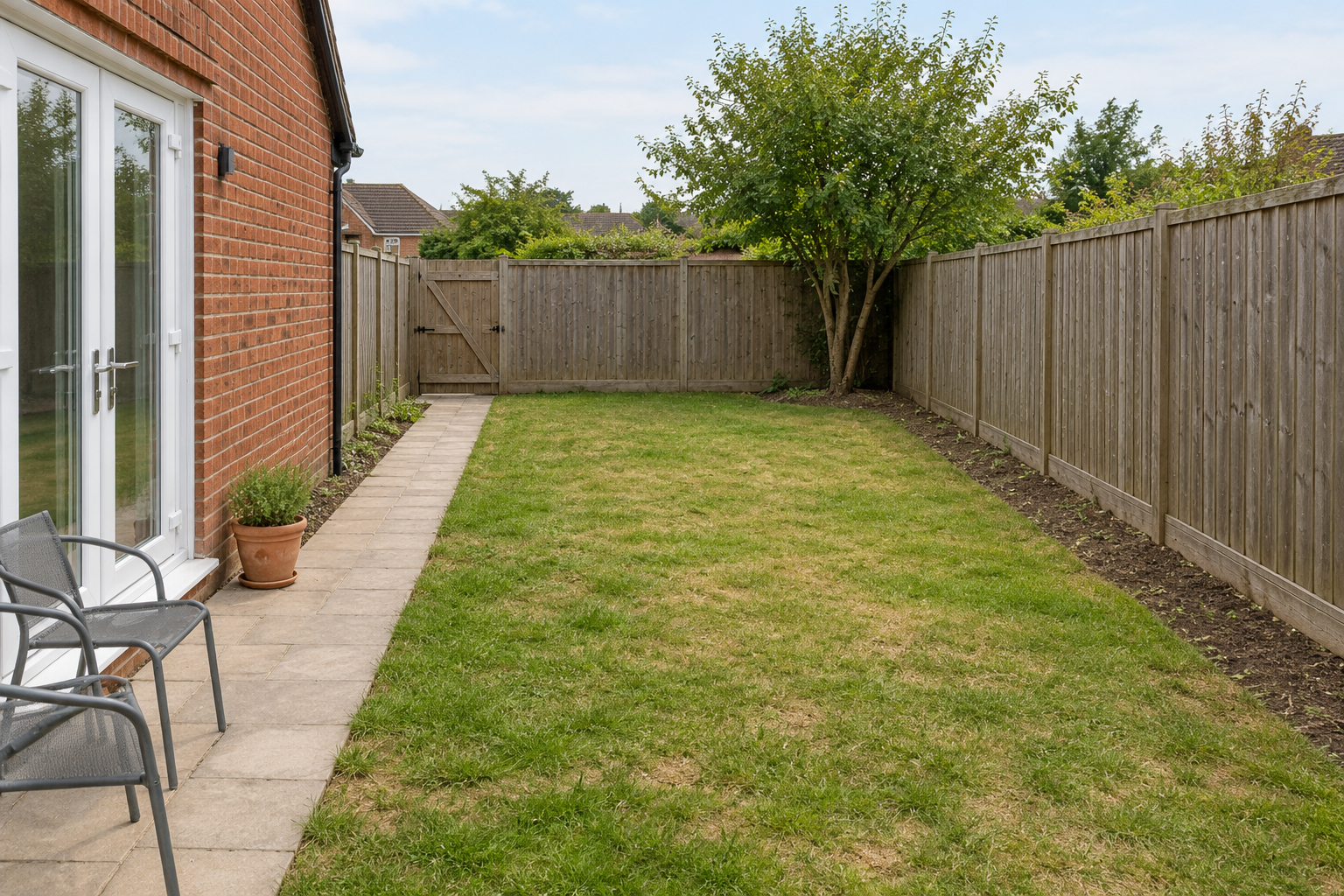
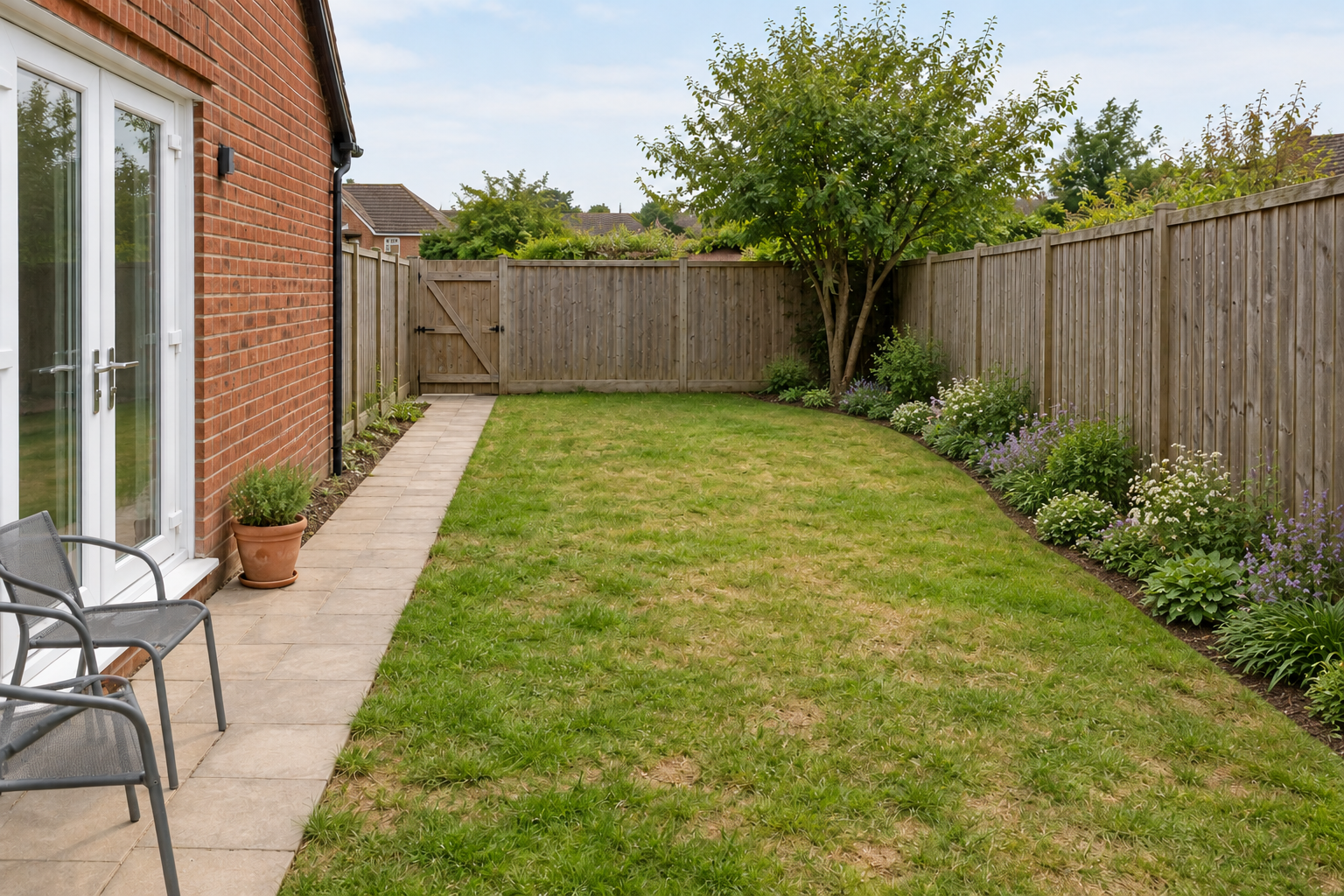
AI landscape design is useful for seeing different garden directions before committing to one. Start with a clear photo, preserve the real site and compare a few controlled concepts. The useful result is a visual brief you can discuss and revise, rather than a picture whose measurements and planting choices are assumed to be correct.
For wall finishes and building details, use the AI exterior design workflow to review rooflines, openings and material changes before combining them with planting.
For fictional scenery and cinematic environment art use the AI landscape generator study with afternoon and blue-hour concepts.
How to use AI landscape design from a photo
- Photograph the space from a fixed viewpoint and record its dimensions separately.
- List the structures, trees, doors and access routes that must stay.
- Choose one goal, such as more usable seating or a clearer garden path.
- Generate one concept with explicit preservation instructions.
- Compare it with the original photo and mark every changed fixed feature.
- Check the preferred idea against the measured site, growing conditions and budget.
Download the editable garden concept brief and blank concept review sheet. They help keep site facts and visual decisions together. Neither file generates a drawing or calculates construction quantities.
Compare an original yard with one border edit
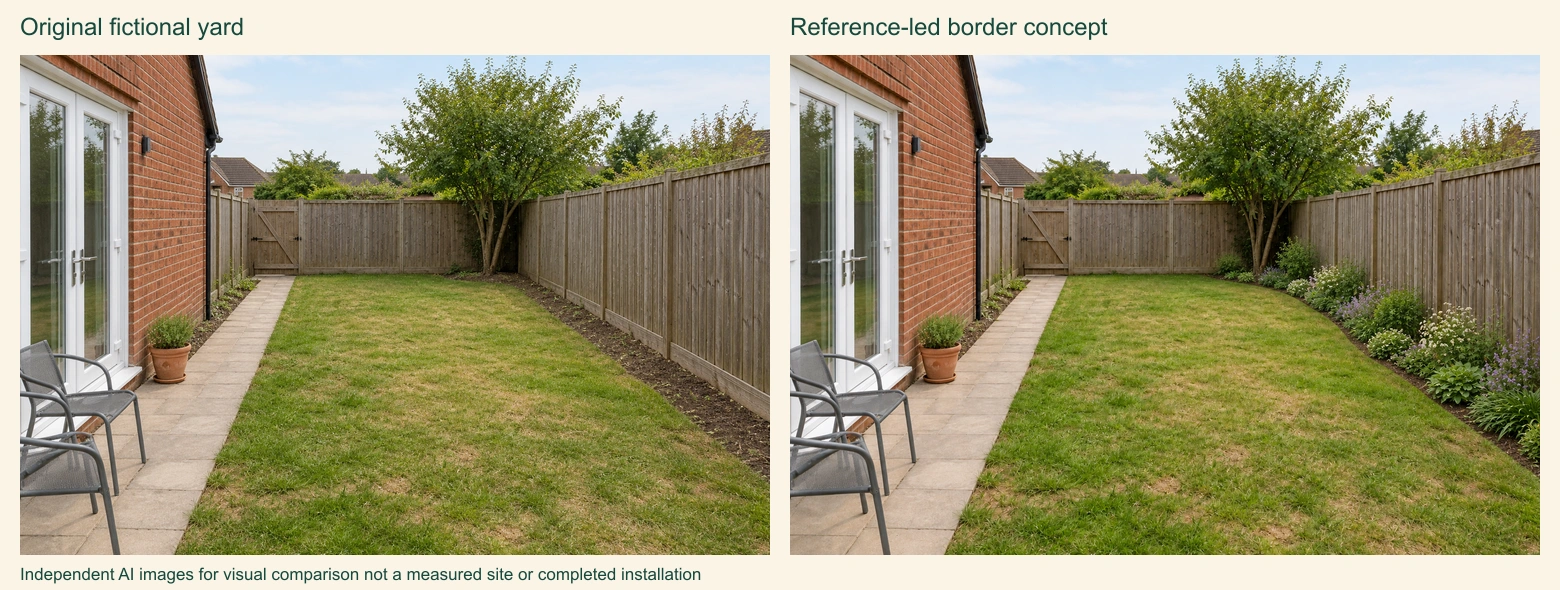
The source has a red brick wall and white French doors on the left, a path to the rear gate, a timber boundary fence, a back-right tree, a pot and two chairs. The edit brief asked to preserve those features and the viewpoint while adding a modest planted border along the right fence. It did not request a new patio, building or lawn replacement.
Download the complete editable example kit, original fictional yard PNG, border concept PNG, source and edit briefs and filled feature review. The layout source rebuilds the comparison using Sharp 0.34.5 and the two PNGs. These files illustrate an actual independent image edit, not a test of a landscaping service.
The main fixed features remain recognizable in the same arrangement. The right border changes as requested, but grass patches, foliage and fine surface details also vary. That unrequested drift is a useful reason to compare more than the new flowers. A visually plausible edit is not pixel-identical preservation of the source.
Review the doors and gate first, then the path, fence and tree. Record whether the intended change blocks access or invents space. This exercise cannot establish actual widths, growing conditions or a planting list: its yard is fictional, and its flowers represent visual color and mass rather than verified species.
Start with a photo and a separate site record
Use a daylight photograph that shows the ground, boundaries and building openings clearly. Stand where the relationship between the house and garden is easy to understand. Keep the unedited original. A second photo from the opposite direction can help explain features hidden by the first view, if the selected tool supports additional references.
Record actual widths, lengths and changes in level outside the image. Note the gate opening, door swing, existing tree position and areas that collect water. A photograph alone cannot reliably establish these measurements. The University of Georgia site-analysis guide identifies light, water movement, climate, utilities and existing plants as factors to record before developing the design. Those observations also make an AI brief more useful.
Choose a tool by the editing job
| Your task | Useful capability to check | What to inspect in the result |
|---|---|---|
| Restyle a real backyard photo | Image editing with your photo as an input | Doors, boundary lines and perspective remain stable |
| Explore a garden mood | Text-to-image concept generation | Materials and atmosphere communicate the intended direction |
| Change one planting area | Supported local edit or mask input | The selected area changes without moving unrelated features |
| Prepare a buildable plan | Measured drawing and site-specific professional review | Dimensions, levels, materials and installation details are verified |
For concept images in Clout Image and Video, select an available image operation and check its supported reference inputs and current quote. Use a photo-editing operation when retaining your real site matters. A text-only image is better suited to an initial mood than to a faithful redesign of a particular property. The general image workflow does not establish specialist surveying or landscape-planning capabilities.
Write a garden prompt that preserves the site
Edit the supplied courtyard photo into a warm contemporary garden concept. Preserve the camera viewpoint, building facade, door and window positions, boundary walls and existing mature tree. Keep the route from the back door to the gate visibly open. Explore a small seating area, restrained terracotta paving and layered green planting with purple accents. Use natural daylight and realistic material texture. Do not add buildings, move the gate or change the property boundary.
This is an original, untested example prompt. The preservation instructions are acceptance criteria, not a guarantee the model will obey them. Compare the result against the source photo before treating it as a useful proposal. If a window disappears or the garden becomes wider, mark that candidate for revision even when the planting looks attractive.
Add the facts you actually know, such as the desired seating capacity and existing shade. Keep unknown plant species or drainage solutions out of the prompt until researched. A clear visual request usually works better than mixing a long plant list, three incompatible styles and several construction changes into one image.
Compare backyard concepts one decision at a time
Make a small set of alternatives with the same source photo and fixed constraints. For example, compare a straight path with a gently curved path while keeping the seating area and planting palette unchanged. Then compare two planting moods on the preferred layout. This makes it easier to identify what improved the space.
For a narrow backyard, review whether the apparent route remains continuous and whether furniture blocks the door or gate. For a front yard, keep the entrance easy to locate and review the real relationship between the path, driveway and planting. For a small courtyard, compare usable seating space before adding decorative objects. These are visual review questions; confirm clearances with actual measurements.
Use the CSV to record the candidate filename, preserved features, proposed change, visible defects, measurements to check and next action. Rejecting an image with changed geometry is more useful than averaging its appearance into a vague score. Keep the accepted reference beside the original so the next revision has a clear target.
Check planting ideas against growing conditions
Use AI garden design imagery to discuss plant height, massing, texture and seasonal mood. Verify exact species separately. The University of Minnesota landscape guidance recommends matching plants to site conditions, including light, soil and spacing. A visually convincing plant arrangement does not establish that its species will thrive locally.
Record sun exposure, soil observations and available maintenance time. Review mature size and local suitability with regional horticultural sources or a qualified local professional. A compact shrub shown in a rendering may have a much larger mature spread. Resolve the planting list before purchasing plants, and keep any unresolved identification visible in the brief.
Review materials and budget after choosing the direction
A generated patio texture cannot tell you the material specification, installed price or sub-base required. List the visible material intentions, such as warm-toned pavers or a pale gravel area, then obtain appropriate product information and local estimates. Separate things you want to keep from things you might replace.
Plan phases around useful outcomes. One concept might improve the existing seating area first and defer a larger planting change. Another might retain the current paving and change only furniture and containers. Compare the actual scope before calling either option lower cost. An image cannot confirm quantities or installation feasibility.
Turn the selected image into a useful handoff
Give the next reviewer the original photos, measured base information, selected concept and marked list of differences. Label the image as an AI concept. Explain which details are intentions and which facts have been checked. Keep site levels, drainage, structures and buried services for appropriate on-site investigation rather than inferring them from the rendering.
Ask for the next decision you need: a planting recommendation, a measured layout or an installation estimate. This keeps a visual exploration connected to the real project. Save the final approved plan separately from the concept image so an attractive mockup is not mistaken for the installation instructions.
Use the same concept for creator and marketing work
Garden designers and creators can use approved visual concepts to explain mood, compare options or plan a presentation. Preserve the distinction between proposed work and completed work in captions. Do not present generated landscaping as a photographed client installation.
For other image-led production briefs, see the AI food photography workflow and album cover workflow. Each starts with a different delivery requirement, but all benefit from a clear reference, controlled revisions and a reviewed final asset.