An AI anime video opening works when the viewer recognizes the same character across a deliberate sequence. A collection of attractive clips can still feel disconnected if the costume, palette and story direction change every few seconds. If you need a premise, use the free animation idea generator to build a small story first. Start with an opening you can finish: one lead, one location family and one visual motif.
The planner above turns a character and premise into eight editable shot briefs. It is free to use without an account and keeps its inputs in the browser component. Use its timing as an editing target, then revise the cut points around your music and actual usable footage. It does not submit prompts or render a video.
Choose the anime video workflow that fits your inputs
| Starting material | Useful route | Main review task |
|---|---|---|
| An approved anime character image | Image-to-video clips built from scene references | Face, costume and linework during movement |
| A story premise only | Design reference stills before animating | Recognizable identity across separate compositions |
| Live-action footage | A video stylization workflow supporting that input | Motion preservation, edge stability and shot boundaries |
| A music track and rough storyboard | An editor with independently generated clips | Musical phrasing, useful holds and clean transitions |
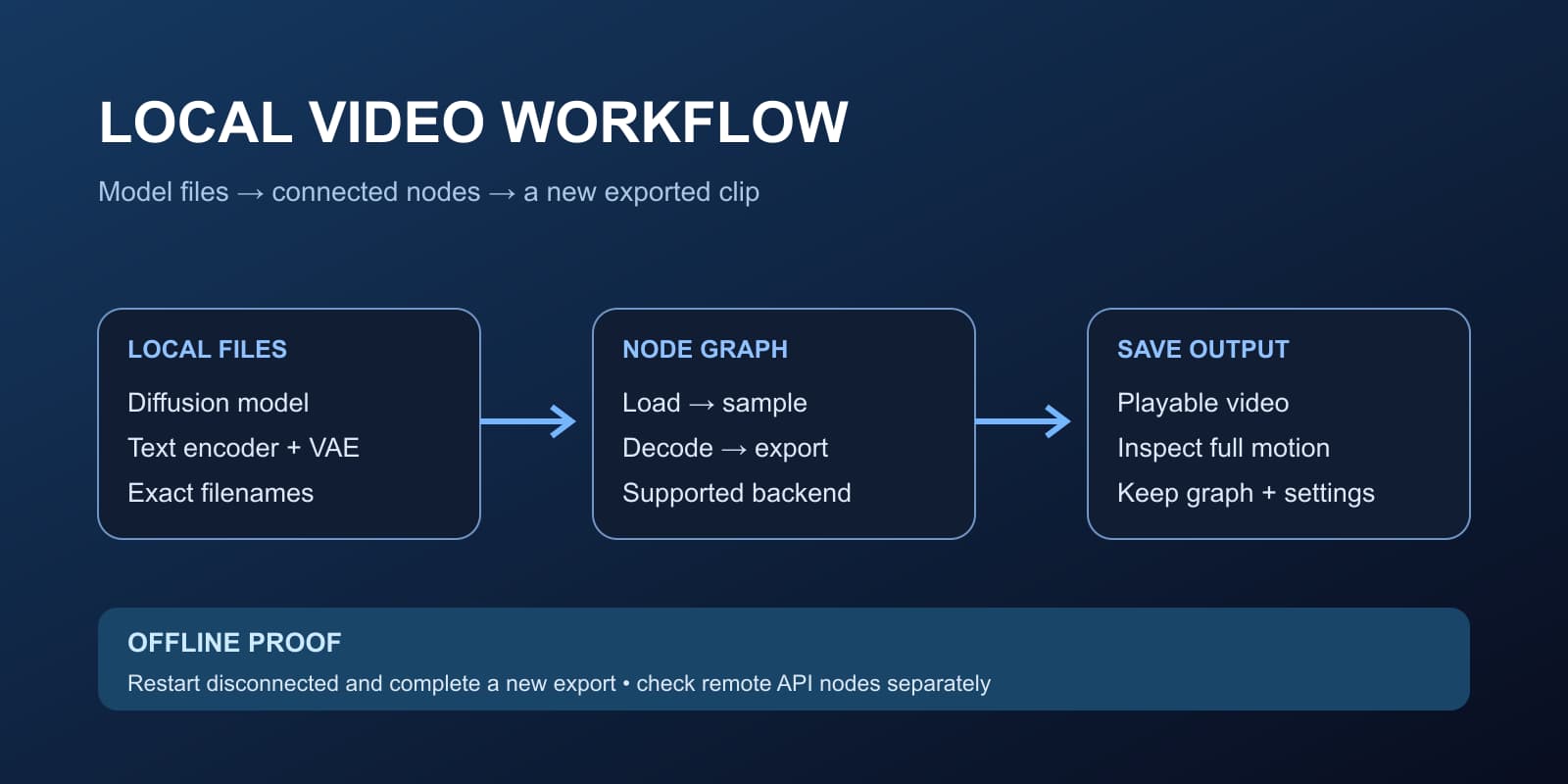
| A local-generation requirement | A compatible downloadable model and runtime | Setup, checkpoint terms and completed offline exports |
A tool described as an anime AI video generator may accept a prompt, an image or an existing video. Check the actual input route before choosing it. For the local option, use our open source video setup guide. For shot-quality review, use the video review workspace. A still-image generator alone cannot deliver animated character motion.
Lock the character design before the first animation
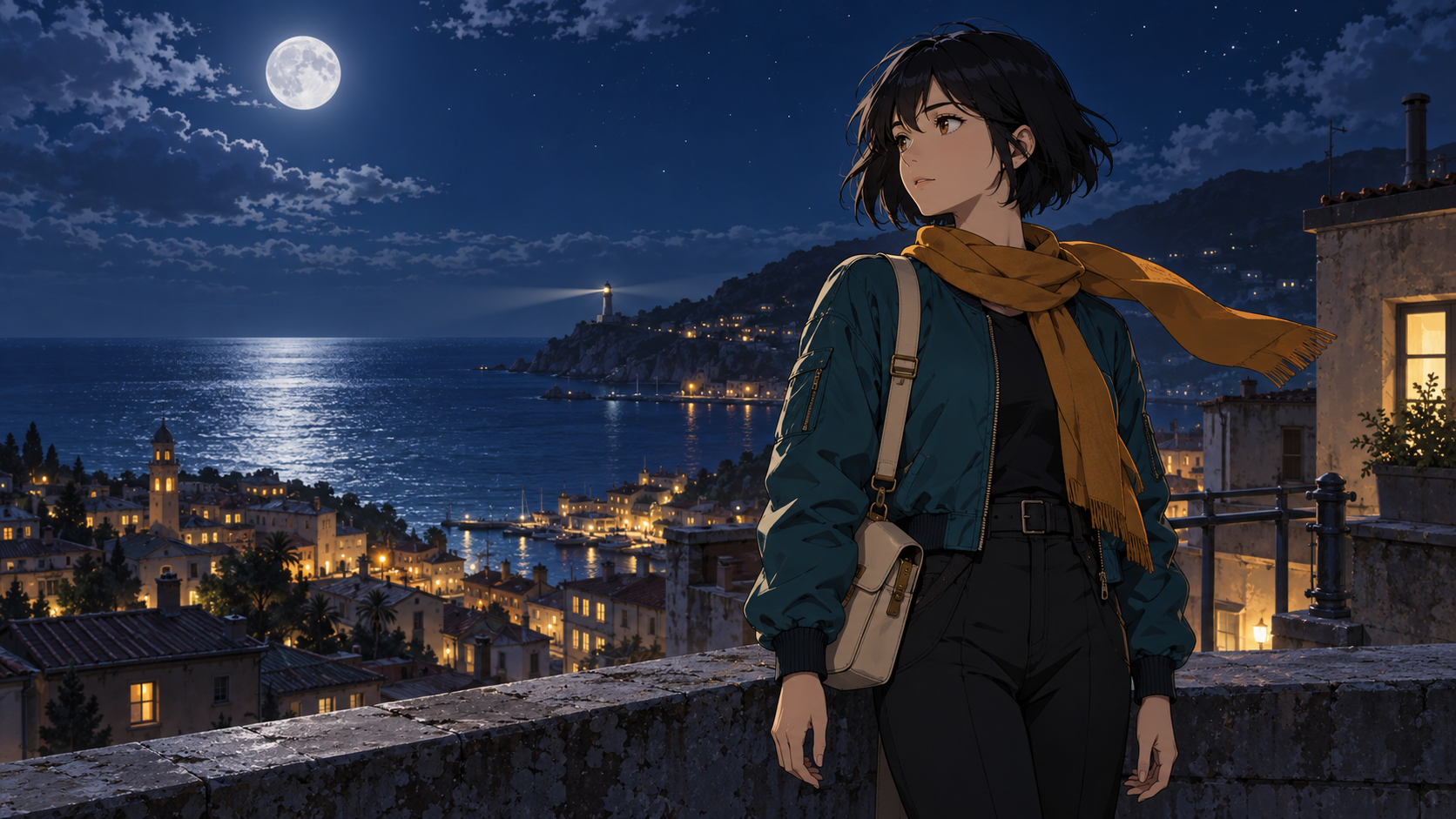
Write a short identity record: age range, face shape, hair silhouette, outfit layers, two main colors and one repeatable accessory. For this example, the lead is an original adult courier with a dark bob, teal jacket, amber scarf and cream satchel. The story is a final delivery of light to a coastal city before sunrise.
Approve the neutral reference before adding difficult poses. Check both hands, the jacket closure, satchel strap and scarf attachment. Keep the accepted image available as the visual anchor for later scenes. A written description helps, but a repeated prompt does not guarantee identical drawings across generations.
Separate persistent design from shot direction. Put the same identity record into each image brief, then change the framing and location. Do not alter the character's hairstyle to make a close-up more dramatic. If a scene changes the palette, keep at least the costume shapes and proportions readable.
Download the original reference still and its prompt
Download the original anime courier PNG and download its generation prompt. This is an AI-generated still made for this article with the built-in image generation tool, not a frame extracted from a tested video. The download preserves the generated image dimensions. The page cover uses a lossless WebP version of the same artwork.
Original fictional adult courier, 25 years old, short ink-black bob, teal flight jacket, amber scarf, small cream satchel, standing on a moonlit rooftop above a quiet coastal city, one distant lighthouse and warm windows. Crisp hand-drawn anime-inspired cel shading, clean controlled linework, nuanced painted background, cobalt night and warm amber contrast, clear silhouette, believable hands relaxed at sides. Wide cinematic composition with subject right of center and uncluttered open sky. One continuous scene with no text or logos.
The image establishes the color scheme and location. It does not provide all eight required first frames. For a motif close-up, create a separate composition around an approved story object; for the final title hold, create a clean background. Review those images before spending generation attempts on motion.
Build a short opening with eight distinct beats
The default planner produces a 30-second timeline at 24 fps. Each of its eight edit targets lasts 3.75 seconds. The frame intervals are contiguous and end at frame 720. This arithmetic is a planning convenience, not a claim that a video model supports 3.75-second outputs.
| Beat | What the viewer learns | Example |
|---|---|---|
| World | Where the story happens | Coastal city and lighthouse at night |
| Creator | Who leads the story | Courier raises their gaze on the rooftop |
| Motif | Which object matters | A sealed amber lantern catching light |
| Journey | What changes | Two measured steps toward the rooftop exit |
| Contrast | What is missing | A quiet dark courtyard |
| Resolve | Why the lead continues | A restrained determined reaction |
| Return | How the world connects to the lead | Wide rooftop view echoing the opening |
| Title | The name of the original series | Clean sky with an editor-added title |
Use longer holds around a reveal and quicker cuts around contrast. The planner provides a starting structure; equal-length shots are not a substitute for listening to the track. Keep your title and credits in the editing layer so a revision does not require regenerating artwork.
Write motion prompts around one action
Runway's image-to-video guide distinguishes the input image, which guides appearance and composition, from the prompt, which describes motion. It recommends starting with the essential movement and adding detail through iteration. Apply that distinction when evaluating your chosen model rather than assuming every provider accepts the same syntax.
Medium portrait using the approved courier reference. The courier gently lifts their gaze while the amber scarf moves in a light breeze. The camera makes one slow forward move. Continuous shot.
Wide rooftop shot using the approved location reference. The courier takes two measured steps toward the open doorway. The camera tracks slightly sideways. Maintain a readable silhouette throughout the movement.
Clean coastal sky and distant lighthouse. The camera stays locked while the lighthouse beam moves slowly across the horizon. Leave the center open for a title added in the editor.
These are untested motion briefs. Generate and watch each full result before approving it. Avoid asking for a turn, sprint, leap, transformation and scene change in one short shot. If the satchel strap disappears during a turn, reduce the turn or choose a clearer starting pose. Save rejected takes with the failure noted so the next revision addresses a concrete problem.
Edit to music and keep captions inside the frame
Place the music in the timeline first and mark its phrases, major changes and final accent. Arrange accepted clips around those markers. A usable three-second passage inside a longer generation can be enough for a cut; the entire generated clip need not become the entire shot.
Use the anime music video guide and audio cue planner for a soundtrack-led sequence. For an anime music video, connect each repeated chorus motif to a recurring image rather than introducing another unrelated setting. For a short opening, make the first shot establish the world quickly and leave enough time for the last title to be read. Use music you have permission to publish and retain the relevant license or account terms with the project.
Add text in the editor and inspect the actual destination crop. Keep captions near the center when that helps readability, while leaving the character's expression and story object visible. Check descending letters such as y and j, the first and last caption frames and the difference between landscape and vertical delivery. Export a phone-size preview before the final render.
Make an original anime opening parody
An AI video anime opening parody can exaggerate familiar opening conventions without losing its own story. For example, give an ordinary courier delivery an overly dramatic wind pose, cut to a solemn close-up of a tiny lunchbox, then return to the mundane rooftop exit. The joke comes from the contrast between the cinematic treatment and the small task.
Write the joke into the shot plan before generating. Keep the same character design through the serious and comic beats so the payoff reads as one scene. Build an original premise and soundtrack; do not rely on a copied title sequence to make disconnected footage feel coherent.
Fix common anime video failures
| Problem | Inspect | Next revision |
|---|---|---|
| The lead looks different in every shot | Reference selection and costume record | Approve scene stills against the same anchor before animation |
| Linework shimmers | Full-speed playback and high-detail edges | Simplify texture or reduce the movement |
| Hands change during contact | Object grip and visibility in the first frame | Use a clearer pose or an insert without complex contact |
| The edit feels like a slideshow | Action differences and musical phrasing | Mix deliberate motion shots with meaningful holds |
| Text melts or clips | Where the text was created and the final crop | Add clean text in the editor and recheck the export |
| Output quality varies by route | Same reference, action and delivery size | Compare equivalent tests rather than unrelated showcase clips |
Finish one short sequence before planning a full episode. Use the full anime episode guide and workload calculator to budget the next production. Longer stories add dialogue timing, scene continuity, sound, pacing and many more revision decisions. A completed opening is a useful production milestone, not proof that one prompt can generate a finished episode.
For your next production brief, use the storyboard guide, camera movement prompts and character consistency workflow. To create a recurring original creator and campaign scenes, start your character in Clout.