Looking Ahead is a recent autoregressive video generation research release built around Future Chunk Prediction, or FCP. Its practical motivation is familiar to anyone reviewing AI motion: a convincing first frame or a smooth neighboring frame does not establish that the scene evolves coherently through the action.
This guide explains the release, the distinction between training and inference, and a concrete workflow for inspecting continuity. It includes two original authored motion references and their trajectory data. They are review exercises, not Looking Ahead outputs. We inspected public sources and configuration files but did not install model weights, run inference or reproduce a benchmark.
What is Looking Ahead and Future Chunk Prediction
The Looking Ahead paper, dated October 21, 2026, describes FCP as an auxiliary training objective. It predicts temporally separated future chunks from current representations without the intervening visual context. The authors use supervision from training videos and report improved physical plausibility compared with their teacher-forced baseline.
FCP is introduced during training and leaves the autoregressive inference process unchanged. It is not a prompt command that asks an arbitrary video model to inspect the future. Nor does this guide’s motion example demonstrate that a model has learned physical laws.
The official project page explains parallel future predictors, single-chunk conditioning and training-only modules. It presents controlled comparisons and example videos. Review the named setup and evaluation conditions before transferring a reported result to a different checkpoint, input or production job.
Check the released model and environment before planning a run
The official source revision inspected here is 15f90becc4d37f4f8c74cb0c868b6d855a7c605d. Its README provides baseline and FCP weights for two model sizes, setup instructions, and text-and-image/video conditioning examples. The official weight repository is a separate download from the upstream model assets described in the setup.
The authors list a tested Linux environment with an NVIDIA H200, Python 3.12 and CUDA-enabled PyTorch. That is a reported tested environment, not a minimum VRAM claim or proof that another machine is supported. This guide does not supply an unverified laptop installation recipe.
The pinned five billion parameter configuration sets fps: 24 and contains future-prediction offsets. Treat configuration values in their documented context. A training offset or latent block size is not automatically a creator-facing duration control in displayed video frames.
Define a physical action you can actually review
Choose one object, one action and one consequence. For an initial pilot, a ball reaching a surface and moving away is easier to inspect than a crowded scene with several interacting materials. Name what must remain stable: the object count, shape, ground level, direction and camera. Then write the event that should change the state.
For a product scene, this may be a lid opening, a hand releasing an object or a container receiving material. For an AI cinema shot, it may be a character placing a prop and leaving it behind. The important review is the action’s continuity and consequence, rather than whether the opening image is attractive.
| Review stage | Question | Record |
|---|---|---|
| Before contact | Does the object approach the intended surface coherently | Direction shape and approach interval |
| Contact | Is the interaction readable without an unexplained position jump | First inspected contact frame and uncertainty |
| After contact | Does the next state follow the action in the brief | Trajectory or state change and any regression |
| Later continuation | Do object count and scene layout remain stable | New artifacts and the observed time range |
Inspect the original motion continuity exercise
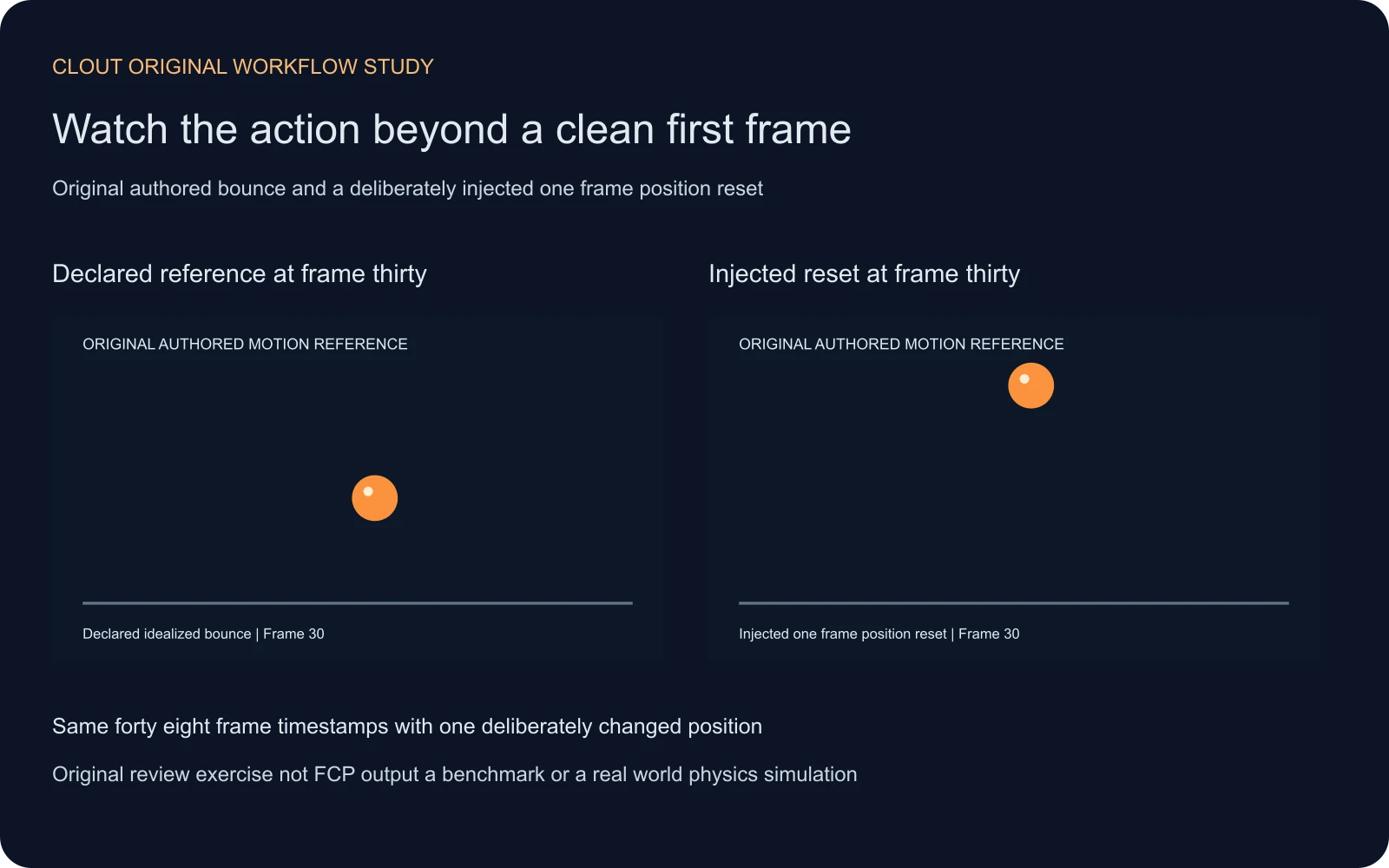
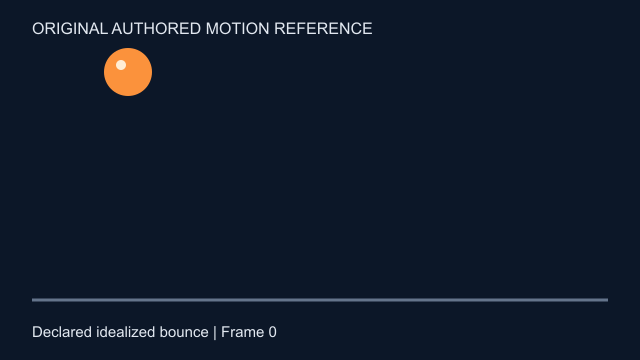
We authored a two-second reference with 48 frames at 24 fps. An orange ball travels over a fixed floor using a declared idealized screen-space trajectory. The radius is 24 pixels, the floor is at y300 and the ball center reaches y276 at contact. The first contact occurs at 0.75 seconds; the next occurs at 1.725 seconds in the continuous trajectory.
The comparison changes one thing: frame thirty, at 1.25 seconds, resets the ball’s vertical position to its starting height. Every timestamp remains the same. That deliberate jump demonstrates why regular presentation intervals do not establish coherent motion inside the frames. It is an authored counterexample, not a defect attributed to Looking Ahead or Clout.
Watch this clip and view its details
Watch this clip and view its details
Watch each complete clip, then inspect the area around 1.25 seconds. Download the reference MP4, injected comparison MP4, first frame PNG and trajectory CSV. Browser seeking can be approximate; use the CSV’s frame index and a frame inspection tool when you need an exact sample.
Keep motion content separate from timestamp cadence
Both encoded clips have the same frame count, rate and duration. Their difference is a chosen position at a single authored sample. A cadence statistic alone cannot identify that semantic difference. Conversely, a coherent sequence can still have a playback or delivery problem that needs a separate timing investigation.
Use the video stuttering guide and local timing lab for timestamp evidence, and the StreamEval guide for a different interactive-system review problem. Keep media timestamps, frame receipt observations, visible motion and instruction success as separate fields rather than compressing them into a generic quality score.
Our reference uses an idealized two-dimensional bounce with a fixed restitution value of 0.65. It excludes real-world material deformation, friction, rolling, lighting and camera motion. It is useful as an inspectable scene brief and a deliberately simple comparison, not a physics simulator or a universal ground truth for generated footage.
Plan a fair pilot for a released checkpoint
- Read the current setup and license for the exact source and weight release you intend to use.
- Record the upstream assets, selected checkpoint, configuration, prompt, input type and output settings.
- Choose one narrow motion brief and identify the visible consequence before running a generation.
- If comparing methods, retain the relevant matched conditions rather than mixing unrelated examples.
- Save the complete output and inspect the approach, contact, aftermath and continuation.
- Record failures and unmeasured fields explicitly; do not present the authored exercise as a generated success.
A same-seed comparison may help organize experiments where supported, but it does not make different systems or settings equivalent. Keep the accepted files and actual run conditions with the review. A single illustrative clip cannot establish a general model ranking, runtime guarantee or production success rate.
Use the action brief for creator scenes
When your goal is a finished creator asset rather than a research deployment, start with the scene and available workflow. In Clout AI Cinema, plan connected coverage around the event and its consequence. For a focused motion shot, evaluate the supported input and operation in Image and Video, then inspect the returned file.
This page does not claim that Looking Ahead checkpoints or FCP training are available inside Clout. The transferable value is the review discipline: define what changes, preserve what should remain, and watch the complete result. For a dramatic sequence, use the short drama workflow to connect the action to a story beat.
The original trajectory helper, asset builder, study record and asset manifest make the exercise reproducible. Keep those authored materials separate from any model output you create later.