What Higgsfield Content Factory does
Higgsfield Content Factory presents a faceless short-video workflow with two entry points: Generate in Claude and Generate here. Its public interface accepts a topic and offers reference, length and episode controls. The Claude tab links to the Higgsfield MCP connector. This guide explains that specific workflow; use our general faceless video guide for choosing a format and platform.
Start with one story worth finishing. A batch is useful when the episodes answer different questions, share an understandable visual language and can each stand alone. Repeating a weak hook four times creates more material to inspect, not a stronger series.
Choose Claude or the direct interface
The public page checked October 22, 2026 showed length choices from 15 seconds to 5 minutes in five-second increments and one to four episodes. These are observed controls, not a completed-generation guarantee or a universal account entitlement. Check the current interface before committing a production plan.
| Route | Where to begin | Before running |
|---|---|---|
| Generate in Claude | Open the official connector link | Confirm the account and available tools, then review the actual job |
| Generate here | Use the direct Content Factory tab | Inspect the selected settings and current charge |
If you arrived searching for “Higgsfield Content Factory skill Claude,” begin with the official product and connector pages. A keyword containing “skill” does not identify a trusted installation package. This guide provides a planning brief, not a Higgsfield skill download or an automatic installer. The Higgsfield MCP setup guide covers the connection separately.
Keep connection setup distinct from approving a generation. Connecting a service does not prove which model, cost or inputs a later job will use. Read the proposal and current controls at the point of execution. A planning allowance written in a prompt is not an enforced billing limit.
Use a reference as direction and keep your own story
The reference menu exposes TikTok or Instagram links and upload or file selection. The style gallery also offers reference choices. A reference establishes direction; it does not establish permission to reuse someone else’s footage, likeness, voice or music.
Write down the qualities you need: a restrained palette, a readable silhouette, a deliberate reveal or an uncluttered background. Then invent the subject and explanation. For the example below, the subject is an original folding paper kite. Nothing depends on copying a creator’s script, downloading a reference clip or imitating a real person.
Plan a three-episode paper kite series
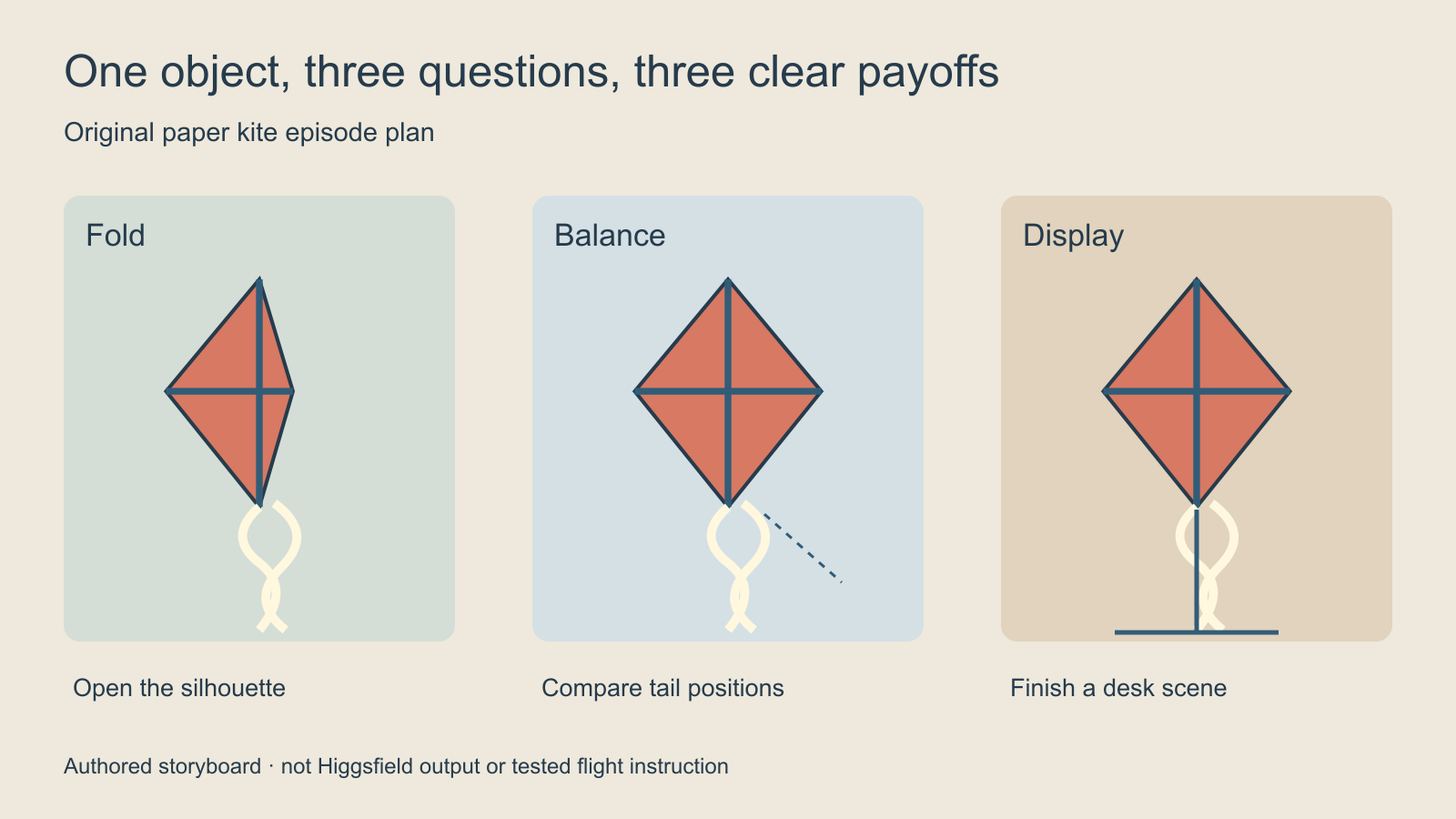
Give the series one visible object and three different explanations. Episode one shows how a flat sheet becomes a kite silhouette. Episode two explains the difference between a balanced tail and an uneven tail. Episode three turns the object into a simple desk display. This is a fictional craft demonstration, not tested flight instruction.
| Episode | Opening question | Visible payoff | Review priority |
|---|---|---|---|
| Fold | How does one sheet become a kite shape | The silhouette opens clearly | Folds and object count remain coherent |
| Balance | What changes when the tail moves | Two arrangements are visibly different | The comparison remains readable |
| Display | Can the same kite finish a small desk scene | A complete display with clear negative space | The kite design stays consistent |
For a thirty-second target, first plan six five-second beats: question, object, change, explanation, payoff and finish. That division is an editorial worksheet, not a claim that the service exposes six individually timed scene slots or will obey every timestamp exactly. Review the actual result and revise the edit around what it contains.
Start with this Content Factory planning prompt
Plan one original faceless short about a coral paper kite with a dark blue spine and two cream tail ribbons. The question is how one flat sheet becomes a recognizable kite silhouette. Target thirty seconds with six clear editorial beats: question, flat sheet, first fold, opened wing, complete shape, quiet closing view. Keep the object design and palette consistent. Use a calm explanatory tone. Treat the supplied reference only as visual direction. Do not copy its script or music. Show the plan and the proposed generation settings and charge before running.
This is an original brief to adapt, not an executed tool command. Put the subject and required change near the start. Keep optional mood language after the visible action so you can identify which instruction failed. If the kite changes color, correct that failure before expanding the series or adding a second visual style.
Download the editable episode brief and blank review CSV. The brief separates shared design rules from episode-specific hooks. The CSV records actual duration, cost, output location, defects and the acceptance decision. Neither file connects an account, schedules a post or generates media.
Review one episode before expanding the batch
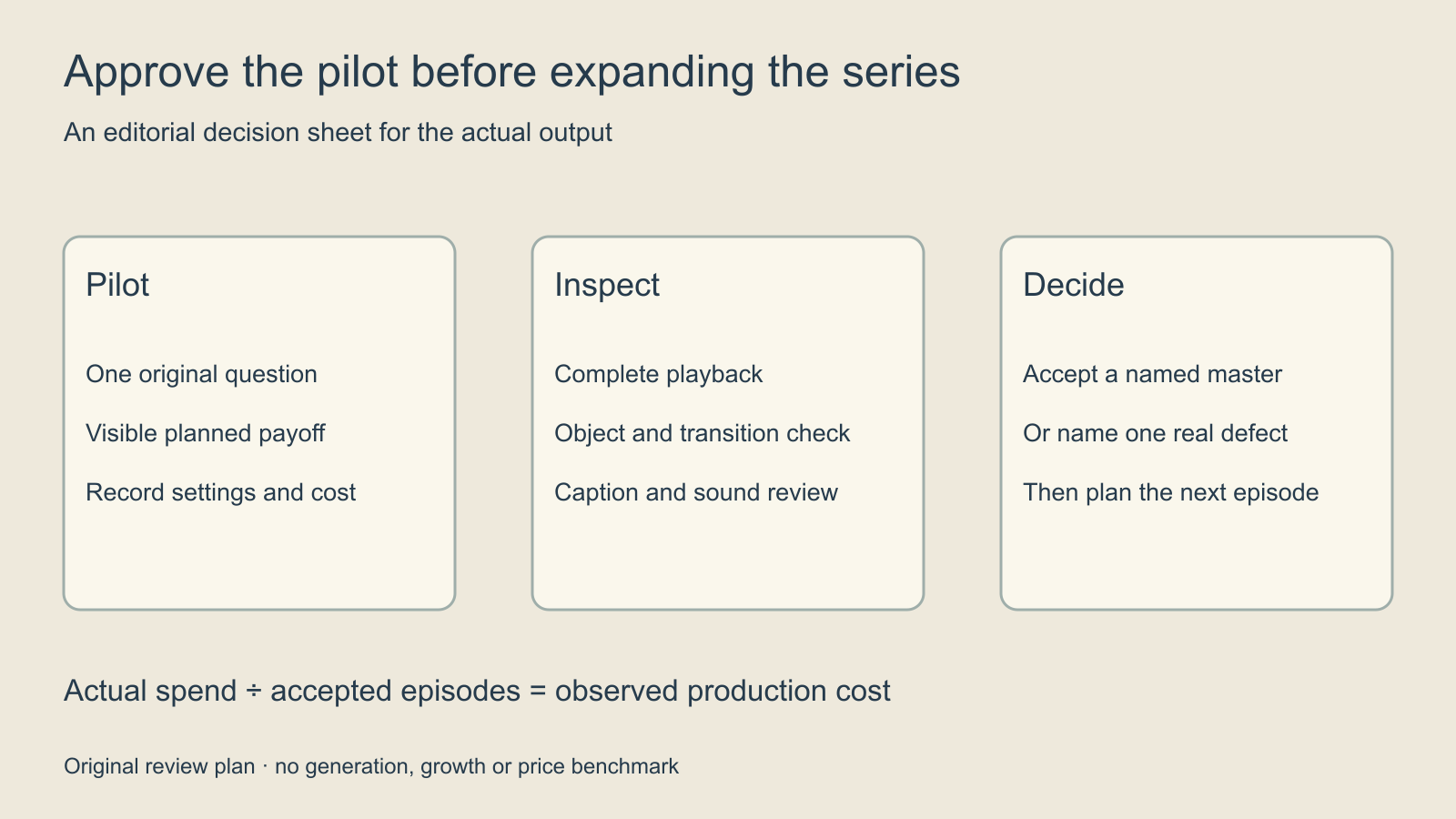
- Watch the complete pilot at normal playback speed.
- Check whether the opening question is answered by a visible event.
- Inspect the kite’s shape, colors, ribbon count and transitions.
- Read every caption and listen for unclear or repeated narration.
- Record actual length and any missing, repeated or contradictory beats.
- Accept the pilot or name the specific defect before another attempt.
Review the story separately from the finish. A beautiful frame can still fail to explain the fold. A correct explanation can still contain unreadable captions or a distracting sound cut. Keep the accepted master separate from working candidates, and keep rejected versions when they explain why a later revision was necessary.
Measure accepted episodes and viewer response separately
Use actual spend divided by accepted episodes to understand production efficiency. For example, a hypothetical twelve-credit experiment that produces two accepted episodes costs six credits per accepted episode before editing time. This is arithmetic for your own log, not a Higgsfield price quote. Failed attempts belong in the numerator.
Publishing is another stage. Track the opening hold, completion and qualified actions on each platform using its available analytics. A gallery’s displayed views do not predict your results. Change one meaningful creative decision for the next pilot, such as the opening question or payoff timing, so you can interpret the response.
Do not assume that selecting several episodes also schedules them. Keep the release plan in your own calendar unless the current account explicitly exposes and confirms a supported publishing workflow. Our faceless posting schedule guide covers that separate editorial decision.
Choose the next workflow by the actual job
Use the Supercomputer guide for planning a separate product-asset batch. Use the kinetic typography guide when exact caption timing is the remaining edit. A faceless story and a creator-led product demonstration need different evidence and acceptance rules.
Clout’s faceless video workflow is an alternative to evaluate against your own script and output requirements. This article does not add Content Factory to Clout or claim the two products share controls, pricing or model access. Use the same pilot brief and record real results before choosing where to produce a series.