For a sequence whose lighting changes over time, see the color script workflow and original lighting study.
To record the position and role of planned sources, use the free lighting diagram maker and original studio study.
What is a fashion moodboard
A fashion moodboard gathers the visual decisions that give a collection, outfit or campaign its direction. It can combine silhouette references, colour choices, material ideas, styling and photography. The useful result is a shared understanding of what to make next, rather than a collection of attractive pictures with no relationship to one another.
Istituto di Moda Burgo’s guide describes moodboards as a way to communicate a project’s theme through visual material. For an AI-assisted workflow, add one practical discipline: identify which reference controls the garment and which references only suggest lighting, setting or attitude. A dramatic photograph should not quietly authorise a different pocket, collar or fastening.
This page focuses on the planning stage before a campaign set. Use the AI lookbook guide next to organise and review a coordinated series of images. The general free local moodboard maker provides the layout tool. Here we work through fashion-specific reference roles and garment decisions with an original example.
An original fashion moodboard example
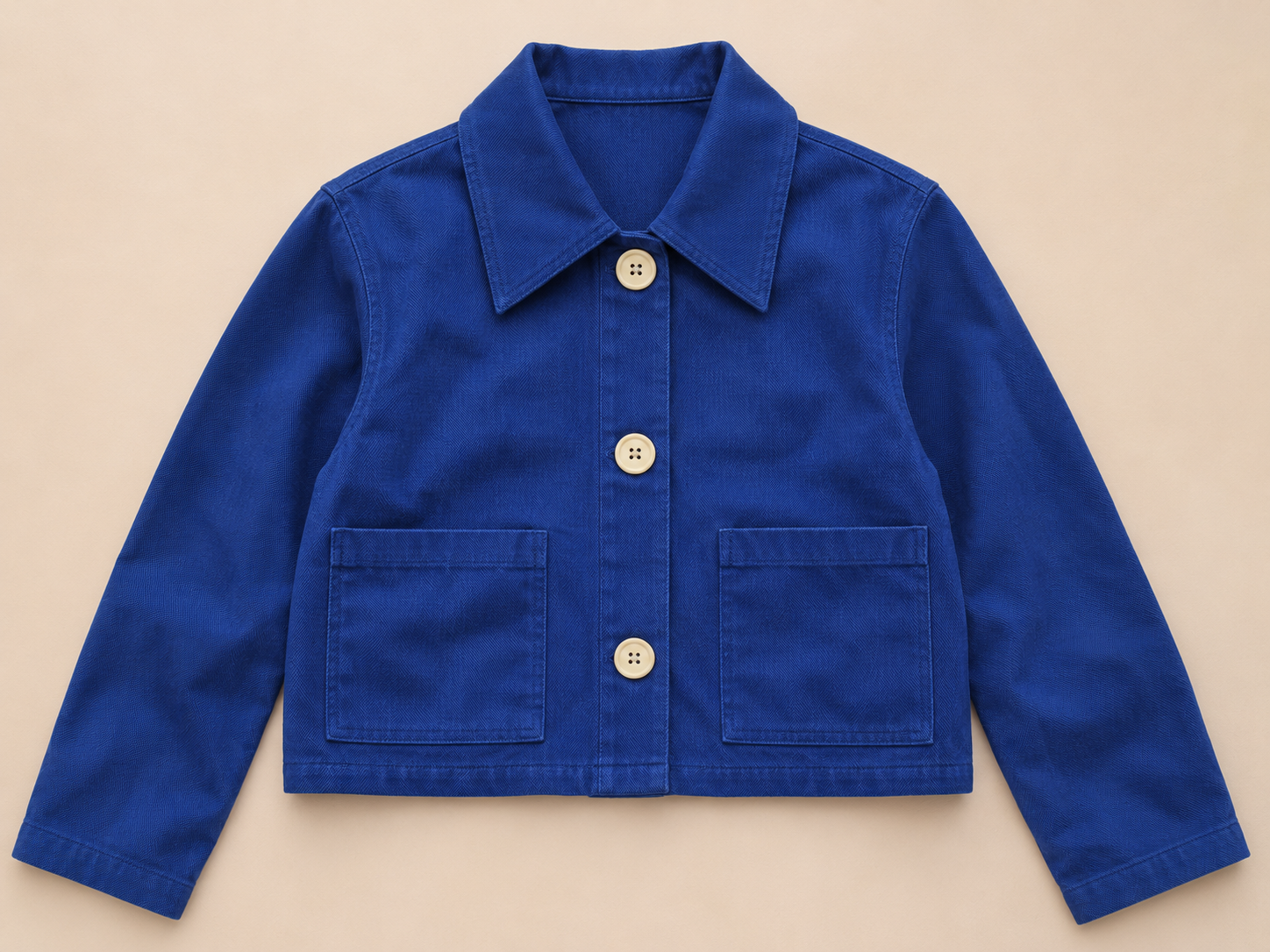
Cobalt Workday is a fictional campaign direction built around a cropped cobalt jacket. The intended garment has three ivory centre-front buttons, two lower rectangular patch pockets, a pointed collar, a straight hem and plain cuffs. Chalk, burgundy and ivory support the styling. This is a design concept, not an existing product offered for sale.
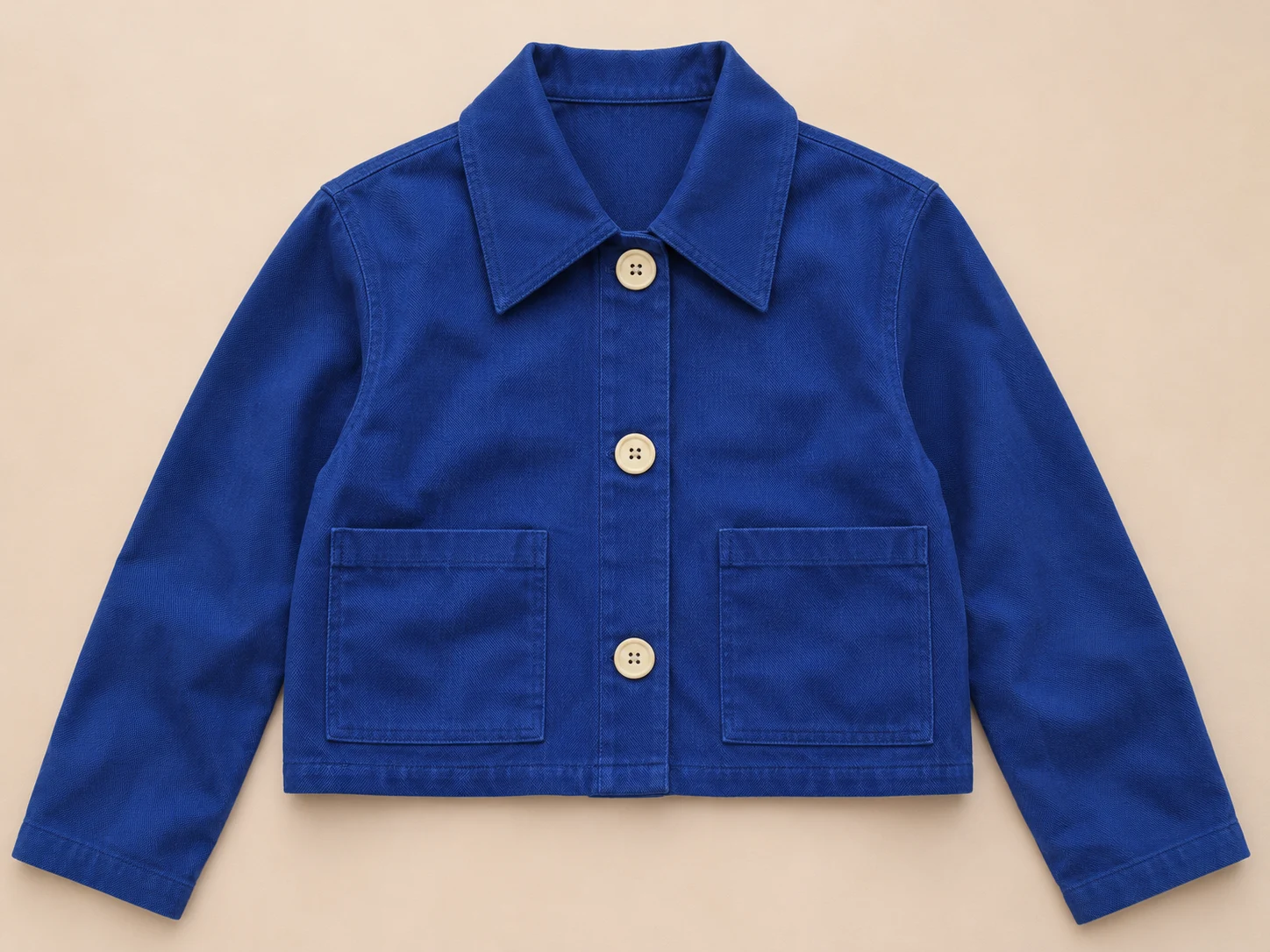
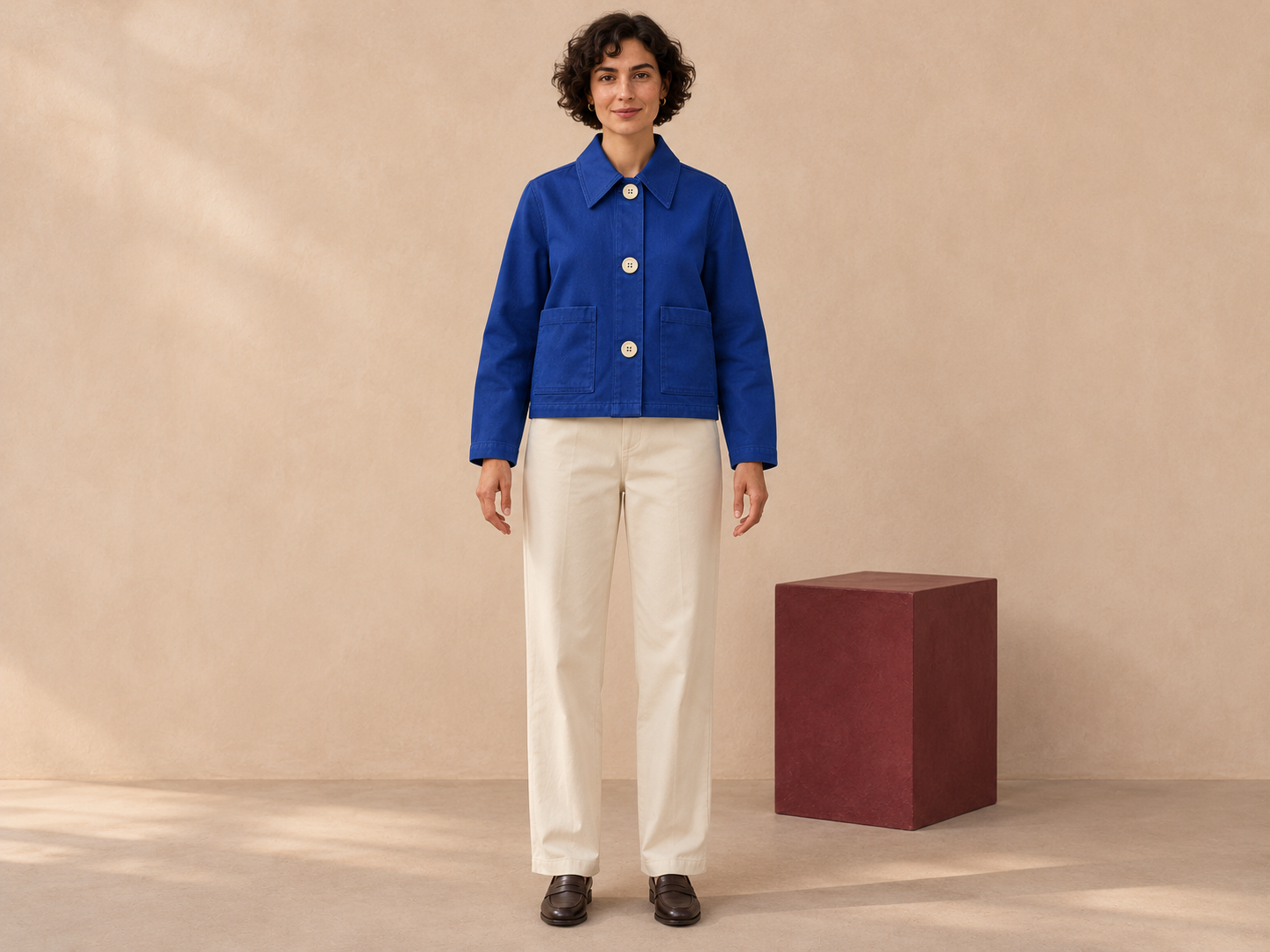
We first generated the flat lay above, then supplied that image to the built-in image-editing tool for a separate styling request. The second request asked for a fully clothed fictional adult model, ivory trousers, dark loafers and a chalk studio with a burgundy block. It also asked to retain the visible garment features. The request and the output are different evidence: asking for consistency does not establish that the output achieved an exact match.
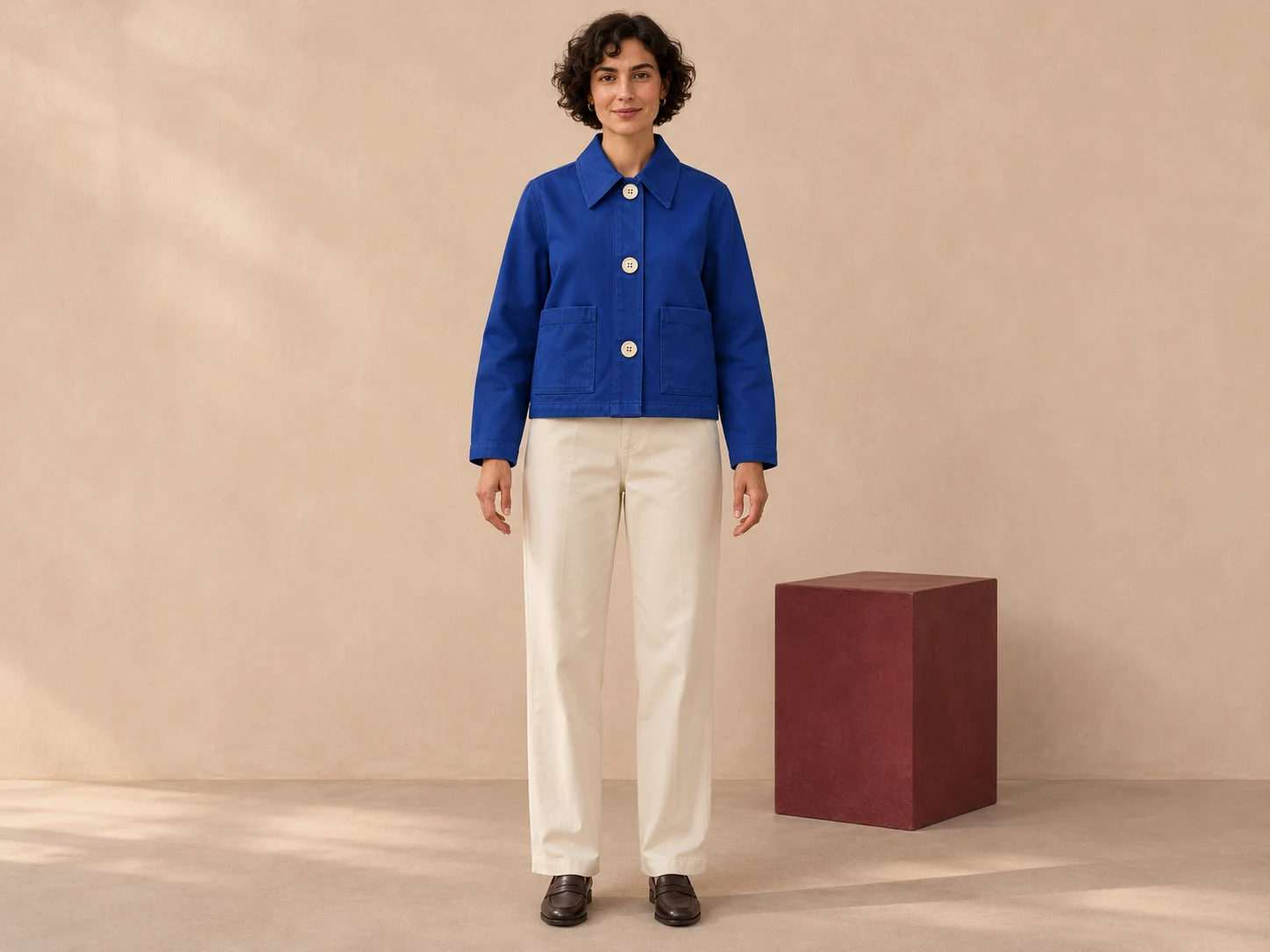
The two images are separately inspectable at their native 1448 by 1086 dimensions. The small photographs inside this page’s cover belong to a separate editorial illustration. Their buttons and pocket styling are not evidence for this study. Keep the cover, source concept and candidate labels distinct when sharing the example.
Review the garment before accepting the styling
| Review question | What is visible in these two images | Decision |
|---|---|---|
| Are three front buttons still visible | Three light buttons appear in both views | Coarse count retained in this candidate |
| Are there two lower patch pockets | Two appear in both images without visible pocket buttons | Coarse count retained |
| Do pocket proportions match | The styling pockets appear narrower than the broad flat-lay pockets | Review again before claiming an exact garment match |
| Is the collar relationship exact | Both are pointed; their apparent width and fold differ | Use a more specific reference or closer review |
| Is the textile specification verified | Only a generated canvas-like appearance is shown | No composition or performance conclusion |
| Is this a valid fit assessment | A generated body and garment are shown together | No size, fit or pattern validation |
This is a qualitative visual review of one candidate. We have not aligned the images to calculate geometric error or measured a colour difference. A flat garment and a worn garment also present different geometry. The apparent pocket change is a reason to investigate, not a calibrated measurement of how a real jacket would fit.
The practical next step is to decide whether the image is acceptable as loose styling inspiration or whether the campaign requires stricter garment fidelity. For the second use, retain the actual approved product reference and review finer details before publishing. The current candidate should not be relabelled as a verified photograph of the concept or as proof of a production model’s reliability.
Give each reference one job
| Reference role | Use it for | Keep separate |
|---|---|---|
| Garment | Silhouette, visible fastenings, pockets and collar | Body identity and scene lighting |
| Material | Desired visual texture and surface direction | Verified composition, weight and physical properties |
| Styling | Layering, accessories and the outfit relationship | Permission to change the hero garment |
| Photography | Framing, pose, light and background | Exact product shape or colour approval |
| Palette | Deliberate colour relationships for the direction | Measured garment colour or print specifications |
A role can be useful without being an approved asset. In this example, the styling candidate supports a clean studio direction while leaving pocket proportions unresolved. That is more informative than marking the entire image approved simply because its overall colour feels right. Record the accepted attributes and the remaining questions together.
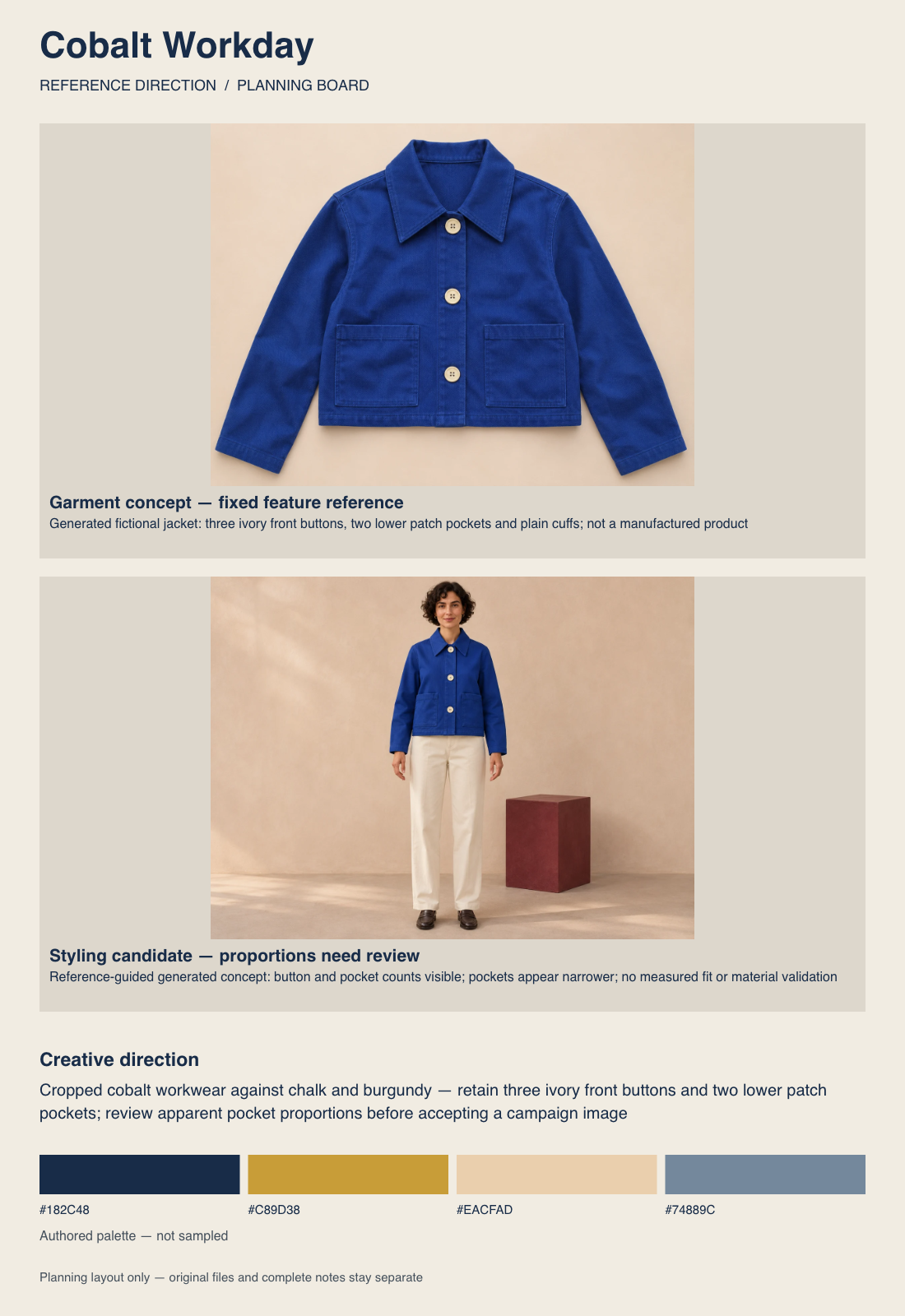
Our board’s navy, ochre, beige and slate values are authored supporting choices. They were not extracted from the cobalt jacket, and they do not certify its colour. A digital palette can guide a campaign conversation; the final garment colour still needs the appropriate real-world or output-specific approval.
Build a fashion moodboard for industry handoff
A fashion moodboard for industry use should make the next decision clear. State the project, intended audience, season or setting where relevant, hero garment, fixed design details and the assets still required. If the board is for a creative shoot, identify the styling and photography direction. If it is entering product development, identify the separate technical and material work that remains.
For Cobalt Workday, the fixed conceptual features are the cropped cobalt silhouette, three light front buttons, two lower patch pockets and plain cuffs. Pose, trouser styling, light and background can be explored. The unresolved list includes pocket proportions, exact collar treatment, physical fabric and all real fit measurements. That separation helps collaborators discuss the same design without pretending that the concept is production-ready.
The London College of Fashion materials guidance emphasises interacting with samples, their labels and material provenance. Apply that distinction here: a generated weave can suggest a visual direction, but you need appropriate physical samples and specifications to evaluate actual fabric. The board does not establish fibre content, durability, stretch, drape or manufacturing feasibility.
Use the free fashion moodboard template
Start with the blank reference-role template. Each row asks for the role, asset, details to retain, variables to explore, unresolved questions and next decision. It is an editable planning sheet rather than an automated design score. Duplicate rows for a collection, but keep the fixed garment record distinct from campaign experiments.
- Write one sentence defining the fashion direction.
- Choose the hero garment or original concept reference.
- List its fixed visible features explicitly.
- Add styling and photography references with separate roles.
- Record material questions without replacing physical evidence with an AI texture.
- Compose the board and keep the complete text brief alongside it.
- Review the next generated candidate against the fixed features.
Adobe Express’s fashion moodboard guide provides another template-based composition workflow. Our local maker is a separate Clout tool: it arranges your references and notes in the browser and does not generate new photos. Choose the workflow that lets you preserve source files and explain each reference’s purpose.
Inspect the actual exported board
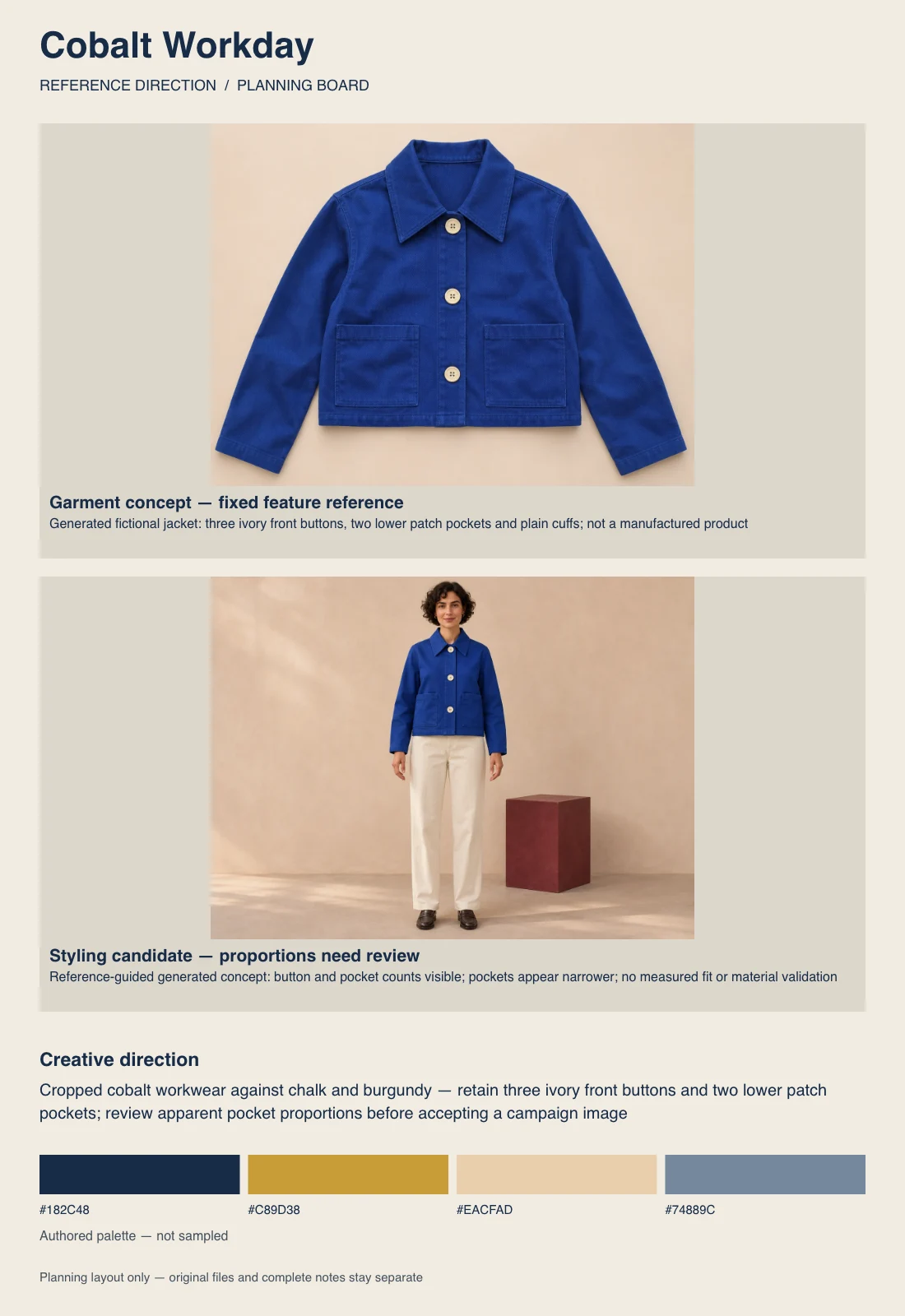
We uploaded the two optimised study references to the local moodboard maker, assigned garment and styling roles, added the unresolved pocket note, selected portrait format and exported the PNG plus TXT brief. Contain preserves the complete references instead of cropping away buttons or a sleeve. The maker’s supporting palette is authored rather than sampled from either image.
To make your own version, download the two reference images, open the maker, remove its initial example and add the files. Give them the roles shown here or replace them with your own approved assets. Keep the originals: the PNG is flattened, and the text brief records notes and filenames without embedding images. Neither file is a restorable Adobe project.
Write an AI fashion moodboard brief
A useful brief distinguishes the object from the presentation. For this study, the submitted styling instruction used the original generated jacket as the reference and explicitly described the button and pocket counts. It then specified a front-facing full-length pose, ivory trousers, dark loafers and a neutral studio. The actual second image above is the returned candidate for that request.
For a new campaign variation, a proposed brief could read: Use the approved jacket reference as the garment authority. Keep the visible closure, pocket placement, collar and hem. Explore a chalk studio and burgundy set accent with restrained daylight. Leave the front unobstructed for review. Do not add a logo or treat the generated model as evidence of real fit. This variation is a draft direction, not another tested generation.
Use the currently supported reference controls in Clout Image and Video or plan the broader set in the AI lookbook workflow. The images in this study were made with the built-in tool, not a Clout account generation. Review the actual selected workflow, returned image and garment details before treating a candidate as a campaign asset.
When a product is ready for a buyer-facing presentation, use the free line sheet maker and template to connect approved images with identifiers, prices and delivery details.
Download the original fashion reference pack
- Native generated jacket concept PNG
- Native reference-guided styling PNG
- Actual exported portrait moodboard PNG
- Complete exported creative brief
- Filled visible-feature review
- Blank reference-role template
- Generation and export provenance
Before moving to a lookbook or fashion video, approve the garment reference and decide which unresolved points need a new image or real sample. The fashion video workflow covers the additional problem of reviewing clothing through motion. A convincing still does not prove that fastenings, pockets or texture remain stable throughout a moving shot.