An AI Christmas card generator can help create a festive portrait or explore a visual direction. To finish a card, keep the accepted image separate from the exact greeting, choose a suitable layout and inspect the actual file you will share or print. Start with the recipient and message rather than asking for a complete card full of generated lettering.
Choose a photo card illustrated card or business greeting
| Card direction | Starting material | Important review |
|---|---|---|
| Family photo card | Approved photographs with clear reference roles | Every face hand and person count |
| Pet Christmas card | Clear pet portrait and visible markings | Face ears coat pattern and collar |
| Illustrated greeting | Original scene or character brief | Composition and room for the message |
| Business holiday card | Approved brand assets and final wording | Accurate logo text and recipient context |
A portrait and a card front are different deliverables. A strong image can still leave no room for the greeting or crop an important face when it becomes a landscape card. Decide whether the result will be a digital greeting, a printed front or a folded card before choosing the composition.
Prepare references that show the details you want to keep
Use photographs you own or have permission to adapt. For a family composition, identify which reference belongs to each person and where they should appear. Avoid guessing an unseen face or combining several people from a tiny group screenshot. The family portrait workflow explains reference roles and a two-adult fictional example.
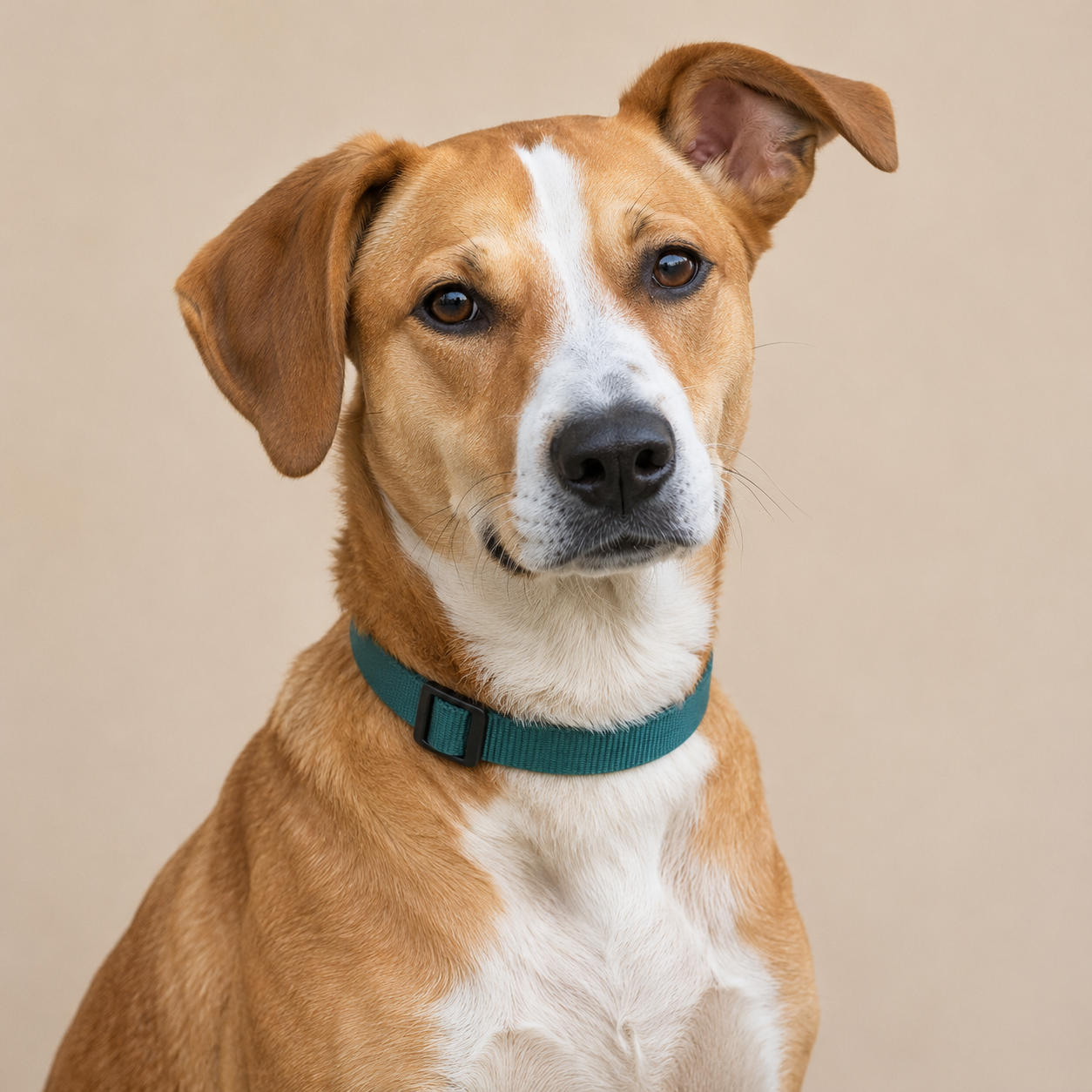
For a pet card, record the actual markings, ear pose, eye color and accessories. Our original fictional dog has a tan coat, a white forehead-to-muzzle blaze and chest patch, brown eyes, asymmetric ears and a teal collar. Those are visual cues to inspect, not a breed or real-pet identity claim.
Write a focused Christmas photo prompt
Pet portrait with a festive background
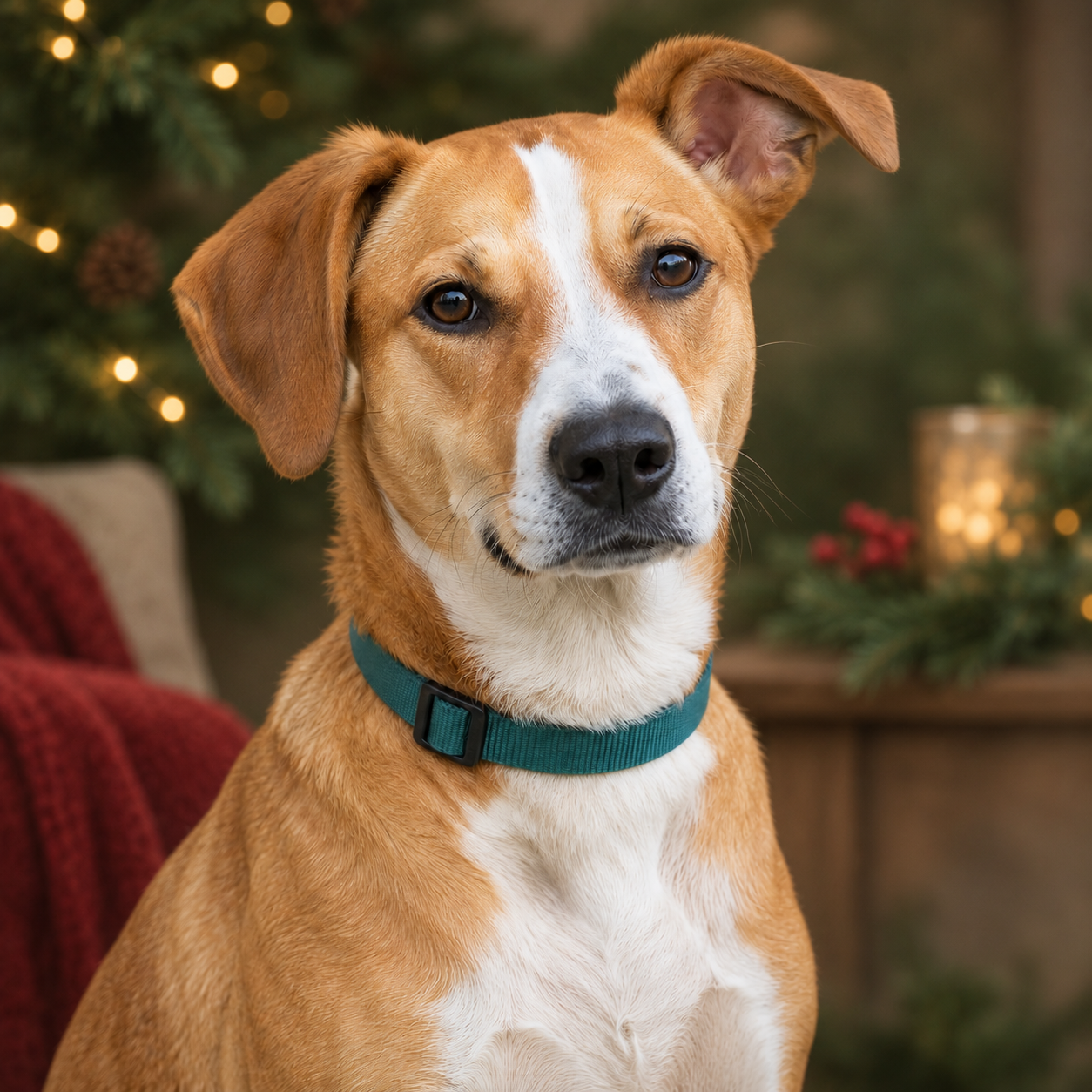
Use the approved pet portrait as the reference. Keep the face, coat markings, eye color, ear pose and collar recognizable. Replace the plain background with a softly blurred evergreen interior and restrained warm fairy lights. Preserve the animal's natural pose and fur. No hat, costume, added animal, person, lettering or logo.
Family card from approved references
Use the separately labeled approved adult references for one calm holiday portrait. Keep each person's face and distinguishing details recognizable, with natural proportions and hands. Use a coherent cozy setting, soft practical lights and uncluttered space around the group. No extra person, invented lettering or logo.
Illustrated business greeting
Create an original restrained winter illustration with evergreen branches, warm window light and a simple cream and deep-green palette. Leave clear space for separately added brand assets and a short greeting. No generated company name, signature, logo or promotional claim.
The pet direction informs the actual edit below. The family and business prompts are original unexecuted briefs. In Clout Image and Video, select an available operation that supports your references and review its credit quote. A prompt cannot establish that every requested detail survived the output.
Inspect the original holiday background edit
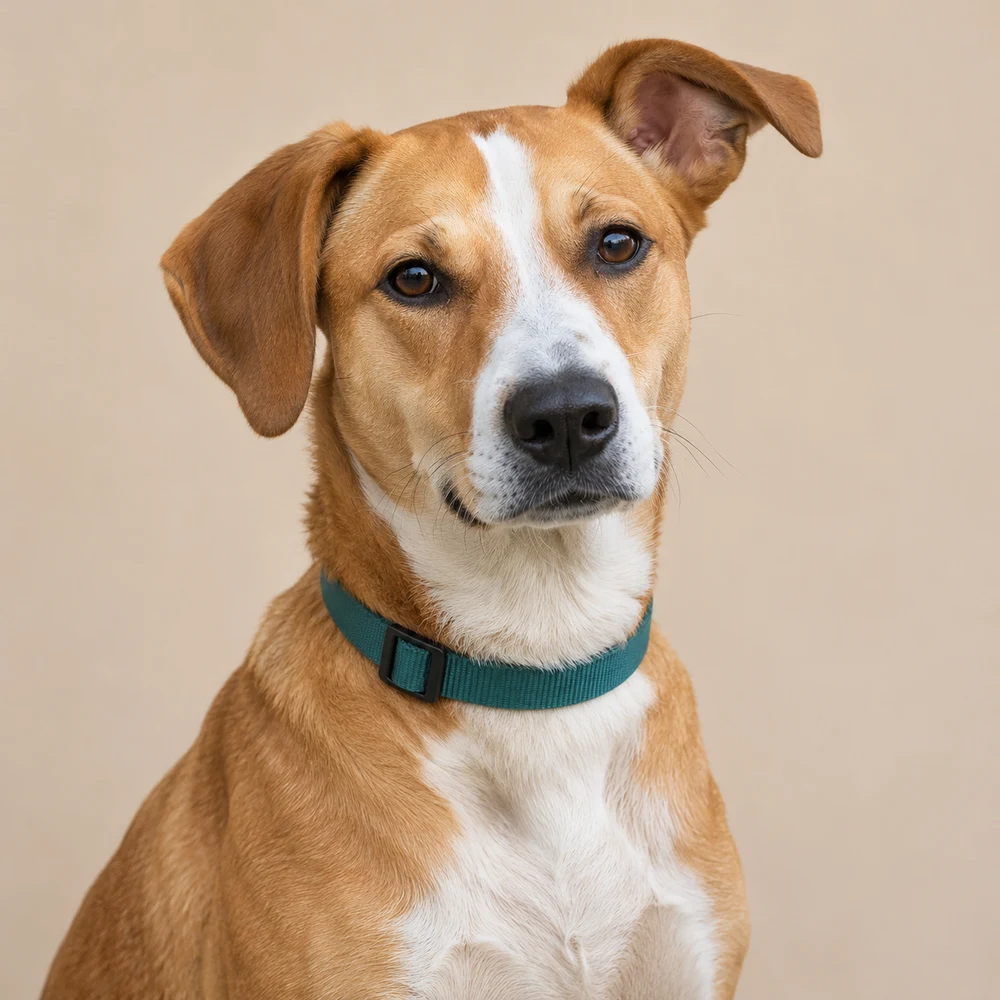
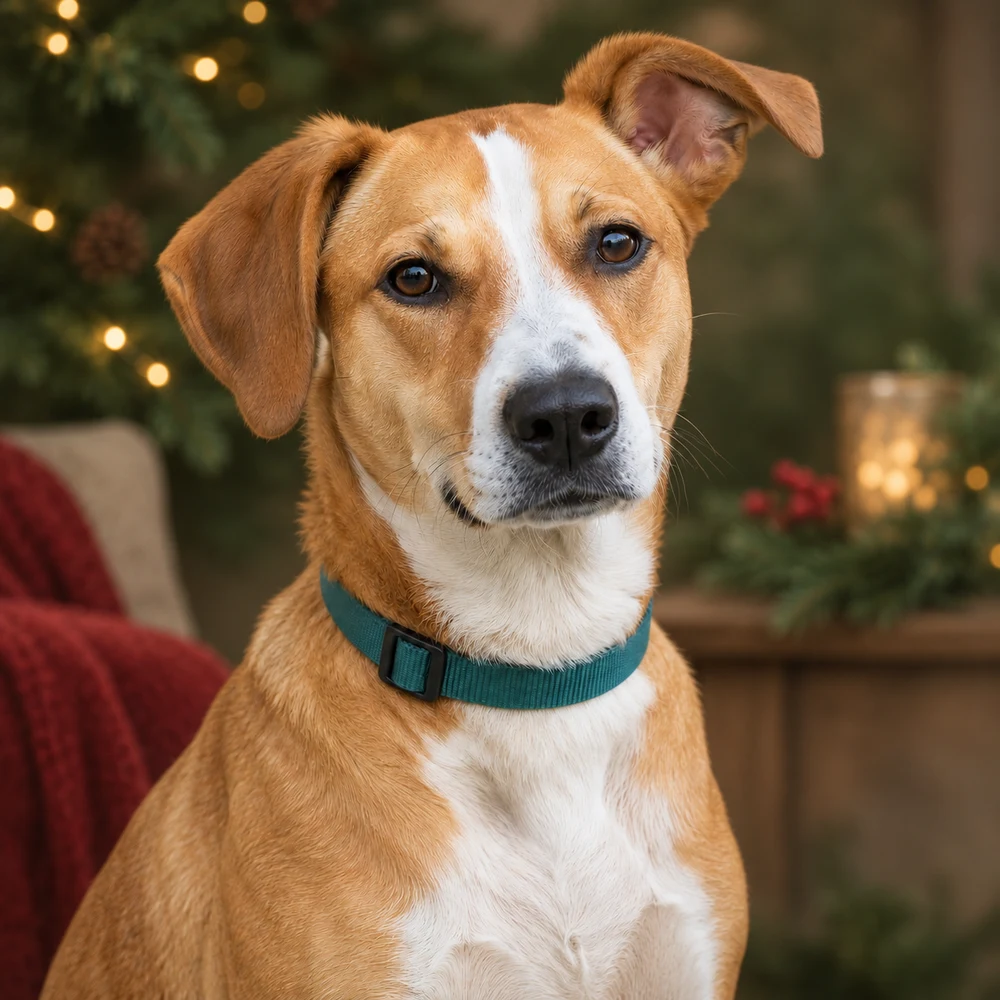
The holiday edit retains broadly recognizable white blaze and chest patch, asymmetric ear pose, brown eyes and teal collar with a dark buckle. The background becomes evergreen foliage, warm lights and a red accent; the fur light and fine edge rendering also change. Both native portraits are 1254 by 1254 pixels. This visual review does not establish exact facial geometry, a real-pet match or a measured identity score.
Download the native source portrait, native holiday edit, filled visual review and file and layout record. The page cover is separate editorial artwork.
Add the greeting as editable text
Keep names and wording outside the generated image when you need exact spelling. A short message gives the photograph room to breathe. Choose the wording for the relationship rather than filling the card with generic praise or invented family news.
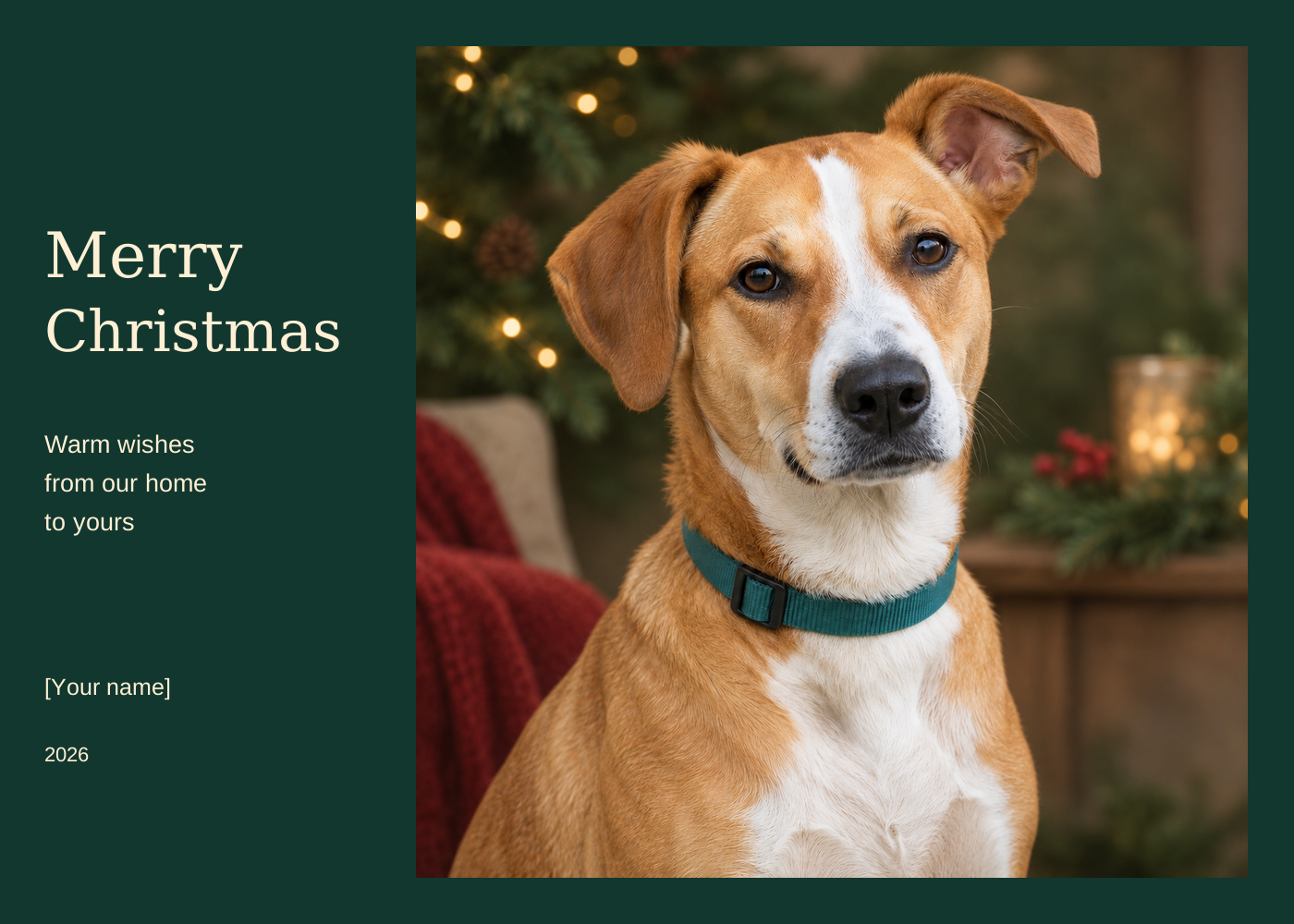
- Merry Christmas — warm wishes from our home to yours
- A little holiday joy from our favorite four-legged friend
- Happy holidays and thank you for being part of our year
These are original wording options, not messages already sent to anyone. Check the recipient's name, sender, year and tone in the actual export. For a business card, use approved brand files and final copy rather than asking an image generator to redraw the logo.
Download an original editable photo-card front
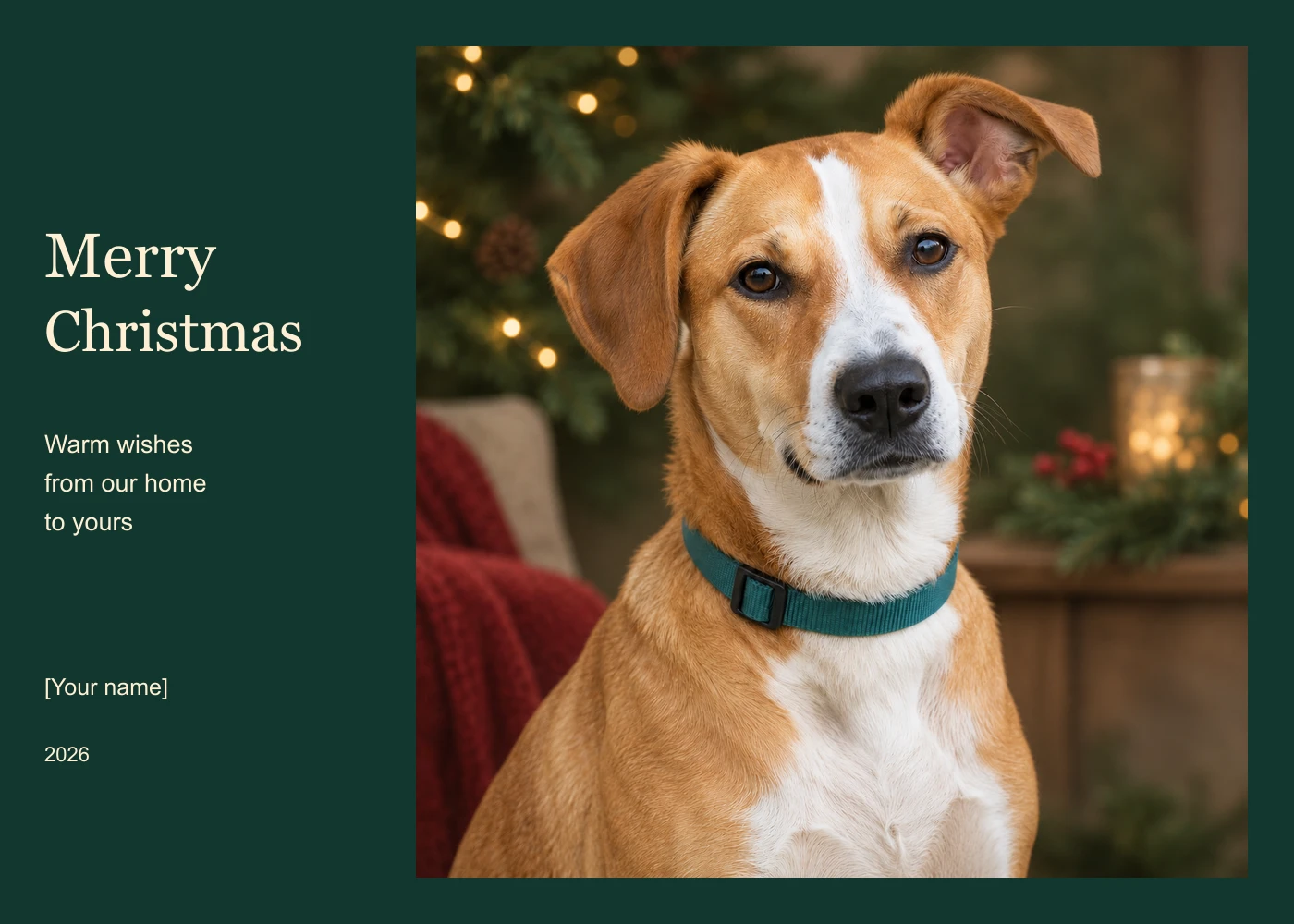
Download the standalone editable SVG front and editing instructions. The 1400 by 1000 viewBox uses a 7:5 landscape ratio. Its 900 by 900 photo is embedded, and the greeting and sender remain separate SVG text. No external photo download is required to open the file.
Replace the sender placeholder and change the greeting in an SVG-capable editor. The file uses system serif and sans-serif fonts, so another application may substitute a different font. We rendered the supplied version for inspection; that is not proof of identical font behavior in every editor. The layout has a front only, without an inside message, back, fold guides or supplier bleed.
Review the crop and readable contrast
Keep faces, ears and important props away from the edge of the chosen layout. Do not stretch a square portrait into a wide card. Our template places the complete square photograph in its own frame, leaving the greeting on a dark-green field rather than over bright decorative lights.
Review the card at phone size and at the intended physical scale. Check that the main greeting is readable without zooming and the sender is not lost in decoration. For a group portrait, inspect each face again after layout; a good full-size source can still become an unhelpful crop.
Prepare digital and printed versions separately
For digital sharing, export a supported image format from the accepted layout and open the actual file on the intended device. Check dimensions, orientation and visible text. The rendered preview on this page is 1400 by 1000 pixels; a larger browser display does not create extra original detail.
For printing, ask the printer for its trim, bleed, color and file requirements and review the proof. A 7:5 ratio does not by itself establish an approved seven-by-five-inch production file. Keep the native portrait and editable layout so changes can be made without repeatedly resaving a flattened screenshot.
Choose a card editor for the finishing step
Canva's official Christmas card page describes uploading holiday photos and customizing card templates. Adobe Express's holiday card page describes customizable holiday-card layouts. Check the operation, asset access and current export controls in the service you choose. We did not test either account or order a printed card.
The free downloads here are original artwork and planning/layout resources. They do not provide unlimited free AI generation. Clout image and video operations use their displayed credit quote. A search for a free AI Christmas card generator should not be treated as a promise about every service's billing.
Turn an accepted card into a short greeting
If you want motion, start from an accepted portrait and choose one restrained supported image-to-video action. Inspect the face, ears, collar and background throughout the clip. Add the greeting after accepting the motion so generated text does not drift between frames.
Do not assume a human lip-sync operation supports a pet face. A silent moving portrait can accompany separately added music or a recorded greeting. For a broader winter illustration, use the original snowman images and editable greeting; for year-round portrait styles, use the pet portrait workflow.