

Skincare product photography needs to make the package easy to identify before it gives the campaign a mood. Plan a readable closed-product image, then create a separate styled composition. Keep the actual formula, texture and approved wording distinct from the scene around the jar.
Our original example follows that sequence: a fictional closed mint jar becomes the reference for a portrait campaign edit. The native images, executed brief and filled review are downloadable. This is an image-composition study, not a photograph of a real skincare formula or a claim about results on skin.
Give each skincare image one clear job
| Image | What it should communicate | Source of truth |
|---|---|---|
| Closed packaging | The actual variant and readable label | Owned product photo and approved artwork |
| Campaign scene | The brand’s visual direction | Accepted packaging reference and scene brief |
| Texture close-up | The real contents and finish | Approved photograph of the actual formula |
| Application image | A specific use action | Approved instructions and an authorized reference |
| Short video | A reviewed product movement or demonstration | Accepted stills and inspection of the full clip |
Download the skincare photography shot plan. It marks the two supplied fictional images separately from planned texture, application and motion shots. You do not need to invent a cream swatch just because the packaging image looks incomplete without one.
Start with the exact packaging variant
Collect clear front, side and closure photographs of the item you actually sell. Include a detail of the label and any feature that distinguishes variants: lid color, pump shape, tube cap, jar proportions or printed wording. A similar mint jar is not automatically the same product.
Record which parts of the reference are fixed and which scene details may change. Keep the approved label file separate so the reviewer can read the output against it. For multiple sizes or formulas, identify the actual variant before starting another image; do not use a convenient earlier reference simply because the palette matches.
Inspect the original closed-jar reference
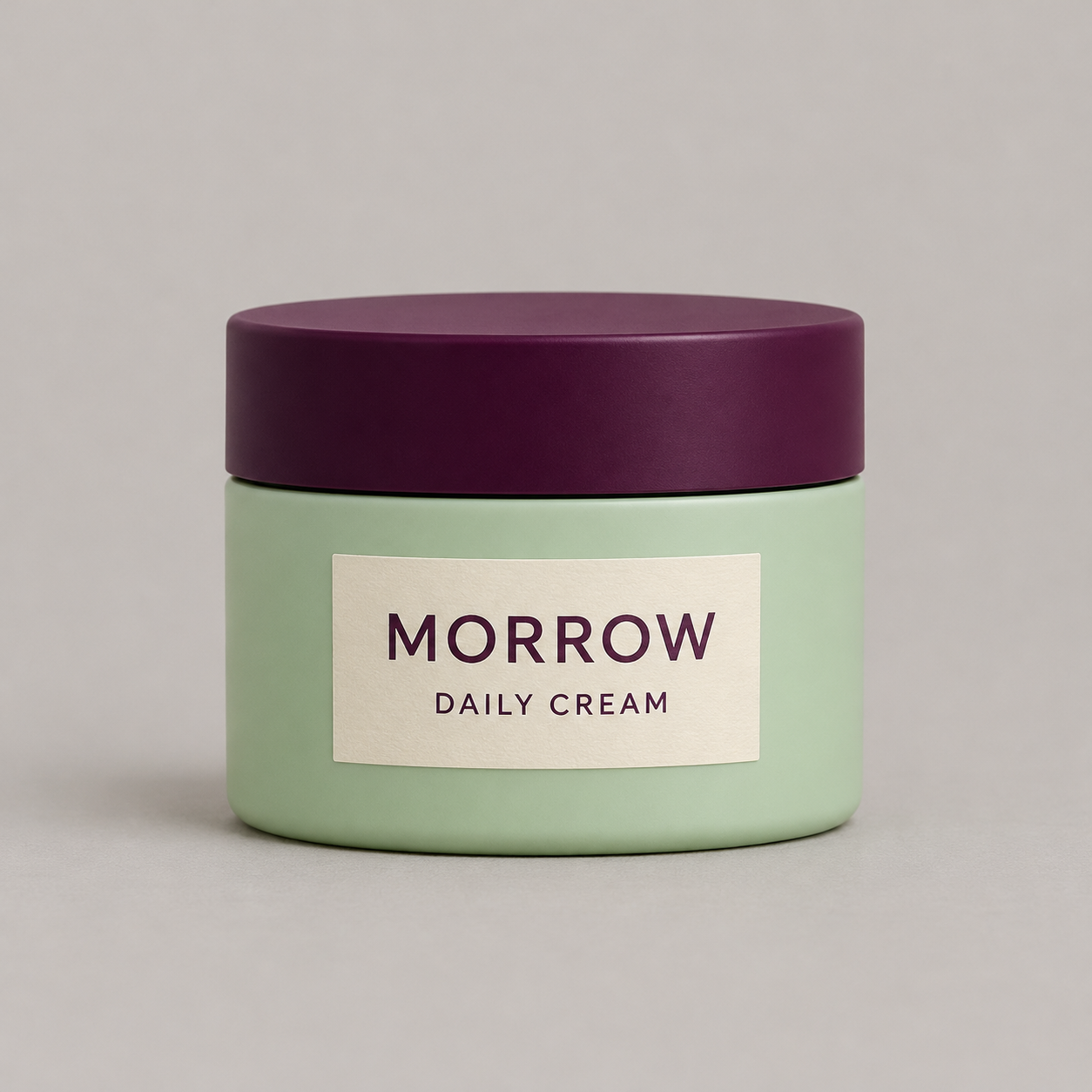
The example has one squat cylindrical mint body, a broad plum lid, a thin dark seam and a cream label reading MORROW and DAILY CREAM. It is closed, so the image supplies no evidence about the contents. The name is fictional example lettering, not a recommendation or a statement that this product exists.
Download the native jar reference. Its visible features are useful review anchors. They do not establish packaging dimensions, material composition, ingredients, volume or performance.
Plan the frame before adding an offer
A catalog image and a social campaign image have different layout jobs. A clean front view makes the product inspectable. A portrait campaign may need space above the product for a headline or beside it for approved copy. Decide the intended composition before requesting another background.
Our edit brief asks for one complete jar in the lower half of a portrait frame, with uncluttered upper space. The new set is warm yellow with a lilac paper shape. No headline is generated into the product image, so campaign wording can remain editable after the picture is approved.
Use the supplied closed jar as the product reference. Create a portrait campaign composition with the jar in the lower half and generous clear space above for later copy. Use a warm muted yellow set and a lilac paper backdrop shape. Keep the mint body, plum lid, cream label and exact MORROW and DAILY CREAM wording. Do not open the jar or add cream swatches, ingredients, hands or extra products.
This summarizes the actual scene-edit request. Download the executed skincare image brief. It describes the requested invariants; the actual result still needs review.
Review the returned portrait campaign edit
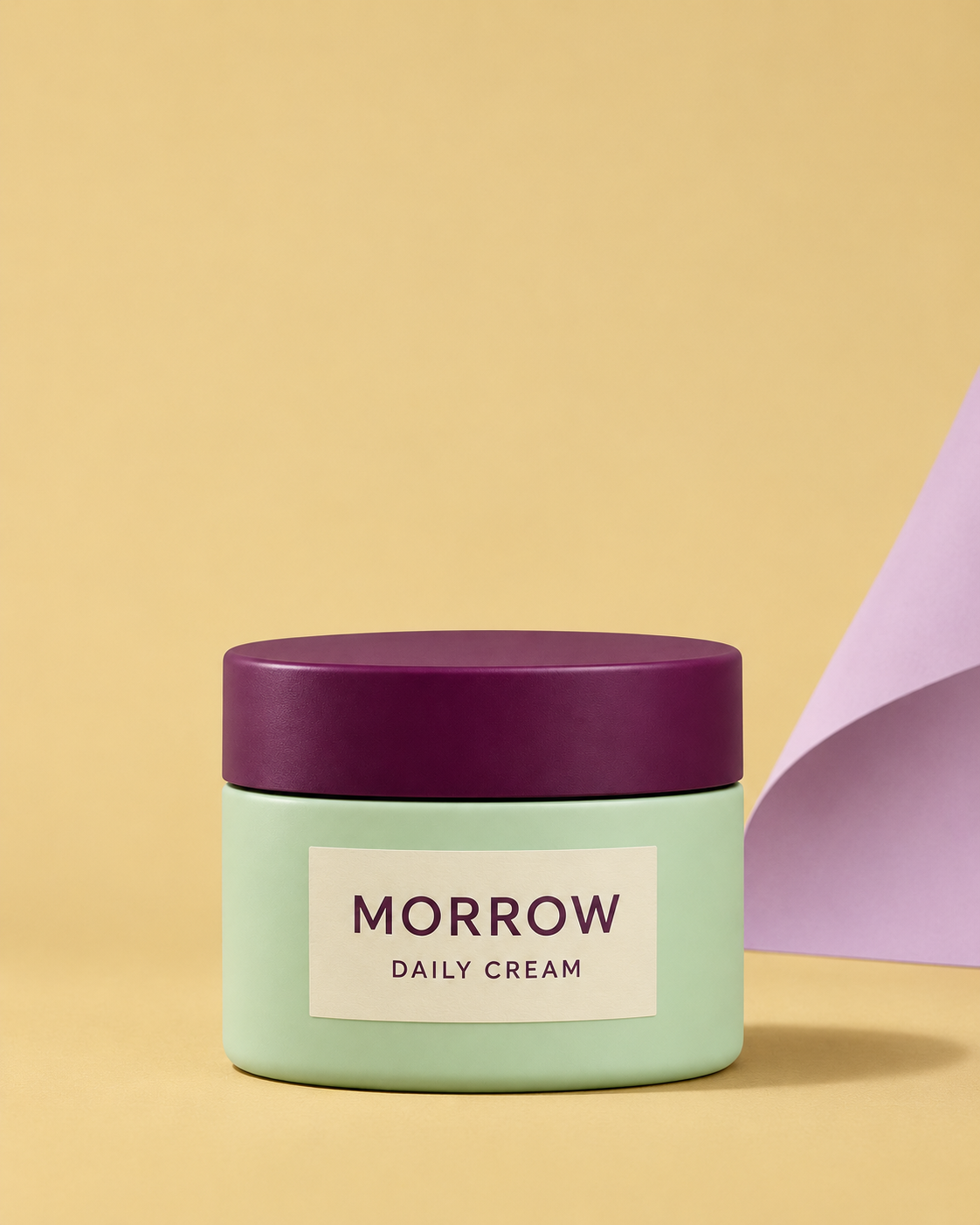
The returned image is 1122 by 1402 pixels, close to a 4:5 portrait. It places one complete closed jar in the lower frame with a broad clear yellow area above, and adds the lilac paper shape at the right. MORROW and DAILY CREAM remain readable. The mint body, plum lid and thin dark seam remain recognizable, but the paper texture, highlights and apparent package color differ under the warmer scene. This is a useful composition result for a fictional concept, not proof of exact printed artwork, unchanged pixels or calibrated color.
Download the native campaign edit, filled visual review and file provenance. The separate editorial cover is not a third preservation test.
Check the lid and label before the set styling
Compare the closure’s width, top profile and seam with the reference. A jar can stay the right color while its lid becomes too tall or its rim changes shape. For a pump or tube, inspect the nozzle, hinge, opening and visible cap position using the appropriate real reference.
Read the label at the delivered resolution. Check the product name, line breaks, spacing and label shape. Distinguish readability from exact typography: familiar words do not prove that the printed artwork survived unchanged. If exactness matters, retain approved product pixels or use a controlled compositing workflow and inspect the final integration.
Then review the surface finish and color under the new light. A matte jar can appear glossy, and a shadow can make a pastel package look like another variant. Compare the final campaign image with the actual product record; a visual edit is not a calibrated color measurement.
Use real texture references for the formula
A generated cream smear can suggest an attractive material without showing your actual formula. It cannot establish viscosity, absorption, finish or the amount a customer should use. Photograph an approved real sample when the content needs to communicate those details.
Keep that texture image paired with the correct product and variant. Avoid silently using a glossy gel image for an opaque cream or a white swatch for a tinted formula. Our fictional study keeps the jar closed and includes no texture shot, application demonstration or skin result.
Props also carry meaning. Fruit, botanicals, water droplets and laboratory objects can imply an ingredient or positioning that the actual product does not support. Choose them with the campaign owner and approved product information rather than letting a generator fill the scene automatically.
Choose a supported image-editing workflow
In Clout Marketing Studio or Image and Video, choose an available operation that accepts your required product references and inspect its credit quote. Separate a reference-led edit from a text-only concept request. Our two images were made with the built-in image tool, not as a Clout provider benchmark.
Photoroom’s beauty photography page describes styling product imagery and coordinating catalog presentation. Its Product Beautifier documentation also notes that generated results interpret the input and can change shapes, patterns or text. These are provider descriptions checked for workflow context; we did not run a Photoroom account comparison.
Approve the crop at its actual destination
View the complete composition and the final crop separately. Confirm that the entire jar and closure remain visible where required, the label is legible and copy does not collide with the product. Leave prices, offers and approved product statements in editable layout layers.
A styled yellow campaign scene is not automatically a suitable marketplace main image. Check the current requirements of the destination before publishing. Keep a clean product view available rather than forcing every channel to use the same creative crop.
Extend the accepted still into a campaign
After approving a still, plan close details, a second accurate product view or supported motion according to the campaign’s needs. Review every result against the same variant record. A smooth camera move is unsuccessful if the jar’s wording changes halfway through it.
No motion or application content was generated for this study. Continue with the AI product video workflow for that stage. The general product photography guide covers catalog planning, and the perfume photography study handles transparent glass and liquid rather than an opaque jar.
Save the accepted source, brief, output and decision together. Record rejected versions too, with the specific defect that needs correction. The free planning files on this page do not include paid Clout generation or prove real SKU accuracy, formula identity, efficacy or advertising performance.


