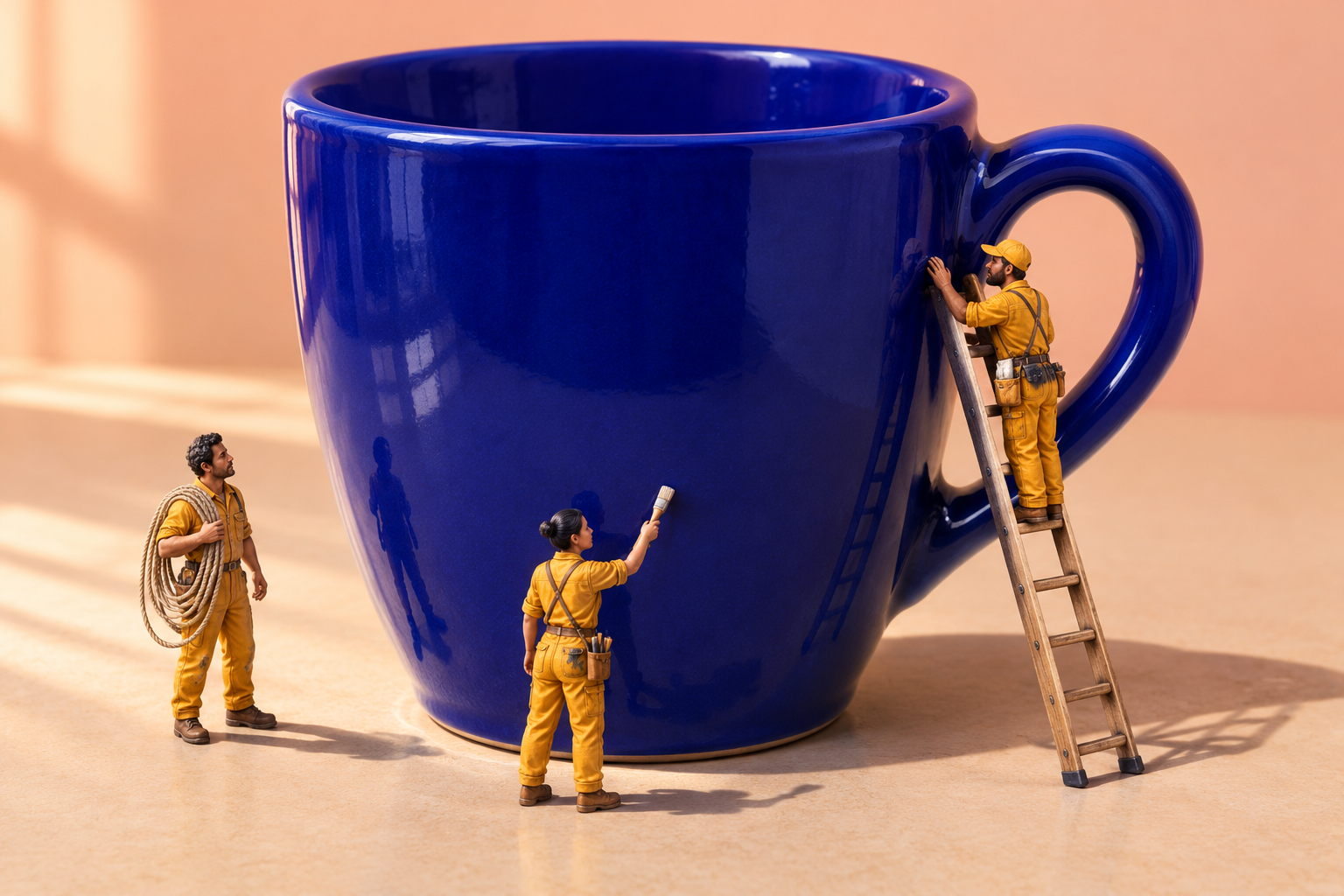
A miniature AI image turns an ordinary object into the landscape of a tiny scene. A mug becomes a tower, a notebook becomes a workshop floor and a button becomes a circular stage. The visual idea works when the viewer immediately understands the scale and the small characters have a clear task.
This guide focuses on fictional tiny-worker images and planning a short image-to-video shot. It does not create a printable miniature, a 3D mesh or a measured physical model. Start by deciding which of those deliverables you actually need.
Choose the miniature effect before choosing the tool
| Deliverable | Starting point | What to inspect |
|---|---|---|
| Tiny-worker image | An original scene or approved product photograph | Relative scale contact shadows and readable activity |
| Miniature-world video | An accepted still with visible workers | Worker continuity motion and object stability |
| Toy or figurine portrait | An authorized subject reference | Recognizable appearance and believable material |
| Printable miniature | A suitable 3D asset workflow | Geometry dimensions and manufacturing requirements |
A photographic-looking tiny world is still a flat image. A convincing ceramic surface does not prove a watertight mesh exists behind it. If your goal is physical production, use an appropriate 3D workflow and inspect that deliverable independently. For this page, the target is a readable visual illusion.
Build a scene around one ordinary object
Choose something with a strong outline and visible interaction points. A cup handle supports a ladder. A book edge supports a platform. A plain shoe offers a surface to polish. Begin with one object rather than a busy room full of landmarks competing for attention.
For an owned product, retain a clean reference and list the silhouette, color and label details that must survive. Keep the invented activity separate from factual claims about the product. Tiny workers painting a fictional mug can be playful art direction; they are not evidence of how a real factory manufactures it.
Define the activity in one sentence. “Three workers prepare a cup-shaped lookout tower” is a usable premise. “A magical world with many amazing things” gives you no clear acceptance test. Place the workers where viewers can see their task without enlarging the image.
Write a miniature AI prompt with a visible scale anchor
One original photographic miniature scene on a warm cream tabletop. One plain cobalt ceramic cup, handle to the right, about six worker-heights tall. Three tiny adult craft workers in mustard overalls: one halfway up a wooden ladder beside the handle, one at the front base holding a brush, one to the left carrying a coiled rope. Show the whole cup and every worker's feet. Warm side light, grounded contact shadows and readable tools. Simple peach backdrop. No text, logo, extra person, extra cup or liquid.
This is our original scene brief. The relative-height instruction provides a compositional target, not a verified ruler measurement. Generated perspective, bent poses and differently placed workers can change apparent size. Inspect the actual picture rather than treating every word in the prompt as a delivered property.
Use an image operation supporting the inputs you need in Clout Image and Video. Check the selected operation and its credit quote before submitting. A reference-led edit and a prompt-only scene can produce different tradeoffs; preserve the original input when the product matters.
Inspect the original cup and tiny-worker study
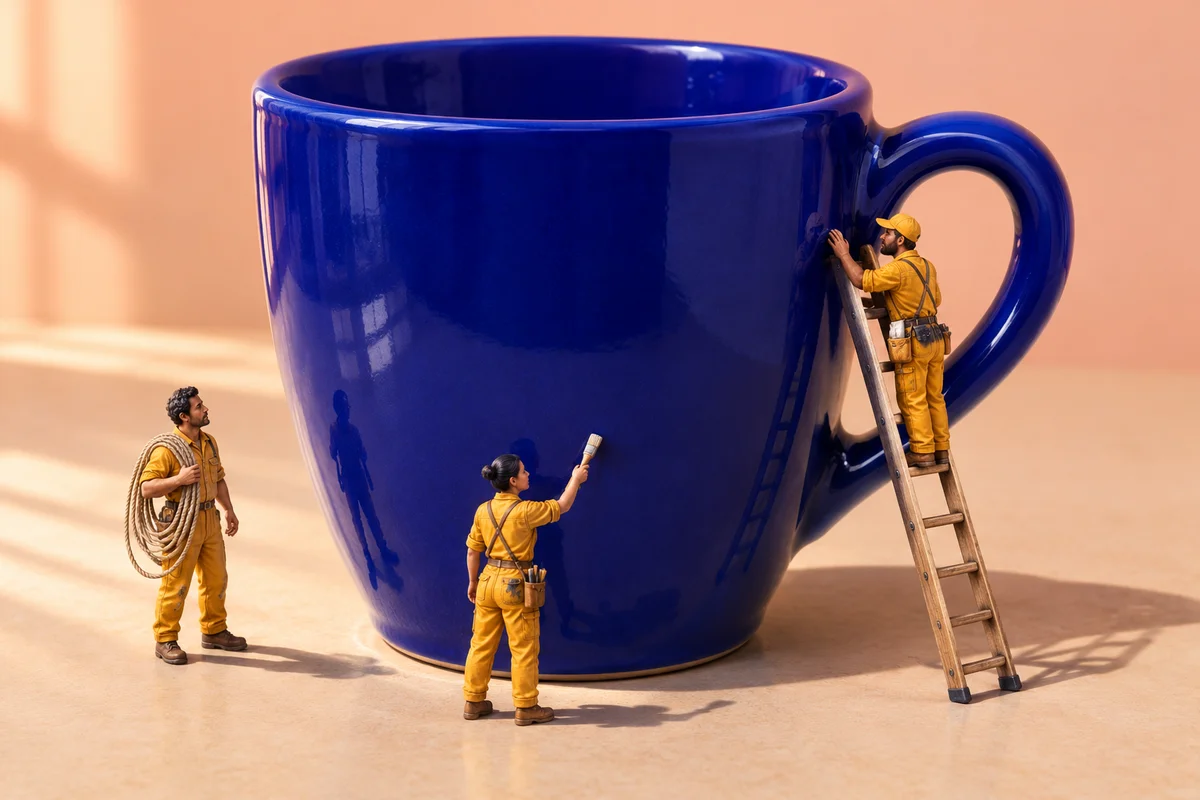
The still shows one cobalt cup, three visible adult workers, a ladder at the right handle, a front brush and a rope at the left. The workers and ladder have visible tabletop contact and cast shadows. However, the cup appears roughly two standing-worker heights tall rather than the requested six. The front brush is raised near the cup rather than showing a completed stroke. The cup is empty and has no visible label. This is a visual observation, not a calibrated scale or physics measurement.
Download the native study image, filled visual review and file record. The editorial cover is a separate image. This study is not a result from Blieve, AnimateImage or a named Clout model, and it contains no generated motion.
Check scale contact and depth separately
First count the visible workers and identify their jobs. A hand-shaped blur beside a large object does not communicate an activity. Check ladders, ropes and tools at their contact points. A ladder floating above the tabletop can break the scene even when the cup looks attractive.
Next inspect the shadows. Compare the light direction on the large object with the smaller figures and their supports. Look for feet that merge into the surface, duplicate limbs and props that change thickness unexpectedly. Record what is visible and what remains too small to judge.
Finally review depth of field at the intended display size. Macro blur can help communicate a small set, but it can also hide the entire task. Keep the most important worker and interaction readable. A miniature effect does not require every edge to be blurred.
Plan one movement for a miniature-world video
Accept the still first, then choose one small action. For this cup scene, the front worker could make a short brush stroke while the camera stays still. Keeping the other workers quiet gives you a simpler continuity check than making all three climb, paint and carry at once.
Animate the accepted miniature cup image as one continuous locked-camera shot. The worker at the front base makes one small brush stroke and returns to rest. Keep the cup, handle, ladder and other workers stable. Preserve the scene's relative scale and warm light. No new people, added lettering, camera orbit, scene cut or cup movement.
This motion prompt is an unexecuted brief. Select a supported duration and inspect the displayed quote rather than assuming the prompt controls timing exactly. Download the original shot-planning worksheet to record the opening, action and ending before rendering.
Review the middle of the clip
Do not judge a video from its thumbnail. Check the worker count at the start, during the gesture and after it ends. Watch the ladder and cup handle for bending or merging, and compare the brush position with the worker's hand. An appealing beginning and ending can conceal an unstable middle.
Separate object animation from camera motion. A camera push can make the cup grow on screen while the worker remains still; that is different from a successful brush gesture. If the movement is unclear, simplify the prompt or use a closer composition rather than describing the output as a completed action.
Adapt the idea to a useful creator workflow
- A stationery reveal can show tiny organizers carrying blank paper beside an original notebook
- A food illustration can show fictional miniature decorators beside an invented cake
- A craft tutorial opener can show a tiny crew examining a large spool and needle
- A product concept can use a clean approved package as a landmark while preserving its actual label
These are proposed directions rather than completed renders. Give each one its own reference and review. For a staged visual style, read the AI stop-motion workflow. For material-led characters, use the AI claymation guide. Neither technique is required to create a miniature scale illusion.
Compare dedicated tiny-world workflows
Blieve's official Tiny World page presents a product-image upload and occupation choice. AnimateImage's miniature-video page recommends starting with a scene where the workers are already visible and then describing their movement. We checked those public pages without uploading, generating or testing an account.
Choose based on the input and deliverable you need, then inspect the current controls, terms and quote. A service calling a format viral does not establish current search growth or predict your views. The downloads here are free reference and planning resources; they do not include unlimited AI generation.